1
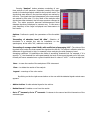
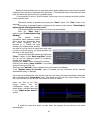
Setting of the threshold level is an important action, largely affecting the result of search signals
(detection and recording of unwanted noise pulses etc.). The threshold must be set above the noise
level and below the upper level of the possible pulses.
It recommends to set the "Show Envelope" option when you are seeking the better position
of the threshold level.
The search process is activated by pressing the "Start" button. The "Stop" button is for
stopping.
The number of detected signals is displayed at the bottom of the window: "Searching for
digital signals. XXX signals found so far."
The detected signals are recorded in the event log automatically.
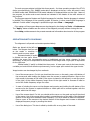
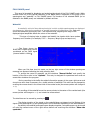
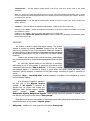
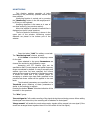
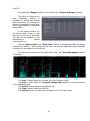
Press the "View Log..."
button to open “Pulse Detector Log
Window”.
This
window
contains
information about detected signals.
Every signal has information about
the center frequency with an
accuracy of +/- 32MHz, the pulse
duration (the measurement accuracy
can differ a lot from the true value when duty cycle
of pulse is 100 and above), the signal duration and
the value of the signal level.
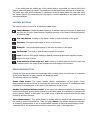
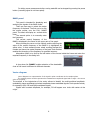
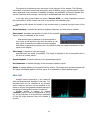
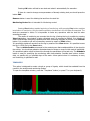
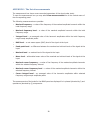
You can set some filter options by clicking the
"Filter..." button. In this “Pulse Log Filter” window
can be set the displayed signals by frequency,
duration and amplitude.
Pressing the "Clear" button erases all log entries.
Clicking on the button «Save as HTML ...» provides
saving of the log in HTML file.
Clicking on the "Refresh" button updates the log information immediately.
If the "Refresh every 10 seconds" option is enabled, the log information will be updated
automatically every 10 seconds.
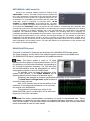
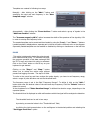
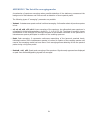
If you click the mouse pointer over the event log entry you want, the stored associated oscillogram
will be displayed with “Saved data” label. Also, when you click the right mouse button on that
entry you can add it to the archive, save as an HTML file or delete.
When you click on the right
mouse
button
over
the
oscillographic image you can
make variety activities described
in the "Right mouse button"
section.
It should be noted that when you shut down the program the log data are not saved
automatically.
18