1
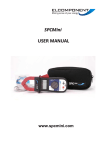
SPCMini
QUICK START GUIDE
www.spcmini.com
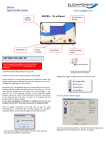
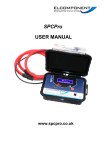
SPCMini - ‘At A Glance’
SETTING THE UNIT UP
Note: For detailed PC Specification and Full User
Manual
please
see
PowerPackPro
Disk
or
www.spcmini.com download
iv.
Press the Bluetooth button to activate the
logger’s Bluetooth discovery mode. After a
short time the software will ‘discover’ the
SPC Mini.
Note: To use the SPCMini, you will need to load the
PowerPackPro software onto a Bluetooth® enabled PC.
i.
ii.
Install a PP3 battery into the SPCMini.
Install the PowerPackPro software onto your
PC, and open the program via the desktop
icon. A window will appear to show that the
software is searching for loggers.
which will open the window shown above, and also
add the logger to the tree on the LH side of the
desktop.
iii.
Switch the SPCMini to the ‘log’ position using
the slide switch located at the bottom of the
front panel. The blue Bluetooth led will
illuminate briefly to indicate that the unit is
functioning correctly.
NOTE: PowerPackPro software will ‘find’ any available
Bluetooth devices such as mobile phone or office equipment,
and these will appear on the tree with their user-allocated
name against a Bluetooth Logo. The SPC Mini takes a little
longer to ‘find’ than most standard Bluetooth devices
because it has to pair and connect with the PC before is
shows up. This may take up to a minute. If the logger has
not been discovered after this time has elapsed, wait for the
blue l.e.d. on the unit is extinguish and then press the
Bluetooth button to restart the discovery process. If a link is
not establishes, refer to page 13 of the User Manual for
additional information.
WARNING: Refer to the information on page
4 of the User Manual before using the logger
to make electrical measurements.
vii.
To start data logging switch the logger to
‘Log’ mode. This will turn the display OFF,
and the Bluetooth l.e.d. will illuminate briefly.
Press and hold the red Reset/Start button
until the red l.e.d goes out, to initiate logging.
Example of typical tree diagram
v.
Select ‘Set Logger’ from the ‘’logger found’
window to open the set-up window.
NOTE: The red ‘Log on’ will behave differently
depending on the memory status of the logger. If the
logger memory already contains data that have not been
downloaded the l.e.d. will warn by flashing quickly.
Releasing the button whilst the l.e.d. is still flashing will
retain the data, allowing the user to download it before
proceeding. If the button is pressed and held for
approximately 5 seconds the l.e.d. will cease flashing,
any existing data will be erased and a new survey will
commence. This is indicated by the l.e.d. producing a
short flash every 5 seconds whilst logging is taking
place.
If there are no unrecovered records in the logger
memory the l.e.d. will respond by illuminating for
approximately 2 seconds before logging is
initiated.
Enter the storage interval in hh:mm:ss format
and click ‘set logger. The screen will show:
NOTE: Setting the logger will synchronise the logger
clock to the PC clock time and delete any records in the
logger memory.
vi.
The logger is now set and can be switched
off at this point. The PC software can now be
closed down.
Check the l.e.d. is showing a short flash every 5
seconds or less to verify that logging is actually
enabled.
viii.
When the desired survey period is complete,
the SPC Mini is downloaded as follows:
ix.
Downloading is possible even if logging has
not been switched off, but it is recommended
that logging is terminated by switching the
slide switch to the ‘off’ position prior to
starting a download.
Open PowerPackPro on the PC and establish
Bluetooth communication with the logger as
detailed above. Click the ‘download option’ on
the ‘Logger Found’ screen and follow the on
screen instructions to download and display your
survey.
The load to be measured can be checked by
using the unit in ‘Display’ mode if required. Set
the slide switch to display, select the desired
range and clip on to the relevant conductors.
Issue 2
27.07.06
Unit 5 Southmill Trading Centre, Southmill Road,
Bishop’s Stortford, Herts. CM23 3DY
01279 503173 www.spcmini.com /
www.elcomponent.co.uk