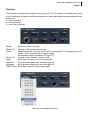
1
yellow tools Independence FX 2.0 37
Manual
Helper
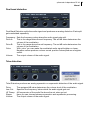
Volume
Here you can assign volume changes to the entire audio signal.
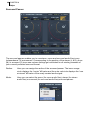
Panorama
Here you can assign the panorama relation of your entire audio signal.
Panorama: Panorama settings from 100L (left) to 100R (right).
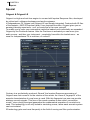
Spread:
Limitation of the panorama ratio from both sides simultaneously. 100%
corresponds to the full stereo panorama, 0% corresponds to mono.
Auto Pan: Automatic movement of the echoes between the left and right channel.
100% corresponds to a movement between the full stereo panorama, 0%
corresponds to no movement.
A.P. Speed: The speed of the „Auto Pan“ movement in hertz. One complete movement in
one second corresponds to 1.00 hertz.
Sync Button: Enables the synchronization of the „Speed“ parameter (changes into a select
pull-down menu) to the tempo of your sequencer software (host).
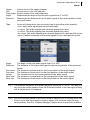
XY panorama
Here you can limit the panorama relation of the audio signal. You can assign different
values to each channel.