1
Table of Contents
Introduction.................................................................................................................................................... 3
Overview ....................................................................................................................................................... 4
Minimum PC Requirements ................................................................................................................... 4
The Outbound Technologies Logon Screen ................................................................................................. 5
The Enter/Update Screen ............................................................................................................................. 6
Add New Customer ................................................................................................................................... 7
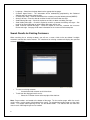
Search Results for Existing Customers..................................................................................................... 8
Update Existing Customer......................................................................................................................... 9
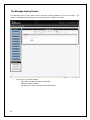
The Message Inquiry Screen ...................................................................................................................... 10
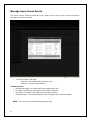
Message Inquiry Search Results............................................................................................................. 11
The Customer Inquiry Screen ..................................................................................................................... 12
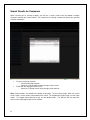
Search Results for Customers ................................................................................................................ 13
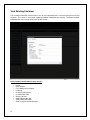
View Existing Customer........................................................................................................................... 14
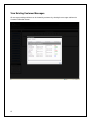
View Existing Customer Messages ......................................................................................................... 15
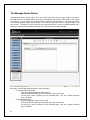
The Message Queue Screen ...................................................................................................................... 16
Edit Message ........................................................................................................................................... 17
The System Settings Screen....................................................................................................................... 18
General Tab............................................................................................................................................. 18
Time Tab.................................................................................................................................................. 19
Lapse Notices Tab................................................................................................................................... 20
General Messages Tab ........................................................................................................................... 21
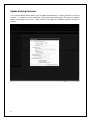
Holiday Messages Tab ............................................................................................................................ 22
Insurance Messages Tab ........................................................................................................................ 23
Terms of Service Tab .............................................................................................................................. 24
Password Tab.......................................................................................................................................... 25
The Templates Screen ............................................................................................................................ 26
The Reports Screen .................................................................................................................................... 27
The Blast Message Screen ......................................................................................................................... 28
Blast Message – Custom Message....................................................................................................... 269
The Distribution List Screen ........................................................................................................................ 28
Distribution List – Create/Update Tab ..................................................................................................... 30
Distribution List – Maintenance Tab ........................................................................................................ 31
The Support Screen .................................................................................................................................... 32
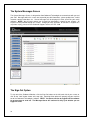
The System Messages Screen ................................................................................................................... 33
The Sign Out Option ................................................................................................................................... 33
Support Procedures .................................................................................................................................... 34
©2009-2010 Outbound Technologies, L.L.C.
2