1
User Manual
66571782GB7
23/2013
Fire Detection
20
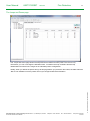
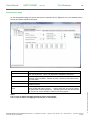
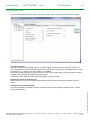
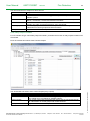
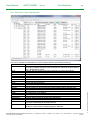
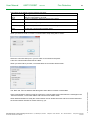
MCIO Setup page
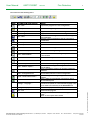
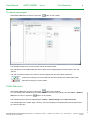
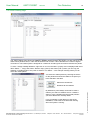
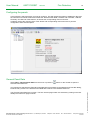
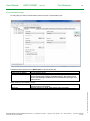
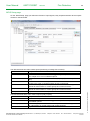
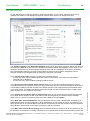
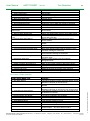
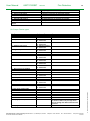
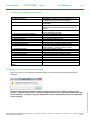
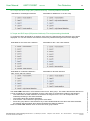
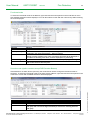
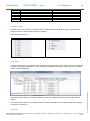
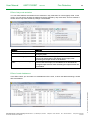
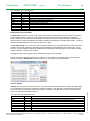
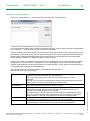
The MC board has two clean contact inputs (monitoring of voltage free contacts).
Field
Purpose
Input
Identifies the input
Function
Defines the kind of event that will be triggered by the input when activated.
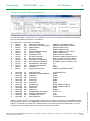
See chapter 0 for a list of available options.
Contact
Defines the kind of contact, either Normally Open (NO) or Normally Closed
(NC)
Monitored
Defines whether or not the input should be monitored for breaks or short
circuits in the cable. It should generally be set to ‘Monitored’.
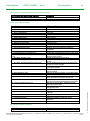
Control A
The first control group that the input will activate. See the FX Design
Manual for a discussion on control groups and control functions.
Control B
The second control group that the input will activate. See the FX Design
Manual for a discussion on control groups and control functions.
Description
Any text that describes the input.
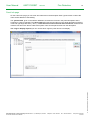
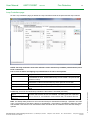
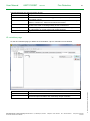
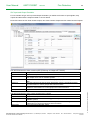
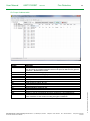
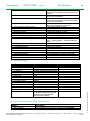
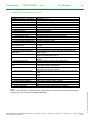
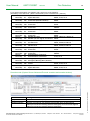
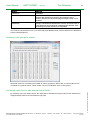
The MC board has three clean contact outputs (relay outputs)
Field
Purpose
Output
Identifies the output
Function
Defines the kind of event that will trigger the output. See chapter 0 for a list
of available options.
Control groups
The control groups that will activate this output. See the FX Design Manual
for a discussion on control groups and control functions.
Description
Any text that describes the output.
Schneider Electric Pelco Finland Oy Sokerilinnantie 11 C, 02600 Espoo, Finland
Document Number 66571782GB7
Telephone: +358 10446511 Fax: +358 104465103
www.pelco.com/nordic
23/2013
© 2013 Schneider Electric. All rights reserved.
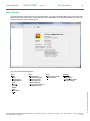
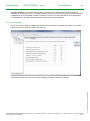
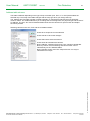
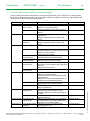
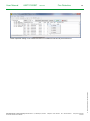
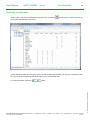
On the ‘MCIO Setup’ page you define the function of input signals, relay outputs and alarm device outputs
located on the MC board.