1
3 Web Client Operation
Operation
There might be slightly difference in the interface due to different series.
3.1 Network Connection
Before web client operation, please check the following items:
Network connection is right
DVR and PC network setup is right. Please refer to network setup(main menu>setting->network)
Use order ping ***.***.***.***(* DVR IP address) to check connection is OK or not.
Usually the return TTL value should be less than 255.
System is compatible with WIN VISTA web control right now. But you need to
disable user account control function. Double click user account and then disable
user account control. After completing setup, please reboot the PC.
System can automatically download latest web control and the new version can
overwrite the previous one.
If you want to un-install the web control, please run uninstall web.bat to un-install.
Please note, before you un-install, please close all web pages, otherwise the uninstallation might result in error.
3.2 Login
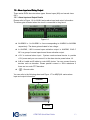
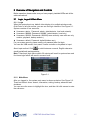
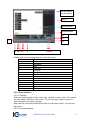
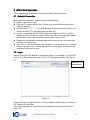
Open IE and input DVR address in the address column. For example, if your DVR IP
is 10.10.3.16, then please input http:// 10.10.3.16 in IE address column. See Figure
3-1
Input your IP
address here.
Figure 3-1
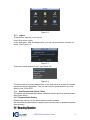
System pops up warning information to ask you whether install webrec.cab control or
not. Please click yes button.
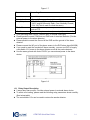
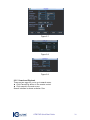
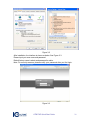
If you can’t download the ActiveX file, please modify your settings as follows. See
Figure 3-2.
ATM DVR Quick Start Guide
28