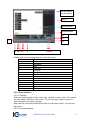
1
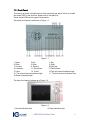
3. Remote control signal receiver
5. Power button
7. Esc
9. Backward play/Pause/5
11. Slow play/7
13. Previous/9
15. Record
4.Switch button
6. Direction buttons/1.2.3.4
8.Enter
10.Play/Pause/6
12.Forward/8
14.Next/0
16.Assitant
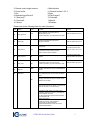
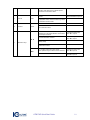
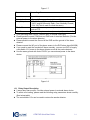
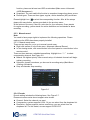
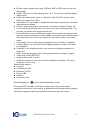
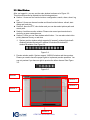
Please refer to the following sheet for more information.
S/N
13
Name
Play previous
Icon
Function
I⊳
When playback, click this button to
display previous file.
In menu operation, go to previous menu item,.
►
11
Slow play
Various slow playback and normal
playback. Speeds.
Remark
In numeral input mode,
click this button to input 1.
In numeral input mode,
click this button to input 2.
Play/Pause
10
Play/Pause
In numeral input mode,
click this button to input 3.
II
In real-time monitor mode, click this
button to go to search interface.
Various fast play and normal playback
Speeds.
12
Fast forward
14
Play next
I
In playback mode, play the next file.
In menu operation, go to the next menu item.
15
Record
REC
Working with direction keys to enable/disable
record
16
Assistant
In numeral input mode,
click this button to input 4.
In numeral input mode,
click this button to input 5.
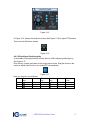
In 1-window display mode, click this button to
go to assistant menu: PTZ control and Video
color.
Fn
Working with direction keys to realize motion
detection zone setup.
Clear function: Press Fn about 1.5 seconds to
clear all contents in current text box.
In preview mode (There is no other menu
available), press this button for 3 seconds to
switch between TV/VGA.
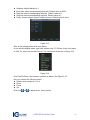
For HD1 series DVR, there are three modes:
TV/VGA/VGA LCD
(60Hz LCD output)
In text input mode, click this button
continuously to switch between
numeral/capitalized character and small
character(expansible )
ATM DVR Quick Start Guide
9