1
Changes do not take effect until the data has been successfully transferred to the
scanner.
If detection zones are loaded as a file from the hard drive, for instance, you must
verify the plausibility of the scanner configuration.
Please consider the necessary safety distance and the required additions to the
detection zone.
Do not fail to comply with the safety notes in the connecting and operating
instructions of the SD3-A1.
Please document the scanner configuration as specified in Chapter 5.7 and 5.8.
9.3
Creating a configuration without a connected scanner
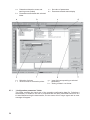
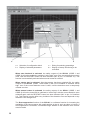
After calling up SD3SOFT, select the access level “Authorized user (Au)”.
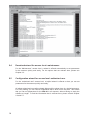
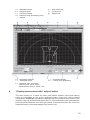
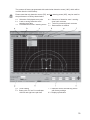
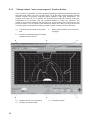
The initial display of the measurement zone does not show any zone contours.
Enter the password for the appropriate access level.
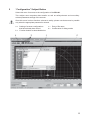
You can use the “Configuration” subject button to load a configuration file from the
hard drive onto the PC. The file extension is “.rs”.
Note that configuration files contain scanner configurations as well as zone
definitions.
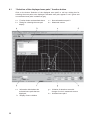
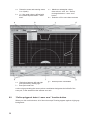
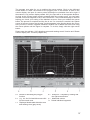
You can use the subject button “Define detection zones / warning zones” to load a
zone file from the hard drive onto the PC.
The file extension is “.sf”.
Please note that zone files do not contain any scanner configurations.
Saved files can be loaded onto the SD3-A1.
51