1
Contents
1
Getting Started ...............................................................................................................6
1.1
1.2
1.3
1.4
1.5
1.6
1.7
1.8
1.9
1.10
1.11
2
Calling Up SD3SOFT and Starting the System .........................................................................12
2.1
2.2
2.3
2.4
2.5
3
Menu structure ..................................................................................................... 15
Main menu line .................................................................................................... 15
Subject line .......................................................................................................... 15
Standard “buttons” in the function line .................................................................. 16
Information field line ............................................................................................. 16
Coordinate control and display ............................................................................. 17
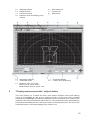
Displaying measurement values and zones in the contour area ............................ 18
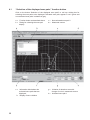
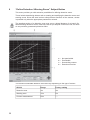
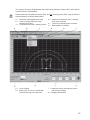
“Display Measurement Diagram” Subject Button ...................................................... 19
4.1
5
Establishing communication from PC to SD3-A1 .................................................. 12
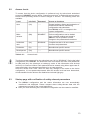
Access levels ....................................................................................................... 13
Startup page with verification of safety-relevant parameters ................................. 13
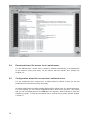
Download wizard for access level: maintenance ................................................... 14
Configuration wizard for access level: authorized user .......................................... 14
Main Menu......................................................................................................................15
3.1
3.2
3.3
3.4
3.5
3.6
3.7
4
Forward ................................................................................................................. 6
Software structure .................................................................................................. 6
Required components ............................................................................................ 6
System requirements / software ............................................................................. 7
System requirements / hardware (PC) .................................................................... 7
System requirements / hardware (cables, connectors) ............................................ 7
System requirements – other ................................................................................. 7
Specialized technical terms and abbreviations ......................................................... 7
Interface pin assignments ...................................................................................... 8
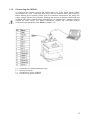
Connecting the SD3-A1 ....................................................................................... 11
Installing the software .......................................................................................... 12
“Selection of the displayed zone pairs” function button ......................................... 20
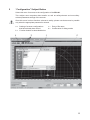
“Configuration” Subject Button .................................................................................. 21
5.1
5.2
5.3
5.4
5.5
5.6
5.7
5.7.1
5.7.2
5.7.3
5.7.4
5.8
“Load configuration from file” function button ........................................................ 22
“Save configuration to file” function button ............................................................ 22
“Load configuration data from file and transfer them to the scanner”
function button ................................................................................................... 22
“Get configuration data from the scanner” function button ..................................... 22
“Transfer configuration data from PC to the scanner” function button .................... 23
“Change configuration data with the wizard” function button ................................. 23
“Change configuration” function button ................................................................. 23
“Configuration parameters” folder ......................................................................... 24
“Administrative parameters” folder ........................................................................ 25
“Safety-relevant parameters” folder ...................................................................... 26
“Zone pair 1 to 8” folders ...................................................................................... 31
“Set default configuration values” function button ................................................. 31
3