1
•
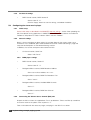
SNMP System Name
SNMP MIB entry for system contact (system.sysContact.0)
This parameter can be queried using any SNMP browser but can not be updated.
Default : empty.
2.5.2.2 BARP Control
•
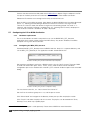
BARP Station ID
Enter here the BARP system ID of this master station. The ID is used from the
clients to identify the source of the control messages in multimaster environment.
Default is “1001”.
•
Paging Priority
Enter here the priority of the audio messages sent by this master station. This
setting is useful in multimaster environment when a client receives audio
messages from many masters simultaneously. In this case the client will play the
stream with the highest priority.
The priority must be in the range [1-254]. Priority "0" (the highest) is reserved for
emergency priority port, priority "255" (the lowest) is reserved for BGM.
Default setting is "127".
•
BARP Broadcast Address
By default the ICCLIENT uses a broadcast IP to listen/send on the BARP ports.
Modify the BARP IP address to use multicast if communication across different
networks is desired, or if your LAN policy is not allowing broadcast.
Default setting is "0.0.0.0" (broadcast).
•
BARP Audio Port
Enter the BARP port number to which the master will send audio for paging and
established calls. In the multicast port and address are configured, this port will be
used only for incoming calls. Paging will be done using the multicast group.
Default is "5555".
•
BARP Control Port
Enter the BARP port number to which the master will send control messages.
Default is "5556".
•
BARP Status Port
Enter the destination port number where the master will listen for BARP status
messages.
Default is "5557".
2.5.2.3 Audio
•
17
Audio Format
Running ICMASTER