1
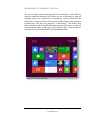
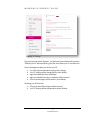
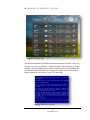
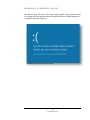
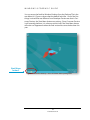
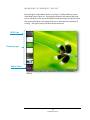
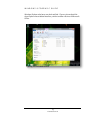
Windows 8 Forensic Guide Amanda C. F. Thomson, M.F.S. Candidate Advised by Eva Vincze, PhD The George Washington University, Washington, D.C. ® TM Consumer Preview Windows 8 Forensic Guide Amanda C. F. Thomson The George Washington University Washington, D.C. ©2012 Contents Windows 8 User Interface ........................................................................ 3 Windows Artifacts ................................................................................. 15 Local Folder ............................................................................... 15 Metro Apps ................................................................................ 18 IE10 Websites Visited ................................................................. 19 Journal Notes ............................................................................. 20 Desktop Tools ............................................................................ 22 Metro App Web Cache ............................................................... 23 Metro App Cookies .................................................................... 24 Cache ......................................................................................... 29 Cookies ...................................................................................... 30 Microsoft Folder ......................................................................... 31 Digital Certificates ..................................................................... 31 What’s New ................................................................................ 33 User’s Contacts .......................................................................... 40 App Settings .............................................................................. 43 Windows Registry .................................................................................. 45 NTUSER.DAT ............................................................................. 46 SAM ........................................................................................... 49 SYSTEM ..................................................................................... 53 USB STORAGE DEVICES ........................................................... 58 SOFTWARE ................................................................................ 68 Final Thoughts ....................................................................................... 71 Index ...................................................................................................... 73 WINDOWS 8 FORENSIC GUIDE About This Guide With a new operating system, come new forensic challenges. Microsoft’sWindows 8 is connected to everything – wherever you sign in, it’s connected. E-mail is connected to Facebook is connected to contacts is connected to Internet Explorer is connected to … you get the point. W indows 8 is an operating system “reimagined and reinvented from a solid core of Windows 7 speed and reliability”i. While I can neither confirm nor deny this statement, there are certainly many forensically interesting spots we are familiar with from Windows 7 and Vista, which is good for us because it means this operating system is not completely reinvented. With Windows 8, you will still find that Windows is Windows – it keeps track of everything. App Data and its Local and Roaming folders are still present. The Registry has the same structure we’ve been familiar with for quite some time. And Windows still has the same standard programs. Some things in Windows 8, however, are different. Gone are the days when we could just sit, or read a book, or, dare I suggest it? talk to the person next to us! – while waiting for an appointment or riding the train. Everywhere we go, we see people staring intently into their tablet or cell phone reading the latest celebrity gossip, updating Facebook, calling in sick to work, and shopping online, all while texting and driving. Hopefully not, but you get the point. And so does Microsoft. Windows 8 is an operating system geared toward mobile devices, and that is definitely evident with the new interface. When I registered for an independent research project in my program at The George Washington University, I wanted to do something that would contribute to the computer forensic community. So I decided to take on Windows 8. And by “take on”, I mean, it consumed my life for nearly four months. No more Facebook. No more Netflix. It was just me and Windows 8 every night after work. Friday nights. Weekends. Thankfully, Windows 8 did not care that I 1 Thomson © 2012 WINDOWS 8 FORENSIC GUIDE was turning into a pasty basement-dwelling nerd subsisting off of caffeine and over-processed food. While I am very well aware of this and other operating systems’ existence, I somehow failed to realize, despite my forensic experience and everything I have learned since I entered the industry, that I would be researching an entire operating system. Wait… what? That doesn’t make sense? Let me explain - I had this lofty goal of creating a user manual with charts and cheat sheets and compiling everything that could ever be possibly useful to a forensic examiner. While I did create a user manual with charts and cheat sheets, this is not a comprehensive guide. In fact, I would not be surprised if I did not scratch the surface of Windows 8, because while much of it is forensically similar to Windows 7, there is so much more that is completely different. For those wondering what my research methodology was, here’s what I did: Originally I started this project with Windows 8 Developer Preview, but when Consumer Preview came out at the end of February, I started over. I downloaded Windows 8 Consumer Preview 32-bit Edition from Microsoft and installed it in a virtual machine using VMWare Workstation 8ii. I used it for nearly two weeks and every couple of days I made an image using FTK Imager v3.0.1iii. I then used Guidance Software’s EnCase Forensic v6.17 for my examination and analysis and a variety of written resources (which have been given credit)iv. So, I have done my best to find forensically interesting artifacts and information in Windows 8. When I did find something, I pointed it out, attempted to figure out what was going on, and offer an explanation. When I couldn’t figure it out, I stated so, because my hope is that this user guide will be a “living” document. I want to keep it updated and as I discover new things in Windows 8, or revalidate what we already know from 7 and Vista, I will add to this. If you find something new or confirm an existing fact, please let me know and you will be credited accordingly. I have tried to keep the language of this guide easy to read, but if there is something that is unclear or I am wrong, let me know that, too. In this guide, you will find a section on Windows Artifacts, a section devoted to the Communications App, and the last section on the Windows Registry. Boiling down this research project to just those three items doesn’t sound like much, but I think I packed a lot of information into those three sections. I learned a lot conducting this research and actually did have some fun, but what I really hope to get out of this is that you found this guide useful and it made your job as a forensic examiner a bit easier. If you have any comments or suggestions, please shoot me an e-mail at [email protected]. For updates, visit my website at http://propellerheadforensics.com or follow me on Twitter @propellerhead23. 2 Thomson © 2012 WINDOWS 8 FORENSIC GUIDE Windows 8 User Interface Nearly everything that is new about this OS is geared toward touch screen devices; you can sign-in by swiping your finger on the screen in a pre-set pattern, you can read a document by “flipping” through the pages, and you can zoom in on an object by expanding the screen with two fingers. W hile it is still possible to access the old interface, we can begin to get ideas for figuring out where data of forensic interest might reside by spending some time with the new one. I wanted to go over the Windows 8 UI because I also think it can help us get an idea of what the user’s experience was like. During our forensic examinations, we are usually able to determine what was important to the user, such as their documents, pictures, Internet favorites, etc., because we know where to look. A majority of us have used Windows enough to know common locations we are likely to store our data and generally look there first. We may also be able to visualize what this looked like from the user’s perspective (unless you’re lucky enough to get an image of their hard drive to operate in a VM). Regardless of your method, it gives us better awareness of where to look for forensic artifacts and other useful data. Figure 1 shows the user’s login/lock screen will display their calendar, e-mail notifications, and Facebook notifications, if they have enabled this feature. Figure 1 Windows 8 Login Screen 3 Thomson © 2012 WINDOWS 8 FORENSIC GUIDE There are three options to sign-in to Windows 8 – traditional sign-in, picture signin, and PIN sign-in. Picture sign-in allows you to draw a pattern to sign-in to your computer (Figure 2), and PIN sign-in is just that – using a PIN to sign-in. Figure 2 Windows 8 Picture Sign-In 4 Thomson © 2012 WINDOWS 8 FORENSIC GUIDE The new Start Menu, which also appears to be the Desktop, is much different than the traditional Windows Start Menu we are accustomed to, and will probably garner a lot of attention (or complaints). Figure 3 shows that the Start Menu is made up of Tiles, which consists of Metro Apps, which seems to be Microsoft’s new term for “programs” in Windows 8. The default Start Menu includes an app for the Windows Store, Internet Explorer 10, a variety of communications apps, a Map App, and a Weather App. Several apps are available for the user to download from the Windows Store. Figure 3 The Windows 8 Desktop 5 Thomson © 2012 WINDOWS 8 FORENSIC GUIDE The Windows 8 Desktop has “Charms”, which basically allow you to quickly access Windows features, such as Search, Share, Devices, and Settings (Figure 4). Charms Figure 4 More of the Windows 8 Desktop. Charms are displayed on the righthand side. From Charms, you can access PC Settings. Many of these settings were inaccessible in Consumer Preview (but should be accessible when Windows 8 is officially released), but there were a couple of noticeable settings that are “new” to Windows 8. These may not necessarily be new features, but Microsoft has definitely made Windows 8 more user-friendly in terms of being able to understand what you are doing to your computer. 6 Thomson © 2012 WINDOWS 8 FORENSIC GUIDE Figure 5 PC Settings Figure 5 shows that under “General”, you have two System Restore-like options – “Refresh your PC without affecting your files” and “Reset your PC and start over”. Here’s what happens when you refresh your PC: • Your files and personalization settings won’t change • Your PC settings will be changed back to their default • Apps from Windows Store will be kept • Apps you installed from discs or websites will be removed • A list of removed apps will be saved on your desktop Resetting your PC does this: • All your personal files and apps will be removed • Your PC settings will be changed back to their defaults 7 Thomson © 2012 WINDOWS 8 FORENSIC GUIDE Figure 6, Figure 7, and Figure 8 show a couple of other apps you might see: Figure 6 Windows Store Figure 7 Messaging App. Chat conversations from several clients will appear here 8 Thomson © 2012 WINDOWS 8 FORENSIC GUIDE Figure 8 The Weather App And Windows wouldn’t be Windows without everyone’s favorite – the Error Screen, or as most of us know it - the Blue Screen of Death (Figure 9). Unfortunately, we are probably all too familiar with this screen and have been frustrated with how quickly the error code zips by before we can even catch a glimpse and before you know it, your PC is restarting. Figure 9 Windows Error Screen 9 Thomson © 2012 WINDOWS 8 FORENSIC GUIDE But there’s hope! The error code is now in plain English. And maybe we won’t be as angry with Windows because the new Blue Screen of Death appears to empathize with you (Figure 10): Figure 10 The new Windows Error Screen 10 Thomson © 2012 WINDOWS 8 FORENSIC GUIDE You can access the familiar Windows Desktop from the Desktop Tile in the new Metro UI. Figure 11 shows what the default looks like. One of the first things I noticed that was different from Developer Preview was that in Consumer Preview, the Start Menu button was missing. Since Consumer Preview is still a testing platform, it is unknown at this time if the Start Menu button will make a re-appearance when the final version hits store shelves later this year. Start Menu button? Figure 11 The familiar Desktop – this is the default desktop background 11 Thomson © 2012 WINDOWS 8 FORENSIC GUIDE Even though the Start Menu button is missing, it is still possible to access Start Menu items (Figure 12). Hovering the mouse in the bottom left-hand corner will allow you to access the Metro UI and hovering over the left side of the screen will display a list of apps that you’ve used and are currently still running. The app at the top-left was the last one used. MRU App Running Apps Metro Start Figure 12 Accessing Metro Apps and the Metro Desktop from the traditional Desktop 12 Thomson © 2012 WINDOWS 8 FORENSIC GUIDE Windows Explorer also has a new look and feel. Figure 13 shows that Windows Explorer has a tabbed interface, similar to newer versions of Microsoft Office. Figure 13 The new tabbed interface 13 Thomson © 2012 WINDOWS 8 FORENSIC GUIDE 14 Thomson © 2012 WINDOWS 8 FORENSIC GUIDE Windows Artifacts Just like other versions of Windows, Windows 8 contains valuable information known as “artifacts”. The user is oftentimes unaware that the operating system is leaving traces of their activity behind that is specific to their usage. Knowing where these artifacts are stored can assist us in re-creating that user account’s experience. W ith the advent of Windows Vista, Microsoft introduced the Application Data folder structure, which made it much easier for forensic examiners to determine which data belonged to the operating system and which data belonged to the user. Local Folder The AppData\Local folder contains data that does not roam with the user. The data that is stored here is usually too large to roam with the user. This was previously known as “Documents and Settings\%UserName%\Local Settings\Application Data” in Windows XP. Forensically inICON KEY teresting items that can be found here include temporary Internet files, Internet history, and several items that are Windows 8 new to Windows 8. The following chart contains locations that are of forensic interest in the Local folder. A majority More info of these locations will also work with Windows Vista and Windows 7 (unless noted with the Windows 8 icon, which is found above in the Icon Key). 15 Thomson © 2012 WINDOWS 8 FORENSIC GUIDE %Root%\Users\%User%\AppData\Local\ Application Metro Apps Location Purpose Microsoft\Windows\Application Shortcuts Apps that are displayed on the Metro interface Websites user visited while browsing with IE10. IE 10 Web- Microsoft\InternetExplorer\ Recovery\Immersive\Active sites Visited AND Taskbar Apps Microsoft\InternetExplorer\ Recovery\Immersive\Last Active Microsoft\Windows\Caches Journal Notes Microsoft\Journal\Cache\msnb.dat User-Added IE 10 Favorites Microsoft\Windows\RoamingTiles Internet History Microsoft\Windows\History\ History.IE5\MSHist01YYYYMMDD YYYYMMDD Temporary Internet Files Protected Mode Temporary Internet Files Microsoft\Windows\Temporary Internet Files\Low\Content.IE5 Microsoft\Windows\Temporary Internet Files\Virtualized\%Local Disk%\Users\%User%\AppData Desktop Microsoft\Windows\WinX 16 Thomson © 2012 Apps pinned to the Desktop Contains a history of journal notes created by user and their location. Websites the user has pinned to their favorites. User’s Internet history. More research is needed as this contained empty “container.dat” files Stores temporary Internet files Storage location of temporary Internet files when IE runs in Protected Mode (not to be confused with InPrivate Browsing) Contains link files for applications such as Device Manager, Command Prompt, and Run. WINDOWS 8 FORENSIC GUIDE Application Location Purpose Windows Sidebar Weather App Microsoft\Windows\Windows Sidebar\Cache\168522d5-1082-4df2-b2f69185c31f9472 Contains a XML file with location name and zip code as file name. This file can contain location coordinates, date, and time. This class ID is the same for Vista/7/8. Contains web cache specific to Metro App. Contains cookie files specific to Metro App. Data is contained in a text file. Contains Internet history files specific to Metro App and the format of the data is consistent with previous versions. Contains settings specific to Metro App and can be viewed in plain text. Metro App Web Cache Packages\%MetroAppName%\AC\ INetCache Metro App Cookies Packages\%MetroAppName%\AC\ INetCookies Metro App Web History Packages\%MetroAppName%\AC\ INetHistory Metro Settings Packages\%MetroAppName%\AC\ LocalState 17 Thomson © 2012 WINDOWS 8 FORENSIC GUIDE Metro Apps Figure 14 demonstrates Metro Apps that are displayed on the Metro Desktop will have a link file associated with them that will display who created the app and the app’s location. This data will be available in plain text. In this example, the Microsoft Bing Map App was used. The link file tells us that Microsoft is the creator of this app and it is stored under Program Files. App Creator App Location Figure 14 Plain text output of link file associated with Microsoft Bing Maps app and its location 18 Thomson © 2012 WINDOWS 8 FORENSIC GUIDE IE10 Websites Visited Figure 15 shows a Website I visited while browsing with IE10. These are found in compound DAT files with the file name similar to a Class ID. It is not know at this time if the file name is a Class ID as more research needs to be conducted. Once the file is unpacked, look for entries that are named “TL#”. These are possibly known as “Travel Logs” and they contain the websites the user visited in plain text (some of the entry is in hex). The TL with the highest number is likely the oldest website visited. Figure 15 Plain text output of a website visited using IE10 19 Thomson © 2012 Website WINDOWS 8 FORENSIC GUIDE Journal Notes Journal Notes is a program that came with Windows 7, but we will probably see greater use with Windows 8. This application maintains a DAT file that gives the stored location of Journal Notes (Figure 16). This information is in plain text. It is unknown at this time if other types of information are contained in this DAT file. Figure 16 Microsoft Journal Note’s location 20 Thomson © 2012 WINDOWS 8 FORENSIC GUIDE IE10 Pinned Favorites This section shows favorite websites I pinned to my Metro Desktop (Figure 17). For each Favorite, there is a corresponding link file. The file name of this link file is made up of several digits and it is unknown at this time as to how this file name is derived. The link file contains plain text output of the website the Favorite Tile belongs to. Pinned Website Figure 17 Plain text output of a Favorite Tile I pinned to my Metro Desktop 21 Thomson © 2012 WINDOWS 8 FORENSIC GUIDE Desktop Tools Desktop Tools is similar to the old Start Menu’s Accessories and System Tools folders and is accessible by right-clicking on the task bar (Figure 18). They are broken down into three groups and each application in a group has their own link file that contains which executable runs that application. It is probable that a user could change the tool for a different application. Group 1 contains the Desktop. Group 2 consists of the Run command, Search, Windows Explorer, Control Panel, and Task Manager. Group 3 is made up of Run as Administrator Command Prompt, Command Prompt, Computer Management, Disk Management, Device Manager, System, Event Viewer, Power Options, Network Connections, and Programs and Features. Desktop Tools Figure 18 Executable that runs the Control Panel 22 Thomson © 2012 WINDOWS 8 FORENSIC GUIDE Metro App Web Cache Everything is connected to the Internet with a Windows Live Account and each app is considered to be what Windows calls an “immersive” environment. This means that from within each app, you can access other apps, so essentially, that app becomes the operating system. As a result of this immersive concept, each app will have its own Internet artifacts. Figure 19 shows web cache for the Microsoft Bing Weather App. Figure 19 Microsoft Bing Weather App web cache – contents may vary depending on the application 23 Thomson © 2012 WINDOWS 8 FORENSIC GUIDE Metro App Cookies Cookies can also be found for each Metro App. Figure 20 shows the cookies are text files and the content of a cookie found here is similar to any other cookie content you might come across. Figure 20 Metro App Cookie for the Chat application 24 Thomson © 2012 WINDOWS 8 FORENSIC GUIDE Roaming Folder The AppData\Roaming folder is independent of the computer and holds data that is specific to the application and roams with the user’s profile. In Windows XP, this data was contained in Documents and Settings\%UserName%\Application Data. Artifacts that are of use to us that are found here include applications pinned to the Task Bar, cookies, and Internet Explorer downloads history. %Root%\Users\%User%\AppData\Roaming\ Application Location Purpose Credentials Credentials RSA-based Certificates Crypto\RSA Pinned to Task Bar Internet Explorer\Quick Launch\User Pinned\TaskBar Master Key Protect\%SID% User’s Credentials Vault Cookies Windows\Cookies\Low Can contain data used by EFS v. Contains private keys for Microsoft RSAbased CSPs. Also see “Master Key” vi. Applications the user pinned to their task bar. Data is contained in a link file. Used to encrypt the user’s private key. Contains the user’s Master Key, which contains the Password Key and the backup/restore form for the Master Key. Data is encrypted twice. Credentials that are used to automatically logon the user to Websites, servers, and programsvii. Internet cookies with data contained in text files. 25 Thomson © 2012 WINDOWS 8 FORENSIC GUIDE Application Location Purpose IE Compatibility Mode Cache Windows\IECompatCache\Low IE Compatibility UA Cache IE Download History Windows\IECompatUACache\Low IE Top Level Domain Cache Windows\IETldCache Libraries Windows\Libraries Logon Windows\Logon Network Shortcuts Windows\Network Shortcuts Printer Shortcuts Windows\Printer Shortcuts Contains cache data when IE uses Compatibility Mode. Unknown at this time. Contains a history of files the user downloaded. Contains TLDs – user could add “TLDs” that may not necessarily be recognized as TLDs. File format data is stored in is unknown at this time. Contains info on Documents, Music, Pictures, etc. and whether library is pinned, the owner’s SID, and the class ID of the folder. Data is contained in XML format. Unknown at this time Contains servers user accessed and could also contain information about user’s internal network. Data output is unknown at this time. Contains shortcuts to printers the user has added. Data output is unknown at this time. Windows\IEDownloadHistory 26 Thomson © 2012 WINDOWS 8 FORENSIC GUIDE Application Location InPrivate Filtering Windows\PrivacIE\Low Recent User Activity Purpose Stores URLs to third party content viii. This is different from InPrivate Browsing. Windows\Recent\AutomaticDestinations Data is stored in compound files similar to this format: “0-9&az.AutomaticDestinations-ms”. Can contain information on user’s web activity, files copied, and files created. Files within compound files have the following structure: “1”, “2”, “3”…, “a”, “b”, “c”… 27 Thomson © 2012 WINDOWS 8 FORENSIC GUIDE 28 Thomson © 2012 WINDOWS 8 FORENSIC GUIDE Communications App Windows 8 Metro Apps individually store forensically useful information about the user’s activityix. This can be quite handy for forensic examiners as it gives us another place to look for data (or the absence thereof) if the user tried to cover their tracks. T he Communications App basically includes the user’s e-mail, chat clients, Facebook, and other social networking sites. Anything that can allow the user to interact with another person appears to fall under “Communications Apps”. Cache Similar to the other Apps, the Communications App maintains its own web cache, which can be found in the following location x: Application Location Purpose Communication App Web Cache %Root%\Users\%User%\AppData\Lo cal\Packages\microsoft.windows communicatisapps_8wekyb3d8bbwe\ AC\INetCache Contains items such as pictures from profiles the user viewed The cache that is found in this location appears to be data that is specific to a website that was viewed through the Communications App. In this case, it was all Facebook pictures, to include profile pictures and pictures that were on that account’s page. 29 Thomson © 2012 WINDOWS 8 FORENSIC GUIDE Cookies The Communications App also has cookies. In the test image I used for examining Windows 8, a cookie was found that contained the offline content of a Facebook chat conversation between a friend and I who had just gone offline while I was responding. The following location contains cookies for the Communications App: Application Location Purpose Communication App Cookies %Root%\Users\%User%\AppData\Lo cal\Packages\microsoft.windows communicatisapps_8wekyb3d8bbwe\ AC\INetCookies Contains cookies for applications connected with the Communications App Figure 21 is an example of what could be found in this location. In this image, there was a cookie that contained the contents of two offline messages: Figure 21 Offline Message 1: The contents of the unsent message are as follows: i will definitely try to make your graduation. it’s on my calendar now. where exactly is it? The offline messages that were found in this cookie file were typed by me, who is the user associated with the Communications App. In this cookie, it is known who the conversation was between, but outside of a testing environment, it is unknown if the contact the user was communicating with can be identified. More research should be conducted on this. 30 Thomson © 2012 WINDOWS 8 FORENSIC GUIDE Microsoft Folder Digital Certificates The Microsoft folder stores digital certificates, which are used to authenticate clients and servers when surfing the Internet or sending e-mails. This ensures that communications are secure and helps maintain data integrity. How do they work? See Figure 22 if you’re aware of their existence but unfamiliar with how digital certificates work. Digital certificates link the certificate owner’s identity to a public key and a private key. These act like credentials to authenticate the sender and receiver. If a sender encrypts a message with their private key, then the receiver must decrypt the message with their public key. Isn’t figuring this stuff out super fun on a Friday night? - Amanda Receiver’s Public Key ��� �� ����� � � � � ���� �������� � � ��� � ������� Encrypted e-mail Plain text e-mail Internet Isn’t figuring this stuff out super fun on a Friday night? - Amanda Original plain text e-mail Receiver’s Private Key ��� �� ����� � � � � ���� �������� � � ��� � ������� Decrypted Encrypted e-mail Figure 22 How digital certificates work At a minimum, digital certificates must contain the following information: • Owner’s public key • Owner’s name/alias • Expiration date of the certificate • Serial number of the certificate • Organization that issued the certificate • Digital signature of issuing organization xi A majority of this information will be in plain text. 31 Thomson © 2012 WINDOWS 8 FORENSIC GUIDE The following location contains digital certificates for the Communications App: Application Location Purpose Communication App Digital Certificates %Root%\Users\%User%\AppData\Lo cal\Packages\microsoft.windowscom municationsapps_8wekyb3d8bbwe\ AC\Microsoft\CryptnetURLCache\Co ntent Contains certificates for the Communications App 32 Thomson © 2012 WINDOWS 8 FORENSIC GUIDE What’s New This same folder, Microsoft, also contains a subfolder called “Internet Explorer”, which contained updates for the user called “What’s New”. An example of what the user will see is found in Figure 23 xii: Figure 23 The People App will allow the user to see updates, such as those belonging to Facebook 33 Thomson © 2012 WINDOWS 8 FORENSIC GUIDE The following is the location in which this data can be viewed: Application Location Purpose User’s “What’s New” Updates %Root%\Users\%User%\AppData\Lo cal\Packages\microsoft.windowscom municationsapps_8wekyb3d8bbwe\ AC\Microsoft\Internet Explorer\DOMStore\%History-Folder%\ microsoft[#].xml Contains contact info, such as e-mail addresses, physical addresses, phone numbers, etc. Facebook information showed up in the test image I created and included pictures that were uploaded. Information found in the location in the above table includes date and time, whether the person is a “friend”, and the file uploaded. Figure 24is an example of what could be contained in the XML file xiii: Figure 24 The “What’s New” feature in the People App will show updates from Facebook 34 Thomson © 2012 WINDOWS 8 FORENSIC GUIDE E-mail Windows 8 maintains several artifacts pertaining to e-mail that were in the user’s account if the account was linked to the Communications app. One such artifact is streams, which “contain the data that is written to a file, and that gives more information about a file than attributes and properties” xiv. The streams that are located here contain the sender’s name, the sender’s email address, the e-mail’s subject, the name of any attachments, the receiver’s name, and the receiver’s e-mail address. The streams in this image had the following naming convention: 12000001-9/a-f_##################.eml.OECustomProperty (18 digits) The following location contains streams: Application Location Purpose E-mail Streams from User’s Communications App %Root%\Users\%User%\AppData\Lo cal\Packages\microsoft.windowscom municationsapps_8wekyb3d8bbwe\ LocalState\Indexed\LiveComm\ %User’sWindowsLiveAccount%\ %AppCurrentVersion%\Mail Contains contact info, such as e-mail addresses, physical addresses, phone numbers, etc. 35 Thomson © 2012 WINDOWS 8 FORENSIC GUIDE Figure 25 is an example of the data you may find in a file ending in “eml.OECustomProperty”. Sender’s Address Sender’s Name Subject Attachment Receiver’s Name Receiver’s E-mail Address Figure 25 An example of the data that may be found in the streams from the user’s email account(s) The name of the stream used in Figure 25 is: 1200012f_129755557158031487.eml·OECustomProperty Another interesting find is that in all of these streams I found that the time and date the e-mail was sent or received is contained in this data. It appears the date and time is always 106 bytes from the end of the stream. The date is contained as Windows FILETIME in the time zone that was set on the user’s system. See Figure 26 for an example. 36 Thomson © 2012 WINDOWS 8 FORENSIC GUIDE Figure 26 This is the hex output of the stream. 106 bytes from the end of the stream is a group of 8 bytes, which are the date and time for this stream. The name of the e-mail stream is the same name as the EML file, which contains the content of the e-mail. The EML file in Figure 25 is named “1200012f_129755557158031487.eml”. The name of the stream is “1200012f_129755557158031487.eml·OECustomProperty” xv. The data you will see in this file is the subject, the sender’s name, the sender’s e-mail addres, the receiver’s name, the receiver’s e-mail address, the importance level, and the date and time (UTC +0000) in ASCII (Figure 27). The end of the EML file will contain the name of any attachments (Figure 28). The EML file also contains the content of the message; however, it needs to be converted as the content of the e-mail is Base64 Encoded (Figure 29). 37 Thomson © 2012 WINDOWS 8 FORENSIC GUIDE Subject Importance Level Date & Time (UTC) Encoding Type Encoded Content Figure 27 This is the output of the EML file, which directly correlates to Figure 30 38 Thomson © 2012 WINDOWS 8 FORENSIC GUIDE Attachment Name Figure 28 The name of any e-mail attachments will be located at the end of the file Figure 29 The contents of the e-mail decoded from Base64 39 Thomson © 2012 WINDOWS 8 FORENSIC GUIDE User’s Contacts With Windows 8 Consumer Preview, I found that the user’s contact information can be associated with an avatar represented by a picture or photo, if they have one. What’s so great about this? The Communications App consolidates social networking and messaging into one place, and as a result, the user’s contacts are stored in one location, along with their contact’s picture. A Windows 8 user will see their contacts if they are logged in with a Windows Live account and their social networking and messaging accounts are linked similar to what’s shown in Figure 30: Figure 30 How the user will see their contacts. PII has been omitted 40 Thomson © 2012 WINDOWS 8 FORENSIC GUIDE Next, you probably want to attribute a contact with their avatar. Here’s where you can go to do this: Application Location Purpose User’s Contacts from Communications App %Root%\Users\%User%\AppData\Lo cal\Packages\microsoft.windowscom municationsapps_8wekyb3d8bbwe\ LocalState\LiveComm\%User’s WindowsLiveEmail Address%\%AppCurrentVersion%\DBStore\LogFiles\ edb####.log Contains contact info, such as e-mail addresses, physical addresses, phone numbers, etc. The file “edb.####.log” contains plain text and hex (Figure 31). The contact’s information appears in plain text. Figure 31 Example of some of the contents in an “edb.####.log” file In Figure 31, this example shows that my e-mail account, [email protected], has a contact that is associated with a User Tile. A User Tile is the picture the contact uses as a profile picture on Facebook or their e-mail avatar. The User Tile tied to this contact is “550d5534-890b-48cc-8f268980e5fcc83b” xvi. Once you have this information, you can see what picture is being used for that contact at this next location. 41 Thomson © 2012 WINDOWS 8 FORENSIC GUIDE Application Location Purpose User Tile Associated with Contact %Root%\Users\%User%\AppData\Lo cal\Packages\microsoft.windowscom municationsapps_8wekyb3d8bbwe\ LocalState\LiveComm\ %User’sWindowsLiveEmail Address%\%AppCurrentVersion%\DBStore\UserTiles Contains Facebook picture or e-mail avatar of contact Note that the picture you find here is one the contact associated with themselves. This is not a picture I associated with my contact. Figure 32 shows what the forensic examiner will see when this location is viewed. Figure 32 Example of contents in the “UserTiles” folder. The highlighted portion is the User Tile that was indicated in the contact’s information in Figure 31. 42 Thomson © 2012 WINDOWS 8 FORENSIC GUIDE The User Tile can then be viewed and a face can be put with the name of the contact (Figure 33) xvii. Contact associated with 550d5534-890b-48cc8f26-8980e5fcc83b Figure 33 A contact’s User Tile App Settings The Communications App’s settings are found in “settings.dat”, which needs to be unpacked because it’s a compound file. This file can be found at the following location: Application Location Purpose Communications App Settings %Root%\Users\%User%\AppData\Lo cal\Packages\microsoft.windowscom municationsapps_8wekyb3d8bbwe\ Settings Contains settings for the Communications App Once “settings.dat” is unpacked, you will see folders for the user’s Windows Live account, their calendar, chat, e-mail, and people, among others. Much of the contents of the “Settings” folder are unknown at the time of this writing; however, it seems that the last 8 bytes of any of these entries contain the date and time, which is stored as Windows FILETIME xviii. 43 Thomson © 2012 WINDOWS 8 FORENSIC GUIDE 44 Thomson © 2012 WINDOWS 8 FORENSIC GUIDE Windows Registry As forensic examiners, we should be familiar with the standard Windows Registry definition, which is that it is “[a] central hierarchical database used in Windows… [which is] used to store information that is necessary to configure the system for one or more users, applications, and hardware devices”xix. As far as finding out what was really going on with the system and what the user was really doing, the going through the Registry is like winning the jackpot. M ining the Registry for forensically useful data is certainly a daunting task, and flipping through a couple hundred pages or trying to remember where a quick reference guide for a certain version of Windows was placed is inconvenient. In this section I will list forensically ICON KEY useful locations in the Windows Registry. Similar to the previous sections, unless otherwise noted, many of these Windows 8 locations are also compatible with Windows Vista and Windows 7. Figure 34 shows there is no change to the ReMore info gistry Structure within Windows 8. Figure 34 The Windows 8 Registry as viewed from Regedit 45 Thomson © 2012 WINDOWS 8 FORENSIC GUIDE NTUSER.DAT NTUSER.DAT stores information that is specific to the user. If there are multiple user accounts on the computer, there are also multiple NTUSER.DAT files – one for each user. NTUSER.DAT stores data that is specific to the user, such as which files they opened, which applications they used, and which websites they visited. All of this data can be found here: %SystemRoot%\Users\%User%\NTUSER.DAT\Software\Microsoft\ Data Stored Registry Key Location Recent Docs Recently Opened/Saved Files Windows\CurrentVersion\Explorer\Recent Docs Windows\CurrentVersion\Explorer\ComDlg32\ OpenSavePidlMRU Recently Opened/Saved Folders Windows\CurrentVersion\Explorer\ComDlg32\ LastVisitedPidlMRU Last Visited Folder Windows\CurrentVersion\Explorer\ComDlg32\ LastVisitedPidlMRULegacy Recently Used Apps (Non-Metro Apps) Windows\CurrentVersion\Explorer\ComDlg32\ CIDSizeMRU Recently Used Apps with Saved Files Windows\CurrentVersion\Explorer\ComDlg32\ FirstFolder Recently Run Items Windows\CurrentVersion\Explorer\Policies\RunMRU Computer Name & Volume S/N File Extension Associations Typed URLs Windows Media\WMSDK\General Typed URL Time (Figure 35, Figure 36, and Figure 37) Windows\CurrentVersion\Explorer\FileExts Microsoft\Internet Explorer\TypedURLs Microsoft\Internet Explorer\TypedURLsTime 46 Thomson © 2012 WINDOWS 8 FORENSIC GUIDE The Typed URL Time is stored in binary and represents the number of 100-nanosecond intervals since January 1, 1601 at 00:00:00 GMT. The FILETIME structure consists of two 32-bit values that combine to form a single 64-bit valuexx. The URLs found in TypedURLs (Figure 35) can be correlated to TypedURLsTime. The stored value, which is a FILETIME object, can give the time down to a fraction of a second from when the user typed that specific URL (Refer to Figure 36 and Figure 37). More research needs to be conducted on this key as at the time of this writing, there is very little information on TypedURLsTime. Figure 35 The typed URL for “URL 1” in the Typed URLs key is http://www.gwu.edu Figure 36 Data is displayed as Windows FILETIME 47 Thomson © 2012 WINDOWS 8 FORENSIC GUIDE Figure 37 URL1 found in TypedURLsTime directly corresponds to URL1 found in TypedURLs 48 Thomson © 2012 WINDOWS 8 FORENSIC GUIDE SAM SAM (Security Accounts Manager) stores information that pertains to accounts, whether locally or on a domain. The SAM key stores user names that are used for login and the user’s RID (Relative Identifier) for each account. Data stored in the SAM can be found here: %SystemRoot%\Windows\System32\Config\SAM\Domains\Account\Users Data Stored Registry Key Location Last Logon (Figure 38) F Last Password Change (Figure 39) Account Expiration (Figure 40) Last Failed Logon (Figure 41) User’s RID (Figure 42) F Internet User Name User’s First Name InternetUserName (Windows Live Account) User’s Last Name Surname User’s Tile (Figure F F F GivenName UserTile 43) 49 Thomson © 2012 WINDOWS 8 FORENSIC GUIDE Figure 38 The user’s last logon time is stored in bytes 0x 8-15 Figure 39 The user’s last password change is stored in bytes 0x 24-31 50 Thomson © 2012 WINDOWS 8 FORENSIC GUIDE Figure 40 If the user’s account was set to expire, a valid FILETIME would be here at 0x 32-39 Figure 41 If the user had a failed logon, a valid FILETIME would be found at 0x 40-47 51 Thomson © 2012 WINDOWS 8 FORENSIC GUIDE Figure 42 The user’s relative identifier (RID), which is the last segment of the SID, is found at 0x 48-49 Figure 43 The file used for the user’s tile can be found at the end of the UserTile key 52 Thomson © 2012 WINDOWS 8 FORENSIC GUIDE SYSTEM The SYSTEM key contains information about the operating system, such as which devices were assigned a drive letter, the name of the computer, time zone setting, and USB devices attached to the system. It also keeps track of control sets, which is “a collection of configuration data needed to control system boot” xxi. %SystemRoot%\Windows\System32\config\SYSTEM\ Data Stored Registry Key Location Current Control Set (Figure 24) Last Known Good Control Set (Figure 25) Mounted Devices (Figures 26-28) Files Excluded from Restore Computer Name Select\Current Time Zone %CurrentControlSet%\Control\TimeZoneInformation\ TimeZoneKeyName Last Graceful Shutdown Time (Figure 29) %CurrentControlSet%\Control\Windows\ShutdownTime (Data stored in Windows FILETIME) Printers %CurrentControlSet%\Enum\SWD\PRINTENUM\ FriendlyName Sensors & Location Devices USB Storage Devices Select\LastKnownGood MountedDevices %CurrentControlSet%\Control\BackupRestore %CurrentControlSet%\Control\ComputerName %CurrentControlSet%\Enum\SWD\SensorsAndLocationEnum\HardwareID %CurrentControlSet%\Enum\USBSTOR 53 Thomson © 2012 WINDOWS 8 FORENSIC GUIDE Figure 44 The Current Control Set is “01”. Whichever Control Set is current, that is where a majority of the system’s information will come from. Of course, it never hurts to check the other control sets. Figure 45 The Last Known Good Control Set is “01”. This is the control set that was used during the last successful boot. 54 Thomson © 2012 WINDOWS 8 FORENSIC GUIDE Figure 46 Four devices were assigned a drive letter. Note that the devices assigned a drive letter are the most recent device to have that drive letter. Figure 47 “A” was assigned to “Generic Floppy Drive” Figure 48 “E” was assigned to “USB Flash Memory” 55 Thomson © 2012 WINDOWS 8 FORENSIC GUIDE Figure 49 The last graceful shutdown time 56 Thomson © 2012 WINDOWS 8 FORENSIC GUIDE Sensor and Location Devices is a new feature implemented with Windows 7. Enabling sensors allows users to have a more personalized experience with the OS and Internet-based activities, to include GPS informationxxii. Figure 50 shows that a Location Sensor was enabled on Windows 8. More research needs to be conducted as there is possibly a yet-to-befound log file that corresponds to the sensor and other information relating to the device (if that is the type of sensor used)xxiii. Figure 50 The type of Sensor and Location device used on this system is a Location Provider 57 Thomson © 2012 WINDOWS 8 FORENSIC GUIDE USB STORAGE DEVICES USB storage devices that were attached to the system can be uniquely identified in the System key by checking a few other keys. They can also be attributed to which port and hub they were plugged into, the date and time stamp, and a drive letter. If USB storage devices were not attached to the system, the USBSTOR key will not be present; however, you should also check link files, restore points, shadow copies and “setupapi.dev.log”, as these may contain evidence of a USB device having been present on the system. Under USBSTOR (Figure 51), the Registry stores the USB device’s friendly name (Figure 52), and it also stores the device’s vendor ID, product ID, revision number, and serial number (Figure 53). If the device does not have a serial number, Windows will create a Unique Instance ID. If the second character of the serial number is “&”, then it is not a serial number, but rather a Unique Instance ID, which will look similar to the following: 0&26D88A54&0xxiv Either way, it is referred to as a Unique Instance ID. Figure 51 The USBSTOR key 58 Thomson © 2012 WINDOWS 8 FORENSIC GUIDE Figure 52 USB Device Friendly Name Vendor ID Revision # Unique Instance ID Device Class/ Product ID Figure 53 USB device information 59 Thomson © 2012 WINDOWS 8 FORENSIC GUIDE In Mounted Devices (Figure 46), there was a drive letter for one USB device, but in the USBSTOR (Figure 51), there are two USB storage devices noted. So, why is only one of the USB storage devices assigned a drive letter? We know that the most recent device plugged into a system is assigned a drive letter, but that still doesn’t tell us why only one device has a drive letter. Did the user try to cover their tracks? What’s going on in the Registry when a USB storage device is plugged in? Is it even possible to figure out if a drive letter was assigned to that other USB storage device? Of course we can figure this out! It just takes a bit of digging and note taking. So let’s get started. Go to the Unique Instance ID for the Seagate Portable USB Device (derived from the Friendly Name), which was found in Figure 52. Make a note of the Unique Instance ID because we will need to refer to it a few times throughout this process. Under the Unique Instance ID find the Container ID and note that value because we will need to refer to it a few times throughout this process. Unique Instance ID Container ID Figure 54 Container ID for Seagate Portable USB Device What exactly is a Container ID? Beginning with Windows 7, the operating system uses Container IDs for each instance that a physical device installed on the systemxxv. “A system-supplied device identification string that uniquely groups the functional devices associated with a single-function or multi-function device… Starting with Windows 7, the Plug-n-Play (PNP) manager uses the Container ID to group one or more device nodes (devnodes) that originated from and belong to each instance of a particular physical device. This instance is referred to as the device containerxxvi.” 60 Thomson © 2012 WINDOWS 8 FORENSIC GUIDE In Figure 54, we found that the Container ID is {4d18c014-9d88-5c15-bab17a4c371140d2}. Remember to make note of this value. Next, go to the following Registry location and search for the Container ID again: Device Containers %CurrentControlSet%\Control\DeviceContainers\ %ContainerID%\BaseContainers AND %CurrentControlSet%\Control\DeviceContainers\ %ContainerID%\Properties Container ID Figure 55 Device Containers From Base Containers (shown above in Figure 18), find the same Container ID that was previously identified in Figure 17 and look for this GUID: Figure 56 Properties under the Container ID in Device Containers 61 Thomson © 2012 WINDOWS 8 FORENSIC GUIDE Take note of the GUID found here, which may be different than {87697c82-670811e1-8e1c-74f06da8e34b} identified in Figure 56, as this will be needed later on when we go back to Mounted Devices. In order to figure out why the Seagate Portable USB Device doesn’t have a drive letter, there are a few more steps (don’t worry; there is a point to this). In order to help us better understand what’s going on with these USB devices, it might benefit us to figure out the date and time the Seagate Portable USB Device was plugged into the computer. Check this location: USB Date & Time %CurrentControlSet%\Enum\USB\%USBDevice%\%Unique InstanceID%\Properties\{83da6326-97a6-4088-9453a1923f573b29} Figure 57 Location for date and time stamp (Windows FILETIME) The third entry in Figure 57 contained the Windows FILETIME the Seagate Portable USB Device was plugged into the computer (Figure 58). 62 Thomson © 2012 WINDOWS 8 FORENSIC GUIDE Figure 58 Seagate Portable USB Device’s date and time stamp Next, navigate to the following Registry location so you can figure out which port the USB device was plugged into: USB Port %CurrentControlSet%\Enum\USB\LocationInformation Look for the USB device you’ve been working with. This should be easy if you noted the device’s Unique Instance Identifier. Figure 59 Port and hub device was plugged into 63 Thomson © 2012 WINDOWS 8 FORENSIC GUIDE In Figure 59, this USB device was plugged into Port 1 on Hub 2. Why should you care? Knowing the port number could help us figure out why there may not be a drive letter associated with the USB device and it could also help build a timeline of the user’s activities. Now go back to Mounted Devices. Mounted Devices Mounted Devices The GUID that should have been noted from Figure 56 comes into play here ({87697c82-6708-11e1-8e1c-74f06da8e34b}). Under Mounted Devices, look for that GUID. Figure 60 Mounted devices Sadly, they do not match, as the GUID noted here is {87697c85-6708-11e1-8e1c74f0da8e34b}. 64 Thomson © 2012 WINDOWS 8 FORENSIC GUIDE OMG! All that work and I still don’t have a drive letter?!?? So, at least we know it’s probable that a different USB device was plugged into Port 1, Hub 2 of the system prior to the USB device that does have an assigned drive letter. Again, check link files, restore points, shadow copies, and “setupapi.dev.log” to figure out what the user may have been doing. Have no fear! So, why did I go through all of this? Again, I knew there were two USB storage devices plugged into this system, but only one was showing up under Mounted Devices. So I started digging. And digging. And ended up in a pretty deep rabbit hole. Finally, I figured it out, and since I spent nearly a week trying to dig myself out, I thought I’d share. Now, to figure out if the USB device that’s present in Mounted Devices was using the same port and hub as the first one, repeat the steps just described. The other USB device that was probably plugged in subsequent to Seagate Portable USB Device was USB Flash Memory USB Device, as indicated by its Friendly Name. The Unique Instance ID is 5B8210000091&0. Under the USB key, its Location Information shows the following: 65 Thomson © 2012 WINDOWS 8 FORENSIC GUIDE Figure 61 Location Information of second USB device Figure 61 shows that USB Flash Memory USB Device was plugged into Port 1, Hub 2, which is the same location that the Seagate Portable USB Device was plugged into. In order to check that USB Flash Memory USB Device was plugged in after Seagate Portable USB Device, the date and time stamp was checked: Figure 62 Date and time of USB Flash Memory USB Device This date does indeed occur after the time and date for Seagate Portable USB Device, which was March 5, 2012 at 16:29:07. So, now we can say it is probable that Seagate Portable USB Device does not have an assigned drive letter because USB Flash Memory USB Device was plugged into the same port afterwards. This gave Seagate Portable USB Device’s drive letter 66 Thomson © 2012 WINDOWS 8 FORENSIC GUIDE to USB Flash Memory USB Device. Why only “probable”? Remember that the date and time may not be reliable as there are several situations in which there could be discrepancies. Knowing the date and time USB Flash Memory USB Device was plugged into the system may help you identify where else you can look for information on Seagate Portable USB Device, such as Restore Points and Shadow Copies. If these exist on the system, previous versions of the Registry may have other data that is useful to your examination. A timeline can be derived from this information and by examining link files, you may be able to find out which files were being transferred to and from the thumb drive (if any). 67 Thomson © 2012 WINDOWS 8 FORENSIC GUIDE SOFTWARE The SOFTWARE key contains information about the operating system, such as the version, when it was installed, who is the registered owner, who was the last user to log on, and who are the members of a group (if there is one). %SystemRoot%\Windows\System32\config\SOFTWARE\ Data Stored Current OS Build Current OS Version OS Edition OS Install Date OS Install Location OS Product Name Register Organization Registered Owner Registry Key Location Microsoft\Windows NT\CurrentVersion\CurrentBuild Microsoft\Windows NT\CurrentVersion\CurrentVersion Microsoft\Windows NT\CurrentVersion\EditionID Microsoft\Windows NT\CurrentVersion\InstallDate Microsoft\Windows NT\CurrentVersion\PathName Microsoft\Windows NT\CurrentVersion\ProductName Microsoft\Windows NT\CurrentVersion\Registered Organization Microsoft\Windows NT\CurrentVersion\RegisteredOwner Metro Apps Installed on System Microsoft\Windows\CurrentVersion\Appx\AppxAllUserStore\ Applications User Account Installed Metro Apps Microsoft\Windows\CurrentVersion\Appx\AppxAllUserStore\ %SID% Last Logged On User Last Logged On SAM User Last Logged On SID User Group Members Microsoft\Windows\CurrentVersion\Authentication\LogonUI\ LastLoggedOnUser Microsoft\Windows\CurrentVersion\Authentication\LogonUI\ LastLoggedOnSAMUser Microsoft\Windows\CurrentVersion\Authentication\LogonUI\ LastLoggedOnSIDUser Microsoft\Windows\CurrentVersion\HomeGroup\HME 68 Thomson © 2012 WINDOWS 8 FORENSIC GUIDE Data Stored File/Folder Sharing (by SID) Applications that Run at Startup Registry Key Location Microsoft\Windows\CurrentVersion\HomeGroup\HME\ SharingPreferences\%SID% Microsoft\Windows\CurrentVersion\Run 69 Thomson © 2012 WINDOWS 8 FORENSIC GUIDE 70 Thomson © 2012 WINDOWS 8 FORENSIC GUIDE FinalThoughts Several times throughout my research I considered dropping this project because I felt like I had gotten myself in way over my head. It was so awful that at one point if I heard “There’s a light at the end of the tunnel” or some variation thereof one more time, that person probably would have ended up with a fork in their skull. Part of the problem is the pressure I place on myself and my terrible procrastination habit, but so far, it’s worked for me, so why change it? When I first set out with this research, I only intended to come up with about 35 pages of material. Silly me forgot that when something bothers me, I become almost obsessive about it, and that I have to try to understand it, and figure it out and make sure it works a second and third time – this is probably also known as curiosity. So, the end result is about 70-ish pages of what I hope is usable information for the computer forensic community. As I previously mentioned at the very beginning of this guide, I really do hope to keep this research going. There is so much more that can be researched in Windows 8, and where I stated more work needs to be done, that’s where I hope to begin next. For updates, or if you’d like to contribute, please visit http://propellerheadforensics.com or follow me on Twitter @propellerhead23. Again, please contact me at [email protected] for any suggestions, artifacts and objects you have discovered, or criticisms. Two more things and then I’m done – Thank you Dr. Vincze for supporting this research and allowing me to take on this project. Also, I need to thank my coworkers, Shawn Howell and Theresa Kline, for their support during the last couple of months as they are the ones that had to put up with me for 8 hours everyday, so thank you for being more than just “colleagues”. 71 Thomson © 2012 WINDOWS 8 FORENSIC GUIDE 72 Thomson © 2012 WINDOWS 8 FORENSIC GUIDE Index G A Group Members, 73 Account Expiration, 53 Applications that Run at Startup, 73 I B IE 10 Websites Visited, 18 IE Compatibility Mode Cache, 29 IE Compatibility UA Cache, 29 IE Download History, 29 IE Top Level Domain Cache, 29 IE10 Pinned Favorites, 23 IE10 Websites Visited, 21 InPrivate Filtering, 30 Internet History, 18 Internet User Name, 53 Blue Screen of Death. See Error Screen C Charms, 6, 7 Communication App Web Cache, 32 Communications App, 2, 32, 44 Computer Name, 49, 57 Computer Name & Volume S/N, 49 contacts, 1, 43 Container ID, 64, 65 Cookies, 27, 28, 33 Credentials, 28 Current Control Set, 57 Current OS Build, 72 Current OS Version, 72 J Journal Notes, 18, 22 L Last Graceful Shutdown Time, 57 Last Known Good Control Set, 57 Last Logged On SAM User, 73 Last Logged On SID User, 73 Last Logged On User, 73 Last Password Change, 53 Last Visited Folder, 49 Libraries, 29 Local Folder, 17 login/lock screen, 3 Logon, 29, 53 D Desktop, 5, 6, 12, 18, 20, 23, 24 digital certificates, 34, 35 Documents and Settings. See AppData drive letter, 57, 62, 64, 66, 68, 69, 71 E e-mail, 2, 3, 32, 37, 38, 39, 40, 44, 45, 46 Error Screen, 10 M Master Key, 28 Metro App Cookies, 19, 27 Metro App Web Cache, 19, 25 Metro App Web History, 19 Metro Apps, 5, 18, 20 Metro Apps Installed on System, 72 Metro Settings, 19 Microsoft folder, 34 F File Extension Associations, 49 File/Folder Sharing, 73 Files Excluded from Restore, 57 73 Thomson © 2012 WINDOWS 8 FORENSIC GUIDE S Mounted Devices, 57, 64, 66, 68, 69, 70 SAM, 53 Sensor and Location Devices, 61 Sensors & Location Devices, 57 Settings, 46 SOFTWARE, 72 Start Menu, 5, 12, 13, 24 streams, 38, 39 SYSTEM, 57 System Restore, 8 N Network Shortcuts, 29 NTUSER.DAT, 49 O OS Edition, 72 OS Install Date, 72 OS Install Location, 72 OS Product Name, 72 T Taskbar Apps, 18 Temporary Internet Files, 18 Time Zone, 57 Travel Logs, 21 Typed URL Time, 49, 50 Typed URLs, 49 P picture sign-in, 4 Pinned to Task Bar, 28 port, 62, 67, 68, 70, 71 Printer Shortcuts, 30 Printers, 57 U R Unique Instance ID, 62, 64, 70 USB storage devices, 62 USB Storage Devices, 57 USBSTOR, 57, 62, 64 User Account Installed Metro Apps, 73 User Tile, 44, 45, 46 User’s First Name, 53 User’s Last Name, 53 User’s RID, 53 User’s Tile, 53 User-Added IE 10 Favorites, 18 Recent Docs, 49 Recent User Activity, 30 Recently Opened/Saved Files, 49 Recently Opened/Saved Folders, 49 Recently Run Items, 49 Recently Used Apps, 49 Refresh you PC, 8 Register Organization, 72 Registered Owner, 72 Registry, 48 Reset you PC, 8 Roaming Folder, 28 RSA-based Certificates, 28 W What’s New, 36, 37 Windows Explorer, 14, 25 Windows FILETIME, 57, 67 Windows Sidebar Weather App, 19 74 Thomson © 2012 i Windows. (2012). Windows 8 Consumer Preview. Windows. Retrieved from http://windows.microsoft.com/en-US/windows-8/consumer-preview. ii Windows 8 Consumer Preview 32-bit Edition downloaded from: http://windows.microsoft.com/en-US/windows-8/iso. VMWare Workstation 8: http://downloads.vmware.com/d/info/desktop_end_user_ computing/vmware_workstation/8_0. iii FTK Imager 3 downloaded from: http://accessdata.com/support/adownloads. iv Guidance Software’s EnCase Forensic: http://www.guidancesoftware.com/ v Digital Detective. (2010). Microsoft Internet Explorer PrivacIE Entries. Digital Detective. Retrieved from http://blog.digital-detective.co.uk/2010/04/microsoft-internet-explorerprivacie.html. vi Microsoft TechNet. (2012). How Private Keys Are Stored. Microsoft TechNet. Retrieved from http://technet.microsoft.com/en-us/library/cc962112.aspx. vii Stanek, W. (2009). Pre-Press Windows 7 Administrator’s Pocket Guide (pp. 23). Retrieved from download.microsoft.com/.../626997_Win7PktConsult_prePress.pdf. viii Microsoft TechNet. (2010). Managing Roaming User Data Deployment Guide. Microsoft TechNet. Retrieved from http://technet.microsoft.com/en-us/library/cc766489(v=ws.10). aspx. ix These findings are based on this author’s own independent research using a single test platform. Results may vary under other circumstances, to include changes made to the operating system prior to its official release. x It is unknown at this time how “8wekyb3d8bbwe”is derived or what “AC” signifies in the Communication App’s location xi TechNet. (2012). Digital Certificates (Chapter 6). Microsoft TechNet. Retrieved from http://technet.microsoft.com/en-us/library/dd361898.aspx xii More research will need to be conducted in order to determine if the updates in “What’s New” also include content from other social networking websites. xiii More research needs to be conducted in order to ascertain whether the “[#]” in the name of the XML file increments sequentially or if it uses a First In, First Out (FIFO) sequence. xiv Windows Dev Center. 2012. File Streams. Windows Dev Center – Desktop. Retrieved March 20, 2012, from http://msdn.microsoft.com/en-us/library/windows/desktop/ aa364404(v=vs.85).aspx. xv The naming convention of the e-mail stream and the EML file is unknown at this time xvi It is unknown at this time how these contacts are named, as each contact appears to have a random string of numbers associated with their name. xvii All contacts that contained in this Windows 8 image are known to this author. Thomson © 2012 xviii It is unknown at the time of this writing what many of the dates and time are referring to (last update, last backup, when setting was applied, etc.) xix Microsoft Support. (2008). Windows registry information for advanced users. Microsoft Support. Retrieved from http://support.microsoft.com/kb/256986. xx Microsoft Support. (2007). INFO: Working with the FILETIME structure. Microsoft Support. Retrieved from http://support.microsoft.com/kb/188768. xxi Microsoft Support. (2006). Information on Last Known Good Control Set. Microsoft Support. Retrieved from http://support.microsoft.com/kb/101790. xxii MSDN. (2008). Windows Sensor and Location Platforms. Microsoft MSDN. Retrieved from http://archive.msdn.microsoft.com/SensorsAndLocation. xxiii It is this author’s opinion that forensic examiners will see more information pertaining to Sensors and Location Devices, since Windows 8’s goal is to give the user an “immersive” experience. xxiv Carvey, H. (2009). Windows Forensic Analysis (pp. 206-211). Burlington, MA: Syngress Publishing, Inc. xxv Dev-Center. (2012). Overview of Container IDs. Windows Dev-Center – Hardware. Retrieved from http://msdn.microsoft.com/en-us/library/windows/hardware/ff549447 (v=vs.85).aspx. xxvi Dev-Center. (2012). Container IDs. Windows Dev-Center – Hardware. Retrieved from http://msdn.microsoft.com/en-us/library/windows/hardware/ff540024(v=vs.85).aspx. Thomson © 2012