1
RULEKIT MANUAL
PAGE 20
9.2. OPS style Commands
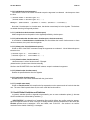
9.2.1. START
Syntax: (start {WME}*)
This top-level command clears working memory, puts the given WMEs into Working Memory then starts
the FRulekit system on its way. Usually, a production is written to really start the system, and its left
hand side checks for something like (goal :start yes) which is added with the START command. If the
Agenda control structure is desired instead of the recognize-act cycle, use R-Agenda, below, and use
ADD-TO-WM to set up working memory.
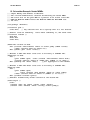
9.2.2. LITERALIZE
Syntax: (literalize <class> <cplist> <slots>)
Example: (literalize goal (:extendable nil)
:parent NIL
:action (value NIL)
:name NIL)
Defines a WME class by calling the Parmenides def-frame function, and automatically makes it is-a
WME, which is a predefined class. The WME class is not propagatable, an attribute which will be
inherited by all user-defined classes unless otherwise specified.
Note that literalize is very similar to the Parmenides def-frame function in both syntax and semantics;
see the documentation of that function for more details. In particular, when any list (except NIL or "()") is
given as the default value for a slot, that slot is defined to have facets. In order to declare a slot to not
have facets, supply a symbol (such as T or NIL) as the default value. The main difference between
literalize and def-frmae is that literalize makes the given class a sub-class of the WME class, and gives
FRulekit certain information for printing the class as a WME.
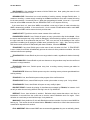
9.2.3. $MAKE
Syntax: ($make <class> <slot-specs)
Example: ($make ’goal :name ’get-cookie :parent ’get-food)
Evaluates all arguments. Adds the given WME to working memory and updates the conflict set if
necessary. Returns the Rulekit representation of the working memory element that it makes.
9.2.4. $MAKE-NAMED
Syntax: ($make-named <class> <name> <slot-specs>)
Example: ($make ’goal ’get-1 :name ’get-cookie :parent ’get-food)
The same as $make except that it also allows the user to name the frame which is made.
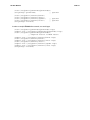
9.2.5. $REMOVE
Syntax: ($remove {WME}*)
Example: ($remove =c1 =c2)
Removes the given WME(s) from working memory and updates the conflict set if necessary. Should only
be executed from the RHS of a production or during a pause. The variables such as =c1 and =c2 are
bound to a WME by a LABEL statement in the condition element corresponding to that WME. Note: be