1
Printing This Manual and the Quick Reference Card
Welcome to CN!Express Single User
Printing This Manual and the Quick Reference Card
You can view and print this manual from the Help menu. Press F1.
The “Quick Reference Card” is also available from the Help menu
(press Alt H, then Q), for easy reference while you work. The Quick
Reference Card runs through the basic steps for starting up, shutting
down, recording and saving a transaction, sending a transaction, editing
and deleting a transaction, filtering, and printing.
To view and print the manual and Quick Reference Card, you need
Adobe Acrobat Reader. You can download Acrobat Reader for free:
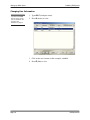
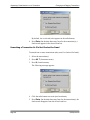
1. Press Alt H (Help menu).
2. Press G (Get Acrobat Reader).
3. Follow the instructions at the Adobe Acrobat website.
Bound, hard copies of this manual are also available from Auric
Systems International. Contact support ([email protected])
to purchase your copies.
CN!Express SU
Page 3