1
Before You Try Your First Transaction
Starting Up, Shutting Down, First Transaction
Before You Try Your First Transaction
You are about to learn how to send a transaction. You don’t want this
first transaction to be really saved or really submitted to your
processing service. Therefore, make sure you are working in either the
demonstration version of CN!Express or in the DEMO mode of the live
version. (For more information about the DEMO mode, see “Chapter 4.
Going Live and Changing Your Password” on page 31.)
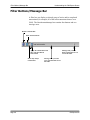
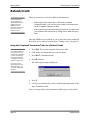
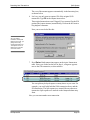
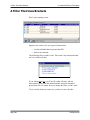
Make sure that the word DEMO appears in the upper right corner of the
CN!Express screen. If DEMO doesn’t appear, do not try the sample
transaction.
As long as DEMO appears on the upper right corner of the CN!Express
screen, you can practice any procedure in this manual without affecting
real credit cards, purchase cards, or checks, and without sending real
transactions to the processing service.
Page 26
CN!Express SU