1
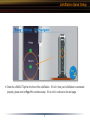
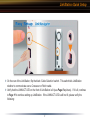
LinkStation Diagram
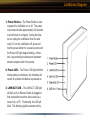
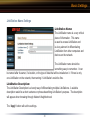
4. Disk Full LED – When LinkStation’s internal
drive approaches 95% of its capacity, the Disk
Full LED will light up in red. For options to
increase storage capacity, see ‘LinkStation
Expansion’ section on Page 23.
5. Diagnostic LED – The Diagnostic LED
may begin flashing when the LinkStation
encounters an error. In this event, please
contact our 24/7 technical support at 1(866)
752-6210.
6. USB Port (Front & Rear) – LinkStation
offers two USB Ports for adding external drives
or USB printers. Please see the ‘LinkStation
Expansion’ section on Page 23 to learn more
about how to take advantage of the USB Ports
on LinkStation.
4