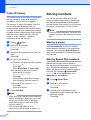
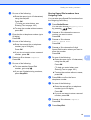
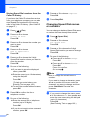
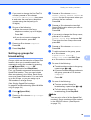
1
USER’S GUIDE MFC-495CW Version 0 USA/CAN If you need to call Customer Service Please complete the following information for future reference: Model Number: MFC-495CW Serial Number: 1 Date of Purchase: Place of Purchase: 1 The serial number is on the back of the unit. Retain this User's Guide with your sales receipt as a permanent record of your purchase, in the event of theft, fire or warranty service. Register your product on-line at http://www.brother.com/registration/ By registering your product with Brother, you will be recorded as the original owner of the product. Your registration with Brother: may serve as confirmation of the purchase date of your product should you lose your receipt; may support an insurance claim by you in the event of product loss covered by insurance; and, will help us notify you of enhancements to your product and special offers. The most convenient and efficient way to register your new product is on-line at http://www.brother.com/registration/. © 2009 Brother Industries, Ltd. Brother numbers IMPORTANT For technical help, you must call the country where you bought the machine. Calls must be made from within that country. Register your product By registering your product with Brother International Corporation, you will be recorded as the original owner of the product. Your registration with Brother: may serve as confirmation of the purchase date of your product should you lose your receipt; may support an insurance claim by you in the event of product loss covered by insurance; and, will help us notify you of enhancements to your product and special offers. Please complete and fax the Brother Warranty Registration And Test Sheet or, for your convenience and most efficient way to register your new product, register on-line at http://www.brother.com/registration/ FAQs (frequently asked questions) The Brother Solutions Center is our one-stop resource for all your Fax Machine/Multi-Function Center needs. You can download the latest software documents and utilities, read FAQs and troubleshooting tips, and learn how to get the most from your Brother product. http://solutions.brother.com/ Note • You can check here for Brother driver updates. • To keep your machine performance up to date, check here for the latest firmware upgrade (for Windows® only). For Customer Service In USA: 1-877-BROTHER (1-877-276-8437) 1-901-379-1215 (fax) In Canada: 1-877-BROTHER (514) 685-4898 (fax) Service Center Locator (USA only) For the location of a Brother authorized service center, call 1-877-BROTHER (1-877-276-8437). Service Center Locations (Canada only) For the location of a Brother authorized service center, call 1-877-BROTHER. i Ordering accessories and supplies For best quality results use only genuine Brother accessories, which are available at most Brother retailers. If you cannot find the accessory you need and you have a Visa, MasterCard, Discover, or American Express credit card, you can order accessories directly from Brother. (You can visit us online for a complete selection of the Brother accessories and supplies that are available for purchase.) Note In Canada only Visa and MasterCard are accepted. In USA: 1-877-552-MALL (1-877-552-6255) 1-800-947-1445 (fax) http://www.brothermall.com/ In Canada: 1-877-BROTHER http://www.brother.ca/ Description Item Ink Cartridge Standard <black> LC61BK (Prints approx. 450 pages) 1 Ink Cartridge <cyan> (blue) LC61C (Prints approx. 325 pages) 1 Ink Cartridge <magenta> (red) LC61M (Prints approx. 325 pages) 1 Ink Cartridge <yellow> LC61Y (Prints approx. 325 pages) 1 Premium Plus Glossy Finish Photo Paper (Letter size / 20 sheets) BP71GLTR (4" × 6" size / 20 sheets) BP71GP Matte Finish Inkjet Paper (Letter size / 25 sheets) BP60ML (USA only) Plain Finish Inkjet Paper (Letter size / 100 sheets) BP60PL100 (USA only) Telephone Line Cord LG3077001 (USA only) User's Guide LX1508001 (English for USA and Canada) LX1508002 (French for Canada) 1 ii For more information about the replacement consumables, visit us at http://www.brother.com/pageyield. Notice - Disclaimer of Warranties (USA and Canada) BROTHER'S LICENSOR(S), AND THEIR DIRECTORS, OFFICERS, EMPLOYEES OR AGENTS (COLLECTIVELY BROTHER'S LICENSOR) MAKE NO WARRANTIES, EXPRESS OR IMPLIED, INCLUDING WITHOUT LIMITATION THE IMPLIED WARRANTIES OF MERCHANTABILITY AND FITNESS FOR A PARTICULAR PURPOSE, REGARDING THE SOFTWARE. BROTHER'S LICENSOR(S) DOES NOT WARRANT, GUARANTEE OR MAKE ANY REPRESENTATIONS REGARDING THE USE OR THE RESULTS OF THE USE OF THE SOFTWARE IN TERMS OF ITS CORRECTNESS, ACCURACY, RELIABILITY, CURRENTNESS OR OTHERWISE. THE ENTIRE RISK AS TO THE RESULTS AND PERFORMANCE OF THE SOFTWARE IS ASSUMED BY YOU. THE EXCLUSION OF IMPLIED WARRANTIES IS NOT PERMITTED BY SOME STATES IN THE USA AND SOME PROVINCES IN CANADA. THE ABOVE EXCLUSION MAY NOT APPLY TO YOU. IN NO EVENT WILL BROTHER'S LICENSOR(S) BE LIABLE TO YOU FOR ANY CONSEQUENTIAL, INCIDENTAL OR INDIRECT DAMAGES (INCLUDING DAMAGES FOR LOSS OF BUSINESS PROFITS, BUSINESS INTERRUPTION, LOSS OF BUSINESS INFORMATION, AND THE LIKE) ARISING OUT OF THE USE OR INABILITY TO USE THE SOFTWARE EVEN IF BROTHER'S LICENSOR HAS BEEN ADVISED OF THE POSSIBILITY OF SUCH DAMAGES. BECAUSE SOME STATES IN THE USA AND SOME PROVINCES IN CANADA DO NOT ALLOW THE EXCLUSION OR LIMITATION OF LIABILITY FOR CONSEQUENTIAL OR INCIDENTAL DAMAGES, THE ABOVE LIMITATIONS MAY NOT APPLY TO YOU. IN ANY EVENT BROTHER'S LICENSOR'S LIABILITY TO YOU FOR ACTUAL DAMAGES FROM ANY CAUSE WHATSOEVER, AND REGARDLESS OF THE FORM OF THE ACTION (WHETHER IN CONTRACT, TORT (INCLUDING NEGLIGENCE), PRODUCT LIABILITY OR OTHERWISE), WILL BE LIMITED TO $50. Compilation and Publication Notice Under the supervision of Brother Industries, Ltd., this manual has been compiled and published, covering the latest product descriptions and specifications. The contents of this manual and the specifications of this product are subject to change without notice. Brother reserves the right to make changes without notice in the specifications and materials contained herein and shall not be responsible for any damages (including consequential) caused by reliance on the materials presented, including but not limited to typographical and other errors relating to the publication. iii Brother® One-Year Limited Warranty and Replacement Service (USA Only) Who is covered: This limited warranty (“warranty”) is given only to the original end-user/retail purchaser (referred to in this warranty as “Original Purchaser”) of the accompanying product, consumables and accessories (collectively referred to in this warranty as “this Product”). If you purchased a product from someone other than an authorized Brother reseller in the United States or if the product was used (including but not limited to floor models or refurbished product), prior to your purchase you are not the Original Purchaser and the product that you purchased is not covered by this warranty. What is covered: This Product includes a Machine and Consumable and Accessory Items. Consumable and Accessory Items include but are not limited to print heads, toner, drums, ink cartridges, print cartridges, cordless handset battery, refill ribbons, therma PLUS paper and thermal paper. Except as otherwise provided herein, Brother warrants that the Machine and the accompanying Consumable and Accessory Items will be free from defects in materials and workmanship, when used under normal conditions. This warranty applies only to products purchased and used in the United States. For products purchased in, but used outside, the United States, this warranty covers only warranty service within the United States (and does not include shipping outside the United States). What is the length of the Warranty Periods: Machines: one year from the original purchase date. Accompanying Consumable and Accessory Items: 90 days from the original purchase date or the rated life of consumable, whichever comes first. What is NOT covered: This warranty does not cover: 1 Physical damage to this Product; 2 Damage caused by improper installation, improper or abnormal use, misuse, neglect or accident (including but not limited to transporting this Product without the proper preparation and/or packaging); iv 3 Damage caused by another device or software used with this Product (including but not limited to damage resulting from use of non Brother®-brand parts and Consumable and Accessory Items); 4 Consumable and Accessory Items that expired in accordance with a rated life; 5 Problems arising from other than defects in materials or workmanship; and, 6 Normal Periodic Maintenance Items, such as Paper Feeding Kit, Fuser and Laser Units. This limited warranty is VOID if this Product has been altered or modified in any way (including but not limited to attempted warranty repair without authorization from Brother and/or alteration/removal of the serial number). What to do if you think your Product is eligible for warranty service: Report your issue to either our Customer Service Hotline at 1-877-BROTHER (1-877276-8437) or to a Brother Authorized Service Center within the applicable warranty period. Supply Brother or the Brother Authorized Service Center with a copy of your dated bill of sale showing that this Product was purchased within the U.S. For the name of local Brother Authorized Service Center(s), call 1-877-BROTHER (1-877-276-8437) or visit www.brother-usa.com. What Brother will ask you to do: After contacting Brother or a Brother Authorized Service Center, you may be required to deliver (by hand if you prefer) or send the Product properly packaged, freight prepaid, to the Authorized Service Center together with a photocopy of your bill of sale. You are responsible for the cost of shipping, packing product, and insurance (if you desire). You are also responsible for loss or damage to this Product in shipping. What Brother will do: If the problem reported concerning your Machine and/or accompanying Consumable and Accessory Items is covered by this warranty and if you first reported the problem to Brother or an Authorized Service Center within the applicable warranty period, Brother or its Authorized Service Center will repair or replace the Machine and/or accompanying Consumable and Accessory Items at no charge to you for parts or labor. The decision as to whether to repair or replace the Machine and/or accompanying Consumable and Accessory Items is made by Brother in its sole Brother® One-Year Limited Warranty and Replacement Service (USA Only) discretion. Brother reserves the right to supply a refurbished or remanufactured replacement Machine and/or accompanying Consumable and Accessory Items and use refurbished parts provided such replacement products conform to the manufacturer’s specifications for new product/parts. The repaired or replacement Machine and/or accompanying Consumable and Accessory Items will be returned to you freight prepaid or made available for you to pick up at a conveniently located Authorized Service Center. If the Machine and/or accompanying Consumable and Accessory Items are not covered by this warranty (either stage), you will be charged for shipping the Machine and/or accompanying Consumable and Accessory Items back to you and charged for any service and/or replacement parts/products at Brother’s then current published rates. The foregoing are your sole (i.e., only) and exclusive remedies under this warranty. What happens when Brother elects to replace your Machine: When a replacement Machine is authorized by Brother, and you have delivered the Machine to an Authorized Service Center, the Authorized Service Center will provide you with a replacement Machine after receiving one from Brother. If you are dealing directly with Brother’s Express Exchange Service Brother will send to you a replacement Machine shipped for receipt within two business days, with the understanding that you will, after receipt of the replacement Machine, supply the required proof of purchase information, together with the Machine that Brother agreed to replace. You are then expected to pack the Machine that Brother agreed to replace in the package from the replacement Machine and return it to Brother using the pre-paid freight bill supplied by Brother in accordance with the instructions provided by Brother. Since you will be in possession of two machines, Brother will require that you provide a valid major credit card number. Brother will issue a hold against the credit card account number that you provide until Brother receives your original Product and determines that your original Product is entitled to warranty coverage. Your credit card will be charged up to the cost of a new Product only if: (i) you do not return your original Product to Brother within five (5) business days; (ii) the problems with your original Product are not covered by the limited warranty; (iii) the proper packaging instructions are not followed and has caused damage to the product; or (iv) the warranty period on your original Product has expired or has not been sufficiently validated with a copy of the proof of purchase (bill of sale). The replacement Machine you receive (even if refurbished or remanufactured) will be covered by the balance of the limited warranty period remaining on the original Product, plus an additional thirty (30) days. You will keep the replacement Machine that is sent to you and your original Machine shall become the property of Brother. Retain your original Accessory Items and a copy of the return freight bill, signed by the courier. Limitations: Brother is not responsible for damage to or loss of any equipment, media, programs or data related to the use of this Product. Except for the repair or replacement as described above, Brother shall not be liable for any direct, indirect, incidental or consequential damages or specific relief. Because some states do not allow the exclusion or limitation of consequential or incidental damages, the above limitation may not apply to you. THIS WARRANTY IS GIVEN IN LIEU OF ALL OTHER WARRANTIES, WRITTEN OR ORAL, WHETHER EXPRESSED BY AFFIRMATION, PROMISE, DESCRIPTION, DRAWING, MODEL OR SAMPLE. ANY AND ALL WARRANTIES OTHER THAN THIS ONE, WHETHER EXPRESS OR IMPLIED, INCLUDING IMPLIED WARRANTIES OF MERCHANTABILITY AND FITNESS FOR A PARTICULAR PURPOSE, ARE HEREBY DISCLAIMED. This Limited Warranty is the only warranty that Brother is giving for this Product. It is the final expression and the exclusive and only statement of Brother’s obligations to you. It replaces all other agreements and understandings that you may have with Brother or its representatives. This warranty gives you certain rights and you may also have other rights that may vary from state to state. This Limited Warranty (and Brother’s obligation to you) may not be changed in any way unless you and Brother sign the same piece of paper in which we (1) refer to this Product and your bill of sale date, (2) describe the change to this warranty and (3) agree to make that change. Important: We recommend that you keep all original packing materials, in the event that you ship this Product. © 2009 Brother International Corporation v BROTHER MULTIFUNCTION CENTER / FAX MACHINE LIMITED WARRANTY (Canada only) Pursuant to the limited warranty of 1 year from the date of purchase for labour and parts, Brother International Corporation (Canada) Ltd. (“Brother”), or its Authorized Service Centres, will repair or replace (at Brother's sole discretion) this MFC/Fax machine free of charge if defective in material or workmanship. This warranty applies only to products purchased and used in Canada. This limited Warranty does not include cleaning, consumables (including, without limitation, ink cartridges, print cartridges, print rolls, thermal paper rolls, toner cartridges, drum units, OPC belts, fixing units, print heads, paper feed rollers, transfer rolls, cleaning rollers, waste toner packs, oil bottles) or damage caused by accident, neglect, misuse or improper installation or operation, any damage caused from service, maintenance, modifications, or tampering by anyone other than a Brother Authorized Service Representative, or if shipped out of the country. The use of supplies or consumable items that are non-Brother products may void your warranty. This limited warranty ceases when this machine is rented, sold, or otherwise disposed of. Operation of the MFC/Fax machine in excess of the specifications or with the Serial Number or Rating Label removed shall be deemed abuse and all repairs thereafter shall be the sole liability of the end-user/purchaser. In order to obtain warranty service, the MFC/Fax machine must be delivered or shipped freight prepaid by the end-user/purchaser to a “Brother” Authorized Service Centre, together with your Canadian Proof of Purchase in the form of a Sales Receipt. When shipping or transporting your MFC/Fax machine, please refer to your Operation Manual for the proper packaging procedures. For Laser units: Failure to remove the Toner Cartridge (and Toner Drum Unit, waste toner packs or oil bottles on applicable models) during shipping or transport will cause severe damage to the Laser MFC/Fax machine and will void the Warranty. For inkjet units: (When shipping your Inkjet MFC/Fax machine remove the ink cartridges and replace them with the original protective parts. If original protective parts are not available, leave ink cartridges installed. Please avoid shipping the unit without original protective parts or ink cartridges.) Damage to your print head resulting from packing the Inkjet MFC/Fax machine without the ink cartridges or the protective parts will void your warranty. Improper packaging may cause severe damage to the machine during shipping and will void the warranty. BROTHER DISCLAIMS ALL OTHER WARRANTIES EXPRESSED OR IMPLIED INCLUDING, WITHOUT LIMITATIONS, ANY IMPLIED WARRANTIES OF MERCHANTABILITY OR FITNESS FOR A PARTICULAR PURPOSE, EXCEPT TO THE EXTENT THAT ANY WARRANTIES IMPLIED BY LAW CANNOT BE VALIDLY WAIVED. No oral or written information, advice or representation provided by Brother, its Authorized Service Centres, Distributors, Dealers, Agents or employees, shall create another warranty or modify this warranty. The warranty states Brother's entire liability and your exclusive remedy against Brother for any failure of the MFC/Fax machine to operate properly. Neither Brother nor anyone else involved in the development, production, or delivery of this MFC/Fax machine shall be liable for any indirect, incidental, special, consequential, exemplary, or punitive damages, including lost profits, arising from the use of or inability to use the product, even if advised by the end user/purchaser of the possibility of such damages. Since some Provinces do not allow the above limitation of liability, such limitation, may not apply to you. This Limited Warranty gives you specific legal rights and you may also have other rights which vary from Province to Province. Warranty Service is available at Brother Authorized Service Centres throughout Canada. For Technical Assistance or for the name and location of your nearest Authorized Service Centre call 1-877-BROTHER. Internet support: [email protected] or browse Brother's Web Site www.brother.ca. vi Table of Contents Section I 1 General General Information 2 Using the documentation ....................................................................................... 2 Symbols and conventions used in the documentation .................................... 2 Accessing the Software User’s Guide and Network User’s Guide ........................2 Viewing Documentation...................................................................................2 Accessing Brother Support (Windows®)................................................................ 5 Control panel overview ..........................................................................................6 LCD screen......................................................................................................8 Basic Operations .............................................................................................8 2 Loading paper and documents 9 Loading paper and other print media.....................................................................9 Loading envelopes and postcards.................................................................11 Loading photo paper......................................................................................13 Removing small printouts from the machine .................................................15 Printable area ................................................................................................16 Acceptable paper and other print media.............................................................. 17 Recommended print media ...........................................................................17 Handling and using print media ..................................................................... 17 Choosing the right print media.......................................................................19 Loading documents .............................................................................................21 Using the ADF ...............................................................................................21 Using the scanner glass ................................................................................22 Scannable area .............................................................................................23 3 General setup 24 On/Off key ...........................................................................................................24 Turning the machine off.................................................................................24 Turning the machine on.................................................................................24 Mode Timer.......................................................................................................... 24 Paper settings......................................................................................................25 Paper Type ....................................................................................................25 Paper Size .....................................................................................................25 Volume Settings................................................................................................... 26 Ring Volume ..................................................................................................26 Beeper Volume..............................................................................................26 Speaker Volume ............................................................................................ 27 Automatic Daylight Saving Time..........................................................................27 Sleep Mode .........................................................................................................27 LCD screen.......................................................................................................... 28 LCD Contrast.................................................................................................28 Setting the backlight brightness..................................................................... 28 Setting the Dim Timer for the backlight ........................................................28 Setting the Wallpaper ....................................................................................28 vii 4 Security features 29 TX Lock................................................................................................................29 Setting and changing the TX Lock password ................................................29 Turning TX Lock on/off ..................................................................................30 Section II Fax 5 Sending a Fax 32 Entering Fax mode ..............................................................................................32 Faxing from the ADF ....................................................................................32 Faxing from the scanner glass ......................................................................32 Faxing A4 size documents from the scanner glass .......................................33 Color fax transmission ...................................................................................33 Canceling a fax in progress ...........................................................................33 Broadcasting (Black & White only) ......................................................................34 Canceling a Broadcast in progress................................................................35 Additional sending operations..............................................................................35 Sending faxes using multiple settings ...........................................................35 Contrast .........................................................................................................36 Changing fax resolution.................................................................................36 Dual Access (Black & White only) .................................................................37 Real Time Transmission ................................................................................37 Overseas Mode .............................................................................................37 Delayed Faxing (Black & White only) ............................................................37 Delayed Batch Transmission (Black & White only) .......................................38 Checking and canceling waiting jobs.............................................................38 Setting your changes as the new default.......................................................38 Restoring all settings to the factory settings ..................................................39 Sending a fax manually .................................................................................39 Sending a fax at the end of a conversation ...................................................39 Out of Memory message ...............................................................................39 viii 6 Receiving a Fax 40 Receive modes ....................................................................................................40 Choose the correct Receive Mode ................................................................40 Using receive modes ...........................................................................................42 Fax Only ........................................................................................................42 Fax/Tel...........................................................................................................42 Manual...........................................................................................................42 External TAD .................................................................................................42 Receive mode settings ........................................................................................43 Ring Delay .....................................................................................................43 F/T Ring Time (Fax/Tel mode only)...............................................................43 Easy Receive.................................................................................................44 Memory Receive (Black & White only) ................................................................44 Fax Forwarding..............................................................................................44 Paging ...........................................................................................................45 Fax Storage ................................................................................................... 46 PC Fax Receive (Windows® only) .................................................................46 Turning off Memory Receive Operations....................................................... 47 Changing Memory Receive Operations.........................................................48 Additional receiving operations............................................................................48 Printing a reduced incoming fax ....................................................................48 Receiving a fax at the end of a conversation.................................................49 Receiving faxes into memory when paper tray is empty ...............................49 Printing a fax from the memory ..................................................................... 49 Remote Retrieval .................................................................................................50 Setting a Remote Access Code..................................................................... 50 Using your Remote Access Code..................................................................50 Remote Fax commands ................................................................................51 Retrieving fax messages ...............................................................................52 Changing your Fax Forwarding number ........................................................52 7 Telephone Services and External devices 53 Voice operations ..................................................................................................53 Tone or Pulse (Canada only).........................................................................53 Fax/Tel mode.................................................................................................53 Telephone services..............................................................................................53 Voice Mail ......................................................................................................53 Distinctive Ring..............................................................................................54 Caller ID.........................................................................................................57 Connecting an external TAD (telephone answering device)................................58 Connections................................................................................................... 59 Recording an outgoing message (OGM) on an external TAD.......................59 Special line considerations ............................................................................60 Multi-line connections (PBX) .........................................................................61 External and extension telephones......................................................................62 Connecting an external or extension telephone ............................................62 Using external and extension telephones......................................................62 Using a non-Brother cordless external telephone ......................................... 63 Using remote codes.......................................................................................63 ix 8 Dialing and storing numbers 64 How to Dial ..........................................................................................................64 Manual dialing ...............................................................................................64 Speed Dialing ................................................................................................64 Search ...........................................................................................................64 Fax Redial .....................................................................................................65 Outgoing Call ................................................................................................65 Caller ID history .............................................................................................66 Storing numbers ..................................................................................................66 Storing a pause .............................................................................................66 Storing Speed Dial numbers..........................................................................66 Changing Speed Dial names or numbers......................................................68 Setting up groups for broadcasting................................................................69 Dialing Access codes and credit card numbers.............................................71 9 Printing Reports 72 Fax reports...........................................................................................................72 Transmission Verification Report...................................................................72 Fax Journal (activity report) ...........................................................................72 Reports ................................................................................................................73 How to print a report ......................................................................................74 10 Polling 75 Polling overview...................................................................................................75 Polling receive .....................................................................................................75 Setup to receive polling .................................................................................75 Sequential polling (Black & White only) .........................................................75 Polled transmit (Black & White only)....................................................................76 Setup for polled transmit................................................................................76 x Section III Copy 11 Making copies 78 How to copy .........................................................................................................78 Entering Copy mode......................................................................................78 Making a single copy ..................................................................................... 78 Making multiple copies ..................................................................................78 Stop copying..................................................................................................78 Copy settings .......................................................................................................79 Changing copy quality ...................................................................................79 Enlarging or reducing the image copied ........................................................79 Making N in 1 copies or a poster (Page Layout) ..........................................80 Sorting copies using the ADF ........................................................................82 Adjusting Brightness and Contrast ................................................................82 Ink Save Mode...............................................................................................83 Paper Options................................................................................................83 Book Copy .....................................................................................................84 Watermark Copy............................................................................................ 85 Setting your changes as the new default....................................................... 86 Restoring all settings to the factory settings ..................................................86 ‘Out of Memory’ message....................................................................................87 Section IV Direct Printing 12 PhotoCapture Center®: Printing photos from a memory card or USB Flash memory drive 90 PhotoCapture Center® Operations ......................................................................90 Printing from a memory card or USB Flash memory drive without a PC.......90 Scanning to a memory card or USB Flash memory drive without a PC ........90 Using PhotoCapture Center® from your computer ........................................90 Using a memory card or USB Flash memory drive .......................................90 Memory cards, USB Flash memory drive and folder structures .................... 91 Getting started .....................................................................................................92 Entering PhotoCapture mode ........................................................................93 Print Images.........................................................................................................93 View Photos................................................................................................... 93 Print Index (Thumbnails) ...............................................................................94 Printing Photos ..............................................................................................94 Enhance Photos ............................................................................................ 95 Search by Date..............................................................................................98 Print All Photos ..............................................................................................99 Slide Show.....................................................................................................99 Trimming......................................................................................................100 DPOF printing..............................................................................................100 xi PhotoCapture Center® print settings .................................................................101 Print Quality .................................................................................................102 Paper options ..............................................................................................102 Adjusting Brightness, Contrast and Color....................................................103 Cropping ......................................................................................................104 Borderless printing.......................................................................................104 Print Date.....................................................................................................104 Setting your changes as the new default.....................................................105 Restoring all settings to the factory settings ................................................105 Scan to a memory card or USB Flash memory drive ........................................105 Entering Scan mode ....................................................................................105 How to scan to a memory card or USB Flash memory drive.......................106 Auto Crop ....................................................................................................107 How to set a new default .............................................................................108 How to reset to the factory settings .............................................................108 Understanding the Error Messages ...................................................................108 13 Printing photos from a camera 109 Printing photos directly from a PictBridge camera.............................................109 PictBridge requirements ..............................................................................109 Setting your digital camera ..........................................................................109 Printing Images............................................................................................110 DPOF printing ..............................................................................................111 Printing photos directly from a digital camera (without PictBridge)....................111 Printing Images............................................................................................112 Understanding the Error Messages ...................................................................112 Section V Software 14 xii Software and Network features 114 Section VI Appendixes A Safety and Legal 116 Choosing a location ...........................................................................................116 To use the machine safely.................................................................................117 Important safety instructions........................................................................122 Standard telephone and FCC Notices (These notices are in effect on models sold and used in the United States only.) ...................................123 Federal Communications Commission (FCC) Declaration of Conformity (USA only) ...............................................................................................125 Industry Canada Compliance Statement (Canada only) .............................125 LAN connection ...........................................................................................126 International ENERGY STAR® Qualification Statement..............................126 Legal limitations for copying ..............................................................................127 Trademarks........................................................................................................ 128 B Troubleshooting and Routine Maintenance 129 Troubleshooting ................................................................................................129 If you are having difficulty with your machine .............................................. 129 Dial Tone ....................................................................................................139 Telephone line interference .........................................................................139 Error and Maintenance messages.....................................................................140 Error animation ............................................................................................146 Transferring your faxes or Fax Journal report .............................................146 Document jam ............................................................................................147 Printer jam or paper jam ..............................................................................148 Routine maintenance.........................................................................................151 Replacing the ink cartridges ........................................................................151 Cleaning the outside of the machine ...........................................................153 Cleaning the scanner................................................................................... 154 Cleaning the machine’s printer platen .........................................................154 Cleaning the paper pick-up rollers...............................................................155 Cleaning the print head ...............................................................................155 Checking the print quality ............................................................................156 Checking the print alignment .......................................................................157 Checking the ink volume .............................................................................157 Machine Information .......................................................................................... 158 Checking the serial number.........................................................................158 Reset functions............................................................................................158 How to reset the machine............................................................................158 Packing and shipping the machine ....................................................................159 xiii C Menu and Features 162 On-screen programming....................................................................................162 Menu table ...................................................................................................162 Memory storage...........................................................................................162 Mode and menu keys ........................................................................................162 Menu table ...................................................................................................163 Entering Text ...............................................................................................182 D Specifications 183 General ..............................................................................................................183 Print media.........................................................................................................184 Fax.....................................................................................................................185 Copy ..................................................................................................................187 PhotoCapture Center® .......................................................................................188 PictBridge ..........................................................................................................189 Scanner .............................................................................................................190 Printer ................................................................................................................191 Interfaces ...........................................................................................................192 Computer requirements .....................................................................................193 Consumable items .............................................................................................194 Network (LAN) ...................................................................................................195 Wireless one-push configuration .................................................................196 E Glossary 197 F Index 201 xiv Section I General General Information Loading paper and documents General setup Security features I 2 9 24 29 1 General Information Using the documentation Electrical Hazard icons alert you to a possible electrical shock. Hot Surface icons warn you not to touch machine parts that are hot. 1 Thank you for buying a Brother machine! Reading the documentation will help you make the most of your machine. Symbols and conventions used in the documentation The following symbols and conventions are used throughout the documentation. Bold Bold typeface identifies specific keys on the machine’s control panel. Italics Italicized typeface emphasizes an important point or refers you to a related topic. Courier New Text in Courier New font identifies messages on the LCD of the machine. WARNING Warnings tell you what to do to prevent possible personal injury. CAUTION Cautions specify procedures you must follow or avoid to prevent possible minor injuries. IMPORTANT IMPORTANT describes procedures you must follow or avoid to prevent possible machine problems or damage to other objects. 2 1 Notes tell you how you should respond to a situation that may arise or give tips about how the current operation works with other features. 1 Accessing the Software User’s Guide and Network User’s Guide 1 This User’s Guide does not contain all the information about the machine such as how to use the advanced features of the Printer, Scanner, PC Fax and Network. When you are ready to learn detailed information about these operations, read the Software User’s Guide and Network User’s Guide that are on the CD-ROM. Viewing Documentation Viewing Documentation (Windows®) To view the documentation, from the Start menu, point to Brother, MFC-XXXX (where XXXX is your model name) from the programs group, and then choose User’s Guides in HTML format. If you have not installed the software, you can find the documentation by following the instructions below: a Turn on your PC. Insert the Brother CD-ROM into your CD-ROM drive. Note If the Brother screen does not appear automatically, go to My Computer (Computer), double-click the CD-ROM icon, and then double-click start.exe. 1 1 General Information b c If the model name screen appears, click your model name. If the language screen appears, click your language. The CD-ROM top menu will appear. How to find Scanning instructions 1 There are several ways you can scan documents. You can find the instructions as follows: 1 Software User’s Guide Scanning (Windows® 2000 Professional/ Windows® XP and Windows Vista®) ControlCenter3 (Windows® 2000 Professional/ Windows® XP and Windows Vista®) Network Scanning (Windows® 2000 Professional/ Windows® XP and Windows Vista®) d e Click Documentation. Click the documentation you want to read. HTML documents: Software User’s Guide and Network User’s Guide in HTML format. This format is recommended for viewing on your computer. PDF documents: User’s Guide for stand-alone operations, Software User’s Guide and Network User’s Guide in PDF format. This format is recommended for printing the manuals. Click to go to the Brother Solutions Center, where you can view or download the PDF documents. (Internet access and PDF Reader software are required.) ScanSoft™ PaperPort™ 11SE with OCR How-to-Guides The complete ScanSoft™ PaperPort™ 11SE with OCR How-to-Guides can be viewed from the Help selection in the ScanSoft™ PaperPort™ 11SE application. How to find Network setup instructions 1 Your machine can be connected to a wireless or wired network. You can find basic setup instructions in the Quick Setup Guide. If your wireless access point supports SecureEasySetup™, Wi-Fi Protected Setup or AOSS™, follow the steps in the Quick Setup Guide. For more information about network setup please see the Network User's Guide. 3 Chapter 1 Viewing Documentation (Macintosh) a 1 Turn on your Macintosh. Insert the Brother CD-ROM into your CD-ROM drive. The following window will appear. How to find Scanning instructions 1 There are several ways you can scan documents. You can find the instructions as follows: Software User’s Guide Scanning (Mac OS X 10.3.9 - 10.5.x) ControlCenter2 (Mac OS X 10.3.9 - 10.5.x) Network Scanning (Mac OS X 10.3.9 - 10.5.x) Presto! PageManager User’s Guide b c d Double-click the Documentation icon. e Click the documentation you want to read: Double-click your language folder. Double-click top.html to view Software User's Guide and Network User's Guide in HTML format. Software User’s Guide Network User’s Guide 4 The complete Presto! PageManager User’s Guide can be viewed from the Help selection in the Presto! PageManager application. How to find Network setup instructions Your machine can be connected to a wireless or wired network. You can find basic setup instructions in the Quick Setup Guide. If your wireless access point supports SecureEasySetup™, Wi-Fi Protected Setup or AOSS™, follow the steps in the Quick Setup Guide. For more information about network setup please see the Network User's Guide. 1 General Information Accessing Brother Support (Windows®) 1 You can find all the contacts you will need, such as Web support (Brother Solutions Center), Customer Service and Brother Authorized Service Centers in Brother numbers on page i and on the Brother CD-ROM. To access the Brother CreativeCenter (http://www.brother.com/creativecenter/) for FREE photo projects and printable downloads, click Brother CreativeCenter. 1 To return to the top menu, click Back or if you are finished, click Exit. Click Brother Support on the top menu. The following screen will appear: To access our web site (http://www.brother.com), click Brother Home Page. To view all Brother Numbers, including Customer Service numbers for the USA and Canada, click Support Information. To access the USA Brother online shopping mall (http://www.brothermall.com) for additional product and services information, click Brother Mall.com. To access Canada’s Brother online shopping mall (http://www.brother.ca) for additional product and services information, click Shop Online (Canada). For the latest news and product support information (http://solutions.brother.com), click Brother Solutions Center. To visit our web site for original/genuine Brother Supplies (http://www.brother.com/original/), click Supplies Information. 5 Chapter 1 Control panel overview 1 8 9 Mem. 1 1 2 3 2 Fax and telephone keys: Redial/Pause Redials the last 30 numbers called. It also inserts a pause when programming quick dial numbers. Hook Press before dialing if you want to make sure a fax machine will answer, and then press Black Start or Color Start. Also, press this key after picking up the handset of the external telephone during the F/T pseudo/double-ring. Dial Pad Use these keys to dial telephone and fax numbers and as a keyboard for entering information into the machine. (Canada only) The # key lets you temporarily switch the dialing mode during a telephone call from Pulse to Tone. Mode keys: Fax Lets you access Fax mode. 6 Scan Lets you access Scan mode. Copy Lets you access Copy mode. Photo Capture Lets you access PhotoCapture Center® mode. 4 Menu keys: Volume keys d c While the machine is idle, you can press these keys to adjust the ring volume. Speed Dial key Press to store Speed Dial and Group numbers in the machine’s memory. Lets you store, look up, and dial numbers that are stored in the memory. d or c Press to scroll backward or forward to a menu selection. Also, press to choose options. General Information 1 6 7 Mem. Fax 12:45 12.21.2009 3 5 a or b Press to scroll through the menus and options. Menu Access the main menu. Clear/Back Press to delete characters or to go back to the previous menu level. OK Lets you choose a setting. Start keys: Color Start Lets you start sending faxes or making copies in full color. Also lets you start a scanning operation (in color or black & white, depending on the scanning setting in the ControlCenter software). Black Start 4 6 5 Stop/Exit Stops an operation or exits the menu. 7 Ink Lets you clean the print head, check the print quality, and check the available ink volume. 8 LCD (liquid crystal display) Displays messages on the screen to help you set up and use your machine. Also, you can adjust the angle of the LCD screen by lifting it. 9 On/Off You can turn the machine on and off. If you turn the machine off, it will still periodically clean the print head to maintain print quality. To prolong print head life, provide the best ink cartridge economy, and maintain print quality, you should keep your machine connected to the power at all times. Lets you start sending faxes or making copies in black & white. Also lets you start a scanning operation (in color or black & white depending on the scanning setting in the ControlCenter software). 7 Chapter 1 LCD screen 1 The LCD shows the current machine status when the machine is idle. 1 2 3 Mem. Fax 4 Basic Operations The following steps show how to change a setting in the machine. In this example the Mode Timer setting is changed from 2 minutes to 30 seconds. a b Press Menu. c d Press a or b to choose Mode Timer. 12:45 12.21.2009 5 1 Wireless Status A four level indicator shows the current wireless signal strength if you are using a wireless connection. 0 Max 2 Memory Status Lets you see the available memory in the machine. 3 Ink indicator Lets you see the available ink volume. 4 Current Receive Mode Lets you see the current receive mode. Fax (Fax only) F/T (Fax/Tel) TAD (External TAD) Mnl (Manual) 5 8 Faxes in memory Shows how many received faxes are in the memory. 1 Press a or b to choose General Setup. Press OK. Press d or c to choose 30Secs. General Setup Mode Timer Paper Type Paper Size Volume Auto Daylight 30Secs Plain Paper Letter Off MENU Select & Press OK Press OK. You can see the current setting on the LCD: General Setup Mode Timer Paper Type Paper Size Volume Auto Daylight MENU e Press Stop/Exit. 30Secs Plain Paper Letter Off Select & Press OK 2 Loading paper and documents Loading paper and other print media Note To print on Photo (4" × 6") or Photo L (3.5" × 5") paper, you must use the photo bypass tray. (See Loading photo paper on page 13.) c 2 2 With both hands, gently press and slide the paper side guides (1) and then the paper length guide (2) to fit the paper size. Make sure that the triangular marks (3) on the paper side guides (1) and paper length guide (2) line up with the marks for the paper size you are using. 1 a If the paper support flap is open, close it, and then close the paper support. Pull the paper tray completely out of the machine. 3 2 b Lift the output paper tray cover (1). 3 1 9 2 Chapter 2 e Note When you are using Legal size paper, press and hold the universal guide release button (1) as you slide out the front of the paper tray. Gently put the paper into the paper tray print side down and top edge in first. Check that the paper is flat in the tray. 1 IMPORTANT Be careful that you do not push the paper in too far; it may lift at the back of the tray and cause feed problems. d Fan the stack of paper well to avoid paper jams and misfeeds. f Gently adjust the paper side guides (1) to fit the paper using both hands. Make sure the paper side guides touch the sides of the paper. 1 IMPORTANT Always make sure that the paper is not curled or wrinkled. 10 Loading paper and documents g Close the output paper tray cover. Loading envelopes and postcards 2 About envelopes 2 Use envelopes that weigh from 20 to 25 lb (80 to 95 g/m2). Some envelopes need margin settings to be set in the application. Make sure you do a test print first before printing many envelopes. h Slowly push the paper tray completely into the machine. IMPORTANT DO NOT use any of the following types of envelopes, as they will cause paper feed problems: • That are of a baggy construction. • That are embossed (have raised writing on them). • That have clasps or staples. • That are pre-printed on the inside. i While holding the paper tray in place, pull out the paper support ( ) until it clicks, and then unfold the paper support flap ( ). Glue Double flap Occasionally you may experience paper feed problems caused by the thickness, size and flap shape of the envelopes you are using. 2 1 IMPORTANT DO NOT use the paper support flap for Legal size paper. 11 2 Chapter 2 Loading envelopes and postcards a Before loading, press the corners and sides of envelopes or postcards to make them as flat as possible. IMPORTANT If envelopes or postcards are ‘doublefeeding’, put one envelope or postcard in the paper tray at a time. 2 b Put envelopes or postcards in the paper tray with the address side down and the leading edge in first as shown in the illustration. With both hands, gently press and slide the paper side guides (1) and paper length guide (2) to fit the size of the envelopes or postcards. 1 2 12 Loading paper and documents If you have problems printing on envelopes with the flap on the short edge, try the following: a b Open the envelope flap. Put the envelope into the paper tray with the address side down and the flap positioned as shown in the illustration. Loading photo paper 2 Note In Canada, the photo bypass tray is called the photo paper tray. 2 Use the photo bypass tray, which is located on the top of the output paper tray cover, to print on Photo (4" × 6") and Photo L (3.5" × 5") size paper. When you use the photo bypass tray, you do not have to take out the paper that is in the tray beneath it. (For the maximum number of photo cards you can load, see Paper weight, thickness and capacity on page 20.) a c 2 Squeeze the blue photo bypass tray release button (1) using your right index finger and thumb and push the photo bypass tray forward until it clicks into the photo printing position (2). Adjust the size and margin in your application. 1 2 Photo Bypass Tray 13 Chapter 2 b Press and slide the paper side guides (1) and paper length guide (2) to fit the paper size. 1 d When you have finished printing photos return the photo bypass tray to the Normal printing position. If you do not, you will get No Paper Fed errors when you use Letter or Legal size paper. Squeeze the blue photo bypass tray release button (1) using your right index finger and thumb and pull the photo bypass tray back until it clicks (2). 1 2 c Put the photo paper into the photo bypass tray and gently adjust the paper side guides to the paper. Make sure the paper side guides touch the sides of the paper. Check that the paper is flat in the tray. Note • Be careful that you do not push the paper in too far; it may lift at the back of the tray and cause feed problems. • Always make sure that the paper is not curled or wrinkled. 14 2 Loading paper and documents IMPORTANT If you do not return the photo bypass tray to the Normal printing position after printing photos, you will get a No Paper Fed error when you use cut sheet paper. Removing small printouts from the machine 2 When the machine ejects small paper onto the output paper tray cover you may not be able to reach it. Make sure printing has finished, and then pull the tray completely out of the machine. Photo Bypass Tray in the Normal printing position Photo Bypass Tray in the Photo printing position 15 2 Chapter 2 Printable area 2 The printable area depends on the settings in the application you are using. The figures below show the unprintable areas on cut sheet paper and envelopes. The machine can print in the shaded areas of cut sheet paper only when the Borderless print feature is available and turned on. (See Printing for Windows® or Printing and Faxing for Macintosh in the Software User’s Guide on the CD-ROM.) Cut Sheet Paper Envelopes 3 3 4 1 4 1 2 2 Top (1) Bottom (2) Left (3) Right (4) Cut Sheet 0.12 in. (3 mm) 0.12 in. (3 mm) 0.12 in. (3 mm) 0.12 in. (3 mm) Envelopes 0.47 in. (12 mm) 0.95 in. (24 mm) 0.12 in. (3 mm) 0.12 in. (3 mm) Note The Borderless feature is not available for envelopes. 16 Loading paper and documents Acceptable paper and other print media The print quality can be affected by the type of paper you use in the machine. To get the best print quality for the settings you have chosen, always set the Paper Type to match the type of paper you load. You can use plain paper, inkjet paper (coated paper), glossy paper, transparencies and envelopes. We recommend testing various paper types before buying large quantities. Recommended print media 2 2 To get the best print quality, we suggest using Brother paper. (See the table below.) We recommend using ‘3M Transparency Film’ when you print on transparencies. 2 Brother paper Paper Type Item Letter Plain BP60PL100 (USA only) Letter Glossy Photo BP71GLTR Letter Inkjet (Matte) BP60ML (USA only) 4 × 6 in. Glossy Photo BP71GP For best results, use Brother paper. When you print on inkjet paper (coated paper), transparencies and photo paper, be sure to choose the proper print media in the ‘Basic’ tab of the printer driver or in the Paper Type setting of the machine’s menu. (See Paper Type on page 25.) When you print on Brother Photo paper, load one extra sheet of the same photo paper in the paper tray. An extra sheet has been included in the paper package for this purpose. When you use transparencies or photo paper, remove each sheet at once to prevent smudging or paper jams. Avoid touching the printed surface of the paper immediately after printing; the surface may not be completely dry and may stain your fingers. Handling and using print media 2 Store paper in its original packaging, and keep it sealed. Keep the paper flat and away from moisture, direct sunlight and heat. Avoid touching the shiny (coated) side of photo paper. Load photo paper with the shiny side facing down. Avoid touching either side of transparencies because they absorb water and perspiration easily, and this may cause decreased output quality. Transparencies designed for laser printers/copiers may stain your next document. Use only transparencies recommended for inkjet printing. 17 Chapter 2 IMPORTANT DO NOT use the following kinds of paper: • Damaged, curled, wrinkled, or irregularly shaped paper 1 1 1 0.08 in. (2 mm) or greater curl may cause jams to occur. • Extremely shiny or highly textured paper • Paper that cannot be arranged uniformly when stacked • Paper made with a short grain Paper capacity of the output paper tray cover Up to 50 sheets of Letter, Legal or A4 20 lb (80 g/m2) paper. Transparencies and photo paper must be picked up from the output paper tray cover one page at a time to avoid smudging. 18 2 Loading paper and documents Choosing the right print media 2 Paper type and size for each operation Paper Type Paper Size 2 Fax Cut Sheet Cards Envelopes Copy Photo Printer Capture Letter 8 1/2 × 11 in. (215.9 × 279.4 mm) Yes Yes Yes Yes A4 8.3 × 11.7 in. (210 × 297 mm) Yes Yes Yes Yes Legal 8 1/2 × 14 in. (215.9 × 355.6 mm) Yes Yes – Yes Executive 7 1/4 × 10 1/2 in. (184 × 267 mm) – – – Yes JIS B5 7.2 × 10.1 in. (182 × 257 mm) – – – Yes A5 5.8 × 8.3 in. (148 × 210 mm) – Yes – Yes A6 4.1 × 5.8 in. (105 × 148 mm) – – – Yes Photo 4 × 6 in. (10 × 15 cm) – Yes Yes Yes Photo L 3 1/2 × 5 in. (89 × 127 mm) – – – Yes Photo 2L 5 × 7 in. (13 × 18 cm) – – Yes Yes Index Card 5 × 8 in. (127 × 203 mm) – – – Yes Postcard 1 3.9 × 5.8 in. (100 × 148 mm) – – – Yes Postcard 2 (Double) 5.8 × 7.9 in. (148 × 200 mm) – – – Yes C5 Envelope 6.4 × 9 in. (162 × 229 mm) – – – Yes DL Envelope 4.3 × 8.7 in. (110 × 220 mm) – – – Yes COM-10 4 1/8 × 9 1/2 in. (105 × 241 mm) – – – Yes Monarch 3 7/8 × 7 1/2 in. (98 × 191 mm) – – – Yes – – – Yes JE4 Envelope 4.1 × 9.3 in. (105 × 235 mm) Transparencies 2 Usage Letter 8 1/2 × 11 in. (215.9 × 279.4 mm) – Yes – Yes A4 8.3 × 11.7 in. (210 × 297 mm) – Yes – Yes Legal 8 1/2 × 14 in. (215.9 × 355.6 mm) – Yes – Yes A5 5.8 × 8.3 in. (148 × 210 mm) Yes – Yes – 19 Chapter 2 Paper weight, thickness and capacity Paper Type 2 Weight Thickness No. of sheets Plain Paper 17 to 32 lb (64 to 120 g/m2) 3 to 6 mil (0.08 to 0.15 mm) 100 1 Inkjet Paper 17 to 53 lb (64 to 200 g/m 2) 3 to 10 mil (0.08 to 0.25 mm) 20 Glossy Paper Up to 58 lb (Up to 220 g/m2) Up to 10 mil (Up to 0.25 mm) 20 2 3 Photo 4" × 6" Up to 58 lb (Up to 220 g/m2) Up to 10 mil (Up to 0.25 mm) 20 2 3 Index Card Up to 32 lb (Up to 120 g/m2) Up to 6 mil (Up to 0.15 mm) 30 Postcard Up to 53 lb (Up to 200 g/m2) Up to 10 mil (Up to 0.25 mm) 30 Envelopes 20 to 25 lb (75 to 95 g/m2) Up to 20 mil (Up to 0.52 mm) 10 Transparencies – – 10 Cut Sheet Cards 1 Up to 100 sheets of plain paper 20 lb (80 g/m2 ). 2 For Photo 4" × 6" paper and Photo L 3.5" × 5" paper, use the photo bypass tray (in USA) or the photo paper tray (in Canada). (See Loading photo paper on page 13.) 3 BP71 69 lb (260 g/m2) paper is especially designed for Brother inkjet machines. 20 Loading paper and documents Loading documents How to load documents IMPORTANT You can send a fax, make copies, and scan from the ADF (automatic document feeder) and from the scanner glass. Using the ADF • DO NOT pull on the document while it is feeding. 2 The ADF can hold up to 15 pages and feeds each sheet individually. Use standard 20 lb (80 g/m2) paper and always fan the pages before putting them in the ADF. Recommended environment Temperature: 68 to 86 °F (20 to 30 °C) Humidity: 50 to 70% Paper: 20 lb LTR (80 g/m2 A4) Document Sizes Supported Length: 5.8 to 14 in. (148 to 355.6 mm) Width: 5.8 to 8.5 in. (148 to 215.9 mm) Weight: 17 to 24 lb (64 to 90 g/m2) 2 2 • DO NOT use paper that is curled, wrinkled, folded, ripped, stapled, paper clipped, pasted or taped. • DO NOT use cardboard, newspaper or fabric. 2 Make sure documents with ink or liquid correction fluid are completely dry. a Unfold the ADF Document Output Support Flap (1). b c Fan the pages well. d Make sure you place your document, face down, top edge first in the ADF underneath the guides until you feel it touch the feed roller and the LCD shows ADF Ready. 2 Adjust the paper guides (2) to fit the width of your document. 2 1 IMPORTANT DO NOT leave a thick document on the scanner glass. If you do this, the ADF may jam. 21 2 Chapter 2 Using the scanner glass 2 Note You can use the scanner glass to fax, copy or scan pages of a book or one page at a time. Document Sizes Supported Length: Up to 11.7 in. (297 mm) Width: Up to 8.5 in. (215.9 mm) Weight: Up to 4.4 lb (2 kg) How to load documents To use the scanner glass, the ADF must be empty. 2 a b Lift the document cover. c Close the document cover. Using the document guidelines on the left and top, place the document face down in the upper left corner of the scanner glass. IMPORTANT If you are scanning a book or thick document, DO NOT slam the cover down or press on it. 22 2 Loading paper and documents Scannable area 2 The scannable area depends on the settings in the application you are using. The figures below show unscannable areas. 3 2 4 1 2 Usage Fax Copy Scan Document Top (1) Size Bottom (2) Left (3) Letter 0.12 in. (3 mm) 0.16 in. (4 mm) A4 0.12 in. (3 mm) 0.04 in. (1 mm) Legal 0.12 in. (3 mm) 0.16 in. (4 mm) Letter 0.12 in. (3 mm) 0.12 in. (3 mm) A4 0.12 in. (3 mm) 0.12 in. (3 mm) Letter 0.12 in. (3 mm) 0.12 in. (3 mm) A4 0.12 in. (3 mm) 0.12 in. (3 mm) Right (4) 23 3 General setup On/Off key 3 You can turn the machine on and off by pressing the On/Off key. If you have connected an external telephone or TAD, it is always available. a 24 3 Press and hold down the On/Off key. The LCD will show Shutting Down. The LCD will stay on for a few seconds before going off. Turning the machine on a Mode Timer The machine has four temporary mode keys on the control panel: Fax, Scan, Copy and Photo Capture. You can change the amount of time the machine takes after the last Scan, Copy or PhotoCapture operation before it returns to Fax mode. If you choose Off, the machine stays in the mode you used last. Note Turning the machine off 3 Press the On/Off key. 3 a b Press Menu. c d Press a or b to choose Mode Timer. e Press Stop/Exit. Press a or b to choose General Setup. Press OK. Press d or c to choose 0Sec, 30Secs, 1Min, 2Mins, 5Mins or Off. Press OK. 3 General setup Paper settings Paper Type To get the best print quality, set the machine for the type of paper you are using. a b c d e Press Menu. Press a or b to choose General Setup. Press OK. Press a or b to choose Paper Type. Press d or c to choose Plain Paper, Inkjet Paper, Brother BP71, Other Glossy or Transparency. Press OK. 3 3 Paper Size You can use five sizes of paper for copies: Letter, Legal, A4, A5 and 4 × 6 in. (10 × 15 cm) and three sizes for printing faxes: Letter, Legal and A4. When you change the size of paper you load in the machine, you will need to change the paper size setting at the same time so your machine can fit an incoming fax on the page. a b Press Menu. c d Press a or b to choose Paper Size. Press Stop/Exit. Note 3 e Press a or b to choose General Setup. Press OK. Press d or c to choose Letter, Legal, A4, A5 and 4"X6". Press OK. Press Stop/Exit. The machine ejects paper with printed surfaces face up onto the paper tray in front of the machine. When you use transparencies or glossy paper, remove each sheet at once to prevent smudging or paper jams. 25 3 Chapter 3 Volume Settings Ring Volume 3 3 You can choose a range of ring volume levels, from High to Off. You can also change the volume through the menu, by following the instructions below: a b 3 a b Press Menu. c Press a or b to choose Volume. Press OK. d e Press a or b to choose Beeper. f Press Stop/Exit. Press Menu. Press a or b to choose General Setup. Press OK. c Press a or b to choose Volume. Press OK. d e Press a or b to choose Ring. f Press Stop/Exit. 26 When the beeper is on, the machine will beep when you press a key, make a mistake or after you send or receive a fax. You can choose a range of volume levels, from High to Off. While the machine is idle, press d or c to adjust the volume level. The LCD shows the current setting, and each key press will change the volume to the next level. The machine will keep the new setting until you change it. Setting the Ring Volume from the menu Beeper Volume Press d or c to choose Low, Med, High or Off. Press OK. Press a or b to choose General Setup. Press OK. Press d or c to choose Low, Med, High or Off. Press OK. 3 General setup Speaker Volume You can choose a range of speaker volume levels, from High to Off. a b Press Menu. Press a or b to choose General Setup. Press OK. c Press a or b to choose Volume. Press OK. d e Press a or b to choose Speaker. f Press Stop/Exit. Press d or c to choose Low, Med, High or Off. Press OK. You can also adjust the speaker volume by pressing Hook. a Press Hook. b Press d or c . This setting will stay until you change it again. c Press Hook. 3 Automatic Daylight Saving Time 3 You can set the machine to change automatically for daylight saving time. It will reset itself forward one hour in the Spring and backward one hour in the Fall. Make sure you have set the correct date and time in the Date&Time setting. 3 The factory setting is Off, so you will have to turn on Automatic Daylight Saving Time as follows. a b Press Menu. c Press a or b to choose Auto Daylight. d Press d or c to choose On (or Off). Press OK. e Press Stop/Exit. Press a or b to choose General Setup. Press OK. Sleep Mode 3 You can choose how long the machine must be idle (from 1 to 60 minutes) before it goes into sleep mode. The timer will restart if any operation is carried out on the machine. a b Press Menu. c d Press a or b to choose Sleep Mode. e Press Stop/Exit. Press a or b to choose General Setup. Press OK. Press d or c to choose 1Min, 2Mins, 3Mins, 5Mins, 10Mins, 30Mins or 60Mins. Press OK. 27 Chapter 3 LCD screen LCD Contrast 3 3 You can adjust the LCD contrast for a sharper and more vivid display. If you are having difficulty reading the LCD, try changing the contrast setting. a b c d e f Press a or b to choose General Setup. Press OK. Press a or b to choose LCD Settings. Press OK. Press Menu. c Press a or b to choose LCD Settings. Press OK. d e Press a or b to choose Dim Timer. f Press Stop/Exit. Press Stop/Exit. Press d or c to choose 10Secs, 20Secs, 30Secs or Off. Press OK. 3 You can change the wallpaper. 3 a b Press Menu. c Press a or b to choose LCD Settings. Press OK. d Press a or b to choose Wallpaper. Press OK. e Press a or b to choose your wallpaper from the four available designs. Press OK. f Press Stop/Exit. Press Menu. Press a or b to choose General Setup. Press OK. c Press a or b to choose LCD Settings. Press OK. d e Press a or b to choose Backlight. f Press Stop/Exit. Press d or c to choose Light, Med or Dark. Press OK. Press a or b to choose General Setup. Press OK. Setting the Wallpaper You can adjust the brightness of the LCD backlight. If you are having difficulty reading the LCD, try changing the brightness setting. 28 a b Press a or b to choose LCD Contrast. Press d or c to choose Light, Med or Dark. Press OK. 3 You can set how long the LCD backlight stays on after you go back to the Ready screen. Press Menu. Setting the backlight brightness a b Setting the Dim Timer for the backlight Press a or b to choose General Setup. Press OK. 4 Security features TX Lock TX Lock lets you prevent unauthorized access to the machine. You will not be able to continue to schedule Delayed Faxes or Polling jobs. However, any pre-scheduled Delayed Faxes will be sent even if you turn on TX Lock, so they will not be lost. While TX Lock is On, the following operations are available: Receiving faxes Fax Forwarding (If Fax Forwarding was already On) Paging (If Paging was already On) Remote retrieval (If Fax Storage was already On) PC Fax Receive (If PC Fax Receive was already On) While TX Lock is On, the following operations are NOT available: Sending faxes 4 Setting and changing the TX Lock password 4 Note If you have already set the password, you will not need to set it again. 4 Setting up the password 4 a b Press Menu. c Press a or b to choose Miscellaneous. Press OK. d Press a or b to choose TX Lock. Press OK. e Enter a 4-digit number for the password. Press OK. f When the LCD shows Verify:, re-enter the password. Press OK. g Press Stop/Exit. Copying PC printing Scanning 4 Press a or b to choose Fax. Press OK. PhotoCapture Operation from Control panel Note If you forget the TX Lock password, please call Brother Customer Service. (See Brother numbers on page i.) 29 Chapter 4 Changing the password a b 4 Turning TX Lock on/off Press Menu. Press a or b to choose Fax. Press OK. Turning TX Lock on a b Press Menu. c Press a or b to choose Miscellaneous. Press OK. c Press a or b to choose Miscellaneous. Press OK. d Press a or b to choose TX Lock. Press OK. e Press a or b to choose Set Password. Press OK. d Press a or b to choose TX Lock. Press OK. f Enter a 4-digit number for the current password. Press OK. e Press a or b to choose Set TX Lock. Press OK. g Enter a 4-digit number for a new password. Press OK. f Enter the registered 4-digit password. Press OK. The machine goes offline and the LCD shows TX Lock Mode. h When the LCD shows Verify:, re-enter the password. Press OK. i Press Stop/Exit. Turning TX Lock off a b 4 Press a or b to choose Fax. Press OK. Press Menu. Enter the registered 4-digit password. Press OK. TX Lock is automatically turned off. Note If you enter the wrong password, the LCD shows Wrong Password and stays offline. The machine will stay in TX Lock mode until the registered password is entered. 30 4 4 Section II Fax Sending a Fax Receiving a Fax Telephone Services and External devices Dialing and storing numbers Printing Reports Polling II 32 40 53 64 72 75 5 Sending a Fax Entering Fax mode When the machine is idle, the time and date appear on the LCD. When you want to send a fax, or change fax send or receive settings, press the (Fax) key to illuminate it in blue. 5 5 When the option you want is highlighted, press OK. Faxing from the ADF a Press b Place the document face down in the ADF. (See Using the ADF on page 21.) c Enter the fax number using the dial pad, Speed Dial or Search. (For details, see How to Dial on page 64.) d Press Black Start or Color Start. The LCD shows: Fax Resolution Contrast Speed Dial Outgoing Call (Fax). Note Standard Auto FAX • To cancel, press Stop/Exit. Fax Press Start Press a or b to scroll through the Fax key options. Some functions are only available when sending black & white faxes. Fax Resolution (See page 36.) Contrast (See page 36.) Speed Dial (See page 64.) Outgoing Call (See page 65.) Caller ID hist. (See page 66.) • If you send a black & white fax when the memory is full it will be sent in real time. Faxing from the scanner glass You can use the scanner glass to fax pages of a book one at a time. The document can be up to Letter or A4 size. To send color faxes with multiple pages use the ADF. Broadcasting (See page 34.) Delayed Fax (See page 37.) Batch TX (See page 38.) Real Time TX (See page 37.) Polled TX (See page 76.) Note Since you can only scan one page at a time, it is easier to use the ADF if you are sending a multiple page document. Polling RX (See page 75.) a Press Overseas Mode (See page 37.) b Place your document face down on the scanner glass. (See Using the scanner glass on page 22.) Glass ScanSize (See page 33.) Set New Default (See page 38.) Factory Reset (See page 39.) 32 5 (Fax). 5 Sending a Fax c d Enter the fax number using the dial pad, Speed Dial or Search. Press Black Start or Color Start. If you press Black Start, the machine starts scanning the first page. Go to step e. If you press Color Start, the machine starts sending the document. e When the LCD asks you Next Page? do one of the following: To send a single page, press 2 to choose No (or press Black Start again). The machine starts sending the document. To send more than one page, press 1 to choose Yes and go to step f. f Place the next page on the scanner glass. Press OK. The machine starts scanning the page. (Repeat steps e and f for each additional page.) Faxing A4 size documents from the scanner glass 5 When documents are A4 size, you need to set the correct Scan Size to A4. If you do not, the bottom portion of the faxes will be missing. a b Press c Press d or c to choose A4 (or Letter). Press OK. (Fax). Press a or b to choose Glass ScanSize. 5 Note • You can save the setting you use most often by setting it as default. (See Setting your changes as the new default on page 38.) • This setting is only available for sending documents from the scanner glass. Color fax transmission 5 Your machine can send a color fax to machines that support this feature. Color faxes cannot be stored in the machine’s memory. When you send a color fax, the machine will send it in real time (even if Real Time TX is set to Off). Canceling a fax in progress 5 If you want to cancel a fax while the machine is scanning, dialing or sending, press Stop/Exit. 33 Chapter 5 Broadcasting (Black & White only) f 5 Broadcasting is when the same fax message is automatically sent to more than one fax number. You can include Groups, Speed Dial numbers and up to 50 manually dialed numbers in the same broadcast. After the broadcast is finished, a Broadcast Report will be printed. a Press b c Load your document. d You can add numbers to the broadcast in the following ways: (Fax). Press a or b to choose Broadcasting. Press OK. Press a or b to choose Add Number and enter the number using the dial pad. Press OK. Press a or b to choose Speed Dial and OK. Press a or b to choose Alphabetical Order or Numerical Order and OK. Press a or b to select a number and OK. e 34 After you have entered all the fax numbers by repeating step d, press a or b to choose Complete. Press OK. Press Black Start. Note • If you did not use up any of the numbers for Groups, you can broadcast faxes to as many as 250 different numbers. • The machine’s available memory will vary depending on the types of jobs in the memory and the number of locations used for broadcasting. If you broadcast to the maximum numbers available, you will not be able to use dual access and delayed fax. • If the Out of Memory message appears, press Stop/Exit to stop the job. If more than one page has been scanned, press Black Start to send the portion that is in the machine’s memory. Sending a Fax Canceling a Broadcast in progress a b Press Menu. c Press a or b to choose Remaining Jobs. Press OK. The LCD will show the fax number being dialed and the Broadcast job number. d Press OK. The LCD will ask you the following message: Cancel Job? Yes i Press 1 No i Press 2 e f g h Press a or b to choose Fax. Press OK. Press 1 to cancel the number being dialed. The LCD will then show the Broadcast job number. Press OK. The LCD will ask you the following message: Cancel Job? Yes i Press 1 No i Press 2 To cancel the Broadcast, press 1. Press Stop/Exit. 5 Additional sending operations 5 Sending faxes using multiple settings 5 When you send a fax you can choose any combination of these settings: resolution, contrast, scan size, overseas mode, delayed fax timer, polling transmission and real time transmission. a 5 Press (Fax). The LCD shows: Fax Resolution Contrast Speed Dial Outgoing Call FAX Standard Auto Fax Press Start b Press a or b to choose a setting you want to change. c Press d or c to choose an option. Press OK. d Repeat steps b to c to change more settings. Note • Most settings are temporary and the machine returns to its default settings after you send a fax. • You can save some of the settings you use most often by setting them as default. These settings will stay until you change them again. (See Setting your changes as the new default on page 38.) 35 Chapter 5 Contrast 5 Changing fax resolution If your document is very light or very dark, you may want to change the contrast. For most documents the factory setting Auto can be used. It automatically chooses a suitable contrast for your document. Use Light when sending a light document. Use Dark when sending a dark document. The quality of a fax can be improved by changing the fax resolution. a Press b c Press a or b to choose Contrast. (Fax). Press d or c to choose Auto, Light or Dark. Press OK. Note Even if you choose Light or Dark, the machine will send the fax using the Auto setting in any of the following conditions: • When you send a color fax. a Press b Press a or b to choose Fax Resolution. c Press d or c to choose the resolution you want. Press OK. (Fax). Note You can choose four different resolution settings for black & white faxes and two for color faxes. Black & White Standard Suitable for most typed documents. Fine Good for small print and transmits a little slower than Standard resolution. S.Fine Good for small print or artwork and transmits slower than Fine resolution. Photo Use when the document has varying shades of gray or is a photograph. This has the slowest transmission. • When you choose Photo as the Fax Resolution. Color Standard Suitable for most typed documents. Fine Use when the document is a photograph. The transmission time is slower than Standard resolution. If you choose S.Fine or Photo and then use the Color Start key to send a fax, the machine will send the fax using the Fine setting. 36 5 Sending a Fax Dual Access (Black & White only) Overseas Mode 5 You can dial a number and start scanning the fax into memory—even when the machine is sending from memory, receiving faxes or printing PC data. The LCD shows the new job number and available memory. The number of pages you can scan into the memory will vary depending on the data that is printed on them. Note If the Out of Memory message appears while scanning a document, press Stop/Exit to cancel or Black Start to send the scanned pages. Real Time Transmission 5 When you are sending a fax, the machine will scan the document into the memory before sending it. Then, as soon as the telephone line is free, the machine will start dialing and sending. Sometimes, you may want to send an important document immediately, without waiting for memory transmission. You can turn on Real Time TX. If you are having difficulty sending a fax overseas due to possible interference on the telephone line, we recommend that you turn on the Overseas mode. After you send a fax using this feature, the feature will turn itself off. a Press b c Load your document. d Press d or c to choose On (or Off). Press OK. 5 5 a Press Load your document. Enter the time you want the fax to be sent (in 24-hour format). (For example, enter 19:45 for 7:45 PM.) Press OK. Press b c Press a or b to choose Real Time TX. Press d or c to choose On (or Off). Press OK. e • If the memory is full and you are sending a black & white fax from the ADF, the machine will send the document in real time (even if Real Time TX is set to Off). Faxes from the scanner glass cannot be sent until you clear some of the memory. Press a or b to choose Overseas Mode. During the day you can store up to 50 faxes in the memory to be sent within 24-hours. These faxes will be sent at the time of day you enter in step e. a Note (Fax). Delayed Faxing (Black & White only) b c d (Fax). 5 (Fax). Press a or b to choose Delayed Fax. Press d or c to choose On. Press OK. Note The number of pages you can scan into the memory depends on the amount of data that is printed on each page. • In Real Time Transmission, the automatic redial feature does not work when you are using the scanner glass. 37 Chapter 5 Delayed Batch Transmission (Black & White only) Press b c Press a or b to choose Batch TX. d Press Stop/Exit. a b Press Menu. c Press a or b to choose Remaining Jobs. Press OK. Any waiting jobs appear on the LCD. d Press a or b to scroll through the jobs and choose the job you want to cancel. Press OK. e Do one of the following: Press a or b to choose Fax. Press OK. To cancel, press 1 to choose Yes. If you want to cancel another job go to step d. To exit without canceling, press 2 to choose No. 38 When you are finished, press Stop/Exit. You can save the fax settings for Fax Resolution, Contrast, Real Time TX and Glass ScanSize you use most often by setting them as default. These settings will stay until you change them again. Press d or c to choose On. Press OK. You can check which jobs are still waiting in the memory to be sent and cancel a job. (If there are no jobs, the LCD shows No Jobs Waiting.) g Setting your changes as the new default (Fax). Checking and canceling waiting jobs Repeat steps d and e for each job you want to cancel. 5 Before sending the delayed faxes, your machine will help you economize by sorting all the faxes in the memory by destination and scheduled time. All delayed faxes that are scheduled to be sent at the same time to the same fax number will be sent as one fax to save transmission time. a f a Press b Press a or b to choose your new setting you want to change, and then press d or c to choose the new option. Press OK. (Fax). Repeat this step for each setting you want to change. 5 c After changing the last setting, press a or b to choose Set New Default. Press OK. d e Press 1 to choose Yes. Press Stop/Exit. 5 Sending a Fax Restoring all settings to the factory settings 5 Sending a fax at the end of a conversation You can restore all the settings you have changed to the factory settings. These settings will stay until you change them again. At the end of a conversation you can send a fax to the other party before you both hang up. a Press a b Press a or b to choose Factory Reset. Press OK. Ask the other party to wait for fax tones (beeps) and then to press the Start or Send key before hanging up. b Press c d Load your document. c d (Fax). Press 1 to choose Yes. Press Stop/Exit. Sending a fax manually 5 Press Black Start or Color Start. e Replace the handset of the external phone. Out of Memory message Note To send a multiple page fax, use the ADF. a Press b c Load your document. d e Dial the fax number. f (Fax). If you are using the scanner glass, press 1 to send a fax. 5 Manual transmission lets you hear the dialing, ringing and fax-receiving tones while sending a fax. (Fax). To listen for a dial tone press Hook or pick up the handset of the external telephone. When you hear the fax tone, press Black Start or Color Start. If you are using the scanner glass press 1 to send a fax. 5 5 If you get an Out of Memory message while scanning the first page of a fax, press Stop/Exit to cancel the fax. If you get an Out of Memory message while scanning a subsequent page, you will have the option to press Black Start or Color Start to send the pages scanned so far, or to press Stop/Exit to cancel the operation. Note If you get an Out of Memory message while faxing and you do not want to delete your stored faxes to clear the memory, you can send the fax in real time. (See Real Time Transmission on page 37.) If you picked up the handset of an external telephone, replace it. 39 6 Receiving a Fax Receive modes Choose the correct Receive Mode The correct Receive Mode is determined by the external devices and telephone subscriber services (Voice Mail, Distinctive Ring, etc.) you have (or will be using) on the same line as the Brother machine. Will you be using a Distinctive Ring number for receiving faxes? Brother uses the term “Distinctive Ring” but different telephone companies may have other names for this service, such as Custom Ringing, RingMaster, Personalized Ring, Teen Ring, Ident-A-Ring, Ident-A-Call, Data Ident-A-Call, Smart Ring and SimpleBiz Fax & Alternate Number Ringing. (See Distinctive Ring on page 54 for instruction on setting up your machine using this feature.) Will you be using Voice Mail on the same telephone line as your Brother machine? If you have Voice Mail on the same telephone line as your Brother machine, there is a strong possibility that Voice Mail and the Brother machine will conflict with each other when receiving incoming calls. (See Voice Mail on page 53 for instructions on setting up your machine using this service.) Will you be using a Telephone Answering Device on the same telephone line as your Brother machine? Your external telephone answering device (TAD) will automatically answer every call. Voice messages are stored on the external TAD and fax messages are printed. Choose External TAD as your receive mode. (See Connecting an external TAD (telephone answering device) on page 58.) Will you be using your Brother machine on a dedicated fax line? Your machine automatically answers every call as a fax. Choose Fax Only as your receive mode. (See Fax Only on page 42.) Will you be using your Brother machine on the same line as your telephone? Do you want to receive voice calls and faxes automatically? The Fax/Tel receive mode is used when sharing the Brother machine and your telephone on the same line. Choose Fax/Tel as your receive mode. (See Fax/Tel on page 42.) Important Note: You cannot receive voice messages on either Voice Mail or an answering machine with the Fax/Tel mode. Do you expect to receive very few faxes? Choose Manual as your receive mode. You control the telephone line and must answer every call yourself. (See Manual on page 42.) 40 6 6 6 Receiving a Fax To set the receive mode follow the instructions below: a b Press Menu. c d Press a or b to choose Receive Mode. e Press Stop/Exit. The LCD will show the current receive mode. Press a or b to choose Initial Setup. Press OK. Press d or c to choose Fax Only, Fax/Tel, External TAD or Manual. Press OK. 6 41 Chapter 6 Using receive modes 6 External TAD External TAD mode lets an external answering device manage your incoming calls. Incoming calls will be handled in one of the following ways: Some receive modes answer automatically (Fax Only and Fax/Tel). You may want to change the ring delay before using these modes. (See Ring Delay on page 43.) Faxes will be automatically received. Fax Only 6 Fax Only mode will automatically answer every call as a fax call. Fax/Tel (For more information see Connecting an external TAD (telephone answering device) on page 58.) 6 Fax/Tel mode helps you automatically manage incoming calls, by recognizing whether they are fax or voice calls and handling them in one of the following ways: Faxes will be automatically received. Voice calls will start the F/T Ring to tell you to pick up the line. The F/T Ring is a fast pseudo/double-ring made by your machine. (Also see F/T Ring Time (Fax/Tel mode only) on page 43 and Ring Delay on page 43.) Manual Manual mode turns off all automatic answering functions unless you are using the Distinctive Ring feature. To receive a fax in manual mode lift the handset of the external telephone or press Hook. When you hear fax tones (short repeating beeps), press Black Start or Color Start and choose Receive. You can also use the Easy Receive feature to receive faxes by lifting a handset on the same line as the machine. (Also see Easy Receive on page 44.) 42 Voice callers can record a message on the external TAD. 6 6 Receiving a Fax Receive mode settings Ring Delay The Ring Delay sets the number of times the machine rings before it answers in Fax Only or Fax/Tel mode. If you have external or extension telephones on the same line as the machine, keep the ring delay setting of 4 rings. (See Using external and extension telephones on page 62 and Easy Receive on page 44.) a b Press Menu. c Press a or b to choose Setup Receive. Press OK. d e f Press a or b to choose Fax. Press OK. 6 6 F/T Ring Time (Fax/Tel mode only) When somebody calls your machine, you and your caller will hear the normal telephone ring sound. The number of rings is set by the ring delay setting. If the call is a fax, then your machine will receive it; however, if it is a voice call the machine will sound the F/T Ring (a fast double-ring) for the time you have set in the F/T Ring Time setting. If you hear the F/T Ring it means that you have a voice caller on the line. Because the F/T Ring is made by the machine, extension and external telephones will not ring; however, you can still answer the call on any telephone. (For more information see Using remote codes on page 63.) a b Press Menu. Press d or c to choose how many times the line rings before the machine answers. Press OK. If you choose 0, the line will not ring at all. c Press a or b to choose Setup Receive. Press OK. d Press a or b to choose F/T Ring Time. Press Stop/Exit. e Press d or c to choose how long the machine will ring to alert you that you have a voice call (20, 30, 40 or 70 seconds). Press OK. f Press Stop/Exit. Press a or b to choose Ring Delay. 6 Press a or b to choose Fax. Press OK. Note Even if the caller hangs up during the pseudo/double-ringing, the machine will continue to ring for the set time. 43 6 Chapter 6 Easy Receive If Easy Receive is On: 6 Memory Receive (Black & White only) 6 6 You can only use one Memory Receive operation at a time. The machine can receive a fax automatically, even if you answer the call. When you see Receiving on the LCD or hear a click on the phone line through the handset you are using, just replace the handset. Your machine will do the rest. Fax Forwarding Paging Fax Storage PC Fax Receive If Easy Receive is Off: 6 If you are at the machine and answer a call first by lifting a handset, then press Black Start or Color Start, and then press 2 to receive. If you answered at an extension telephone press l 5 1. (See Using external and extension telephones on page 62.) Note • If this feature is set to On, but your machine does not connect a fax call when you lift an extension or external telephone handset, press the fax receive code l 5 1. • If you send faxes from a computer on the same telephone line and the machine intercepts them, set Easy Receive to Off. Off You can change your selection at any time. If received faxes are still in the machine’s memory when you change the memory receive operation, a question will appear on the LCD. (See Changing Memory Receive Operations on page 48.) Fax Forwarding When you choose Fax Forward, your machine stores the received fax in the memory. The machine will then dial the fax number you have programmed and forward the fax message. a b Press Menu. Press a or b to choose Fax. Press OK. a b Press Menu. Press a or b to choose Fax. Press OK. c c Press a or b to choose Setup Receive. Press OK. Press a or b to choose Setup Receive. Press OK. d Press a or b to choose Memory Receive. Press OK. e Press a or b to choose Fax Forward. Press OK. f Enter the forwarding number (up to 20 digits). Press OK. d e Press a or b to choose Easy Receive. f Press Stop/Exit. 44 Press d or c to choose On (or Off). Press OK. 6 Receiving a Fax g Press a or b to choose Backup Print:On or Backup Print:Off. Press OK. f Enter your cell phone or pager number followed by # # (up to 20 digits). Press OK. Do not include the area code if it is the same as that of your machine. For example, press: 18005551234## g Do one of the following: IMPORTANT • If you choose Backup Print:On, the machine will also print the fax at your machine so you will have a copy. This is a safety feature in case there is a power failure before the fax is forwarded or a problem at the receiving machine. If you are programming your cell phone number and do not need to enter a pin, press OK. If your pager needs a PIN, enter the PIN, press #, press Redial/Pause, and then enter your fax number followed by # #. • When you receive a color fax, your machine prints the color fax at your machine but does not send the fax to the fax forwarding number you programmed. Press OK. h For example, press: Press Stop/Exit. Paging 1 2 3 4 5 # Redial/Pause 1 8 0 0 5 5 56789## 6 If your pager does not need a PIN, press: When you choose Paging, your machine dials the cell phone or pager number you have programmed. This activates your cell phone or pager so you will know that you have a fax message in the memory. If you have set Paging, a backup copy of the received fax will automatically be printed at the machine. a b Press Menu. c Press a or b to choose Setup Receive. Press OK. d Press a or b to choose Memory Receive. Press OK. e Press a or b to choose Paging. Press OK. Press a or b to choose Fax. Press OK. Redial/Pause, and then enter your fax number followed by # #. Press OK. For example, press: Redial/Pause 1 8 0 0 5 5 5 6 7 8 9 # # h Press Stop/Exit. Note You cannot change a paging number or PIN remotely. 45 6 Chapter 6 Fax Storage If you choose Fax Storage, your machine stores the received fax in the memory. You will be able to retrieve fax messages from another location using the remote retrieval commands. If you have set Fax Storage, a backup copy will automatically be printed at the machine. 6 PC Fax Receive (Windows® only) 6 If you turn on the PC-Fax Receive feature your machine will store received faxes in memory and send them to your PC automatically. You can then use your PC to view and store these faxes. Even if you have turned off your PC (at night or on the weekend, for example), your machine will receive and store your faxes in its memory. The number of received faxes that are stored in the memory will appear at the bottom left side of the LCD. a b Press Menu. c Press a or b to choose Setup Receive. Press OK. When you start your PC and the PC-FAX Receiving software runs, your machine transfers your faxes to your PC automatically. d Press a or b to choose Memory Receive. Press OK. e Press a or b to choose Fax Storage. Press OK. To transfer the received faxes to your PC you must have the PC-FAX Receiving software running on your PC. (For details, see PC-FAX receiving in the Software User’s Guide on the CD-ROM.) f Press a or b to choose Fax. Press OK. Press Stop/Exit. Note Color faxes cannot be stored in the memory. When you receive a color fax your machine prints the color fax at your machine. 46 If you choose Backup Print:On the machine will also print the fax. a b Press Menu. c Press a or b to choose Setup Receive. Press OK. d Press a or b to choose Memory Receive. Press OK. e Press a or b to choose PC Fax Receive. Press OK. f Press a or b to choose <USB> or the PC you want to receive faxes. Press OK. Press a or b to choose Fax. Press OK. Receiving a Fax g g Press a or b to choose <USB>, or the PC you want to receive faxes. Press OK. h Press a or b to choose Backup Print:On or Backup Print:Off. Press OK. • PC Fax Receive is not supported in the Mac OS. i Press Stop/Exit. • Before you can set up PC Fax Receive you must install the MFL-Pro Suite software on your PC. Make sure your PC is connected and turned on. (For details see PC-FAX Receiving in the Software User’s Guide on the CD-ROM.) Turning off Memory Receive Operations h Press a or b to choose Backup Print:On or Backup Print:Off. Press OK. Press Stop/Exit. Note • If you get an error message and the machine cannot print the faxes in memory, you can use this setting to transfer your faxes to your PC. (For details, see Error and Maintenance messages on page 140.) • When you receive a color fax, your machine prints the color fax at your machine but does not send the fax to your PC. Changing the destination PC a b Press Menu. c Press a or b to choose Setup Receive. Press OK. d Press a or b to choose Memory Receive. Press OK. e Press a or b to choose PC Fax Receive. Press OK. f Press a or b to choose Change. Press OK. Press a or b to choose Fax. Press OK. a b Press Menu. c Press a or b to choose Setup Receive. Press OK. d Press a or b to choose Memory Receive. Press OK. e Press a or b to choose Off. Press OK. f Press Stop/Exit. 6 6 Press a or b to choose Fax. Press OK. 6 Note The LCD will give you more options if there are received faxes still in your machine’s memory. (See Changing Memory Receive Operations on page 48.) 47 Chapter 6 Changing Memory Receive Operations 6 If received faxes remain in your machine’s memory when you change the Memory Receive Operations, the LCD will ask you one of the following questions: Erase All Fax? Yes i Press 1 No i Press 2 Print All Fax? Yes i Press 1 No i Press 2 • If you press 1, faxes in the memory will be erased or printed before the setting changes. If a backup copy has already been printed it will not be printed again. • If you press 2, faxes in the memory will not be erased or printed and the setting will be unchanged. If received faxes are left in the machine's memory when you change to PC Fax Receive from another option [Fax Forward, Paging or Fax Storage], press a or b to choose the PC. The LCD will ask you the following question: Send Fax to PC? Yes i Press 1 No i Press 2 • If you press 1, faxes in the memory will be sent to your PC before the setting changes. You will be asked if you want to turn on Backup Print. (For detail, see PC Fax Receive (Windows® only) on page 46.) • If you press 2, faxes in the memory will not be erased or transferred to your PC and the setting will be unchanged. 48 Additional receiving operations Printing a reduced incoming fax If you choose On, the machine automatically reduces each page of an incoming fax to fit on one page of Letter, Legal or A4 size paper. The machine calculates the reduction ratio by using the page size of the fax and your Paper Size setting. (See Paper Size on page 25.) a b Press Menu. c Press a or b to choose Setup Receive. Press OK. d Press a or b to choose Auto Reduction. e Press d or c to choose On (or Off). Press OK. f Press Stop/Exit. Press a or b to choose Fax. Press OK. 6 6 Receiving a Fax Receiving a fax at the end of a conversation 6 At the end of a conversation you can ask the other party to fax you information before you both hang up. a b c d 6 If you have chosen Paging or Fax Storage, you can still print a fax from the memory when you are at your machine. (See Memory Receive (Black & White only) on page 44.) Ask the other party to place the document in their machine and to press the Start or Send key. When you hear the other machine's CNG tones (slowly repeating beeps), press Black Start or Color Start. Press 2 to receive the fax. Replace the handset of the external telephone. Receiving faxes into memory when paper tray is empty Printing a fax from the memory a b Press Menu. c Press a or b to choose Print Fax. Press OK. d e Press Black Start. Press a or b to choose Fax. Press OK. 6 Press Stop/Exit. Note 6 When you print a fax from the memory, the fax data will be erased. As soon as the paper tray becomes empty during fax reception, the LCD shows No Paper Fed. Put some paper in the paper tray. (See Loading paper and other print media on page 9.) The machine will carry on receiving the fax, with the remaining pages being stored in memory, if enough memory is available. Further incoming faxes will also be stored in memory until the memory is full. When the memory is full the machine will stop automatically answering calls. To print the faxes, put fresh paper in the tray. 49 Chapter 6 Remote Retrieval 6 You can call your machine from any touch tone telephone or fax machine, then use the remote access code and remote commands to retrieve fax messages. Setting a Remote Access Code The remote access code lets you access the remote retrieval features when you are away from your machine. Before you can use the remote access and retrieval features, you have to set up your own code. The factory default code is inactive code (--- ). a b Press Menu. c Press a or b to choose Remote Access. d Enter a three-digit code using numbers 0-9, l, or #. Press OK. (The preset ‘ ’ cannot be changed.) Do not use the same code as your Fax Receive Code (l 5 1) or Telephone Answer Code (# 5 1). (See Using external and extension telephones on page 62.) Press Stop/Exit. Note You can change your code at any time by entering a new one. If you want to make your code inactive, press Clear/Back in step d to restore the inactive setting (--- ) and press OK. 50 a Dial your fax number from a touch tone telephone or another fax machine. b When your machine answers, enter your remote access code (3 digits followed by ) at once. c The machine signals if it has received messages: 6 1 long beep — Fax messages No beeps — No messages d When the machine gives two short beeps, enter a command. The machine will hang up if you wait longer than 30 seconds to enter a command. The machine will beep three times if you enter an invalid command. e Press 9 0 to stop Remote Access when you have finished. f Hang up. Press a or b to choose Fax. Press OK. Note e Using your Remote Access Code Note If your machine is set to Manual mode and you want to use the remote retrieval features, wait for about 100 seconds after it starts ringing, and then enter the remote access code within 30 seconds. 6 Receiving a Fax Remote Fax commands 6 Follow the commands below to access features when you are away from the machine. When you call the machine and enter your remote access code (3 digits followed by ), the system will give two short beeps and you must enter a remote command. Remote commands 95 Change the Fax Forwarding, Paging or Fax Storage settings 1 OFF You can choose Off after you have retrieved or erased all your messages. 2 Fax Forwarding One long beep means the change is accepted. If you hear three short beeps, you cannot change because something has not been set up (for example, a Fax Forwarding or Paging number has not been registered). You can register your Fax Forwarding number by entering 4. (See Changing your Fax Forwarding number on page 52.) Once you have registered the number, Fax Forwarding will work. 3 Paging 4 Fax Forwarding number 6 Fax Storage 96 97 Retrieve a fax 2 Retrieve all faxes Enter the number of a remote fax machine to receive stored fax messages. (See Retrieving fax messages on page 52.) 3 Erase faxes from the memory If you hear one long beep, fax messages have been erased from the memory. Check the receiving status 1 Fax 98 Operation details You can check whether your machine has received any faxes. If yes, you will hear one long beep. If no, you will hear three short beeps. Change the Receive Mode 1 External TAD If you hear one long beep, your change has been accepted. 2 Fax/Tel 3 Fax Only 90 Exit Pressing 9 0 allows you to exit remote retrieval. Wait for the long beep, then replace the handset. 51 6 Chapter 6 Retrieving fax messages You can call your machine from any touch tone telephone and have your fax messages sent to a machine. Before you use this feature, you have to turn on Fax Storage. a b Dial your fax number. c d 6 Changing your Fax Forwarding number You can change the default setting of your fax forwarding number from another touch tone telephone or fax machine. a b Dial your fax number. When you hear two short beeps, press 9 6 2. c When you hear two short beeps, press 9 5 4. Wait for a long beep, and then use the dial pad to enter the number of the remote fax machine where you want your fax messages sent, followed by # # (up to 20 digits). d Wait for the long beep, enter the new number (up to 20 digits) of the remote fax machine you want your fax messages forwarded to using the dial pad, then enter # #. When your machine answers, enter your remote access code (3 digits followed by ) at once. If you hear one long beep, you have messages. Note You cannot use l and # as dial numbers. However, press # if you want to create a pause. e 52 Hang up after you hear your machine beep. Your machine will call the other fax machine, which will then print your fax messages. When your machine answers, enter your remote access code (3 digits followed by ) at once. If you hear one long beep, you have messages. Note You cannot use l and # as dial numbers. However, press # if you want to create a pause. e Press 9 0 to stop Remote Access when you have finished. f Hang up after you hear your machine beep. 6 7 Telephone Services and External devices Voice operations 7 Voice calls can be made either with an external telephone, by dialing manually, or by using Quick Dial numbers. Tone or Pulse (Canada only) b 7 Pick up the handset of an external telephone or press Hook. If you are at the extension telephone, you'll need to lift the handset during the F/T Ring and then press # 5 1 between the pseudo/double-rings. If no one is on the line, or if someone wants to send you a fax, send the call back to the machine by pressing l 5 1. 7 If you have Voice Mail on the same telephone line as your Brother machine, Voice Mail and the Brother machine will conflict with each other when receiving incoming calls. When you hang up, the machine will return to the Pulse dialing service. When the machine is in Fax/Tel mode, it will use the F/T Ring (pseudo/double-ringing) to alert you to pick up a voice call. Features like Voice Mail, Call Waiting, Call Waiting/Caller ID, RingMaster, answering services, alarm systems or other custom features on one telephone line may create problems with the operation of your machine. If you have Voice Mail on your telephone line, please read the following carefully. Voice Mail Press # on the machine’s control panel. Any digits dialed after this will send tone signals. Fax/Tel mode 7 Your machine supports the Caller ID and Distinctive Ring subscriber telephone services that some telephone companies offer. If you have a Pulse dialing service, but need to send tone signals (for example, for telephone banking), follow the instructions below: a Telephone services 7 7 For example, if your Voice Mail is set to answer after 4 rings and your Brother machine is set to answer after 2 rings, then your Brother machine will answer first. This will prevent callers from being able to leave a message in your Voice Mail. Similarly, if your Brother machine is set to answer after 4 rings and your Voice Mail is set to answer after 2 rings, then your Voice Mail will answer first. This will prevent your Brother machine from being able to receive an incoming fax, since Voice Mail cannot transfer the incoming fax back to the Brother machine. If you are at the machine, lift the external telephone’s handset, and then press Hook to answer. 53 7 Chapter 7 To avoid conflicts between your Brother machine and your voice mail service, do one of the following: Get the Distinctive Ring service from your telephone company. Distinctive Ring is a feature of your Brother machine that allows a person with one line to receive fax and voice calls through two different phone numbers on that one line. Brother uses the term ‘Distinctive Ring,’ but telephone companies market the service under a variety of names, such as Custom Ringing, Personalized Ring, Smart Ring, RingMaster, Ident-A-Ring, IdentA-Call, Data Ident-A-Call, Teen Ring, and SimpleBiz Fax & Alternate Number Ringing. This service establishes a second telephone number on the same line as your existing telephone number, and each number has its own ring pattern. Typically, the original number rings with the standard ring pattern and is used for receiving voice calls, and the second number rings with a different ring pattern and is used for receiving faxes. (See Distinctive Ring on page 54.) OR Set your Brother machine’s Receive Mode to “Manual”. Manual Mode requires that you answer every incoming call if you want to be able to receive a fax. If the incoming call is a telephone call, then complete the call as you normally would. If you hear fax sending tones you must transfer the call to the Brother machine. (See Using external and extension telephones on page 62.) Unanswered fax and voice calls will go to your Voice Mail. (To set the machine in MANUAL Mode, see Choose the correct Receive Mode on page 40.) Distinctive Ring Distinctive Ring is a function of your Brother machine that allows a person with one line to receive fax and voice calls through two different phone numbers on that one line. Brother uses the term “Distinctive Ring”, but telephone companies market the service under a variety of names, such as Smart Ring, Ring Master or Ident-a-Ring. This service establishes a second telephone number on the same line as your existing telephone number, and each number has its own ring pattern. Typically, the original number rings with the standard ring pattern and is used for receiving voice calls, and the second number rings with a different ring pattern and is used for receiving faxes. Note • You must pay for your telephone company's Distinctive Ring service before you program the machine to work with it. • Please call your telephone company for availability and rates. What does your telephone company's ‘Distinctive Ring’ do? 7 Your telephone company's Distinctive Ring service allows you to have more than one number on the same telephone line. If you need more than one telephone number, it is cheaper than paying for an extra line. Each telephone number has its own distinctive ring pattern, so you will know which telephone number is ringing. This is one way you can have a separate telephone number for your machine. What does Brother's ‘Distinctive Ring’ do? The Brother machine has a Distinctive Ring feature that allows you to use your machine to take full advantage of the telephone company's Distinctive Ring service. The new telephone number on your line can just receive faxes. 54 7 7 Telephone Services and External devices Do you have Voice Mail? If you have Voice Mail on the telephone line that you will install your new machine on, there is a strong possibility that Voice Mail and the machine will conflict with each other while receiving incoming calls. However, the Distinctive Ring feature allows you to use more than one number on your line, so both Voice Mail and the machine can work together without any problems. If each one has a separate telephone number, neither will interfere with the other's operations. If you decide to get the Distinctive Ring service from the telephone company, you will need to follow the directions on next page to ‘register’ the new Distinctive Ring pattern they give you. This is so your machine can recognize its incoming calls. Note You can change or cancel the Distinctive Ring pattern at any time. You can switch it off temporarily, and turn it back on later. When you get a new fax number, make sure you reset this feature. 7 Before you choose the ring pattern to register 7 You can only register one Distinctive Ring pattern with the machine. Some ring patterns cannot be registered. The ring patterns below are supported by your Brother machine. Register the one your telephone company gives you. Ring Pattern Rings 1 long-long 2 short-long-short 3 short-short-long 4 very long (normal pattern) 7 Note Ring Pattern #1 is often called Short-Short and is the most commonly used. If the ring pattern you received is not on this chart, please call your telephone company and ask for one that is shown. The machine will only answer calls to its registered number. The first two rings are silent on the machine. This is because the fax must ‘listen’ to the ring pattern (to compare it to the pattern that was ‘registered’). (Other telephones on the same line will ring.) If you program the machine properly, it will recognize the registered ring pattern of the ‘fax number’ within 2 ring patterns and then answer with a fax tone. When the ‘voice number’ is called, the machine will not answer. 55 Chapter 7 Registering the Distinctive Ring pattern Very Important ! After you have set the Distinctive Ring feature to On, your Distinctive Ring number will receive faxes automatically. The receive mode is automatically set to Manual and you cannot change it to another receive mode while Distinctive Ring is set to On. This ensures the Brother machine will only answer the Distinctive Ring number and not interfere when your main telephone number is called. a b Press Menu. c Press a or b to choose Miscellaneous. Press OK. d Press a or b to choose Distinctive. Press OK. e Press a or b to choose Set. Press OK. f Press a or b to choose the stored ring pattern you want to use. Press OK. (You hear each pattern as you scroll through the four patterns. Make sure you choose the pattern that the telephone company gave you.) g Press Stop/Exit. Distinctive Ring is now set to On. 56 Press a or b to choose Fax. Press OK. Turning off Distinctive Ring 7 a b Press Menu. c Press a or b to choose Miscellaneous. Press OK. d Press a or b to choose Distinctive. Press OK. e Press a or b to choose Off. Press OK. f Press Stop/Exit. Press a or b to choose Fax. Press OK. Note If you turn off Distinctive Ring, the machine will stay in Manual receive mode. You will need to set the Receive Mode again. (See Choose the correct Receive Mode on page 40.) 7 Telephone Services and External devices Caller ID The Caller ID feature lets you use the Caller ID subscriber service offered by many local telephone companies. Call your telephone company for details. This service shows the telephone number, or name if it is available, of your caller as the line rings. After a few rings, the LCD shows the telephone number of your caller (and name, if available). Once you answer a call, the Caller ID information disappears from the LCD, but the call information stays stored in the Caller ID memory. You can view the list or choose one of these numbers to fax to, add to Speed Dial or delete from the history. (See Caller ID history on page 66.) 7 Setting up your area code (USA only) 7 When returning calls from the caller ID history your machine will automatically dial “1” plus the area code for all calls. If your local dialing plan requires that the “1” not be used for calls within your area code enter your area code in this setting. With the area code setting, calls returned from the caller ID history to your area code will be dialed using 10 digits (area code + 7-digit number). If your dialing plan does not follow the standard 1 + area code + 7-digit number dialing system for calling outside your area code, you may experience problems returning calls automatically from the caller ID history. If this is not the procedure followed by your dialing plan, you will not be able to return calls automatically. a b Press Menu. The # Unavailable message means the call originated outside your Caller ID service area. c The Private Call message means the caller has intentionally blocked transmission of information. Press a or b to choose Miscellaneous. Press OK. d You can print a list of the Caller ID information received by your machine. (See How to print a report on page 74.) Press a or b to choose Caller ID. Press OK. e Use the dial pad to enter your area code. Press OK. f Press Stop/Exit. You can see the first 18 characters of the number (or name). Note 7 Press a or b to choose Fax. Press OK. • This feature may not be available in certain areas of the USA and Canada. • The Caller ID service varies with different carriers. Call your local telephone company to find out about the kind of service available in your area. 57 Chapter 7 Connecting an external TAD (telephone answering device) • If You Do Not Subscribe to Distinctive Ring Service: You must plug your TAD into the EXT. jack of your machine. If your TAD is plugged into a wall jack, both your machine and the TAD will try to control the telephone line. (See the illustration below.) 7 You may choose to connect an external answering device. However, when you have an external TAD on the same telephone line as the machine, the TAD answers all calls and the machine ‘listens’ for fax calling (CNG) tones. If it hears them, the machine takes over the call and receives the fax. If it does not hear CNG tones, the machine lets the TAD continue playing your outgoing message so your caller can leave you a voice message. The TAD must answer within four rings (the recommended setting is two rings). The machine cannot hear CNG tones until the TAD has answered the call, and with four rings there are only 8 to 10 seconds of CNG tones left for the fax ‘handshake’. Make sure you carefully follow the instructions in this guide for recording your outgoing message. We do not recommend using the toll saver feature on your external answering machine if it exceeds five rings. Note • If you do not receive all your faxes, shorten the Ring Delay setting on your external TAD. • If You Subscribe to your Telephone company's Distinctive Ring Service: You may connect an external TAD to a separate wall jack only if you subscribe to your telephone company's Distinctive Ring service, have registered the distinctive ring pattern on your machine, and use that number as a fax number. The recommended setting is at least four rings on the external TAD when you have the telephone company's Distinctive Ring Service. You cannot use the Toll Saver setting. 58 • Before you connect the external TAD, remove the protective cap (2) from the EXT. jack on the machine. 1 1 2 1 TAD 2 Protective Cap When the TAD answers a call, the LCD shows Telephone. IMPORTANT DO NOT connect a TAD elsewhere on the same telephone line. Telephone Services and External devices Connections The external TAD must be plugged into the jack labeled EXT. Your machine cannot work properly if you plug the TAD into a wall jack (unless you are using Distinctive Ring). a b Plug the telephone line cord from the telephone wall jack into the jack labeled LINE. Remove the protective cap (1) from the jack labeled EXT, and then plug the telephone line cord from the external TAD into the EXT. jack. (Make sure this cord is connected to the TAD at the TAD's telephone line jack, and not its handset jack.) 7 Recording an outgoing message (OGM) on an external TAD 7 Timing is important in recording this message. The message sets up the ways to handle both manual and automatic fax reception. a Record 5 seconds of silence at the beginning of your message. (This allows your machine time to listen for the fax CNG tones of automatic transmissions before they stop.) b c Limit your speaking to 20 seconds. End your 20-second message by giving your Fax Receive Code for people sending manual faxes. For example: ‘After the beep, leave a message or send a fax by pressing l 5 1 and Start.’ Note 1 c Set your external TAD to four rings or less. (The machine's Ring Delay setting does not apply.) d Record the outgoing message on your external TAD. e f Set the TAD to answer calls. We recommend beginning your OGM with an initial 5-second silence because the machine cannot hear fax tones over a resonant or loud voice. You may try omitting this pause, but if your machine has trouble receiving, then you must re-record the OGM to include it. Set the Receive Mode to External TAD. (See Choose the correct Receive Mode on page 40.) 59 7 Chapter 7 Special line considerations Roll over telephone lines 7 7 A roll over telephone system is a group of two or more separate telephone lines that pass incoming calls to each other if they are busy. The calls are usually passed down or ‘rolled over’ to the next available telephone line in a preset order. A two-line telephone system is nothing more than two separate telephone numbers on the same wall outlet. The two telephone numbers can be on separate jacks (RJ11) or mixed into one jack (RJ14). Your machine must be plugged into an RJ11 jack. RJ11 and RJ14 jacks may be equal in size and appearance and both may contain four wires (black, red, green, yellow). To test the type of jack, plug in a two-line telephone and see if it can access both lines. If it can, you must separate the line for your machine. (See Easy Receive on page 44.) 60 7 There are three ways to convert to an RJ11 jack. The first two ways may require help from the telephone company. You can change the wall outlets from one RJ14 jack to two RJ11 jacks. Or you can have an RJ11 wall outlet installed and slave or jump one of the telephone numbers to it. The third way is the easiest: Buy a triplex adapter. You can plug a triplex adapter into an RJ14 outlet. It separates the wires into two separate RJ11 jacks (Line 1, Line 2) and a third RJ14 jack (Lines 1 and 2). If your machine is on Line 1, plug the machine into L1 of the triplex adapter. If your machine is on Line 2, plug it into L2 of the triple adapter. Your machine can work in a roll over system as long as it is the last number in the sequence, so the call cannot roll away. Do not put the machine on any of the other numbers; when the other lines are busy and a second fax call is received, the fax call will be sent to a line that does not have a fax machine. Your machine will work best on a dedicated line. Two-line telephone system Converting telephone wall outlets Triplex Adapter RJ14 7 RJ11 RJ14 7 Telephone Services and External devices Installing machine, external two-line TAD and two-line telephone When you are installing an external two-line telephone answering device (TAD) and a two-line telephone, your machine must be isolated on one line at both the wall jack and at the TAD. The most common connection is to put the machine on Line 2, which is explained in the following steps. The back of the two-line TAD must have two telephone jacks: one labeled L1 or L1/L2, and the other labeled L2. You will need at least three telephone line cords, the one that came with your machine and two for your external twoline TAD. You will need a fourth line cord if you add a two-line telephone. a Put the two-line TAD and the two-line telephone next to your machine. b Plug one end of the telephone line cord for your machine into the L2 jack of the triplex adapter. Plug the other end into the LINE jack on the back of the machine. c Plug one end of the first telephone line cord for your TAD into the L1 jack of the triplex adapter. Plug the other end into the L1 or L1/L2 jack of the two-line TAD. d 7 Plug one end of the second telephone line cord for your TAD into the L2 jack of the two-line TAD. Plug the other end into the EXT. jack on the left side of the machine. 1 2 3 4 1 Triplex Adapter 2 Two Line Telephone 3 External Two Line TAD 4 Machine You can keep two-line telephones on other wall outlets as always. There are two ways to add a two-line telephone to the machine's wall outlet. You can plug the telephone line cord from the two-line telephone into the L1+L2 jack of the triplex adapter. Or you can plug the two-line telephone into the TEL jack of the two-line TAD. Multi-line connections (PBX) 7 7 We suggest you ask the company who installed your PBX to connect your machine. If you have a multi line system we suggest you ask the installer to connect the unit to the last line on the system. This prevents the machine being activated each time the system receives telephone calls. If all incoming calls will be answered by a switchboard operator we recommend that you set the Receive Mode to Manual. We cannot guarantee that your machine will operate properly under all circumstances when connected to a PBX. Any difficulties with sending or receiving faxes should be reported first to the company who handles your PBX. 61 Chapter 7 External and extension telephones Using external and extension telephones 7 7 Using extension telephones Connecting an external or extension telephone 7 You can connect a separate telephone to your machine as shown in the diagram below. Connect the telephone line cord to the jack labeled EXT. Before you connect the external telephone, remove the protective cap (3) from the EXT. jack on the machine. 1 2 3 1 Extension telephone 2 External telephone 3 Protective Cap When you are using a telephone on the same phone line, the LCD shows Telephone. If you answer a fax call at an extension telephone, you can make your machine receive the fax by pressing the Fax Receive Code l 5 1. If the machine answers a voice call and pseudo/double-rings for you to take over, you can take the call at an extension telephone by pressing the Telephone Answer Code # 5 1. (See F/T Ring Time (Fax/Tel mode only) on page 43.) Using an external telephone (connected to the EXT. jack of the machine) If you answer a fax call at the external telephone connected to the EXT jack of the machine, you can make the machine receive the fax by pressing Black Start and choose Receive. If the machine answers a voice call and pseudo/double-rings for you to take over, you can take the call at the external telephone by pressing Hook. If you answer a call and no one is on the line: You should assume that you're receiving a manual fax. Press l 5 1 and wait for the chirp or until the LCD shows Receiving, and then hang up. Note You can also use the Easy Receive feature to make your machine automatically take the call. (See Easy Receive on page 44.) 62 7 Telephone Services and External devices Using a non-Brother cordless external telephone Changing the remote codes 7 If your non-brother cordless telephone is connected to the EXT. jack of the machine and you typically carry the cordless handset elsewhere, it is easier to answer calls during the Ring Delay. If you let the machine answer first, you will have to go to the machine so you can press Hook to send the call to the cordless handset. Using remote codes Fax Receive code 7 If you answer a fax call at the external telephone connected to the EXT jack of the machine, you can make the machine receive the fax by pressing Black Start and choosing Receive. If you receive a voice call and the machine is in F/T mode, it will start to sound the F/T (pseudo/double) ring after the initial ring delay. If you pick up the call on an extension telephone you can turn the F/T Ring off by pressing # 5 1 (make sure you press this between the rings). The preset Fax Receive Code is l 5 1. The preset Telephone Answer Code is # 5 1. If you want to, you can replace them with your own codes. a b Press Menu. c Press a or b to choose Setup Receive. Press OK. d e Press a or b to choose Remote Codes. f Enter the new Fax Receive Code. Press OK. g Press a or b to choose Tel Answer: and enter the new Telephone Answer Code. Press OK. h Press Stop/Exit. Press a or b to choose Fax. Press OK. 7 If you answer a fax call on an extension telephone, you can tell your machine to receive it by dialing the Fax Receive Code l 5 1. Wait for the chirping sounds and then replace the handset. (See Easy Receive on page 44.) Telephone Answer Code 7 Press d or cto choose On (or Off). Press OK. 7 Note 7 • If you are always disconnected when accessing your external TAD remotely, try changing the Fax Receive Code and Telephone Answer Code to another threedigit code (such as # # # and 9 9 9). • Remote Codes might not work with some telephone systems. If the machine answers a voice call and pseudo/double-rings for you to take over, you can take the call at the external telephone connected to the EXT jack of the machine by pressing Hook. 63 8 Dialing and storing numbers How to Dial Manual dialing d 8 8 Press a or b to choose the number you want to dial. Press OK. 8 Note Press all of the digits of the fax or telephone number. If the LCD shows Not Registered when you enter or search a Speed Dial number, a number has not been stored at this location. Search 8 You can search for names you have stored in the Speed Dial memory. a Speed Dialing a Press (Speed Dial). Or, you can press (Fax) and then press a or b to choose Speed Dial and press OK. b Press a or b to choose Search. Press OK. c Do one of the following: Press a or b to choose Alphabetical Order or Numerical Order. Press OK. Press the two-digit Speed Dial number using the dial pad. (See Storing Speed Dial numbers on page 66.) 64 Press (Speed Dial). Or, you can press (Fax) and then press a or b to choose Speed Dial and press OK. 8 b Press a or b to choose Search. Press OK. c Press a or b to choose Alphabetical Order or Numerical Order. Press OK. Note • Press l to make the LCD font size larger. • Press # to make the LCD font size smaller. d If you chose Alphabetical Order in step c, use the dial pad to enter the first letter of the name, and then press a or b to choose the name and number you want to call. Press OK. Dialing and storing numbers Fax Redial If you are sending a fax manually and the line is busy, press Redial/Pause, and then press Black Start or Color Start to try again. If you want to make a second call to a number you recently dialed, you can press Redial/Pause and choose one of the last 30 numbers from the Outgoing Call List. Redial/Pause only works if you dialed from the control panel. If you are sending a fax automatically and the line is busy, the machine will automatically redial once after five minutes. a b Press Redial/Pause. 8 Outgoing Call The last 30 numbers you sent a fax to will be stored in the outgoing call history. You can choose one of these numbers to fax to, add to Speed Dial or delete from the history. a Press Redial/Pause. You can also choose Outgoing Call by pressing (Fax). b Press a or b to choose the number you want. Press OK. c Do one of the following: To send a fax, press a or b to choose Send a fax. Press a or b to choose the number you want to redial. Press OK. c Press a or b to choose Send a fax. Press OK. d Press Black Start or Color Start. 8 Press OK. Press Black Start or Color Start. If you want to store the number, press a or b to choose Add to Speed Dial. 8 Press OK. Note (See Storing Speed Dial numbers from Outgoing Calls on page 67.) In Real Time Transmission the automatic redial feature does not work when you are using the scanner glass. Press a or b to choose Delete. Press OK. Press 1 to confirm. d Press Stop/Exit. 65 Chapter 8 Caller ID history This feature requires the Caller ID subscriber service offered by many local telephone companies. (See Caller ID on page 57.) The number, or name if available, from the last 30 faxes and telephone calls you received will be stored in the Caller ID history. You can view the list or choose one of these numbers to fax to, add to Speed Dial or delete from the history. When the thirty-first call comes in to the machine, it replaces information about the first call. a b Press (Fax). Press a or b to choose Caller ID hist. Press OK. c Press a or b to choose the number you want. Press OK. d Do one of the following: To send a fax, press a or b to choose Send a fax. Press OK. Press Black Start or Color Start. If you want to store the number, press a or b to choose Add to Speed Dial. Press OK. (See Storing Speed Dial numbers from Outgoing Calls on page 67.) Press a or b to choose Delete. Press OK. Press 1 to confirm. e Press Stop/Exit. Note • (USA only) If you redial from the Caller ID history outside your area code, you must set up your AREA CODE in advance. (See Setting up your area code (USA only) on page 57.) • You can print the Caller ID List. (See How to print a report on page 74.) 66 8 Storing numbers 8 You can set up your machine to do the following types of easy dialing: Speed Dial and Groups for broadcasting faxes. When you dial a Quick Dial number, the LCD shows the name, if you stored it, or the number. Note If you lose electrical power, the Quick Dial numbers that are in the memory will not be lost. Storing a pause 8 Press Redial/Pause to put a 3.5-second pause between numbers. If you are dialing overseas, you can press Redial/Pause as many times as needed to increase the length of the pause. Storing Speed Dial numbers Names and numbers can be stored in two-digit Speed Dial locations. You can store up to 100 different Speed Dial numbers. When you dial you will only have to press a few keys (for example: (Speed Dial), Search, OK, the 2-digit number, and Black Start or Color Start). a b Press c Press a or b to choose the 2-digit Speed Dial location where you want to store the number. Press OK. (Speed Dial). Press a or b to choose Set Speed Dial. Press OK. 8 Dialing and storing numbers d Do one of the following: Enter the name (up to 16 characters) using the dial pad. Press OK. (To help you enter letters, see Entering Text on page 182.) To store the number without a name, press OK. e f Enter the fax or telephone number (up to 20 digits). Press OK. Storing Speed Dial numbers from Outgoing Calls You can also store Speed Dial numbers from the Outgoing Call history. a Press Redial/Pause. You can also choose Outgoing Call by pressing (Fax). b Press a or b to choose the name or number you want to store. Press OK. c Press a or b to choose Add to Speed Dial. Press OK. d Press a or b to choose the 2-digit Speed Dial location where you want to store the number. Press OK. e Do one of the following: Do one of the following: Enter the second fax or telephone number (up to 20 digits). Press OK. If you do not want to store a second number, press OK. g h Press a or b to choose Complete. Press OK. 8 8 Enter the name (up to 16 characters) using the dial pad. Do one of the following: Press OK. To store another Speed Dial number, go to step c. (To help you enter letters, see Entering Text on page 182.) If you are finished storing numbers, press Stop/Exit. To store the number without a name, press OK. f Press OK to confirm the fax or telephone number. g Do one of the following: Enter the second fax or telephone number (up to 20 digits). Press OK. If you do not want to store a second number, press OK. h Press a or b to choose Complete. Press OK. i Press Stop/Exit. 67 Chapter 8 i Press a or b to choose Complete. Press OK. If you have the Caller ID subscriber service from your telephone company you can also store Speed Dial numbers from incoming calls in the Caller ID History. (See Caller ID on page 57.) j Press Stop/Exit. a Press b You can change or delete a Speed Dial name or number that has already been stored. Press a or b to choose Caller ID hist. Press OK. Storing Speed Dial numbers from the Caller ID history (Fax). c Press a or b to choose the number you want to store. Press OK. d Press a or b to choose Add to Speed Dial. Press OK. e Press a or b to choose the 2-digit Speed Dial location where you want to store the number. Press OK. f 8 Changing Speed Dial names or numbers a Press b Press a or b to choose Set Speed Dial. Press OK. c Press a or b to choose the 2-digit Speed Dial location you want to change. Press OK. d Do one of the following: Press a or b to choose Delete. Press OK. Press 1 to confirm. Go to step i. If you want to store the displayed name, press OK. Press OK. (To help you enter letters, see Entering Text on page 182.) To store the number without a name, press OK. g Press OK to confirm the fax or telephone number. h Do one of the following: Enter the second fax or telephone number (up to 20 digits). Press OK. If you do not want to store a second number, press OK. 68 (Speed Dial). Press a or b to choose Change. Press OK. Do one of the following: Enter the name (up to 16 characters) using the dial pad. 8 Note How to change the stored name or number: If you want to change a character, press d or c to position the cursor under the character you want to change, and then press Clear/Back. Re-enter the character. e If you want to change the name, press a or b to choose Name, then press c and enter the new name using the dial pad (up to 16 characters). Press OK. (See Entering Text on page 182.) Dialing and storing numbers f g If you want to change the first Fax/Tel number, press a or b to choose Fax/Tel1: or Fax/Tel2:, then press c and enter the new fax or telephone number using the dial pad (up to 20 digits). c Press a or b to choose GROUP1, GROUP2, GROUP3, GROUP4, GROUP5 or GROUP6 for the Group name where you will store the fax numbers. Press OK. d Press a or b to choose the two-digit Speed Dial location where you want to store the Group. Press OK. e If you want to change the Group name, press a or b to choose Change Group Name and press OK. Then enter the new Group name and press OK. f Press a or b to choose Add Number. Press OK. g To add numbers to the group, press a or b to choose Alphabetical Order or Numerical Order and OK. Press a or b to select a number and OK. Do one of the following: Enter the second new fax or telephone number (up to 20 digits). Press OK. If you do not want to change the second number, press OK. h i Press a or b to choose Complete. Press OK. Press Stop/Exit. Setting up groups for broadcasting 8 Groups, which can be stored on a Speed Dial location, allow you to send the same fax message to many fax numbers by pressing only (Speed Dial), Search, OK, the two-digit location and Black Start. First, you'll need to store each fax number in a Speed Dial location. Then you can include them as numbers in the Group. Each Group uses up a Speed Dial location. You can have up to six Groups, or you can assign up to 198 numbers in a large Group. (See Storing Speed Dial numbers on page 66 and Broadcasting (Black & White only) on page 34.) a Press b Press a or b to choose Setup Groups. Press OK. (Speed Dial). h 8 Do one of the following: To add another number to the group, repeat steps f to g. If you are finished adding numbers to the group, press a or b to choose Complete. Press OK. i Do one of the following: To store another Group for broadcasting, repeat steps c to h. To finish storing Groups for broadcasting, press Stop/Exit. Note You can print a list of all the Speed Dial numbers. Group numbers will be marked in the GROUP column. (See Reports on page 73.) 69 Chapter 8 Changing a Group name a Press b 8 Deleting a Group 8 a Press Press a or b to choose Setup Groups. Press OK. b Press a or b to choose Setup Groups. Press OK. c Press a or b to choose the Group name you want to change. Press OK. c Press a or b to choose the Group you want to delete. Press OK. d Press a or b to choose Change Group Name. Press OK. d Press a or b to choose Delete. Press OK. Press 1 to confirm. Note e Press Stop/Exit. (Speed Dial). How to change the stored name or number: If you want to change a character, press d or c to position the cursor under the character you want to change, and then press Clear/Back. Re-enter the character. e Enter the new name (up to 16 characters) using the dial pad. Press OK. (See Entering Text on page 182. For example, type NEW CLIENTS.) f Press a or b to choose Complete. Press OK. g Press Stop/Exit. 70 (Speed Dial). Deleting a number from a Group 8 a Press b Press a or b to choose Setup Groups. Press OK. c Press a or b to choose the Group you want to change. Press OK. d Press a or b to choose the number you want to delete. Press OK. Press 1 to confirm. e Press a or b to choose Complete. Press OK. f Press Stop/Exit. (Speed Dial). Dialing and storing numbers Dialing Access codes and credit card numbers 8 Sometimes you may want to choose from several long distance carriers when you send a fax. Rates may vary depending on the time and destination. To take advantage of low rates, you can store the access codes of longdistance carriers and credit card numbers as Speed Dial numbers. You can store these long dialing sequences by dividing them and setting them up as separate Speed Dial numbers in any combination. You can even include manual dialing using the dial pad. (See Storing Speed Dial numbers on page 66.) To temporarily change a number, you can substitute part of the number with manual dialing using the dial pad. For example, to change the number to 555-7001 you could press (Speed Dial), choose Search, press 03 and then press 7001 using the dial pad. Note If you must wait for another dial tone or signal at any point in the dialing sequence, create a pause in the number by pressing Redial/Pause. Each key press adds a 3.5-second delay. For example, you might have stored ‘555 ’ on Speed Dial: 03 and ‘7000 ’ on Speed Dial: 02. You can use them both to dial ‘555-7000’ if you press the following keys: a Press b Press a or b to choose Search. Press OK. c d Enter 03. 8 (Speed Dial). Press a or b to choose Speed Dial. Press OK. Note If you stored 2 numbers in one Speed Dial location, you will be asked which number you want to send to. e Press a or b to choose Search. Press OK. f g Enter 02. Press Black Start or Color Start. You will dial ‘555-7000 ’. 71 9 Printing Reports Fax reports Transmission Verification Report 9 There are several settings available for the Transmission Verification Report: On: Prints a report after every fax you send. On+Image: Prints a report after every fax you send. A portion of the fax’s first page appears on the report. Off: Prints a report only if your fax is unsuccessful due to a transmission error. Off is the default setting. Off+Image: Prints a report only if your fax is unsuccessful due to a transmission error. A portion of the fax’s first page appears on the report. Press Menu. Press a or b to choose Fax. Press OK. c Press a or b to choose Report Setting. Press OK. d Press a or b to choose Transmission. 72 Press d or c to choose On, On+Image, Off or Off+Image. Press OK. f Press Stop/Exit. Note You can use the Transmission Verification Report as proof that you sent a fax. This report lists the sender’s name or fax number, the time and date of transmission, duration of transmission, number of pages sent, and whether or not the transmission was successful. a b e 9 You need to set up the Transmission Verification Report and Journal Period using the Menu keys. 9 • If you choose On+Image or Off+Image the image will only appear on the Transmission Verification Report if Real Time Transmission is set to Off. (See Real Time Transmission on page 37.) • If your transmission is successful, "OK" will appear next to "RESULT" on the Transmission Verification Report. If transmission is not successful, "NG" will appear next to "RESULT". Fax Journal (activity report) You can set the machine to print a journal at specific intervals (every 50 faxes, 6, 12 or 24 hours, 2 or 7 days). If you set the interval to Off, you can still print the report by following the steps in How to print a report on page 74. The factory setting is Every 50 Faxes. a b Press Menu. c Press a or b to choose Report Setting. Press OK. d Press a or b to choose Journal Period. Press a or b to choose Fax. Press OK. 9 Printing Reports e Press d or c to choose an interval. Press OK. (If you choose 7 days, the LCD will ask you to choose the first day for the 7-day countdown.) If you choose Every 50 Faxes, go to step g. 6, 12, 24 hours, 2 or 7 days The machine will print the report at the chosen time and then erase all jobs from its memory. If the machine's memory becomes full with 200 jobs before the time you chose has passed, the machine will print the Journal early and then erase all jobs from the memory. If you want an extra report before it is due to print, you can print it without erasing the jobs from the memory. Every 50 Faxes The machine will print the Journal when the machine has stored 50 jobs. f g Enter the time to start printing in 24-hour format. Press OK. (For example: enter 19:45 for 7:45 PM.) Press Stop/Exit. Reports 9 The following reports are available: Transmission Prints a Transmission Verification Report for your last transmission. Help List A help list showing how to program your machine. Quick Dial Lists names and numbers stored in the Speed Dial memory, in alphabetical or numerical order. Fax Journal Lists information about the last incoming and outgoing faxes. (TX: Transmit.) (RX: Receive.) User Settings Lists your settings. Network Config 9 Lists your Network settings. Caller ID hist. Lists the available Caller ID information about the last 30 received faxes and telephone calls. 73 Chapter 9 How to print a report a b Press Menu. Press a or b to choose Print Reports. Press OK. c Press a or b to choose the report you want. Press OK. d (Quick Dial only) Press a or b to choose Alphabetical Order or Numerical Order. Press OK. e f Press Black Start. 74 Press Stop/Exit. 9 10 Polling Polling overview 10 10 Polling lets you set up your machine so other people can receive faxes from you, but they pay for the call. It also lets you call somebody else’s fax machine and receive a fax from it, so you pay for the call. The polling feature needs to be set up on both machines for this to work. Not all fax machines support polling. Polling receive 10 Polling receive lets you call another fax machine to receive a fax. Setup to receive polling a Press b c Press a or b to choose Polling RX. d e Enter the fax number you are polling. Sequential polling (Black & White only) Sequential polling lets you request documents from several fax machines in one operation. Afterwards, a Sequential Polling Report will be printed. a Press b c Press a or b to choose Polling RX. d Press a or b to choose Broadcasting. Press OK. e Do one of the following: (Fax). Press d or c to choose On (or Off). Press OK. 10 Press a or b to choose Add Number and enter the number using a dial pad. (Fax). Press OK. Press d or c to choose On (or Off). Press OK. Press Black Start or Color Start. The LCD shows Dialing. 10 Press a or b to choose Speed Dial and OK. Press a or b to choose Alphabetical Order or Numerical Order and OK. Press a or b to select a number and OK. f After you have entered all the fax numbers by repeating steps e, press a or b to choose Complete. Press OK. g Press Black Start. The machine polls each number or Group number in turn for a document. Press Stop/Exit while the machine is dialing to cancel the polling process. To cancel all sequential polling receive jobs, see Checking and canceling waiting jobs on page 38. 75 10 Chapter 10 Polled transmit (Black & White only) 10 Polled transmit lets you set up your machine to wait with a document so another fax machine can call and retrieve it. The document will be stored and can be retrieved by any other fax machine until you delete it from the memory. (See Checking and canceling waiting jobs on page 38.) Setup for polled transmit a Press b c d Load your document. e Press a or b to choose any settings you want to change. Press OK. After each setting is accepted, you can continue to change more settings. f g Press Black Start. (Fax). Press a or b to choose Polled TX. Press d or c to choose On (or Off). Press OK. If you are using the scanner glass, the LCD will prompt you to choose one of the options. Press 1 to send another page. Go to h. Press 2 or Black Start to send the document. h 76 Place the next page on the scanner glass, press OK. Repeat g and h for each additional page. Your machine will automatically send the fax. 10 Section III Copy Making copies III 78 11 Making copies How to copy 11 11 When the option you want is highlighted, press OK. Note Entering Copy mode 11 When you want to make a copy, press (Copy) to illuminate it in blue. • The default made is Fax. You can change the amount of time that the machine stays in Copy mode after the last copy operation. (See Mode Timer on page 24.) • Book Copy, Watermark Copy and Ink Save Mode features are supported by technology from Reallusion, Inc. Making a single copy The LCD shows: 01 1 Quality Enlarge/Reduce Ratio: Paper Type ype Normal 100% Copy Press Start No. of Copies You can enter the number of copies you want by using the dial pad. Press a or b to scroll through the Copy key options. Quality (See page 79.) Enlarge/Reduce (See page 79.) Paper Type (See page 83.) Paper Size (See page 84.) Brightness (See page 82.) Contrast (See page 82.) Ink Save Mode (See page 83.) Stack/Sort (See page 82.) Page Layout (See page 80.) Book Copy (See page 84.) Watermark Copy (See page 85.) Set New Default (See page 86.) Factory Reset (See page 86.) 78 Press b Load your document. (See Loading documents on page 21.) c Press Black Start or Color Start. Plain Paper COPY 1 a 11 (Copy). Making multiple copies 11 You can make up to 99 copies in one print run. a Press b Load your document. (See Loading documents on page 21.) c d Enter the number of copies you want. (Copy). Press Black Start or Color Start. Note To sort the copies, press a or b to choose Stack/Sort. (See Sorting copies using the ADF on page 82.) Stop copying To stop copying, press Stop/Exit. 11 Making copies Copy settings 11 You can change the copy settings temporarily for the next copy. These settings are temporary, and the machine returns to its default settings 1 minute after copying, unless you have set the Mode Timer to 30 seconds or less. (See Mode Timer on page 24.) If you have finished choosing settings, press Black Start or Color Start. a Press b c d e Load your document. f If you do not want to change additional settings, press Black Start or Color Start. If you want to choose more settings, press a or b. Note You can choose from a range of quality. The factory setting is Normal. Fast Fast copy speed and lowest amount of ink used. Use to save time printing documents to be proof-read, large documents or many copies. Normal Normal is the recommended mode for ordinary printouts. This produces good copy quality with good copy speed. Enter the number of copies you want. Press a or b to choose Quality. Press d or c to choose Fast, Normal or Best. Press OK. Enlarging or reducing the image copied You can save some of the settings that you use most often by setting them as default. These settings will stay until you change them again. (See Setting your changes as the new default on page 86.) Changing copy quality (Copy). 11 You can choose an enlargement or reduction ratio. If you choose Fit to Page, your machine will adjust the size automatically to the paper size you set. 11 a Press b c d Load your document. e Press d or c to choose 100%, Enlarge, Reduce, Fit to Page or Custom(25-400%). (Copy). Enter the number of copies you want. Press a or b to choose Enlarge/Reduce. 11 Best Use best mode to copy precise images such as photographs. This provides the highest resolution and slowest speed. 79 Chapter 11 f Do one of the following: If you chose Enlarge or Reduce, press OK and press d or c to choose the enlargement or reduction ratio you want. Press OK. If you chose Custom(25-400%), press OK and then enter an enlargement or reduction ratio from 25% to 400%. Press OK. If you chose 100% or Fit to Page, go to step g. 198% 4"x6"iA4 186% 4"x6"iLTR 104% EXEiLTR 100% 97% LTRiA4 93% A4iLTR 83% LGLiA4 78% LGLiLTR 46% LTRi4"x6" Fit to Page Making N in 1 copies or a poster (Page Layout) 11 The N in 1 copy feature can help you save paper by letting you copy two or four pages onto one printed page. You can also produce a poster. When you use the poster feature your machine divides your document into sections, then enlarges the sections so you can assemble them into a poster. If you want to print a poster, use the scanner glass. IMPORTANT • Make sure the paper size is set to Letter or A4. • You cannot use the Enlarge/Reduce setting with the N in 1 and Poster features. • If you are producing multiple color copies, N in 1 copy is not available. • (P) means Portrait and (L) means Landscape. • You can only make one poster copy at a time. Custom(25-400%) g If you do not want to change additional settings, press Black Start or Color Start. Note • Page Layout is not available with Enlarge/Reduce. • Page Layout, Book Copy, Sort and Watermark Copy are not available with Fit to Page. • Fit to Page does not work properly when the document on the scanner glass is skewed more than 3 degrees. Using the document guidelines on the left and top, place your document in the upper left hand corner, with the document face down on the scanner glass. • Fit to Page is not available for a Legal size document. 80 Note Watermark Copy, Book Copy, Sort, Ink Save Mode and Enlarge/Reduce are not available with Page Layout. a Press b c d e Load your document. (Copy). Enter the number of copies you want. Press a or b to choose Page Layout. Press d or c to choose Off(1 in 1), 2 in 1 (P), 2 in 1 (L), 4 in 1 (P), 4 in 1 (L) or Poster(3 x 3). Press OK. Making copies f If you do not want to change additional settings, press Black Start or Color Start to scan the page. If you placed the document in the ADF or are making a poster, the machine scans the pages and starts printing. If you are using the scanner glass, go to step g. g After the machine scans the page, press 1 to scan the next page. h Place the next page on the scanner glass. Press OK. i Repeat steps g and h for each page of the layout. j After all the pages have been scanned, press 2 to finish. Note Place the document face down in the direction shown below: 2 in 1 (P) 2 in 1 (L) 4 in 1 (P) 4 in 1 (L) Poster (3 x 3) You can make a poster size copy of a photograph. If photo paper has been chosen in the Paper Type setting for N in 1 copies, the machine will print the images as if Plain paper had been chosen. 11 81 Chapter 11 Sorting copies using the ADF 11 You can sort multiple copies. Pages will be stacked in the order 321, 321, 321, and so on. Brightness a Press b c d e Load your document. f Adjusting Brightness and Contrast (Copy). 11 You can adjust the copy brightness to make copies darker or lighter. Enter the number of copies you want. a Press Press a or b to choose Stack/Sort. b c d e Load your document. f If you do not want to change additional settings, press Black Start or Color Start. Press d or c to choose Sort. Press OK. If you do not want to change additional settings, press Black Start or Color Start. Note Fit to Page, Page Layout and Book Copy are not available with Sort. 11 (Copy). Enter the number of copies you want. Press a or b to choose Brightness. Press d to make a darker copy or press c to make a lighter copy. Press OK. Contrast 11 You can adjust the copy contrast to help an image look sharper and more vivid. 82 a Press b c d e Load your document. f If you do not want to change additional settings, press Black Start or Color Start. (Copy). Enter the number of copies you want. Press a or b to choose Contrast. Press c to increase the contrast or press d to decrease the contrast. Press OK. Making copies Ink Save Mode 11 f Ink Save Mode can help you save some ink. Your machine detects the edges of the image and prints the outline of the image. Note Watermark Copy, Book Copy and Page Layout are not available with Ink Save Mode. The amount of ink saved will vary depending on the document. Ink Save Mode: Off If you do not want to change any additional settings, press Black Start or Color Start. 11 Paper Options 11 Paper Type 11 If you are copying on special paper, set the machine for the type of paper you are using to get the best print quality. Ink Save Mode: On a Press b c d Load your document. e (Copy). 11 a Press b c d e Load your document. f If you do not want to change additional settings, press Black Start or Color Start. (Copy). Enter the number of copies you want. Press a or b to choose Paper Type. Press d or c to choose Plain Paper, Inkjet Paper, Brother BP71, Other Glossy or Transparency. Press OK. Enter the number of copies you want. Press a or b to choose Ink Save Mode. Press d or c to choose On (or Off). Press OK. 83 11 Chapter 11 Paper Size 11 If copying on paper other than Letter size, you will need to change the paper size setting. You can copy only on Letter, Legal, A4, A5 or Photo 4 × 6 in. (10 × 15 cm) paper. a Press b c d e Load your document. f (Copy). Enter the number of copies you want. Press a or b to choose Paper Size. Press d or c to choose Letter, Legal, A4, A5 or 4"x6". Press OK. Book Copy 11 Book copy corrects dark borders and skew when copying from the scanner glass. Your machine can correct the data automatically or you can make specific corrections. a Press b c d e Load your document. (Copy). Enter the number of copies you want. Press a or b to choose Book Copy. Do one of the following: If you want to correct the data yourself, press d or c to choose On(Preview). If you do not want to change additional settings, press Black Start or Color Start. Press Black Start or Color Start and go to step f. If you want the machine to correct the data automatically, press d or c to choose On and go to step g. f Adjust the skewed data by using # or l. Remove the shadows by using a or b. g If you are finished making corrections, press Black Start or Color Start. Note Page Layout, Sort, Ink Save Mode, Fit to Page and Watermark Copy are not available with Book Copy. 84 Making copies Watermark Copy 11 You can place a logo or text into your document as a Watermark. You can select one of the template watermarks, data from your media cards or USB Flash memory drive, or scanned data. Press b c d Load your document. e f Press d or c to choose On. g Insert a media card or USB Flash memory drive. Press a or b to choose Media. Press a or b to choose Watermark Copy. Press OK. h Press OK and then press d or c to choose the data you want to use for the watermark. Press d or c to choose On. i Press a or b to choose Current Setting. Press OK. Press OK and change any additional settings from the options shown on the LCD. j If you do not want to change additional settings, press Black Start or Color Start. Fit to Page, Page Layout, Ink Save Mode and Book Copy are not available with Watermark Copy. Using a template a Press b c d Load your document. 11 (Copy). Enter the number of copies you want. g Press a or b to choose Template. Press OK. h Change the settings from option on LCD if you need. i 11 a Note e f Using media card or a USB Flash memory drive If you do not want to change additional settings, press Black Start or Color Start. (Copy). Enter the number of copies you want. Press a or b to choose Watermark Copy. Press OK. Press a or b to choose Current Setting. Press OK. IMPORTANT DO NOT take out the memory card or USB Flash memory drive while Photo Capture is blinking to avoid damaging the card, USB Flash memory drive or the data stored on them. 85 11 Chapter 11 Using a scanned paper document as your watermark a Press b c Enter the number of copies you want. d e 11 (Copy). Press a or b to choose Watermark Copy. Press OK. Press d or c to choose On. Press a or b to choose Current Setting. Press OK. f Press a or b to choose Scan. Press OK, and place the page that you want to use for watermark on the scanner glass. g h Press Black Start or Color Start. i Press d or c to change the Transparency of the watermark. Press OK. j Take out the watermark document you scanned and load the document you want to copy. If you do not want to change any additional settings, press Black Start or Color Start. Note You cannot enlarge or reduce the scanned watermark. 86 Setting your changes as the new default 11 You can save the copy settings for Quality, Enlarge/Reduce, Brightness, Contrast, Ink Save Mode and Page Layout that you use most often by setting them as the default settings. These settings will stay until you change them again. a Press b Press a or b to choose your new setting. Press OK. Repeat this step for each setting you want to change. c After changing the last setting, press a or b to choose Set New Default. Press OK. d e Press 1 to choose Yes. (Copy). Press Stop/Exit. Restoring all settings to the factory settings 11 You can restore all the settings you have changed back to the factory settings. These settings will stay until you change them again. a Press b Press a or b to choose Factory Reset. Press OK. c d Press 1 to choose Yes. (Copy). Press Stop/Exit. Making copies ‘Out of Memory’ message 11 If the Out of Memory message appears while scanning document, press Stop/Exit to cancel or Black Start or Color Start to copy the scanned pages. You will need to clear some jobs from the memory before you can continue. To free up extra memory, do the following: Turn off Memory Receive. (See Turning off Memory Receive Operations on page 47.) Print the faxes that are in the memory. (See Printing a fax from the memory on page 49.) When you get an Out of Memory message, you may be able to make copies if you first print incoming faxes in the memory to restore the memory to 100%. 11 87 Chapter 11 88 Section IV Direct Printing PhotoCapture Center®: Printing photos from a memory card or USB Flash memory drive Printing photos from a camera IV 90 109 12 PhotoCapture Center®: Printing photos from a memory card or USB Flash memory drive PhotoCapture Center® Operations Printing from a memory card or USB Flash memory drive without a PC Using a memory card or USB Flash memory drive 12 CompactFlash® Memory Stick™ Memory Stick PRO™ SD, SDHC xD-Picture Card™ 0.87 in. (22 mm) or less 12 You can access a memory card or USB Flash memory drive that is inserted in the front of the machine from your computer. (See PhotoCapture Center® for Windows® or Remote Setup & PhotoCapture Center® for Macintosh in the Software User's Guide on the CD-ROM.) Your Brother machine has media drives (slots) for use with the following popular digital camera media: CompactFlash®, Memory Stick™, Memory Stick PRO™, SD, SDHC, xD-Picture Card™ and USB Flash memory drives. 12 You can scan documents and save them directly to a memory card or USB Flash memory drive. (See Scan to a memory card or USB Flash memory drive on page 105.) Using PhotoCapture Center® from your computer 12 12 Even if your machine is not connected to your computer, you can print photos directly from digital camera media or a USB Flash memory drive. (See Print Images on page 93.) Scanning to a memory card or USB Flash memory drive without a PC 12 0.43 in. (11 mm) or less USB Flash memory drive miniSD can be used with a miniSD adapter. microSD can be used with a microSD adapter. Memory Stick Duo™ can be used with a Memory Stick Duo™ adapter. Memory Stick PRO Duo™ can be used with a Memory Stick PRO Duo™ adapter. Memory Stick Micro™ (M2™) can be used with a Memory Stick Micro™ (M2™) adapter. 90 PhotoCapture Center®: Printing photos from a memory card or USB Flash memory drive Please be aware of the following: Adapters are not included with the machine. Contact a third party supplier for adapters. This product supports xD-Picture Card™ Type M / Type M+ / Type H (Large Capacity). IBM Microdrive™ is not compatible with the machine. (memory card users) CompactFlash® Type II is not supported. The PhotoCapture Center® feature lets you print digital photos from your digital camera at high resolution to get photo quality printing. Memory cards, USB Flash memory drive and folder structures When printing an index or image, the PhotoCapture Center® will print all valid images, even if one or more images have been corrupted. Corrupted images will not be printed. 12 Your machine is designed to be compatible with modern digital camera image files, memory cards and USB Flash memory drive; however, please read the points below to avoid errors: The image file extension must be .JPG (other image file extensions like .JPEG, .TIF, .GIF and so on will not be recognized). Direct PhotoCapture Center® printing must be performed separately from PhotoCapture Center® operations using the PC. (Simultaneous operation is not available.) Your machine is designed to read memory cards that have been formatted by a digital camera. When a digital camera formats a memory card it creates a special folder into which it copies image data. If you need to modify the image data stored on a memory card with your PC, we recommend that you do not modify the folder structure created by the digital camera. When saving new or modified image files to the memory card we also recommend you use the same folder your digital camera uses. If the data is not saved to the same folder, the machine may not be able to read the file or print the image. (USB Flash memory drive users) This machine supports USB Flash memory drives that have been formatted by Windows®. 12 The machine can read up to 999 files on a memory card or USB Flash memory drive. The DPOF file on the memory cards must be in a valid DPOF format. (See DPOF printing on page 100.) 91 Chapter 12 Getting started Photo Capture key lights: 12 Firmly put a memory card or USB Flash memory drive into the proper slot. 1 2 3 4 5 1 USB Flash memory drive 2 CompactFlash® 3 SD, SDHC 4 Memory Stick™, Memory Stick PRO™ 5 xD-Picture Card™ IMPORTANT The USB direct interface supports only a USB Flash memory drive, a PictBridge compatible camera, or a digital camera that uses the USB mass storage standard. Any other USB devices are not supported. Photo Capture light is on, the memory card or USB Flash memory drive is properly inserted. Photo Capture light is off, the memory card or USB Flash memory drive is not properly inserted. Photo Capture light is blinking, memory card or USB Flash memory drive is being read or written to. IMPORTANT DO NOT unplug the power cord or remove the media from the media drive (slot) or USB direct interface while the machine is reading or writing to the media (the Photo Capture key is blinking). You will lose your data or damage the card. The machine can only read one memory card or USB Flash memory drive at a time. 92 PhotoCapture Center®: Printing photos from a memory card or USB Flash memory drive Entering PhotoCapture mode 12 After you insert the memory card or USB Flash memory drive, press the (Photo Capture) key to illuminate it in blue and display the PhotoCapture options on the LCD. The LCD shows: View Photo(s) Print Index Print Photos Enhance Photos Search by Date Print All Photos PHOTO View photos on the LCD and select the images you want to print. Select & Press OK Press a or b to scroll through the Photo Capture key options. View Photo(s) (See page 93.) Print Index (See page 94.) Print Photos (See page 94.) Enhance Photos (See page 95.) Search by Date (See page 98.) Print All Photos (See page 99.) Slide Show (See page 99.) Trimming (See page 100.) Note If your digital camera supports DPOF printing, see DPOF printing on page 100. When the option you want is highlighted, press OK. Print Images 12 View Photos 12 You can preview your photos on the LCD before you print them. If your photos are large files there may be a delay before each photo is displayed on the LCD. a Make sure you have put the memory card or USB Flash memory drive in the proper slot. Press (Photo Capture). b Press a or b to choose View Photo(s). Press OK. c Press d or c to choose your photo. Note Instead of scrolling through your photos, you can use the dial pad to enter the number of the image from the index page. (See Print Index (Thumbnails) on page 94.) d Press a or b to increase or decrease the number of copies. e Repeat step c and step d until you have chosen all the photos. 12 Note Press Clear/Back to go back to the previous level. f After you have chosen all the photos, do one of the following: Press OK and change the print settings. (See page 101.) If you do not want to change any settings, press Color Start to print. 93 Chapter 12 Print Index (Thumbnails) 12 d Do one of the following: Press a or b to choose Paper Type, and press d or c to choose the type of paper you are using, Plain Paper, Inkjet Paper, Brother BP71 or Other Glossy. The PhotoCapture Center® assigns numbers for images (such as No.1, No.2, No.3, and so on). Press OK. Press a or b to choose Paper Size and press d or c to choose the paper size you are using, Letter or A4. The PhotoCapture Center® does not recognize any other numbers or file names that your digital camera or computer has used to identify the pictures. You can print a thumbnail page. This will show all the pictures on the memory card or USB Flash memory drive. Note Only file names that are 8 characters or less will be printed correctly on the index sheet. a b c If you do not want to change the paper settings, go to e. e Press Color Start to print. Printing Photos 12 Before you can print an individual image, you have to know the image number. a Make sure you have put the memory card or USB Flash memory drive in the proper slot. Press (Photo Capture). Make sure you have put the memory card or USB Flash memory drive in the proper slot. Press (Photo Capture). b Press a or b to choose Print Index. Press OK. Print the Index. (See Print Index (Thumbnails) on page 94.) c Press a or b to choose Print Photos. Press OK. d Enter the image number that you want to print from the Index page (Thumbnails). Press OK. Press a or b to choose Layout Format. Press d or c to choose 6 Images/Line or 5 Images/Line. Press OK. 6 Images/Line 5 Images/Line Print time for 5 Images/Line will be slower than 6 Images/Line, but the quality is better. 94 Press OK. PhotoCapture Center®: Printing photos from a memory card or USB Flash memory drive e Repeat step d until you have entered all the image numbers that you want to print. Note • You can enter multiple numbers at one time by using the l key for a comma or the # key for a hyphen. For example, Enter 1, l, 3, l, 6 to print images No.1, No.3 and No.6. Enter 1, #, 5 to print images No.1 to No.5. • You can enter up to 12 characters (including commas) for the image numbers you want to print. f After you have chosen all the image numbers, press OK again. g Enter the number of copies you want using the dial pad. h Do one of the following: Enhance Photos You can edit and add effects to your photos and view them on the LCD before printing. Note • After adding each effect, you can enlarge the view of the image by pressing l. To go back to the original size, press l again. • The Enhance Photos feature is supported by technology from Reallusion, Inc. Auto Correct 12 Auto Correct is available for most photos. The machine decides the suitable effect for your photo. a Make sure you have put the memory card or USB Flash memory drive in the proper slot. Press (Photo Capture). b Press a or b to choose Enhance Photos. Press OK. c Press d or c to choose your photo. Press OK. d Press a or b to choose Auto Correct. Press OK. Change the print settings. (See page 101.) If you do not want to change any settings, press Color Start to print. 12 Note If Remove Red-Eye appears on the LCD, press # to attempt to remove red-eye from your photo. e Press OK and a or b to increase or decrease the number of copies. f Do one of the following: Press OK and change the print settings. (See page 101.) If you do not want to change any settings, press Color Start to print. 95 12 Chapter 12 Enhance Skin-Tone 12 Enhance Skin-Tone is best used for adjusting portrait photographs. It detects human skin color in your photos and adjusts the image. a b c d Make sure you have put the memory card or USB Flash memory drive in the proper slot. Press (Photo Capture). Enhance Scenery Enhance Scenery is best used for adjusting landscape photographs. It highlights green and blue areas in your photo, so that the landscape looks more sharp and vivid. a Press a or b to choose Enhance Photos. Press OK. Make sure you have put the memory card or USB Flash memory drive in the proper slot. Press (Photo Capture). b Press d or c to choose your photo. Press OK. Press a or b to choose Enhance Photos. Press OK. c Press a or b to choose Enhance Skin-Tone. Press OK. Press d or c to choose your photo. Press OK. d Press a or b to choose Enhance Scenery. Press OK. Note You can also adjust the effect level manually, by pressing a or b. e f Press OK and a or b to increase or decrease the number of copies. Do one of the following: Press OK and change the print settings. (See page 101.) If you do not want to change any settings, press Color Start to print. 96 Note You can also adjust the effect level manually, by pressing a or b. e Press OK and a or b to increase or decrease the number of copies. f Do one of the following: Press OK and change the print settings. (See page 101.) If you do not want to change any settings, press Color Start to print. 12 PhotoCapture Center®: Printing photos from a memory card or USB Flash memory drive Remove Red-Eye 12 f Press OK and change the print settings. (See page 101.) The machine detects eyes in your photos and will attempt to remove red-eye from your photo. If you do not want to change any settings, press Color Start to print. Note There are some cases when red-eye may not be removed. • When the face is too small in the image. Monochrome Make sure you have put the memory card or USB Flash memory drive in the proper slot. Press (Photo Capture). b Press a or b to choose Enhance Photos. Press OK. c d Press d or c to choose your photo. Press OK. Press a or b to choose Remove Red-Eye. Press OK. When Remove Red-Eye is successful, the photo with the effect is shown. The adjusted part is shown in a red frame. 12 You can convert your photo to black & white. a Make sure you have put the memory card or USB Flash memory drive in the proper slot. Press (Photo Capture). b Press a or b to choose Enhance Photos. Press OK. c Press d or c to choose your photo. Press OK. d Press a or b to choose Monochrome. Press OK. e Press OK and a or b to increase or decrease the number of copies. f Do one of the following: • When the face is turning too far up, down, left or right. a Do one of the following: Press OK and change the print settings. (See page 101.) If you do not want to change any settings, press Color Start to print. When Remove Red-Eye is unsuccessful, Unable to Detect. is shown. Press OK to go back to the previous level. Note Press # to try Remove Red-Eye once again. e Press OK and a or b to increase or decrease the number of copies. 97 12 Chapter 12 Sepia 12 Search by Date You can convert the color of your photo to sepia. You can find your photos based on date. a Make sure you have put the memory card or USB Flash memory drive in the proper slot. Press (Photo Capture). a Make sure you have put the memory card or USB Flash memory drive in the proper slot. Press (Photo Capture). b Press a or b to choose Enhance Photos. Press OK. b Press a or b to choose Search by Date. Press OK. c Press d or c to choose your photo. Press OK. c d Press a or b to choose the date that you want to search from. Press OK. Press a or b to choose Sepia. Press OK. d Press d or c to choose your photo. e Enter the number of copies you want using the dial pad. f Do one of the following: Press OK and change the print settings. (See page 101.) If you do not want to change any settings, press Color Start to print. Note You can view photos with other dates by pressing d or c continuously. Press d to view an older photo and c to view a more recent photo. e Press a or b to increase or decrease the number of copies. f Repeat step d and step e until you have chosen all your photos. g After you have chosen all your photos, do one of the following: Press OK and change the print settings. (See page 101.) If you do not want to change any settings, press Color Start to print. 98 12 PhotoCapture Center®: Printing photos from a memory card or USB Flash memory drive Print All Photos You can print all the photos on your memory card or USB Flash memory drive. a b Make sure you have put the memory card or USB Flash memory drive in the proper slot. Press (Photo Capture). Press a or b to choose Print All Photos. Press OK. c Enter the number of copies you want using the dial pad. d Do one of the following: 12 Slide Show 12 You can view all your photos on the LCD using Slide Show. You can also choose a photo during the operation. a Make sure you have put the memory card or USB Flash memory drive in the proper slot. Press (Photo Capture). b Press a or b to choose Slide Show. Press OK. c Press Stop/Exit to finish Slide Show. Printing a photo during a Slide Show 12 Change the print settings. (See page 101.) a Press OK to stop at one image while Slide Show is operating. If you do not want to change any settings, press Color Start to print. b Press a or b to increase or decrease the number of copies. c Do one of the following: Press OK and change the print settings. (See page 101.) If you do not want to change any settings, press Color Start to print. 12 99 Chapter 12 Trimming 12 You can trim your photo and print a part of the image. Note If your photo is very small or an irregular shape you may not be able to trim the photo. The LCD will show Image Too Small. or Image Too Long. a Make sure you have put the memory card or USB Flash memory drive in the proper slot. Press (Photo Capture). b Press a or b to choose Trimming. Press OK. c Press d or c to choose your photo. Press OK. d Adjust the red frame around your photo. The part inside of the red frame will be printed. Press l or # to enlarge or reduce the frame size. Press each arrow key to move the position of the frame. Press 0 to rotate the frame. Press OK when you have finished adjusting the frame setting. e Press a or b to increase or decrease the number of copies. f Do one of the following: Press OK and change the print settings. (See page 101.) If you do not want to change any settings, press Color Start to print. 100 DPOF printing 12 DPOF stands for Digital Print Order Format. Major digital camera manufacturers (Canon Inc., Eastman Kodak Company, FUJIFILM Corporation, Panasonic Corporation and Sony Corporation) created this standard to make it easier to print images from a digital camera. If your digital camera supports DPOF printing, you will be able to choose on the digital camera display the images and number of copies you want to print. When a memory card (CompactFlash®, Memory Stick™, Memory Stick PRO™, SD, SDHC or xD-Picture Card™) containing DPOF information is put into your machine, you can print the chosen image easily. a Make sure you have put the memory card in the proper slot. Press (Photo Capture). The machine will ask you if you want to use DPOF setting. b c Press 1 to choose Yes. Do one of the following: Change the print settings. (See page 101.) If you do not want to change any settings, press Color Start to print. Note An Invalid DPOF File error can occur if the print order that was created on the camera has been corrupted. Delete and recreate the print order using your camera to correct this problem. For instructions on how to delete or recreate the print order, refer to your camera manufacturer's support web site or accompanying documentation. PhotoCapture Center®: Printing photos from a memory card or USB Flash memory drive PhotoCapture Center® print settings 12 You can change the print settings temporarily for the next printing. These settings are temporary, and the machine returns to its default settings 3 minutes after printing, unless you have set the Mode Timer to 2 minutes or less. (See Mode Timer on page 24.) Note You can save the print settings you use most often by setting them as the default. (See Setting your changes as the new default on page 105.) Print Setting Print Quality Paper Type ype Paper Size Print Size Brightness PHOTO 1 0001 Photo Other Glossy 4"x6" Max. Size 1 0 Print Press Start No. of prints (For View Photo(s), Search by Date, Slide Show) You can see the total number of photos that will be printed. (For Print All Photos, Print Photos, Enhance Photos, Trimming) You can see the number of copies of each photo that will be printed. (For DPOF printing) This does not appear. 12 101 Chapter 12 Print Quality a b c Press a or b to choose Print Quality. Press d or c to choose Normal or Photo. Press OK. 12 Paper options 12 Paper Type 12 a b Press a or b to choose Paper Type. c If you do not want to change additional settings, press Color Start to print. If you do not want to change additional settings, press Color Start to print. Press d or c to choose the paper type you are using, Plain Paper, Inkjet Paper, Brother BP71 or Other Glossy. Press OK. Paper and print size a b c 12 Press a or b to choose Paper Size. Press d or c to choose the paper size you are using, 4"x 6", 5"x 7", Letter or A4. Press OK. If you chose Letter or A4, press d or c to choose the Print Size. Press OK. Example: Printed Position for Letter paper 2 1 3"x 4" 4 3.5"x 5" 5 5"x 7" d 102 3 4"x 6" 6 6"x 8" Max. Size If you do not want to change additional settings, press Color Start to print. PhotoCapture Center®: Printing photos from a memory card or USB Flash memory drive Adjusting Brightness, Contrast and Color Brightness a b Press a or b to choose Brightness. c If you do not want to change additional settings, press Color Start to print. Press a or b to choose Contrast. c If you do not want to change additional settings, press Color Start to print. You can turn on the color enhancement (True2Life®) feature to print more vivid images. Printing time will be slower. a Press a or b to choose True2Life. Press OK. b Do one of the following: If you want to customize the White Balance, Sharpness or Color Density, press d or c to choose On, and then go to step c. Press d or c to adjust the degree of the setting. Press OK. e Do one of the following: If you want to customize another color enhancement, press a or b to choose another option. If you want to change other settings, press a or b to choose Exit, and then press OK. 12 f If you do not want to change additional settings, press Color Start to print. Note • White Balance Press c to increase the contrast or press d to decrease the contrast. Press OK. Color Enhancement (True2Life®) d 12 You can choose the contrast setting. More contrast will make an image look sharper and more vivid. a b Press a or b to choose White Balance, Sharpness or Color Density. 12 Press d to make a darker copy or press c to make a lighter print. Press OK. Contrast c This setting adjusts the hue of the white areas of an image. Lighting, camera settings and other influences will affect the appearance of white. The white areas of a picture may be slightly pink, yellow or some other color. By using this setting, you can correct that effect and bring the white areas back to pure white. 12 • Sharpness This setting enhances the detail of an image, similar to adjusting the fine focus on a camera. If the image is not in true focus and you cannot see the fine details of the picture, then adjust the sharpness. • Color Density This setting adjusts the total amount of color in the image. You can increase or decrease the amount of color in an image to improve a washed out or weak picture. If you do not want to customize, press d or c to choose Off. Press OK and then go to step f. 103 12 Chapter 12 Cropping 12 Borderless printing 12 If your photo is too long or wide to fit the available space on your chosen layout, part of the image will automatically be cropped. This feature expands the printable area to the edges of the paper. Printing time will be slightly slower. The factory setting is On. If you want to print the whole image, turn this setting to Off. If you are also using the Borderless setting, turn Borderless to Off. (See Borderless printing on page 104.) a b Press a or b to choose Borderless. c If you do not want to change additional settings, press Color Start to print. a b c Press a or b to choose Cropping. Press d or c to choose Off (or On). Press OK. Print Date If you do not want to change additional settings, press Color Start to print. Cropping: On Cropping: Off Press d or c to choose Off (or On). Press OK. 12 12 You can print the date if it is already in the data on your photo. The date will be printed on the lower right corner. If the data doesn’t have the date information, you cannot use this function. a b Press a or b to choose Print Date. c If you do not want to change additional settings, press Color Start to print. Press d or c to choose On (or Off). Press OK. Note The DPOF setting on your camera must be turned off to use the Print Date feature. 104 12 PhotoCapture Center®: Printing photos from a memory card or USB Flash memory drive Setting your changes as the new default 12 You can save the print settings you use most often by setting them as the default settings. These settings will stay until you change them again. a b c d Entering Scan mode Press a or b to choose your new setting. Press OK. Repeat this step for each setting you want to change. After changing the last setting, press a or b to choose Set New Default. Press OK. Press Stop/Exit. Press a or b to choose Factory Reset. Press OK. b c Press 1 to choose Yes. 12 The LCD shows: SCAN Scan a document directly to a media card or USB flash memory. Select & Press OK Press a or b to choose Scan to Media. Press OK. 12 You can restore all the settings you have changed to the factory settings. These settings will stay until you change them again. a 12 When you want to scan to a memory card or USB Flash memory drive, press (Scan). Scan to E-mail Scan to Image Scan to OCR Scan to File Scan to Media Press 1 to choose Yes. Restoring all settings to the factory settings Scan to a memory card or USB Flash memory drive If you are not connected to your computer only the Scan to Media selection will appear on the LCD. (See Using the Scan key in the Software User’s Guide on the CD-ROM for details about the other menu options.) 12 Press Stop/Exit. 105 Chapter 12 How to scan to a memory card or USB Flash memory drive You can scan black & white and color documents into a memory card or USB Flash memory drive. Black & white documents will be stored in PDF (*.PDF) or TIFF (*.TIF) file formats. Color documents may be stored in PDF (*.PDF) or JPEG (*.JPG) file formats. The factory setting is Color 150 dpi and the default file format is PDF. The machine automatically creates file names based on the current date. (For details, see Quick Setup Guide.) For example, the fifth image scanned on July 1, 2009 would be named 07010905.PDF. You can change the color and quality. Quality Selectable File Format Color 150 dpi JPEG / PDF Color 300 dpi JPEG / PDF Color 600 dpi JPEG / PDF B/W 200x100 dpi TIFF / PDF B/W 200 dpi TIFF / PDF a Make sure you have put the memory card or USB Flash memory drive in the proper slot. IMPORTANT DO NOT take out the memory card or USB Flash memory drive while Photo Capture is blinking to avoid damaging the card, USB Flash memory drive or the data stored on them. b Load your document. c Press d Press a or b to choose Scan to Media. Press OK. 106 (Scan). e Do one of the following: To change the quality, press a or b to choose Quality. 12 Go to step f. Press Black Start or Color Start to start scanning without changing additional settings. f Press d or c to choose Color 150 dpi, Color 300 dpi, Color 600 dpi, B/W 200x100 dpi or B/W 200 dpi. Press OK. g Do one of the following: To change the file type, go to step h. Press Black Start or Color Start to start scanning without changing additional settings. h Press a or b to choose File Type. Press d or c to choose JPEG, PDF or TIFF. Press OK. Note • If you chose color in the resolution setting, you cannot choose TIFF. • If you chose black & white in the resolution setting, you cannot choose JPEG. i Do one of the following: To change the file name, go to step j. Press Black Start or Color Start to start scanning without changing additional settings. j The file name is set automatically however, you can set a name of your choice using the dial pad. Press a or b to choose File Name. Enter the new name. (See Entering Text on page 182.) You can only change the first 6 digits. Press OK. PhotoCapture Center®: Printing photos from a memory card or USB Flash memory drive Note Press Clear/Back to delete the current name. k Press Black Start or Color Start. Auto Crop 12 You can scan multiple documents placed on the scanner glass. An individual document can be previewed on the LCD before you save it. When you choose Auto Crop, the machine will scan each document and create separate files. For example, if you place three documents on the scanner glass, the machine will scan and create three separate files. If you want to create a three page file, choose PDF or TIFF for File Type. 1 c Press d Press a or b to choose Scan to Media. Press OK. e f Press a or b to choose Auto Crop. g If you do not want to change additional settings, press Black Start or Color Start to start scanning. h The number of the scanned documents appears on the LCD. Press OK. i Press d or c to preview each document data. j Press OK to save the data. (Scan). Press d or c to choose On. Press OK. Note 1 3 2 1 2 3 2 1 0.4 in. (10 mm) or greater (top, left, right) 2 0.8 in. (20 mm) or greater (bottom) Note Auto Crop is supported by technology from Reallusion, Inc. a Make sure you have put the memory card or USB Flash memory drive in the proper slot. b Load your document. • This setting is only available for paper that is rectangular or square. • If your document is too long or wide, this setting does not work properly. • You must place the documents away from the edges of the scanner glass as shown in the illustration. • You must place the documents at least 0.4 in. (10 mm) apart from each other. • Auto Crop adjusts the skew of the document on the scanner glass, but if your document is skewed more than 10 degrees, this setting will not work. • The ADF must be empty to use the Auto Crop. • The Auto Crop feature is available for up to a maximum of 16 documents depending on size of your documents. 107 12 Chapter 12 Understanding the Error Messages IMPORTANT DO NOT take out the memory card or USB Flash memory drive while Photo Capture is blinking to avoid damaging the card, USB Flash memory drive or the data stored on them. How to set a new default Once you are familiar with the types of errors that can occur while you are using PhotoCapture Center®, you can easily identify and troubleshoot any problems. Hub is Unusable. 12 You can save the Scan to Media settings (Quality, File Type and Auto Crop) you use most often by setting them as the default settings. These settings will stay until you change them again. a Press b Press a or b to choose Scan to Media. Press OK. c d No File Press Stop/Exit. a Press b Press a or b to choose Scan to Media. Press OK. (Scan). c Press a or b to choose Factory Reset. Press OK and 1 to choose Yes. d Press Stop/Exit. 108 This message will appear if you put in a memory card that is either bad or not formatted, or when there is a problem with the media drive. To clear this error, take out the memory card. Press a or b to choose Set New Default. Press OK and 1 to choose Yes. You can restore all the settings you have changed to the factory settings. This message will appear if a Hub or USB Flash memory drive with a Hub has been put into the USB direct interface. Media Error (Scan). How to reset to the factory settings 12 12 This message will appear if you try to access a memory card or USB Flash memory drive in the drive (slot) that does not contain a .JPG file. Out of Memory This message will appear if you are working with images that are too large for the machine's memory. This message will also appear when a memory card or USB Flash memory drive you are using does not have enough available space for the scanned document. Media is Full. This message will appear if you are trying to save more than 999 files in a memory card or USB Flash memory drive. Unusable Device This message will appear if a USB device or USB Flash memory drive that is not supported has been connected to the USB direct interface. For more information, visit us at http://solutions.brother.com. This message will also appear if you connect a broken device to the USB direct interface. 13 Printing photos from a camera Printing photos directly from a PictBridge camera 13 Setting your digital camera 13 13 Make sure your camera is in PictBridge mode. The following PictBridge settings may be available from the LCD of your PictBridge compatible camera. Depending on your camera some of these settings may not be available. Your Brother machine supports the PictBridge standard, allowing you to connect to and print photos directly from any PictBridge compatible digital camera. Paper Size Letter, A4, 4" × 6", Printer Settings Paper Type Plain Paper, Glossy Paper, Inkjet Paper, Printer Settings (Default setting) 2 Layout Borderless: On, Borderless: Off, Printer Settings (Default setting) 2 13 To avoid errors, remember the following points: The machine and the digital camera must be connected using a suitable USB cable. The image file extension must be .JPG (other image file extensions like .JPEG, .TIF, .GIF and so on will not be recognized). PhotoCapture Center® operations are not available when using the PictBridge feature. Options (Default setting) 2 If your camera is using the USB Mass Storage standard, you can also print photos from a digital camera without PictBridge. (See Printing photos directly from a digital camera (without PictBridge) on page 111.) PictBridge requirements Camera Menu Selections DPOF setting 1 - Print Quality Normal, Fine, Printer Settings (Default setting) 2 Color Enhancement On, Off, Printer Settings (Default setting) 2 Print Date On, Off, Printer Settings (Default setting) 2 13 1 See DPOF printing on page 111 for more details. 2 If your camera is set to use the Printer Settings (Default setting), the machine will print your photo using the following settings. 109 Chapter 13 Settings Options Paper Size 4" × 6" Paper Type Glossy Paper Layout Borderless: On Print Quality Fine Color Enhancement Off Print Date Off Printing Images 13 Note Remove any memory cards or USB Flash memory drive from the machine before connecting a digital camera. a When your camera does not have any menu selections, these settings are also used. Make sure that your camera is turned off. Connect your camera to the USB direct interface (1) on the machine using the USB cable. The names and availability of each setting depends on the specification of your camera. Please refer to the documentation supplied with your camera for more detailed information on changing PictBridge settings. 1 1 USB direct interface b Turn on the camera. When the machine has recognized the camera, the LCD shows Camera Connected. c Choose the photo you want to print following the instructions from your camera. When the machine starts printing a photo, the LCD will show Printing. IMPORTANT To prevent damage to your machine, do not connect any device other than a digital camera or USB Flash memory drive to the USB direct interface. 110 Printing photos from a camera DPOF printing 13 DPOF stands for Digital Print Order Format. Major digital camera manufacturers (Canon Inc., Eastman Kodak Company, FUJIFILM Corporation, Panasonic Corporation and Sony Corporation) created this standard to make it easier to print images from a digital camera. If your digital camera supports DPOF printing, you will be able to choose on the digital camera display the images and number of copies you want to print. Note An Invalid DPOF File error can occur if the print order that was created on the camera has been corrupted. Delete and recreate the print order using your camera to correct this problem. For instructions on how to delete or recreate the print order, refer to your camera manufacturer's support web site or accompanying documentation. Printing photos directly from a digital camera (without PictBridge) 13 If your camera is using the USB Mass Storage standard, you can connect your camera in storage mode. This enables you to print photos from your camera. (If you would like to print photos in PictBridge mode, see Printing photos directly from a PictBridge camera on page 109.) Note The name, availability and operation differ among digital cameras. Please refer to the documentation supplied with your camera for detailed information, such as how to switch from PictBridge mode to USB mass storage mode. 13 111 Chapter 13 Printing Images 13 Note Remove any memory cards or USB Flash memory drive from the machine before connecting a digital camera. a Make sure that your camera is turned off. Connect your camera to the USB direct interface (1) on the machine using the USB cable. Understanding the Error Messages Once you are familiar with the types of errors that can occur while you are printing from a camera, you can easily identify and troubleshoot any problems. Out of Memory This message will appear if you are working with images that are too large for the machine's memory. Unusable Device This message will appear if you connect a camera that is not using the USB Mass Storage standard. This message will also appear if you connect a broken device to the USB direct interface. (For more detailed solutions see Error and Maintenance messages on page 140.) 1 1 b c USB direct interface Turn on the camera. Follow the steps in Print Images on page 93. IMPORTANT To prevent damage to your machine, do not connect any device other than a digital camera or USB Flash memory drive to the USB direct interface. 112 13 Section V Software Software and Network features V 114 14 Software and Network features The CD-ROM includes the Software User’s Guide and Network User’s Guide for features available when connected to a computer (for example, printing and scanning). These guides have easy to use links that, when clicked, will take you directly to a particular section. c Click the heading you would like to view from the list at the left of the window. You can find information on these features: Printing Scanning ControlCenter3 (Windows®) ControlCenter2 (Macintosh) Remote Setup Faxing from your computer PhotoCapture Center® Network Printing Network Scanning Wired and Wireless Network How to read HTML User’s Guide This is a quick reference for using the HTML User’s Guide. Windows® Note If you have not installed the software, see Viewing Documentation on page 2. a From the Start menu, point to Brother, MFC-XXXX (where XXXX is your model number) from the programs group, then click User’s Guides in HTML format. b Click SOFTWARE USER’S GUIDE (or NETWORK USER’S GUIDE) from the Top Menu. 114 Macintosh a Make sure your Macintosh is turned on. Insert the Brother CD-ROM into your CD-ROM drive. b c Double-click the Documentation icon. d Click SOFTWARE USER’S GUIDE (or NETWORK USER’S GUIDE) in the top menu, and then click the heading you would like to read from the list at the left of the window. Double-click your language folder, and then double-click the top.html. 14 Section VI Appendixes Safety and Legal Troubleshooting and Routine Maintenance Menu and Features Specifications Glossary VI 116 129 162 183 197 A Safety and Legal Choosing a location Put your machine on a flat, stable surface that is free of vibration and shocks, such as a desk. Put the machine near a telephone wall jack and a standard AC power outlet. Choose a location where the temperature remains between 50 °F and 95 °F (10 °C and 35 °C). WARNING DO NOT put the machine near heaters, air conditioners, refrigerators, medical equipment, chemicals or water. DO NOT connect your machine to AC power outlets on the same circuit as large appliances or other equipment that might disrupt the power supply. CAUTION • Avoid placing your machine in a high-traffic area. • Avoid placing your machine on a carpet. • DO NOT expose the machine to direct sunlight, excessive heat, moisture, or dust. • DO NOT connect your machine to AC power outlets controlled by wall switches or automatic timers. • Disruption of power can wipe out information in the machine's memory. • Avoid interference sources, such as speakers or the base units of non-Brother cordless telephones. • DO NOT tip the machine, or place it on any tilted surface. Doing this may cause ink spillage and internal damage to your machine. 116 A A Safety and Legal To use the machine safely A Please keep these instructions for later reference and read them before attempting any maintenance. WARNING There are high voltage electrodes inside the machine. Before you clean the inside of the machine, make sure you have unplugged the telephone line cord first and then the power cord from the AC power outlet. Doing this will prevent an electrical shock. DO NOT handle the plug with wet hands. Doing this might cause an electrical shock. Always make sure the plug is fully inserted. DO NOT pull on the middle of the AC power cord. Doing this might cause an electrical shock. DO NOT use flammable substances, any type of spray or an organic solvent/liquid that contains alcohol or ammonia to clean the inside or outside of the machine. Doing this may cause a fire or electrical shock. Unplug this product from the wall outlet before cleaning the inside of the machine. 117 A If the machine becomes hot, releases smoke, or generates any strong smells, immediately unplug the machine from the AC power outlet. Call Brother Customer Service. (See Brother numbers on page i.) If metal objects, water or other liquids get inside the machine, immediately unplug the machine from the AC power outlet. Call Brother Customer Service. (See Brother numbers on page i.) Use caution when installing or modifying telephone lines. Never touch telephone wires or terminals that are not insulated unless the telephone line has been unplugged at the wall jack. Never install telephone wiring during a lightning storm. Never install a telephone wall jack in a wet location. This product must be installed near an AC power outlet that is easily accessible. In case of an emergency, you must unplug the power cord from the AC power outlet to shut off the power completely. This product should be connected to an AC power source within the range indicated on the rating label. DO NOT connect it to a DC power source or inverter. If you are not sure, contact a qualified electrician. DO NOT use the machine if the power cord is frayed or damaged, doing so may cause a fire. To reduce the risk of shock or fire, use only a No. 26 AWG or larger telecommunication line cord. 118 Safety and Legal When using your telephone equipment connected to this product, basic safety precautions should always be followed to reduce the risk of fire, electric shock and injury to people, including the following: • DO NOT use this product near water, for example, near a bath tub, wash bowl, kitchen sink or washing machine, in a wet basement or near a swimming pool. • Avoid using this product during an electrical storm. There may be a remote risk of electric shock from lightning. • DO NOT use this product to report a gas leak in the vicinity of the leak. A 119 CAUTION DO NOT put your hands on the edge of the machine under the document cover or the scanner cover. Doing this may cause injury. DO NOT put your hands on the edge of the paper tray under the paper tray cover. Doing this may cause injury. 120 Safety and Legal DO NOT touch the area shaded in the illustration. Doing this may cause injury. When moving the machine you must lift it from the base, by placing a hand at each side of the unit as shown in the illustration. DO NOT carry the machine by holding the scanner cover or the Jam Clear Cover. Lightning and power surges can damage this product! We recommend that you use a quality surge protection device on the AC power line and on the telephone line, or unplug the cords during a lightning storm. A 121 Important safety instructions 1 Read all of these instructions. 2 Save them for later reference. 3 Follow all warnings and instructions marked on the product. 4 DO NOT use this product near water. 5 DO NOT place this product on an unstable cart, stand, or table. The product may fall, causing serious damage to the product. 6 Slots and openings in the cabinet and the back or bottom are provided for ventilation. To ensure reliable operation of the product and to protect it from overheating, these openings must not be blocked or covered. The openings should never be blocked by placing the product on a bed, sofa, rug, or other similar surface. This product should never be placed near or over a radiator or heater. This product should never be placed in a built-in installation unless adequate ventilation is provided. 7 DO NOT allow anything to rest on the power cord. DO NOT place this product where people can walk on the cord. 8 If an extension cord is used with this product, make sure that the total ampere ratings of the products plugged into the extension cord do not exceed the extension cord ampere rating. Also, make sure that the total of all products plugged into the AC power outlet does not exceed 15 amperes (USA only). 9 DO NOT place anything in front of the machine that will block received faxes. DO NOT place anything in the path of received faxes. 10 Wait until pages have exited the machine before picking them up. 11 Never push objects of any kind into this product through cabinet slots, since they may touch dangerous voltage points or short out parts resulting in the risk of fire or electric shock. Never spill liquid of any kind on the product. DO NOT attempt to service this product yourself because opening or removing covers may expose you to dangerous voltage points and other risks and may void your warranty. Refer all servicing to a Brother Authorized Service Center. For the location of your nearest Brother Authorized Service Center, please call the following: In USA: 1-877-BROTHER (1-877-276-8437) In Canada: 1-877-BROTHER 12 Unplug this product from the AC power outlet and refer all servicing to Brother Authorized Service Personnel under the following conditions: If liquid has been spilled into the product. If the product has been exposed to rain or water. If the product does not operate normally when the operating instructions are followed, adjust only those controls that are covered by the operating instructions. Improper adjustment of other controls may result in damage and will often require extensive work by a qualified technician to restore the product to normal operation. If the product has been dropped or the cabinet has been damaged. If the product exhibits a distinct change in performance, indicating a need for service. 122 A Safety and Legal 13 To protect your product against power surges, we recommend the use of a power protection device (Surge Protector). 14 To reduce the risk of fire, electric shock and injury to people, note the following: DO NOT use this product near appliances that use water, a swimming pool, or in a wet basement. DO NOT use the machine during an electrical storm (there is the remote possibility of an electrical shock) or to report a gas leak in the vicinity of the leak. DO NOT attempt to operate the machine during an electrical storm or gas leak. 15 Caution - To reduce the risk of fire, use only No.26 AWG or larger telecommunication line cord. Standard telephone and FCC Notices (These notices are in effect on models sold and used in the United States only.) A When programming emergency numbers or making test calls to emergency numbers: Remain on the line and briefly explain to the dispatcher the reason for the call before hanging up. Perform these activities in the off-peak hours, such as early morning or late evening. This equipment complies with Part 68 of the FCC rules and the requirements adopted by the ACTA. On the backside of this equipment is a label that contains, among other information, a product identifier in the format US: AAAEQ##TXXXX. If requested, this number must be provided to the telephone company. You may safely connect this equipment to the telephone line by means of a standard modular jack, USOC RJ11C. A plug and jack used to connect this equipment to the premises wiring and telephone network must comply with the applicable FCC Part 68 rules and requirements adopted by the ACTA. A compliant telephone cord and modular plug is provided with this product. It is designed to be connected to a compatible modular jack that is also compliant. See installation instructions for details. The REN is used to determine the number of devices that may be connected to a telephone line. Excessive RENs on a telephone line may result in the devices not ringing in response to an incoming call. In most but not all areas, the sum of RENs should not exceed five (5.0). To be certain of the number of devices that may be connected to a line, as determined by the total RENs, contact the local telephone company. For products approved after July 23, 2001, the REN for this product is part of the product identifier that has the format US:AAAEQ##TXXXX.The digits represented by ## are the REN without a decimal point (e.g., 06 is a REN of 0.6). For earlier products, the REN is separately shown on the label. If this equipment causes harm to the telephone network, the telephone company will notify you in advance that temporary discontinuance of service may be required. But if advance notice isn't practical, the telephone company will notify the customer as soon as possible. Also, you will be advised of your right to file a complaint with the FCC if you believe it is necessary. 123 A The telephone company may make changes in its facilities, equipment, operations or procedures that could affect the operation of the equipment. If this happens the telephone company will provide advance notice in order for you to make necessary modifications to maintain uninterrupted service. If trouble is experienced with this equipment, for repair or warranty information, please contact Brother Customer Service. (See Brother numbers on page i.) If the equipment is causing harm to the telephone network, the telephone company may request that you disconnect the equipment until the problem is resolved. Connection to party line service is subject to state tariffs. Contact the state public utility commission, public service commission or corporation commission for information. If your home has specially wired alarm equipment connected to the telephone line, ensure the installation of this equipment does not disable your alarm equipment. If you have questions about what will disable alarm equipment, call your telephone company or a qualified installer. If you are not able to solve a problem with your machine, call Brother Customer Service. (See Brother numbers on page i.) WARNING For protection against the risk of electrical shock, always disconnect all cables from the wall outlet before servicing, modifying or installing the equipment. This equipment may not be used on coin service lines provided by the telephone company or connected to party lines. Brother cannot accept any financial or other responsibilities that may be the result of your use of this information, including direct, special or consequential damages. There are no warranties extended or granted by this document. This machine has been certified to comply with FCC standards, which are applied to the USA only. 124 Safety and Legal Federal Communications Commission (FCC) Declaration of Conformity (USA only) A Responsible Brother International Corporation Party: 100 Somerset Corporate Boulevard Bridgewater, NJ 08807-0911 USA TEL: (908) 704-1700 declares, that the product Product Name: MFC-495CW comply with Part 15 of the FCC Rules. Operation is subject to the following two conditions: (1) This device may not cause harmful interference, and (2) this device must accept any interference received, including interference that may cause undesired operation. This equipment has been tested and found to comply with the limits for a Class B digital device, pursuant to Part 15 of the FCC Rules. These limits are designed to provide reasonable protection against harmful interference in a residential installation. This equipment generates, uses, and can radiate radio frequency energy and, if not installed and used in accordance with the instructions, may cause harmful interference to radio communications. However, there is no guarantee that interference will not occur in a particular installation. If this equipment does cause harmful interference to radio or television reception, which can be determined by turning the equipment off and on, the user is encouraged to try to correct the interference by one or more of the following measures: Reorient or relocate the receiving antenna. Increase the separation between the equipment and receiver. Connect the equipment into an outlet on a circuit different from that to which the receiver is connected. Call the dealer or an experienced radio/TV technician for help. This transmitter must not be co-located or operated in conjunction with any other antenna or transmitter. IMPORTANT Changes or modifications not expressly approved by Brother Industries, Ltd. could void the user's authority to operate the equipment. Industry Canada Compliance Statement (Canada only) A This Class B digital apparatus complies with Canadian ICES-003. Cet appareil numérique de la classe B est conforme à la norme NMB-003 du Canada. Operation is subject to the following two conditions: (1) this device may not cause interference, and (2) this device must accept any interference, including interference that may cause undesired operation of this device. 125 A LAN connection A CAUTION DO NOT connect this product to a LAN connection that is subject to over-voltages. International ENERGY STAR® Qualification Statement The purpose of the International ENERGY STAR® Program is to promote the development and popularization of energy-efficient office equipment. As an ENERGY STAR® Partner, Brother Industries, Ltd. has determined that this product meets the ENERGY STAR® specifications for energy efficiency. 126 A Safety and Legal Legal limitations for copying A Color reproductions of certain documents are illegal and may result in either criminal or civil liability. This memorandum is intended to be a guide rather than a complete listing of every possible prohibition. In case of doubt, we suggest that you check with counsel as to any particular questionable documents. The following documents issued by the United States/Canadian Government or any of its Agencies may not be copied: Money Bonds or other certificates of indebtedness Certificates of Deposit Internal Revenue Stamps (canceled or uncanceled) Selective Service or draft papers Passports United States/Canadian Postage Stamps (canceled or uncanceled) Food Stamps Immigration Papers Checks or drafts drawn by Governmental agencies Identifying badges or insignias Copyrighted works cannot be copied. Sections of a copyrighted work can be copied for ‘fair use’. Multiple copies would indicate improper use. Works of art should be considered the equivalent of copyrighted works. Licenses and Certificates of Title to motor vehicles may not be copied under certain state/provincial laws. A 127 Trademarks The Brother logo is a registered trademark of Brother Industries, Ltd. Brother is a registered trademark of Brother Industries, Ltd. Multi-Function Link is a registered trademark of Brother International Corporation. Windows Vista is either a registered trademark or trademark of Microsoft Corporation in the United States and/or other countries. Microsoft, Windows, Windows Server and Internet Explore are registered trademarks of Microsoft Corporation in the United States and/or other countries. Apple, Macintosh and Safari are trademarks of Apple Inc., registered in the United States and other countries. Adobe, Flash, Illustrator, PageMaker and Photoshop are either registered trademarks or trademarks of Adobe Systems Incorporated in the United States and/or other countries. Nuance, the Nuance logo, PaperPort and ScanSoft are trademarks or registered trademarks of Nuance Communications, Inc. or its affiliates in the United States and/or other countries. Microdrive is a trademark of International Business Machines Corporation. CompactFlash is a registered trademark of SanDisk Corporation. Memory Stick is a trademark of Sony Corporation. xD-Picture Card is a trademark of FUJIFILM Corporation, Toshiba Corporation and Olympus Optical Co. Ltd. PictBridge is a trademark. Memory Stick PRO, Memory Stick PRO Duo, Memory Stick Duo, MagicGate Memory Stick, Memory Stick Micro and M2 are trademarks of Sony Corporation. BROADCOM, SecureEasySetup and the SecureEasySetup logo are trademarks or registered trademarks of Broadcom Corporation in the United States and/or other countries. AOSS is a trademark of Buffalo Inc. Wi-Fi, WPA, WPA2, Wi-Fi Protected Access and Wi-Fi Protected Setup are either trademarks or registered trademarks of Wi-Fi Alliance in the United States and/or other countries. Intel and Pentium are trademarks of Intel Corporation in the U.S. and other countries. AMD is a trademark of Advanced Micro Devices, Inc. FaceFilter Studio is a trademark of Reallusion, Inc. All other trademarks are the property of their respective owners. 128 A B Troubleshooting and Routine Maintenance B B Troubleshooting B IMPORTANT For technical help, you must call the country where you bought the machine. Calls must be made from within that country. If you think there is a problem with your machine, check the chart below and follow the troubleshooting tips. Most problems can be easily resolved by yourself. If you need additional help, the Brother Solutions Center offers the latest FAQs and troubleshooting tips. Visit us at http://solutions.brother.com. If you are having difficulty with your machine B Printing Difficulty Suggestions No printout. Check the interface cable or wireless connection on both the machine and your computer. (See the Quick Setup Guide.) Check that the machine is plugged in and that the On/Off key is on. One or more ink cartridges have reached the end of their life. (See Replacing the ink cartridges on page 151.) Check to see if the LCD is showing an error message. (See Error and Maintenance messages on page 140.) If the LCD shows Cannot Print and Replace Ink, see Replacing the ink cartridges on page 151. Check that the correct printer driver has been installed and chosen. Make sure that the machine is online. Click Start and then Printers and Faxes. Right-click and choose Brother MFC-XXXX (where XXXX is your model name), and make sure that Use Printer Offline is unchecked. When you choose the Print Odd Pages and Print Even Pages settings, you may see a print error message on your computer, as the machine pauses during the printing process. The error message will disappear after the machine re-starts printing. 129 Printing (continued) Difficulty Suggestions Poor print quality. Check the print quality. (See Checking the print quality on page 156.) Make sure that the Media Type setting in the printer driver or the Paper Type setting in the machine’s menu matches the type of paper you are using. (See Printing for Windows® or Printing and Faxing for Macintosh in the Software User’s Guide on the CD-ROM and Paper Type on page 25.) Make sure that your ink cartridges are fresh. The following may cause ink to clog: The expiration date written on the cartridge package has passed. (Genuine Brother Innobella™ ink cartridges stay usable for up to two years if kept in their original packaging.) The ink cartridge has been in your machine for over six months. The ink cartridge may not have been stored properly before use. Make sure you are using Genuine Brother Innobella ™ Ink. Try using the recommended types of paper. (See Acceptable paper and other print media on page 17.) The recommended environment for your machine is between 68 °F to 91 °F (20 °C to 33 °C). White horizontal lines appear in text or graphics. Clean the print head. (See Cleaning the print head on page 155.) Make sure you are using Genuine Brother Innobella ™ Ink. Try using the recommended types of paper. (See Acceptable paper and other print media on page 17.) The machine prints blank pages. Clean the print head. (See Cleaning the print head on page 155.) Make sure you are using Genuine Brother Innobella ™ Ink. Characters and lines are stacked. Check the printing alignment. (See Checking the print alignment on page 157.) Printed text or images are skewed. Make sure the paper is loaded properly in the paper tray and the paper side guides are adjusted correctly. (See Loading paper and other print media on page 9.) Make sure the Jam Clear Cover is closed properly. Smudged stain at the top center of the printed page. Make sure the paper is not too thick or curled. (See Acceptable paper and other print media on page 17.) Smudged stain at the right or left corner of the printed page. Make sure the paper is not curled when you print on the back side of the paper with the Print Odd Pages and Print Even Pages settings. Printing appears dirty or ink seems to run. Make sure you are using the recommended types of paper. (See Acceptable paper and other print media on page 17.) Don't handle the paper until the ink is dry. Make sure you are using Genuine Brother Innobella ™ Ink. If you are using photo paper, make sure that you have set the correct paper type. If you are printing a photo from your PC, set the Media Type in the Basic tab of the printer driver. Stains appear on the reverse side or at the bottom of the page. Make sure the printer platen is not dirty with ink. (See Cleaning the machine’s printer platen on page 154.) Make sure you are using Genuine Brother Innobella ™ Ink. Make sure you are using the paper support flap. (See Loading paper and other print media on page 9.) 130 Troubleshooting and Routine Maintenance Printing (continued) Difficulty Suggestions The machine prints dense lines on the page. Check Reverse Order in the Basic tab of the printer driver. The printouts are wrinkled. In the printer driver Advanced tab, click Color Settings, and uncheck B Bi-Directional Printing for Windows® or Bi-Directional Printing for Macintosh. Make sure you are using Genuine Brother Innobella™ Ink. Cannot perform ‘page layout’ printing. Check that the paper size setting in the application and in the printer driver are the same. Print speed is too slow. Try changing the printer driver setting. The highest resolution needs longer data processing, sending and printing time. Try the other quality settings in the printer driver Basic tab. Also, click Color Settings, and make sure you uncheck Color Enhancement (True2Life®). Turn the borderless feature off. Borderless printing is slower than normal printing. (See Printing for Windows® or Printing and Faxing for Macintosh in the Software User’s Guide on the CD-ROM.) True2Life® is not working properly. If the image data is not full color in your application (such as 256 color), True2Life ® will not work. Use at least 24 bit color data with the True2Life® feature. Photo paper does not feed properly. When you print on Brother Photo paper, load one extra sheet of the same photo paper in the paper tray. An extra sheet has been included in the paper package for this purpose. Clean the paper pick-up roller. (See Cleaning the paper pick-up rollers on page 155.) Machine feeds multiple pages. Make sure the paper is loaded properly in the paper tray. (See Loading paper and other print media on page 9.) Check that more than two types of paper are not loaded in the paper tray at any one time. There is a paper jam. Make sure the paper length guide is set to the paper size. Do not extend the paper tray when you load A5 or smaller size paper. (See Printer jam or paper jam on page 148.) Printed pages are not stacked neatly. Make sure you are using the paper support flap. (See Loading paper and other print media on page 9.) Machine does not print from Try to reduce the print resolution. (See Printing for Windows® or Printing and Faxing for Macintosh in the Software User’s Guide on the CD-ROM.) ® ® Adobe Illustrator . 131 Printing Received Faxes Difficulty Suggestions Condensed print and white streaks across the page or the top and bottom of sentences are cut off. You probably had a bad connection, with static or interference on the telephone line. Ask the other party to send the fax again. Vertical black lines when receiving. The sender's scanner may be dirty. Ask the sender to make a copy to see if the problem is with the sending machine. Try receiving from another fax machine. Received color fax prints only in black & white. Replace the color ink cartridges that have reached the end of their life, and then ask the other person to send the color fax again. (See Replacing the ink cartridges on page 151.) Left and Right margins are cut off or a single page is printed on two pages. Turn on Auto Reduction. (See Printing a reduced incoming fax on page 48.) Telephone Line or Connections Difficulty Suggestions Dialing does not work. (No dial tone) Check that the machine is plugged in and that the On/Off key is on. Check all line cord connections. Make sure the telephone line cord is plugged into the telephone wall jack and the LINE jack of the machine. (Canada only) Change the Tone/Pulse setting. (See the Quick Setup Guide.) Verify that the telephone line and jack are working by connecting a known working telephone and telephone line to the jack. Then lift the external telephone’s handset and listen for a dial tone. If there is no dial tone, ask your telephone company to check the line and/or jack. The machine does not answer when called. 132 Make sure the machine is in the correct Receiving Mode for your setup. (See Choose the correct Receive Mode on page 40.) Check for a dial tone. If possible, call your machine to hear it answer. If there is still no answer, check that the telephone line cord is plugged into the telephone wall jack and the LINE jack of the machine. If there is no ringing when you call your machine, ask your telephone company to check the line. Troubleshooting and Routine Maintenance Receiving Faxes B Difficulty Suggestions Cannot receive a fax. Make sure your machine has a dial tone by pressing the Hook key. If you hear static or interference on your fax line, please contact your local telephone company. Check all line cord connections. Make sure the telephone line cord is plugged into the telephone wall jack and the LINE jack of the machine. If you subscribe to DSL or VoIP services, please contact your service provider for connection instructions. Make sure the machine is in the correct Receive Mode. This is determined by the external devices and telephone subscriber services you have on the same line as the Brother machine. (See Receive mode settings on page 43.) If you have a dedicated fax line and want your Brother machine to automatically answer all incoming faxes, you should select Fax Only mode. If your Brother machine shares a line with an external answering machine, you should select the External TAD mode. In External TAD mode, your Brother machine will automatically receive incoming faxes and voice callers will be able to leave a message on your answering machine. If your Brother machine shares the line with a Voice Mail subscriber service, please see Voice Mail on page 53. If your Brother machine is on a line with the Distinctive Ring subscriber service, please see Distinctive Ring on page 54. If your Brother machine shares a line with other telephones and you want it to automatically answer all incoming faxes, you should select the Fax/Tel mode. In Fax/Tel mode, your Brother machine will automatically receive faxes and produce a pseudo/double-ring to alert you to answer voice calls. If you do not want your Brother machine to automatically answer any incoming faxes, you should select the Manual mode. In Manual mode, you must answer every incoming call and activate the machine to receive faxes. Another device or service at your location may be answering the call before your Brother machine answers. To test this, lower the ring delay setting: If the answer mode is set to Fax Only or Fax/Tel, reduce the ring delay to 1 ring. (See Ring Delay on page 43.) If the answer mode is set to External TAD, reduce the number of rings programmed on your answering machine to 2. If the answer mode is set to Manual, DO NOT adjust the ring delay setting. Have someone send you a test fax: If you received the test fax successfully, your machine is operating properly. Remember to reset your ring delay or answering machine setting back to your original setting. If receiving problems recur after resetting the ring delay, then a person, device, or subscriber service is answering the fax call before the machine has a chance to answer. If you were not able to receive the fax, then another device or subscriber service may be interfering with your fax reception or there may be a problem with your fax line. 133 Receiving Faxes (continued) Difficulty Suggestions Cannot receive a fax. If you are using a telephone answering machine (External TAD mode) on the same line as the Brother machine, make sure your answering machine is set up correctly. (See Connecting an external TAD (telephone answering device) on page 58.) (continued) 1 Plug the telephone line cord directly from the wall telephone jack to your Brother machine’s LINE jack. 2 Remove the protective cap from your Brother machine’s EXT jack, and then plug the telephone line cord from your answering machine into the EXT jack. 3 Set your answering machine to answer within 4 rings. If you are having problems receiving faxes or voice messages, set your answering machine to answer within 2 or 3 rings. 4 Record the outgoing message on your answering machine. Record five seconds of silence at the beginning of your outgoing message. Limit your speaking to 20 seconds. End your outgoing message with your Fax Receive Code for people sending manual faxes. For example: “After the beep, leave a message or press l 5 1 and Start to send a fax.” 5 Set your answering machine to answer calls. 6 Set your Brother machine’s Receive Mode to External TAD. (See Choose the correct Receive Mode on page 40.) Make sure your Brother machine’s Easy Receive feature is turned On. Easy Receive is a feature that allows you to receive a fax even if you have answered the call on an external or extension telephone. (See Easy Receive on page 44.) If you often get transmission errors due to possible interference on the telephone line, try changing the Compatibility setting to Basic(for VoIP). (See Telephone line interference on page 139.) Sending Faxes Difficulty Suggestions Cannot send a fax. Check all line cord connections. Make sure the telephone line cord is plugged into the telephone wall jack and the LINE jack of the machine. Make sure that the Fax key is illuminated. (See Entering Fax mode on page 32.) Ask the other party to check that the receiving machine has paper. Print the Transmission Verification Report and check for an error. (See Reports on page 73.) 134 Troubleshooting and Routine Maintenance Sending Faxes (continued) Difficulty Suggestions Transmission Verification Report says ‘RESULT:NG’. There is probably temporary noise or static on the line. Try sending the fax again. If you send a PC FAX message and get ‘RESULT:NG’ on the Transmission Verification Report, your machine may be out of memory. To gain extra memory, you can turn off Memory Receive (see Turning off Memory Receive Operations on page 47), print fax messages in memory (see Printing a fax from the memory on page 49) or cancel a Delayed Fax or Polling Job (see Checking and canceling waiting jobs on page 38). If the problem continues, ask the telephone company to check your telephone line. If you often get transmission errors due to possible interference on the telephone line, try changing the menu setting of Compatibility to Basic(for VoIP). (See Telephone line interference on page 139.) Sent faxes are blank. Make sure you are loading the document properly. (See Loading documents on page 21.) Poor fax send quality. Try changing your resolution to Fine or S.Fine. Make a copy to check your machine's scanner operation. If the copy quality is not good, clean the scanner. (See Cleaning the scanner on page 154.) Vertical black lines when sending. Black vertical lines on faxes you send are typically caused by dirt or correction fluid on the glass strip. Clean the glass strip. (See Cleaning the scanner on page 154.) Handling Incoming Calls Difficulty Suggestions The machine ‘Hears’ a voice as a CNG Tone. If Easy Receive is set to On, your machine is more sensitive to sounds. It may mistakenly interpret certain voices or music on the line as a fax machine calling and respond with fax receiving tones. Deactivate the machine by pressing Stop/Exit. Try avoiding this problem by turning Easy Receive to Off. (See Easy Receive on page 44.) Sending a fax call to the machine. If you answered on an extension telephone, press your Fax Receive Code (the factory setting is l 5 1). If you answered on the external telephone (connected to the EXT jack), press Start to receive the fax. When your machine answers, hang up. Custom features on a single line. If you have Call Waiting, Call Waiting/Caller ID, Voice Mail, an alarm system or other custom feature on a single telephone line with your machine, it may create a problem sending or receiving faxes. For example: If you subscribe to Call Waiting or some other custom service and its signal comes through the line while your machine is sending or receiving a fax, the signal can temporarily interrupt or disrupt the faxes. Brother's ECM (Error Correction Mode) feature should help overcome this problem. This condition is related to the telephone system industry and is common to all devices that send and receive information on a single, shared line with custom features. If avoiding a slight interruption is crucial to your business, a separate telephone line with no custom features is recommended. 135 B Copying Difficulties Difficulty Suggestions Cannot make a copy. Make sure that the Copy key is illuminated. (See Entering Copy mode on page 78.) Poor copy results when using the ADF. Try using the scanner glass. (See Using the scanner glass on page 22.) Vertical black lines or streaks appear in copies. Vertical black lines or streaks on copies are typically caused by dirt or correction fluid on the scanner. Clean the glass strip and scanner glass and the white bar and white plastic above them. (See Cleaning the scanner on page 154.) Copies are blank. Make sure you are loading the document properly. (See Loading documents on page 21.) Fit to Page does not work properly. Make sure the document is not skewed on the scanner glass. Reposition the document and try again. Scanning Difficulties Difficulty Suggestions TWAIN/WIA errors appear when starting to scan. Make sure the Brother TWAIN/WIA driver is chosen as the primary source. In PaperPort® 11SE with OCR, click File, Scan or Get Photo and click Select to choose the Brother TWAIN/WIA driver. Poor scanning results when using the ADF. Try using the scanner glass. (See Using the scanner glass on page 22.) OCR does not work. Try increasing the scanner resolution. Software Difficulties Difficulty Suggestions Cannot install software or print. Run the Repair MFL-Pro Suite program on the CD-ROM. This program will repair and reinstall the software. ‘Device Busy’ Make sure the machine is not showing an error message on the LCD. Cannot print images from FaceFilter Studio. To use FaceFilter Studio, you must install the FaceFilter Studio application from the CD-ROM supplied with your machine. To install FaceFilter Studio see the Quick Setup Guide. Also, before you start FaceFilter Studio for the first time, you must make sure your Brother machine is turned On, and connected to your computer. This will allow you to access all the functions of FaceFilter Studio. 136 Troubleshooting and Routine Maintenance PhotoCapture Center® Difficulties Difficulty Suggestions Removable Disk does not work properly. 1 B Have you installed the Windows® 2000 update? If not, do the following: 1) Unplug the USB cable. 2) Install the Windows® 2000 update using one of the following methods. Install MFL-Pro Suite from the CD-ROM. (See the Quick Setup Guide.) Download the latest service pack from the Microsoft Web site. 3) Wait about 1 minute after you restart the PC, and then connect the USB cable. 2 Take out the memory card or USB Flash memory drive and put it back in again. 3 If you have tried ‘Eject’ from within Windows®, take out the memory card or USB Flash memory drive before you continue. 4 If an error message appears when you try to eject the memory card or USB Flash memory drive, it means the card is being accessed. Wait a while and then try again. 5 If all of the above do not work, turn off your PC and machine, and then turn them on again. (You will have to unplug the power cord of the machine to turn it off.) Cannot access Removable Disk from Desktop icon. Make sure that you have correctly inserted the memory card or USB Flash memory drive. Part of my photo is missing when printed. Make sure that Borderless printing and Cropping are turned off. (See Borderless printing on page 104, and Cropping on page 104.) 137 Network Difficulties Difficulty Suggestions Cannot print over the network. Make sure that your machine is powered on and is online and in Ready mode. Print a Network Configuration list (see Reports on page 73) and check the current Network settings printed in this list. Reconnect the LAN cable to the hub to verify that the cabling and network connections are good. If possible, try connecting the machine to a different port on your hub using a different cable. If the connections are good, the machine shows LAN Active for 2 seconds. (If you are using a wireless connection or are having Network problems, see the Network User’s Guide on the CD-ROM for more information.) The network scanning feature does not work. <Windows® users> Firewall settings on your PC may be rejecting the necessary network connection. Follow the instructions below to configure the Firewall. If you are using a personal Firewall software, see the User’s Guide for your software or contact the software manufacturer. For Windows® XP SP2 and Windows Vista® users, see Firewall settings in the Software User’s Guide on the CD-ROM. For Windows® XP SP1 users, please visit the Brother Solutions Center (http://solutions.brother.com). <Macintosh users> Re-select your machine in the Device Selector application located in Macintosh HD/Library/Printers/Brother/Utilities/DeviceSelector or from the model list in ControlCenter2. The network PC-Fax Receive feature does not work. (Windows® users only) Firewall settings on your PC may be rejecting the necessary network connection. Follow the instructions below to configure the Firewall. If you are using a personal Firewall software, see the User’s Guide for your software or contact the software manufacturer. For Windows® XP SP2 and Windows Vista® users, see Firewall settings in the Software User’s Guide on the CD-ROM. For Windows® XP SP1 users, please visit the Brother Solutions Center (http://solutions.brother.com). Your computer cannot find your machine. <Windows® users> Firewall settings on your PC may be rejecting the necessary network connection. For detail, see the instruction above. <Macintosh users> Re-select your machine in the Device Selector application located in Macintosh HD/Library/Printers/Brother/Utilities/DeviceSelector or from the model list in ControlCenter2. 138 Troubleshooting and Routine Maintenance Dial Tone Setting the dial tone to Detection will shorten the dial detect pause. a b c d e Press Menu. Press a or b to choose Initial Setup. Press OK. B Telephone line interference B If you are having problems sending or receiving a fax due to possible interference on the telephone line, we recommend that you adjust the Equalization for compatibility to reduce the modem speed for fax operations. Press Menu. Press a or b to choose Dial Tone. a b Press d or c to choose Detection or No Detection. Press OK. c Press a or b to choose Compatibility. d Press d or c to choose High, Normal or Basic(for VoIP). Press Stop/Exit. Press a or b to choose Initial Setup. Press OK. Basic(for VoIP) reduces the modem speed to 9,600 bps. Unless interference is a recurring problem on your telephone line, you may prefer to use it only when needed. Normal sets the modem speed at 14,400 bps. High increases the modem speed to 33,600 bps. (factory setting) Press OK. e Press Stop/Exit. Note When you change the compatibility to Basic(for VoIP), the ECM feature is only available for color fax sending. 139 B Error and Maintenance messages As with any sophisticated office product, errors may occur and consumable items may need to be replaced. If this happens, your machine identifies the problem and shows a message. The most common error and maintenance messages are shown below. You can correct most errors and clear routine maintenance messages by yourself. If you need more help, the Brother Solutions Center offers the latest FAQs and troubleshooting tips. Visit us at http://solutions.brother.com. Error Message Cause Action B&W Print Only One or more of the color ink cartridges have reached the end of their life. Replace the ink cartridge. (See Replacing the ink cartridges on page 151.) You can use the machine in black & white mode for approximately four weeks depending on the number of papes you print. While this message appears on the LCD, each operation works in the following way: Printing If you click Grayscale in the Advanced tab of the printer driver you can use the machine as a black & white printer. Copying If the paper type is set to Plain Paper or Inkjet Paper you can make copies in black & white. Faxing If the paper type is set to Plain Paper or Inkjet Paper, the machine will receive and print the faxes in black & white. If a sending machine has a color fax, the machine’s ‘handshake’ will ask that the fax be sent as black & white. If the paper type is set to Other Glossy or Brother BP71, the machine will stop all print operations. If you unplug the machine, or take out the ink cartridge, you cannot use the machine until you change to a new ink cartridge. 140 B Troubleshooting and Routine Maintenance Error Message Cause Action Cannot Detect You installed a new ink cartridge too quickly and the machine did not detect it. Take out the new ink cartridge and re-install it slowly until it clicks. If you are not using Genuine Brother Innobella™ ink the machine may not detect the ink cartridge. Use a new Genuine Brother Innobella™ Ink Cartridge. If the error is not cleared, call Brother Customer Service. An ink cartridge is not installed correctly. Take out the new ink cartridge and reinstall it slowly until it clicks. (See Replacing the ink cartridges on page 151.) Cannot Print One or more of the ink cartridges have reached the end of their life. The machine will stop all print operations. While memory is available, black and white faxes will be stored in the memory. If a sending machine has a color fax, the machine's ‘handshake’ will ask that the fax be sent as black & white. If the sending machine has the ability to convert it, the color fax will be stored in the memory as a black & white fax. Replace the ink cartridge. (See Replacing the ink cartridges on page 151.) Comm.Error Poor telephone line quality caused a communication error. Send the fax again or connect the machine to another telephone line. If the problem continues, call the telephone company and ask them to check your telephone line. Connection Fail You tried to poll a fax machine Check the other fax machine's polling that is not in Polled Waiting mode. setup. Cover is Open The scanner cover is not closed completely. Lift the scanner cover and then close it again. The ink cartridge cover is not completely closed. Firmly close the ink cartridge cover until it clicks. Data Remaining Print data is left in the machine's memory. Press Stop/Exit. The machine will cancel the job and clear it from the memory. Try to print again. Disconnected The other person or other person's fax machine stopped the call. Try to send or receive again. Document Jam The document was not inserted or fed properly, or the document scanned from the ADF was too long. See Using the ADF on page 21. B See Document jam on page 147. DR Mode in Use The machine is set to Distinctive Ring mode. You cannot change the Receive Mode from Manual to another mode. Set Distinctive Ring to Off. (See Turning off Distinctive Ring on page 56.) High Temperature The print head is too warm. Allow the machine to cool down. 141 Error Message Cause Action Hub is Unusable. A Hub or USB Flash memory drive with Hub has been connected to the USB direct interface. A Hub or USB Flash memory drive with Hub are not supported. Unplug the device from the USB direct interface. Image Too Long. The proportions of your photo are irregular so effects could not be added. Choose a regularly proportioned image. Image Too Small. The size of your photo is too small to trim. Choose a larger image. Ink low One or more of the ink cartridges are near the end of their life. If a sending machine has a color fax to send, machine’s ‘handshake’ will ask that the fax be sent as black & white. If the sending machine has the ability to convert it, the color fax will be printed at your machine as a black & white fax. Order a new ink cartridge. You can continue printing until the LCD shows Cannot Print. (See Ordering accessories and supplies on page ii and Replacing the ink cartridges on page 151.) Low Temperature The print head is too cold. Allow the machine to warm up. Media Error The memory card is either corrupted, improperly formatted, or there is a problem with the card. Put the card firmly into the slot again to make sure it is in the correct position. If the error remains, check the media drive (slot) of the machine by putting in another memory card that you know is working. Media is Full. The memory card or USB Flash memory drive you are using already contains 999 files. Your machine can only save to your memory card or USB Flash memory drive if it contains less than 999 files. Try deleting unused files to free some space and try again. No Caller ID There is no incoming call history. You did not receive calls or you have not subscribed to the Caller ID service from your telephone company. If you want to use the Caller ID feature call your telephone company. (See Caller ID on page 57.) No Cartridge An ink cartridge is not installed properly. Take out the new ink cartridge and reinstall it slowly until it clicks. (See Replacing the ink cartridges on page 151.) No File The memory card or USB Flash memory drive in the media drive does not contain a .JPG file. Put the correct memory card or USB Flash memory drive into the slot again. 142 Troubleshooting and Routine Maintenance Error Message Cause Action No Paper Fed The Photo Bypass Tray is in the Photo printing position. Verify that the Photo Bypass Tray is in the Normal printing position. (See step d and the Important note in Loading photo paper on page 13.) The machine is out of paper or paper is not properly loaded in the paper tray. Do one of the following: Refill the paper in the paper tray, and then press Black Start or Color Start. Remove the paper and load it again and then press Black Start or Color Start. (See Loading paper and other print media on page 9.) The paper is jammed in the machine. Remove the jammed paper by following the steps in Printer jam or paper jam on page 148. The Jam Clear Cover is not closed properly. Check the Jam Clear Cover is closed evenly at both ends. (See Printer jam or paper jam on page 148.) No Response/Busy The number you dialed does not answer or is busy. Verify the number and try again. Not Registered You tried to access a Speed Dial number that is not programmed. Set up the Speed Dial number. (See Storing Speed Dial numbers on page 66.) Out of Memory The machine's memory is full. Fax sending or copy operation in progress Do one of the following: Press Stop/Exit and wait until the other operations in progress finish and then try again. Clear the data in the memory. To gain extra memory, you can turn off Memory Receive. (See Turning off Memory Receive Operations on page 47.) Print the faxes that are in the memory. (See Printing a fax from the memory on page 49.) The memory card or USB Flash memory drive you are using does not have enough free space to scan the document. Delete unused files from your memory card or USB Flash memory drive to make some free space and then try again. Paper Jam Paper is jammed in the machine. Open the Jam Clear Cover (at the back of the machine) and pull out the jammed paper by following the steps in Printer jam or paper jam on page 148. Make sure the paper length guide is set to the paper size. Replace Ink One or more of the ink cartridges Replace the ink cartridge. (See Replacing have reached the end of their life. the ink cartridges on page 151.) 143 B Error Message Cause Action Unable to Clean XX The machine has a mechanical problem. Open the scanner cover and remove any foreign objects and paper scraps from inside the machine. If the error message continues, see Transferring your faxes or Fax Journal report on page 146 before disconnecting the machine so you will not lose any important messages. Then, disconnect the machine from the power for several minutes and reconnect it. Unable to Init. XX Unable to Print XX Unable to Scan XX (If the LCD shows error number 46, see the error message Unable to Clean 46 Unable to Init. 46 Unable to Print 46 in this table.) Unable to Clean 46 Unable to Init. 46 Unable to Print 46 —OR— A foreign object such as a paperclip or ripped paper is in the machine. The ink absorber box or flushing box is full. These components are periodic maintenance items that may require replacement after a period of time to ensure optimum performance from your Brother machine. The need to replace these items and the time period before replacement is dependent on the number of purges and flushes required to clean the ink system. These boxes acquire amounts of ink during the different purging and flushing operations. The number of times a machine purges and flushes for cleaning varies depending on different situations. For example, frequently powering the machine on and off will cause numerous cleaning cycles since the machine automatically cleans upon power up. The use of generic inks may cause frequent cleanings because generic inks could cause poor print quality which is resolved by cleaning. The more cleaning the machine requires the faster these boxes will fill up. Note Repairs resulting from the use of non-genuine supplies may not be covered under the stated product warranty. 144 The ink absorber box or flushing box will need to be replaced. Contact Brother Customer Service or a Brother Authorized Service Center to have your machine serviced. (See Brother numbers on page i.) Other reasons for cleaning are: 1 Machine automatically cleans after clearing a printer jam. 2 Machine automatically cleans after sitting idle for more than 45 days (infrequent use). Troubleshooting and Routine Maintenance Error Message Cause Action Unusable Device A broken device has been connected to the USB direct interface. Unplug the device from the USB direct interface, then press On/Off to turn the machine off and then on again. A USB device or USB Flash memory drive that is not supported has been connected to the USB direct interface. Unplug the device from the USB direct interface. Disconnect device from front connector & turn machine off & then on Unusable Device Please Disconnect USB Device. B For more information, visit us at http://solutions.brother.com. Wrong Paper Size Paper is not the correct size. Check that the Paper Size setting matches the size of paper in the tray. Load the correct size of paper, and then press Black Start or Color Start. (See Paper Size on page 25.) 145 Error animation B Error animations display step-by-step instructions when paper gets jammed. You can read the steps at your own pace by pressing c to see the next step and d to go backward. If you do not press a key after 1 minute the animation starts running automatically again. You can press d, c or OK to pause the auto-animation and go back to step-bystep mode. If the LCD shows: Unable to Clean XX B a Press Stop/Exit to interrupt the error temporarily. b c Press Menu. d Press a or b to choose Data Transfer. Press OK. e Press a or b to choose Fax Transfer. Press OK. f Do one of the following: Unable to Print XX Unable to Scan XX You can also transfer the Fax Journal report to see if there are any faxes you need to transfer. (See Transferring the Fax Journal report to another fax machine on page 147.) 146 Press a or b to choose Service. Press OK. If the LCD shows No Data, there are no faxes left in the machine's memory. Unable to Init. XX We recommend transferring your faxes to another fax machine or to your PC. (See Transferring faxes to another fax machine on page 146 or Transferring faxes to your PC on page 146.) B If you have not set up your Station ID, you cannot enter fax transfer mode. (See Set your Station ID in the Quick Setup Guide.) Note Transferring your faxes or Fax Journal report Transferring faxes to another fax machine Press Stop/Exit. Enter the fax number to which faxes will be forwarded. g Press Black Start. Transferring faxes to your PC You can transfer the faxes from your machine's memory to your PC. a Press Stop/Exit to interrupt the error temporarily. b Make sure you have installed MFL-Pro Suite on your PC, and then turn on PC FAX Receiving on the PC. (For details see PC-FAX receiving for Windows® in the Software User’s Guide on the CD-ROM.) B Troubleshooting and Routine Maintenance c d Make sure you have set PC Fax Receive on the machine. (See PC Fax Receive (Windows® only) on page 46.) If faxes are in the machine’s memory when you set up PC Fax Receive, the LCD will ask if you want to transfer the faxes to your PC. Document jam Do one of the following: Document is jammed in the top of the ADF unit To exit and leave the faxes in the memory, press 2. Press Stop/Exit. Transferring the Fax Journal report to another fax machine B Documents can jam in the ADF unit if they are not inserted or fed properly, or if they are too long. Follow the steps below to clear a document jam. To transfer all faxes to your PC, press 1. You will be asked if you want to also turn on backup print. e B a Take out any paper from the ADF that is not jammed. b c Open the ADF cover. d e Close the ADF cover. B Pull the jammed document out to the left. B If you have not set up your Station ID, you cannot enter fax transfer mode. (See Set your Station ID in the Quick Setup Guide.) a Press Stop/Exit to interrupt the error temporarily. b c Press Menu. d Press a or b to choose Service. Press OK. Press a or b to choose Data Transfer. Press OK. e Press a or b to choose Report Trans. Press OK. f Enter the fax number to which the Fax Journal report will be forwarded. g Press Black Start. Press Stop/Exit. IMPORTANT To avoid future document jams close the ADF cover properly by pressing it down in the middle. 147 Document is jammed inside the ADF unit a Take out any paper from the ADF that is not jammed. b c Lift the document cover. d e Printer jam or paper jam B Take out the jammed paper depending on where it is jammed in the machine. a If the paper support flap is open, close it, and then close the paper support. Pull the paper tray completely out of the machine. b Pull out the jammed paper (1) and press Stop/Exit. Pull the jammed document out to the left. Close the document cover. Press Stop/Exit. 1 c Reset the machine by lifting the scanner cover from the front of the machine and then closing it. If you cannot remove the jammed paper from the front of the machine, or the error message still appears on the LCD after you have removed the jammed paper, please go to the next step. 148 B Troubleshooting and Routine Maintenance d Open the Jam Clear Cover (1) at the back of the machine. Pull the jammed paper out of the machine. f Lift the scanner cover (1) from the front side of the machine until it locks securely in the open position. Make sure that jammed paper is not left inside the machine. 1 1 IMPORTANT Before you unplug the machine from the power source, you can transfer your faxes that are stored in the memory to your PC or another fax machine so you will not lose any important messages. (See Transferring your faxes or Fax Journal report on page 146.) e Close the Jam Clear Cover. Make sure the cover is closed properly. 149 B IMPORTANT g • If the paper is jammed under the print head, unplug the machine from the power source, and then move the print head to take out the paper. Lift the scanner cover to release the lock ( ). Gently push the scanner cover support down ( ) and close the scanner cover ( ) using both hands. 1 • If the print head is at the right corner as shown in the illustration, you cannot move the print head. Hold down Stop/Exit until the print head moves to the middle. Then unplug the machine from the power source, and take out the paper. 3 2 h Push the paper tray firmly back into the machine. i While holding the paper tray in place, pull out the paper support ( ) until it clicks, and then unfold the paper support flap ( ). • If ink gets on your skin or clothing immediately wash it off with soap or detergent. 2 1 Make sure you pull out the paper support until it clicks. IMPORTANT DO NOT use the paper support flap for Legal size paper. 150 Troubleshooting and Routine Maintenance Routine maintenance Replacing the ink cartridges Your machine is equipped with an ink dot counter. The ink dot counter automatically monitors the level of ink in each of the 4 cartridges. When the machine detects an ink cartridge is running out of ink, the machine will tell you with a message on the LCD. a B B Open the ink cartridge cover. If one or more of the ink cartridges have reached the end of their life, the LCD shows B&W Print Only or Cannot Print. b Press down to unlock the release lever and take out the ink cartridge for the color shown on the LCD. c Open the new ink cartridge bag for the color shown on the LCD, and then take out the ink cartridge. The LCD will tell you which ink cartridge is low or needs replacing. Be sure to follow the LCD prompts to replace the ink cartridges in the correct order. Even though the machine tells you to replace an ink cartridge, there will be a small amount of ink left in the ink cartridge. It is necessary to keep some ink in the ink cartridge to prevent air from drying out and damaging the print head assembly. IMPORTANT Brother strongly recommends that you do not refill the ink cartridges provided with your machine. We also strongly recommend that you continue to use only Genuine Brother Brand replacement ink cartridges. Use or attempted use of potentially incompatible ink and/or cartridges in the Brother machine may cause damage to the machine and/or may result in unsatisfactory print quality. Our warranty coverage does not apply to any problem that is caused by the use of unauthorized third party ink and/or cartridges. To protect your investment and obtain premium performance from the Brother machine, we strongly recommend the use of Genuine Brother Supplies. 151 B d Turn the green knob on the protective yellow cap clockwise until it clicks to release the vacuum seal, then remove the cap (1). f Gently push in the ink cartridge until it clicks, and then close the ink cartridge cover. g The machine will automatically reset the ink dot counter. 1 Note e Each color has its own correct position. Insert the ink cartridge in the direction of the arrow on the label. • If you replaced an ink cartridge, for example Black, the LCD may ask you to verify that it was a brand new one (for example, Did You Change Black). For each new cartridge you installed, press 1 (Yes) to automatically reset the ink dot counter for that color. If the ink cartridge you installed is not a brand new one, be sure to press 2 (No). • If the LCD shows No Cartridge or Cannot Detect after you install the ink cartridges, check that the ink cartridges are installed properly. CAUTION If ink gets in your eyes, wash them out with water at once and call a doctor if you are concerned. 152 Troubleshooting and Routine Maintenance Clean the outside of the machine as follows: IMPORTANT • DO NOT take out ink cartridges if you do not need to replace them. If you do so, it may reduce the ink quantity and the machine will not know the quantity of ink left in the cartridge. a B Pull the paper tray (1) completely out of the machine. 1 • DO NOT touch the cartridge insertion slots. If you do so, the ink may stain your skin. • If ink gets on your skin or clothing immediately wash it off with soap or detergent. • If you mix the colors by installing an ink cartridge in the wrong position, clean the print head several times after correcting the cartridge installation. b Wipe the outside of the machine with a dry, lint-free soft cloth to remove dust. c Lift the output paper tray cover and remove anything that is stuck inside the paper tray. d Wipe the inside and outside of the paper tray with a dry, lint-free soft cloth to remove dust. e Close the output paper tray cover and put the output paper tray firmly back in the machine. • Once you open an ink cartridge, install it in the machine and use it up within six months of installation. Use unopened ink cartridges by the expiration date written on the cartridge package. • DO NOT dismantle or tamper with the ink cartridge, this can cause the ink to leak out of the cartridge. Cleaning the outside of the machine B IMPORTANT • Use neutral detergents. Cleaning with volatile liquids such as thinner or benzine will damage the outside surface of the machine. • DO NOT use cleaning materials that contain ammonia. • DO NOT use isopropyl alcohol to remove dirt from the control panel. It may crack the panel. 153 B Cleaning the scanner a B Lift the document cover (1). Clean the scanner glass (2) and the white plastic (3) with a soft lint-free cloth moistened with a non-flammable glass cleaner. 1 3 Cleaning the machine’s printer platen CAUTION Be sure to unplug the machine from the AC power outlet before cleaning the printer platen to avoid electrical shock. a Lift the scanner cover until it locks securely in the open position. b Clean the machine’s printer platen (1) and the area around it, wiping off any scattered ink with a soft, dry lint-free cloth. 2 b In the ADF unit, clean the white bar (1) and the glass strip (2) with a lint-free cloth moistened with a non-flammable glass cleaner. 1 2 1 Note In addition to cleaning the scanner glass and glass strip with a non-flammable glass cleaner, run your finger tip over the glass to see if you can feel anything on it. If you feel dirt or debris, clean the glass again concentrating on that area. You may need to repeat the cleaning process three or four times. To test, make a copy after each cleaning attempt. 154 B Troubleshooting and Routine Maintenance Cleaning the paper pick-up rollers a Pull the paper tray completely out of the machine. b Unplug the machine from the AC power outlet and open the Jam Clear Cover (1) at the back of the machine. Cleaning the print head B B To maintain good print quality, the machine will automatically clean the print head when needed. You can start the cleaning process manually if there is a print quality problem. Clean the print head and ink cartridges if you get a horizontal line in the text or graphics or blank text on your printed pages. You can clean Black only, three colors at a time (Cyan/Yellow/Magenta), or all four colors at once. Cleaning the print head consumes ink. Cleaning too often uses ink unnecessarily. IMPORTANT 1 c Clean the Paper Pick-up Rollers (1) with isopropyl alcohol on a cotton swab. 1 DO NOT touch the print head. Touching the print head may cause permanent damage and may void the print head's warranty. a b Press Ink. c Press a or b to choose Black, Color or All. Press OK. The machine cleans the print head. When cleaning is finished, the machine will go back to the Ready Screen automatically. Press a or b to choose Cleaning. Press OK. Note d Close the Jam Clear Cover. Make sure the cover is closed properly. e Put the paper tray firmly back in the machine. f Re-connect the power cord. If you clean the print head at least five times and the print has not improved, try installing a new Genuine Brother Original Innobella™ ink Brand replacement cartridge for each problem color. Try cleaning the print head again up to five more times. If the print has not improved call Brother Customer Service. (See Brother numbers on page i.) 155 B Checking the print quality If faded or streaked colors and text appear on your output, some of the nozzles may be clogged. You can check this by printing the Print Quality Check Sheet and looking at the nozzle check pattern. a b Press Ink. c Press a or b to choose Print Quality. Press OK. d Press Color Start. The machine begins printing the Print Quality Check Sheet. Press a or b to choose Test Print. Press OK. e Check the quality of the four color blocks on the sheet. f The LCD asks you if the print quality is OK. Do one of the following: If all lines are clear and visible, press 1 (Yes) to finish the Print Quality check and go to step j. B i After cleaning is finished, press Color Start. The machine starts printing the Print Quality Check Sheet again and then return to step e. j Press Stop/Exit. If you repeat this procedure at least five times and the print quality is still poor, replace the ink cartridge for the clogged color. After replacing the ink cartridge, check the print quality. If the problem still exists, repeat the cleaning and test print procedures at least five times for the new ink cartridge. If ink is still missing, call Brother Customer Service. (See Brother numbers on page i.) IMPORTANT DO NOT touch the print head. Touching the print head may cause permanent damage and may void the print head's warranty. Note If you can see missing short lines as shown below, press 2 to choose No. OK Poor g The LCD asks you if the print quality is OK for black and three colors. Press 1 (Yes) or 2 (No). h The LCD asks you if you want to start cleaning. Press 1 (Yes). The machine starts cleaning the print head. 156 i When a print head nozzle is clogged the printed sample looks like this. After the print head nozzle is cleaned, the horizontal lines are gone. Troubleshooting and Routine Maintenance Checking the print alignment B Checking the ink volume B You may need to adjust the print alignment after transporting the machine, or if your printed text becomes blurred or images become faded. Although an ink volume icon appears on the LCD, you can use the Ink key to see a large graph showing the ink that is left in each cartridge. a b Press Ink. a b Press Ink. c Press a or b to choose Alignment. Press OK. c Press Stop/Exit. d Press a or b to choose Test Print. Press OK. Press Black Start or Color Start. The machine starts printing the Alignment Check Sheet. e Check the 600 dpi and 1200 dpi test prints to see if number 5 most closely matches number 0. f Do one of the following: Press a or b to choose Ink Volume. Press OK. The LCD shows the ink volume. Note You can check the ink volume from your computer. (See Printing for Windows® or Printing and Faxing for Macintosh in the Software User’s Guide on the CD-ROM.) If the number 5 samples of both the 600 dpi and 1200 dpi test prints are the best matches, press 1 (Yes) to finish the Alignment Check and go to step i. If another test print number is a better match for either 600 dpi or 1200 dpi, press 2 (No) to choose it. g For 600 dpi, press the number of the test print that most closely matches the number 0 sample (1-8). h For 1200 dpi, press the number of the test print that most closely matches the number 0 sample (1-8). i Press Stop/Exit. 157 B Machine Information Checking the serial number 3 All Settings B B Brother strongly recommends you use this operation when you dispose of the machine. You can see the machine’s serial number on the LCD. a b Press Menu. c Press a or b to choose Serial No. Press OK. d Note Press a or b to choose Machine Info. Press OK. Unplug the interface cable before you choose Network or All Settings. How to reset the machine Press Stop/Exit. Reset functions You can reset all the machine settings back to the settings that were set at the factory. B a b Press Menu. c Press a or b to choose Reset. Press OK. d Press a or b to choose the type of reset you want to use. Press OK. Press 1 to confirm. e Press 1 to reboot the machine. The following reset functions are available: 1 Network You can reset the print server back to its default factory settings such as the password and IP address information. 2 Speed Dial&Fax Speed Dial & Fax resets the following settings: Speed Dial (Speed-Dial and Setup Groups) Programmed fax jobs in the memory (Polled Transmit, Delayed Fax and Delayed Batch Transmission) Station ID (Name and Number) Remote Fax Options (Fax Forwarding and Paging) Report settings (Transmission Verification Report, Quick Dial List and Fax Journal) History (Caller ID history and Outgoing Call) Faxes in memory 158 Press a or b to choose Initial Setup. Press OK. B Troubleshooting and Routine Maintenance Packing and shipping the machine IMPORTANT B When you transport the machine, use the packing materials that came with your machine. If you do not pack the machine properly, any damage that may occur in transit may not be covered by your warranty. • Make sure that the plastic tabs on both sides of the green protective part (1) have securely clicked into place (2). IMPORTANT It is important to allow the machine to ‘park’ the print head after a print job. Listen carefully to the machine before unplugging it to make sure that all mechanical noise has stopped. Not allowing the machine to finish this parking process may lead to print problems and possible damage to the print head. a b Open the ink cartridge cover. c Install the green protective part and then close the ink cartridge cover. Press the ink release lever to release the ink cartridge and take out the ink cartridges. (See Replacing the ink cartridges on page 151.) 1 2 • If you are not able to find the green protective part, DO NOT remove the ink cartridges before shipping. It is essential that the machine be shipped with either the green protective part or the ink cartridges in position. Shipping without them will cause damage to your machine and may void your warranty. d Lift the machine from the front and hook the tab of the green protective part into the keyed opening (1) on the bottom of the paper tray. Then latch the protective part over the raised portion of the paper tray (2). 2 1 159 B e Unplug the machine from the telephone wall jack and take the telephone line cord out of the machine. f Unplug the machine from the AC power outlet. g Using both hands, use the plastic tabs on both sides of the machine to lift the scanner cover until it locks securely into the open position. Then unplug the interface cable from the machine, if it is connected. h Lift the scanner cover ( ) to release the lock. Gently push the scanner cover support down ( ) and close the scanner cover ( ) using both hands. 1 2 160 3 i Wrap the machine in the bag. Troubleshooting and Routine Maintenance j Pack the machine and the printed materials in the original carton with the original packing material as shown below. Do not pack the used ink cartridges in the carton. B Note If you are returning your machine to Brother as part of the Exchange Service, pack only the machine. Keep all separate parts and printed materials to use with your ‘Exchange’ machine. k Close the carton and tape it shut. 161 C Menu and Features On-screen programming Mode and menu keys C Access the main menu. Your machine is designed to be easy to operate with LCD on-screen programming using the menu keys. User-friendly programming helps you take full advantage of all the menu selections your machine has to offer. Access each mode and its menu of temporary settings. Since your programming is done on the LCD, we have created step-by-step on-screen instructions to help you program your machine. All you need to do is follow the instructions as they guide you through the menu selections and programming options. Menu table C a b d Go back to the previous menu level. c Go to the next menu level. C You can program your machine by using the Menu table that begins on page 163. These pages list the menu selections and options. Scroll through the current menu level. Go to the next menu level. Accept an option. Cancel the current operation. Memory storage Even if there is a power failure, you will not lose the settings you have chosen using the Menu key because they are stored permanently. Also, you will not lose your settings in the PhotoCapture, Fax and Copy mode key menus if you have chosen Set New Default. You may have to reset the date and time. 162 C Go back to the previous menu level. Exit the menu or stop the current operation. C Menu and Features Menu table C The menu table will help you understand the menu selections and options that are found in the machine's programs. The factory settings are shown in Bold with an asterisk. Menu ( C ) Level1 Level2 Level3 Options Descriptions Page General Setup Mode Timer — Off Sets the time to return to Fax mode. 24 Sets the type of paper in the paper tray. 25 Sets the size of the paper in the paper tray. 25 Adjusts the ring volume. 26 Adjusts the volume level of the beeper. 26 Adjusts the volume level of the speaker. 27 Change this setting to On if you want the machine to change automatically for Daylight Saving Time. 27 0Sec 30Secs 1Min 2Mins* 5Mins Paper Type — Plain Paper* Inkjet Paper Brother BP71 Other Glossy Transparency Paper Size — Letter* Legal A4 A5 4"X6" Volume Ring Off Low Med* High Beeper Off Low* Med High Speaker Off Low Med* High Auto Daylight — On Off* The factory settings are shown in Bold with an asterisk. 163 Level1 Level2 Level3 Options Descriptions Page General Setup LCD Settings LCD Contrast Light Adjusts the contrast of the LCD. 28 You can adjust the brightness of the LCD backlight. 28 You can set how long the LCD backlight stays on after the last key press. 28 You can choose the wallpaper of the LCD. 28 You can choose how long the machine must be idle before it goes into sleep mode. 27 Sets the number of rings before the machine answers in Fax Only or Fax/Tel mode. 43 Sets the pseudo/doublering time in Fax/Tel mode. 43 Receives fax messages without pressing Start. 44 Allows you to answer all calls at an extension or external telephone and use codes to turn the machine on or off. You can personalize these codes. 63 Reduces the size of incoming faxes. 48 (Continued) Med* Dark Backlight Light* Med Dark Dim Timer Off 10Secs 20Secs 30Secs* Wallpaper 1* 2 3 4 Sleep Mode — 1Min 2Mins 3Mins 5Mins* 10Mins 30Mins 60Mins Fax Setup Receive Ring Delay 0 1 2 3 4* F/T Ring Time 20Secs* 30Secs 40Secs 70Secs Easy Receive On* Off Remote Codes On* (l51, #51) Off Auto Reduction On* Off The factory settings are shown in Bold with an asterisk. 164 Menu and Features Level1 Level2 Level3 Options Descriptions Page Fax Setup Receive Memory Receive Off* 44 (Continued) (Continued) You can set the machine to either forward fax messages, call your pager, store incoming faxes in the memory (so you can retrieve them while you are away from your machine), or send faxes to your PC. Fax Forward Paging Fax Storage PC Fax Receive C If you choose Fax Forward or PC Fax Receive, you can turn on the safety feature Backup Print. Report Setting Transmission On On+Image Off* Initial setup for Transmission Verification Report and Fax Journal Report. 72 Off+Image Journal Period 72 Off Every 50 Faxes* Every 6 Hours Every 12 Hours Every 24 Hours Every 2 Days Every 7 Days Print Fax — — Prints incoming faxes stored in the memory. 49 Remote Access — --- Set your own code for Remote Retrieval. 50 Remaining Jobs — — Check which jobs are in the memory and lets you cancel chosen jobs. 38 Miscellaneous TX Lock — Prohibits most functions except receiving faxes. 29 Distinctive Off* Uses the Telephone company's Distinctive Ring subscriber service to register the ring pattern with the machine. 54 View or print a list of the last 30 Caller IDs stored in the memory. 57 Set (On) Caller ID Area Code (USA only) Set up your 3-digit area code only if you do not dial it within your own area code. The factory settings are shown in Bold with an asterisk. 165 Network menu Level1 Level2 Level3 Level4 Options Descriptions Network Wired LAN TCP/IP BOOT Method Auto* Chooses the BOOT method that best suits your needs. Static RARP BOOTP DHCP IP Address [000-255]. [000-255]. Enter the IP address. [000-255]. [000-255] Subnet Mask [000-255]. [000-255]. Enter the Subnet mask. [000-255]. [000-255] Gateway [000-255]. [000-255]. Enter the Gateway address. [000-255]. [000-255] Node Name BRNXXXXXXXXXXXX Enter the Node name. WINS Config Auto* Chooses the WINS configuration mode. Static WINS Server (Primary) 000.000.000.000 (Secondary) 000.000.000.000 DNS Server (Primary) 000.000.000.000 (Secondary) 000.000.000.000 APIPA On* Off See Network User's Guide on the CD-ROM. The factory settings are shown in Bold with an asterisk. 166 Specifies the IP address of the primary or secondary server. Specifies the IP address of the primary or secondary server. Automatically allocates the IP address from the link-local address range. Menu and Features Level1 Level2 Level3 Level4 Options Descriptions Network Wired LAN Ethernet — Auto* (Continued) (Continued) Chooses the Ethernet link mode. 100B-FD 100B-HD C 10B-FD 10B-HD WLAN MAC Address — — You can see your machine’s MAC address from the control panel. TCP/IP BOOT Method Auto* Chooses the BOOT method that best suits your needs. Static RARP BOOTP DHCP IP Address [000-255]. [000-255]. Enter the IP address. [000-255]. [000-255] Subnet Mask [000-255]. [000-255]. Enter the Subnet mask. [000-255]. [000-255] Gateway [000-255]. [000-255]. Enter the Gateway address. [000-255]. [000-255] Node Name BRWXXXXXXXXXXXX Enter the Node name. WINS Config Auto* Chooses the WINS configuration mode. Static WINS Server (Primary) 000.000.000.000 (Secondary) 000.000.000.000 DNS Server (Primary) 000.000.000.000 (Secondary) 000.000.000.000 Specifies the IP address of the primary or secondary server. Specifies the IP address of the primary or secondary server. See Network User's Guide on the CD-ROM. The factory settings are shown in Bold with an asterisk. 167 Level1 Level2 Level3 Level4 Options Descriptions Network WLAN TCP/IP APIPA On* (Continued) (Continued) (Continued) Automatically allocates the IP address from the link-local address range. Network I/F Off Setup Wizard — — You can configure your print server. SES/WPS/AOSS — — You can easily configure your wireless network settings using the one-button push method. WPS w/PIN Code — — You can easily configure your wireless network settings using WPS with a PIN code. WLAN Status Status — You can see the current wireless network status. Signal — You can see the current wireless network signal strength. SSID — You can see the current SSID. Comm. Mode — You can see the current Communication Mode. MAC Address — — You can see your machine’s MAC address from the control panel. — Wired LAN* — You can choose the network connection type. — — WLAN Network Reset — — See Network User's Guide on the CD-ROM. The factory settings are shown in Bold with an asterisk. 168 Menu and Features Menu ( ) (continued) Level1 Level2 Level3 Options Descriptions Page Print Reports Transmission — — 74 Help List — — Prints these lists and reports. Quick Dial — Alphabetical Order C Numerical Order Fax Journal — — User Settings — — Network Config — — Caller ID hist. — — Machine Info. Serial No. — — Lets you check the serial number of your machine. 158 Initial Setup Receive Mode — Fax Only* Choose the receive mode that best suits your needs. 40 See Quick Setup Guide. Fax/Tel External TAD Manual Date&Time — — Puts the date and time on the LCD and in headings of faxes you send. Station ID — Fax: Set your name and fax number to appear on each page you fax. Name: Tone/Pulse — (Canada only) Dial Tone Tone* Pulse — Detection No Detection* Compatibility Choose the dialing mode. — High* Normal You can shorten the dial tone detect pause. 139 Adjusts the modem speed to help resolve transmission problems. 139 Basic(for VoIP) The factory settings are shown in Bold with an asterisk. 169 Level1 Level2 Level3 Options Descriptions Page Initial Setup Reset Network — Resets the print server back to its factory default settings, such as the password and IP address information. 158 Speed Dial&Fax — Deletes all stored Speed Dial numbers and restores the Station ID, Quick Dial List, Transmission Verification Report and Fax Journal back to the factory default settings. All Settings — Resets all the machine’s settings back to the settings that were set at the factory. — English* Allows you to change the LCD language for your country. (Continued) Local Language (USA only) Local Language (Canada only) Spanish — English* French The factory settings are shown in Bold with an asterisk. 170 Allows you to change the LCD language for your country. See Quick Setup Guide. Menu and Features Fax ( ) Level1 Level2 Level3 Options Descriptions Page Fax Resolution — — Standard* Sets the resolution for outgoing faxes. 36 Changes the lightness or darkness of faxes you send. 36 You can dial by pressing only a few keys (and Start). 64 Fine C S.Fine Photo Contrast — — Auto* Light Dark Speed Dial Search — Alphabetical Order Numerical Order Outgoing Call Set Speed Dial — — You can store Speed Dial numbers, so you can dial by pressing only a few keys (and Start). 64 Setup Groups — — Sets up a Group number for Broadcasting. 69 Send a fax — — You can choose a number from the Outgoing Call history and then make a telephone call to it, send a fax to it, add it to Speed Dial, or delete it. 65 — — You can choose a number from the Caller ID history and then send a fax to it, add it to Speed Dial, or delete it. 66 — — You can send the same fax message to more than one fax number. 34 — On (00:00) Sets the time of day in 24-hour format that the delayed faxes will be sent. 37 Combines delayed faxes to the same fax number at the same time of day into one transmission. 38 You can send a fax without using the memory. 37 Sets up your machine with an document to be retrieved by another fax machine. 76 Add to Speed Dial Delete Caller ID hist. Send a fax Add to Speed Dial Delete Broadcasting Add Number Speed Dial Complete Delayed Fax — Off* Batch TX — — On Off* Real Time TX — — On Off* Polled TX — — On Off* The factory settings are shown in Bold with an asterisk. 171 Level1 Level2 Level3 Options Descriptions Page Polling RX — — On Sets up your machine to poll another fax machine. 75 If you are having difficulty sending faxes overseas, set this to On. 37 Adjust the scan area of the scanner glass to the size of the document. 33 Off* Overseas Mode — — On Off* Glass ScanSize — — Letter* A4 Set New Default — — — You can save your fax settings. 38 Factory Reset — — — You can restore all settings to the factory settings. 39 The factory settings are shown in Bold with an asterisk. 172 Menu and Features Scan ( ) Level1 Option1 Option2 Option3 Descriptions Page Scan to E-mail — — — You can scan a black & white or a color document into your E-mail application. See Software User's Guide on the CD-ROM. Scan to Image — — — You can scan a color picture into your graphics application. Scan to OCR — — — You can have your text document converted to an editable text file. Scan to File — — — You can scan a black & white or a color document into your computer. Scan to Media (when a memory card or USB Flash memory drive is inserted) Quality — Color 150 dpi* You can choose the scan resolution, file format and enter a file name for your document. 106 Scan multiple documents placed on the scanner glass to a memory card or USB Flash memory drive at a time. 107 Color 300 dpi Color 600 dpi B/W 200x100 dpi B/W 200 dpi File Type — (If you chose color option in Quality setting) PDF* JPEG (If you chose B&W option in Quality setting) PDF* TIFF File Name — — Auto Crop — On Off* Set New Default — — You can save your scan settings as the default settings. 108 Factory Reset — — You can restore all settings to the original factory default settings. 108 The factory settings are shown in Bold with an asterisk. 173 C Copy ( ) Level1 Level2 Level3 Options Descriptions Page Quality — — Fast Choose the Copy resolution for the next copy. 79 Normal* Best Enlarge/Reduce 100%* — — — 79 Enlarge — 104% EXEiLTR You can choose the enlargement ratio for the next copy. 79 You can choose the reduction ratio for the next copy. 79 186% 4"x6"iLTR 198% 4"x6"iA4 Reduce — 46% LTRi4"x6" 78% LGLiLTR 83% LGLiA4 93% A4iLTR 97% LTRiA4 Paper Type Fit to Page — — Your machine will adjust the size automatically to the paper size you set. 79 Custom(25-400%) — — You can enter an enlargement or reduction ratio. 79 — — Plain Paper* Choose the paper type that matches the paper in the tray. 83 Choose the paper size that matches the paper in the tray. 84 Adjusts the brightness of copies. 82 Adjusts the contrast of copies. 82 Inkjet Paper Brother BP71 Other Glossy Transparency Paper Size — — Letter* Legal A4 A5 4"x 6" Brightness — — Light +2 +1 -1 -2 Dark Contrast — — +2 +1 -1 -2 The factory settings are shown in Bold with an asterisk. 174 Menu and Features Level1 Level2 Level3 Options Descriptions Page Ink Save Mode — — On You can save some ink. 83 You can choose to stack or sort multiple copies. 82 — You can make N in 1 or Poster copies. 80 Corrects dark borders and skew when copying from the scanner glass. 84 You can place a logo or text into your document as a Watermark. 85 Off* Stack/Sort — — Stack* Sort Page Layout — Off(1 in 1)* 2 in 1 (P) C 2 in 1 (L) 4 in 1 (P) 4 in 1 (L) Poster(3 x 3) Book Copy Watermark Copy On — — On(Preview) Skew Adjustment — Shadow Revise — Off* — — Watermark Copy On (If you choose On, see the watermark copy settings in the following table.) Off* Current Setting — — Exit — — Set New Default — — — You can save your copy settings. 86 Factory Reset — — — You can restore all settings to the factory settings. 86 The factory settings are shown in Bold with an asterisk. 175 Watermark Copy Settings Option1 Option2 Option3 Option4 Descriptions Page Template — Text CONFIDENTIAL* Uses a template to place text into your document as a Watermark. 85 DRAFT COPY Position A B C D E* F G H I Pattern Size Small Medium* Large Angle -90° -45°* 0° 45° 90° Transparency -2 -1 0* +1 +2 Color Red Orange Yellow Blue Green Purple Black* Apply — The factory settings are shown in Bold with an asterisk. 176 Menu and Features Option1 Option2 Option3 Option4 Descriptions Page Media (Select image from media) Position A Places a logo or text into your document as a Watermark using an image from removable media. 85 B C C D E* F G H I Pattern Size Small Medium* Large Angle -90° -45°* 0° 45° 90° Transparency -2 -1 0* +1 +2 Scan (Set watermark document and press Start.) Apply — Transparency -2 -1 0* You can choose the level of transparency of the watermark as you scan it from a paper document. 86 +1 +2 Apply — The factory settings are shown in Bold with an asterisk. 177 Photo Capture ( ) Level1 Level2 Level3 Options Descriptions Page View Photo(s) — — See the print settings in the following table. You can preview your photos on the LCD. 93 Print Index — Layout Format 6 Images/Line* You can print a thumbnail page. 94 You can print an individual image. 94 You can adjust your photos with these settings. 95 5 Images/Line Paper Type Plain Paper* Inkjet Paper Brother BP71 Other Glossy Paper Size Letter* A4 Print Photos — — Enhance Photos Auto Correct — See the print settings in the following table. Enhance SkinTone Enhance Scenery Remove Red-Eye Monochrome Sepia Search by Date — — You can search your photos from date. 98 Print All Photos — — You can print all photos in your memory card or USB Flash memory drive. 99 Slide Show — — The machine starts a Slide Show of your photos. 99 Trimming — — You can trim your photo and print a part of the image. 100 The factory settings are shown in Bold with an asterisk. 178 Menu and Features Print Settings Option1 Option2 Option3 Option4 Descriptions Page Print Quality Normal — — Choose the print quality. 102 (Does not appear when DPOF Print is chosen.) Photo* Paper Type Plain Paper C — — Choose the paper type. 102 (When A4 or Letter is chosen) — Choose the paper and print size. 102 — — Adjusts the brightness. 103 — — Adjusts the contrast. 103 Inkjet Paper Brother BP71 Other Glossy* Paper Size 4"x 6"* 5"x 7" 3"x 4" Letter A4 3.5"x 5" 4"x 6" 5"x 7" 6"x 8" Max. Size* Brightness (Does not appear when Enhance Photos is chosen.) Light +2 +1 -1 -2 Dark Contrast (Does not appear when Enhance Photos is chosen.) +2 +1 -1 -2 The factory settings are shown in Bold with an asterisk. 179 Option1 Option2 Option3 True2Life On White Balance (Does not appear when Enhance Photos is chosen.) Off* Option4 +2 +1 Descriptions Page Adjusts the hue of the white areas. 103 -1 -2 Sharpness +2 +1 Enhances the detail of the image. -1 -2 Color Density +2 +1 Adjusts the total amount of color in the image. -1 -2 Cropping On* — — Crops the image around the margin to fit the paper size or print size. Turn this feature off if you want to print whole images or prevent unwanted cropping. 104 — — Expands the printable area to fit the edges of the paper. 104 — — Prints the date on your photo. 104 Off Borderless On* Off Print Date On (Does not appear when DPOF Print is chosen.) Off* Set New Default — — — You can save your print settings. 105 Factory Reset — — — You can restore all the settings to factory settings. 105 The factory settings are shown in Bold with an asterisk. 180 Menu and Features Speed Dial ( ) Level1 Level2 Level3 Options Descriptions Page Search — — Alphabetical Order You can set up dial by pressing only a few keys (and Start). 64 Numerical Order C Set Speed Dial — — — You can set up Speed Dial numbers, so you can dial by pressing only a few keys (and Start). 66 Setup Groups — — — You can set up a Group number Broadcasting. 69 The factory settings are shown in Bold with an asterisk. Ink ( ) Level1 Level2 Level3 Options Descriptions Page Test Print — — Print Quality Lets you check the print quality or alignment. 156 Lets you clean the print head. 155 Lets you check the available ink volume. 157 Alignment Cleaning — — Black Color All Ink Volume — — — The factory settings are shown in Bold with an asterisk. 181 Entering Text C When you are setting certain menu selections, such as the Station ID, you may need to enter text into the machine. Most dial pad keys have three or four letters printed on keys. The keys for 0, # and l do not have printed letters because they are used for special characters. Press the appropriate dial pad key the number of times shown in this reference table to access the character you want. Press Key one time two times three times four times five times 2 A B C 2 A 3 D E F 3 D 4 G H I 4 G 5 J K L 5 J 6 M N O 6 M 7 P Q R S 7 8 T U V 8 T 9 W X Y Z 9 Inserting spaces C To enter a space in a fax number, press c once between numbers. To enter a space in a name, press c twice between characters. Making corrections C If you entered an incorrect letter and want to change it, press d to move the cursor under the incorrect character. Then press Clear/Back. Re-enter the correct character. You can also back up and insert letters. Repeating letters C If you need to enter a letter that is on the same key as the letter before, press c to move the cursor to the right before you press the key again. Special characters and symbols C Press l, # or 0, repeatedly until you see the special character or symbol you want. Press l for (space) ! " # $ % & ' ( ) Press # for :;<=>?@[]^_ Press 0 for English: ÁÀÃÂÇÉÈÊËÍÎÏÓÕÔÖÚÙ0 French: ÀÂÇÉÈÊËÎÏÔÚÙ0 Spanish: ÁÉÍÑÓÚ0 182 +,-./m D Specifications D General D Printer Type Inkjet Print Method Black: Piezo with 94 × 1 nozzle Color: Piezo with 94 × 3 nozzles Memory Capacity D 40 MB LCD (liquid crystal display) Wide 3.3 in. (83.8 mm) Color LCD 1 Power Source AC 100 to 120 V 50/60 Hz Power Consumption Off: Average 0.5 W Sleep Mode: Average 3.5 W Standby: Average 6 W Operating: Average 28 W Dimensions 14.8 in. (375 mm) 7.1 in. (180 mm) 15.4 in. (390 mm) 16.1 in. (410 mm) Weight 14.6 in. (370 mm) 18.0 in. (460 mm) 17.9 lb (8.1 kg) Noise Operating: 50 dB or less 2 Temperature Operating: 50 to 95 °F (10 to 35 °C) Best Print Quality: 68 to 91 °F (20 to 33 °C) Operating: 20 to 80% (without condensation) Best Print Quality: 20 to 80% (without condensation) Humidity ADF (automatic document feeder) For best results we recommend: Up to 15 pages Temperature: 68 to 86 °F (20 to 30 °C) Humidity: 50 to 70% Paper: 20 lb (80 g/m2) A4 or Letter size 1 Measured diagonally. 2 This depends on printing conditions. 183 Print media Paper Input D Paper Tray Paper Type: Plain Paper, Inkjet Paper (coated paper), Glossy Photo Paper 1, Transparency 1 2 and Envelopes Paper size: Letter, Legal, Executive, A4, A5, A6, JIS B5, Envelopes (commercial No.10, DL, C5, Monarch, JE4), Photo 2L 5" × 7", Index Card and Postcard 3 Width: 3 7/8 in. (98 mm) - 8.5 in. (215.9 mm) Length: 5.8 in. (148 mm) - 14 in. (355.6 mm) For more details, see Paper weight, thickness and capacity on page 20. Maximum paper tray capacity: Approx. 100 sheets of 20 lb (80 g/m2) plain paper Photo Bypass Tray (USA) Photo Paper Tray (Canada) Paper type: Plain Paper, Inkjet Paper (coated paper) and Glossy Paper 1 Paper size: Photo 4 × 6 in. and Photo L 3.5 × 5 in. Width: 3.5 in. (89 mm) - 4.0 in. (101.6 mm) Length: 5.0 in. (127 mm) - 6.0 in. (152.4 mm) Maximum paper tray capacity: Up to 20 sheets Paper Output Up to 50 sheets of 20 lb (80 g/m2) plain paper (face up print delivery to the output paper tray) 1 1 For glossy photo paper or transparencies, we recommend removing printed pages from the output paper tray immediately after they exit the machine to avoid smudging. 2 Use only transparencies recommended for inkjet printing. 3 See Paper type and size for each operation on page 19. 184 Specifications Fax D Compatibility ITU-T Super Group 3 Coding System MH/MR/MMR/JPEG Modem Speed Automatic Fallback 33,600 bps Document Size D ADF Width: 5.8 in. to 8.5 in. (148 mm to 215.9 mm) ADF Length: 5.8 in. to 14 in. (148 mm to 355.6 mm) Scanner Glass Width: Max. 8.5 in. (215.9 mm) Scanner Glass Length: Max. 11.7 in. (297 mm) Scanning Width 8.2 in. (208 mm) (Letter) Printing Width 8.2 in. (208 mm) Gray Scale Levels: 64 (B&W) / 256 (Color) Polling Types Standard, Sequential: (Black only) Contrast Control Automatic/Light/Dark (manual setting) Resolution Horizontal 203 dot/in. (8 dot/mm) Vertical Standard 98 line/in. (3.85 line/mm) (Black) 196 line/in. (7.7 line/mm) (Color) Fine 196 line/in. (7.7 line/mm) (Black/Color) Photo 196 line/in. (7.7 line/mm) (Black) Superfine 392 line/in. (15.4 line/mm) (Black) Speed Dial 100 stations × 2 numbers Groups Up to 6 Broadcasting 1 250 stations Automatic Redial 1 time after 5 minutes Ring Delay 0, 1, 2, 3 or 4 rings Communication Source Public switched telephone network. Memory Transmission Up to 480 2/400 3 pages Out of Paper Reception Up to 480 2/400 3 pages 185 1 Black & White only 2 ‘Pages’ refers to the ‘Brother Standard Chart No. 1’ (a typical business letter, Standard resolution, MMR code). Specifications and printed materials are subject to change without prior notice. 3 ‘Pages’ refers to the ‘ITU-T Test Chart #1’ (a typical business letter, Standard resolution, MMR code). Specifications and printed materials are subject to change without prior notice. 186 Specifications Copy D Color/Black Yes/Yes Document Size ADF Width: 5.8 in. to 8.5 in. (148 mm to 215.9 mm) ADF Length: 5.8 in. to 14 in. (148 mm to 355.6 mm) Scanner Glass Width: Max. 8.5 in. (215.9 mm) D Scanner Glass Length: Max. 11.7 in. (297 mm) Copy Width: Max. 8.26 in. (210 mm) Multiple Copies Stacks/Sorts up to 99 pages Enlarge/Reduce 25% to 400% (in increments of 1%) Resolution (Black) Scans up to 1200 × 1200 dpi Prints up to 1200 × 1200 dpi (Color) Scans up to 600 × 1200 dpi Prints up to 600 × 1200 dpi Ink Save Mode Yes 187 PhotoCapture Center® Compatible Media 1 D CompactFlash® (4 MB - 16 GB) (Type I only) (Microdrive™ is not compatible) (Compact I/O cards such as Compact LAN card and Compact Modem card are not supported.) Memory Stick™ (16 MB - 128 MB) Memory Stick PRO™ (256 MB - 16 GB) (Not available for music data with MagicGate™) Memory Stick Duo™ with adapter (16 MB - 128 MB) Memory Stick Micro™ (M2™) with adapter SD 2 SDHC 3 microSD with adapter miniSD with adapter xD-Picture Card™ 4 USB Flash memory drive 5 Resolution Up to 1200 × 2400 dpi File Extension (Media Format) DPOF (ver. 1.0, ver. 1.1), Exif DCF (up to ver. 2.1) (Image Format) Photo Print: JPEG 6 Scan to Media: JPEG, PDF (Color) TIFF, PDF (Black) Color Enhancement True2Life® Photo Enhance Auto Correct, Enhance Skin-Tone, Enhance Scenery, Trimming, Slide Show, Remove Red-Eye, Monochrome and Sepia Number of Files Up to 999 files (The folder inside memory cards or USB Flash memory drive is also counted.) Folder File must be stored in the 4th folder level of the memory card or USB Flash memory drive. Borderless Letter, A4, Photo 4" × 6", Photo 2L 5" × 7" 7 1 Memory cards, adapters and USB Flash memory drive are not included. 2 16 MB to 2 GB 3 4 GB to 16 GB 4 xD-Picture Card™ xD-Picture Card™ xD-Picture Card™ xD-Picture Card™ 5 USB 2.0 Standard USB Mass Storage standard from 16 MB to 32 GB Support format: FAT12/FAT16/FAT32 6 Progressive JPEG format is not supported. 7 See Paper type and size for each operation on page 19. 188 Conventional Card from 16 MB to 512 MB Type M from 256 MB to 2 GB Type M+ 1 GB and 2 GB Type H from 256 MB to 2 GB Specifications PictBridge Compatibility D Supports the Camera & Imaging Products Association PictBridge standard CIPA DC-001. VIsit http://www.cipa.jp/pictbridge for more information. Interface USB direct interface D 189 Scanner D Color/Black Yes/Yes TWAIN Compliant Yes (Windows® 2000 Professional/Windows® XP/ Windows® XP Professional x64 Edition/Windows Vista®) Mac OS X 10.3.9 - 10.4.x - 10.5.x 1 WIA Compliant Yes (Windows® XP 2/Windows Vista®) Color Depth 36 bit color Processing (Input) 24 bit color Processing (Output) (Actual Input: 30 bit color/Actual Output: 24 bit color) Resolution Up to 19200 × 19200 dpi (interpolated) 3 Up to 1200 × 2400 dpi (optical) (Scanner Glass) Up to 1200 × 600 dpi (optical) (ADF) Document Size ADF Width: 5.8 in. to 8.5 in. (148 mm to 215.9 mm) ADF Length: 5.8 in. to 14 in. (148 mm to 355.6 mm) Scanner Glass Width: Max. 8.5 in. (215.9 mm) Scanner Glass Length: Max. 11.7 in. (297 mm) Scanning Width Up to 8.26 in. (210 mm) Gray Scale 256 levels Auto Crop Yes 1 For the latest driver updates for the Mac OS X you are using, visit us at http://solutions.brother.com. 2 Windows® XP in this User’s Guide includes Windows® XP Home Edition, Windows® XP Professional, and Windows® XP Professional x64 Edition. 3 Maximum 1200 × 1200 dpi scanning when using the WIA Driver for Windows® XP and Windows Vista® (resolution up to 19200 × 19200 dpi can be selected by using the Brother scanner utility). 190 Specifications Printer Printer Driver D Windows® 2000 Professional/Windows® XP/ Windows® XP Professional x64 Edition/ Windows Vista®/Windows Server® 2003 1/ Windows Server® 2003 x64 Edition 1/ Windows Server® 2008 1 driver supporting Brother Native Compression mode D Mac OS X 10.3.9 - 10.4.x - 10.5.x 2: Brother Ink Driver Resolution Up to 1200 × 6000 dpi 1200 × 2400 dpi 1200 × 1200 dpi 600 × 1200 dpi 600 × 600 dpi 600 × 300 dpi 600 × 150 dpi (Color) 450 × 150 dpi (Black & White) Printing Width 8.26 in. [8.5 in. (borderless) 3] (Letter size) Borderless Letter, A4, A6, Photo 4" × 6", Index Card 5" × 8", Photo L 3.5" × 5", Photo 2L 5" × 7", Postcard 3.9" × 5.8" 4 Ink Save Mode Yes 1 Print only via network. 2 For the latest driver updates for the Mac OS X you are using, visit us at http://solutions.brother.com. 3 When the Borderless feature is set to On. 4 See Paper type and size for each operation on page 19. 191 Interfaces D USB 1 2 Use a USB 2.0 interface cable that is no longer than 6 feet (2 m). LAN 3 Use an Ethernet UTP cable category 5 or greater. Wireless LAN Your machine supports IEEE 802.11b/g wireless communication with your wireless LAN using Infrastructure mode or a wireless Peer-to-Peer connection in Ad-hoc Mode. 1 Your machine has a USB 2.0 Hi-speed interface. The machine can also be connected to a computer that has a USB 1.1 interface. 2 Third party USB ports are not supported. 3 See Network (LAN) on page 195 and the Network User's Guide for detailed network specifications. 192 Specifications Computer requirements D SUPPORTED OPERATING SYSTEMS AND SOFTWARE FUNCTIONS Computer Platform & Operating System Version Windows® Operating System 1 Windows® 2000 Professional 5 Windows® XP Home 2 5 Windows® XP Professional 2 5 Supported PC Software Functions PC Interface Processor Minimum Speed Printing, USB, Intel® Pentium® II 10/100 PC Fax , or equivalent Scanning, Base-TX Removable (Ethernet), Wireless Disk 6 802.11b/g Minimum Recommended RAM RAM 64 MB Hard Disk Space to install For For Drivers Applications 256 MB 110 MB 340 MB 4 128 MB 110 MB 340 MB Windows® XP Professional x64 Edition 2 64-bit (Intel®64 or AMD64) supported CPU 256 MB 512 MB 110 MB 340 MB Windows Intel® Pentium® 4 or equivalent 512 MB Vista ®2 1 GB 600 MB 530 MB 64-bit (Intel®64 or AMD64) supported CPU Windows Server® 2003 (print only via network) Printing Windows Server® 2003 x64 Edition (print only via network) 10/100 Intel® Pentium®III 256 MB 512 MB 50 MB Base-TX or equivalent (Ethernet), Wireless ® 802.11b/g 64-bit (Intel 64 or AMD64) supported CPU Windows Server® 2008 (print only via network) Macintosh Mac OS X Operating 10.3.9 - 10.4.3 System Mac OS X 10.4.4 - 10.5.x Intel® Pentium® 4 or equivalent 64-bit N/A 512 MB 2 GB (Intel®64 or AMD64) supported CPU Printing, PC Fax USB 3 PowerPC® G4/G5 128 MB 256 MB 80 MB 10/100 PowerPC® G3 Send 4, Base-TX 350MHz Scanning, (Ethernet), Removable PowerPC® G4/G5 512 MB Wireless 6 Disk 802.11b/g Intel® Core™ Processor 400 MB 1 GB Conditions: 1 Microsoft® Internet Explorer® 5.5 or greater. 2 For WIA, 1200 × 1200 resolution. Brother Scanner Utility enables to enhance up to 19200 × 19200 dpi. 3 Third party USB ports are not supported. 4 PC Fax supports black and white only. 5 ® PaperPort™ 11SE supports Microsoft SP4 or higher for Windows® 2000 and SP2 or higher for XP. 6 Removable disk is a function of PhotoCapture Center®. For the latest driver updates, visit us at (in USA) www.brother.com (in Canada) www.brother.ca All trademarks, brand and product names are the property of their respective companies. 193 D Consumable items Ink The machine uses individual Black, Yellow, Cyan and Magenta ink cartridges that are separate from the print head assembly. Service Life of Ink Cartridge Starter ink cartridges are in the box. The first time you install the ink cartridges the machine will use extra ink to fill the ink delivery tubes. This is a one-time process that enables high quality printing. Afterward, replacement ink cartridges will print the specified number of pages. Starter cartridge yield is approx. 65% of the yield of the LC61 replacement cartridge. Replacement Consumables <Black> LC61BK, <Cyan> LC61C, <Magenta> LC61M, <Yellow> LC61Y Black - Approximately 450 pages 1 Cyan, Magenta,Yellow - Approximately 325 pages 1 1 Approx. cartridge yield is declared in accordance with ISO/IEC 24711 For more information about the replacement consumables, visit us at www.brother.com/pageyield. What is Innobella™? Innobella™ is a range of genuine consumables offered by Brother. The name "Innobella™" derives from the words "Innovation" and "Bella" (meaning "Beautiful" in Italian) and is a representation of the "innovative" technology providing you with "beautiful" and "long lasting" print results. When you print photo images, Brother recommends Innobella™ glossy photo paper (BP71 series) for high quality. Brilliant prints are made easier with Innobella™ Ink and paper. 194 D Specifications Network (LAN) D LAN You can connect your machine to a network for Network Printing, Network Scanning, PC Fax Send, and access photos from PhotoCapture Center® 1. Also included is Brother BRAdmin Light 2 Network Management software. Support for Windows® 2000 Professional/Windows® XP/ Windows® XP Professional x64 Edition/Windows Vista®/ Windows Server® 2003 3/Windows Server® 2003 x64 Edition 3/ Windows Server® 2008 3 D Mac OS X 10.3.9 - 10.4.x - 10.5.x 4 Ethernet 10/100 BASE-TX Auto Negotiation (Wired LAN) IEEE 802.11 b/g (Wireless LAN) Protocols TCP/IP: ARP, RARP, BOOTP, DHCP, APIPA (Auto IP), NetBIOS/WINS, LPR/LPD, Custom Raw Port/Port9100, DNS Resolver, mDNS, LLMNR responder, FTP Server, TELNET, SNMPv1, TFTP, Scanner Port, LLTD responder, Web Services (Printing) Network Security SSID/ESSID, 128 (104) / 64 (40) bit WEP, WPA2-PSK (AES), WPA-PSK (TKIP/AES) Setup Support Utility SecureEasySetup™ Yes (simple setup with your SecureEasySetup™-capable access point/router) AOSS™ Yes (simple setup with your AOSS™-capable access point/router) WPS Yes (simple setup with your Wi-Fi Protected Setup-capable access point/router) 1 See the Computer Requirements chart on page 193. 2 If you require more advanced printer management, use the latest Brother BRAdmin Professional utility version that is available as a download from http://solutions.brother.com. 3 Print only via network. 4 For the latest driver updates for the Mac OS X you are using, visit us at http://solutions.brother.com. 195 Wireless one-push configuration If your wireless access point supports either SecureEasySetup™, Wi-Fi Protected Setup (PBC 1) or AOSS™, you can configure the machine easily without a computer. By pushing a button on the wireless LAN router/access point and the machine, you can set up the wireless network and security settings. See the user’s guide for your wireless LAN router/access point for instructions on how to access one-push mode. 1 Push Button Configuration Note Access point/routers that support SecureEasySetup™, Wi-Fi Protected Setup or AOSS™ have the symbols shown below. 196 D E Glossary E This is a comprehensive list of features and terms that appear in Brother manuals. Availability of these features depends on the model you purchased. ADF (automatic document feeder) The document can be placed in the ADF and scanned one page at a time automatically. Auto Reduction Reduces the size of incoming faxes. Automatic Redial A feature that enables your machine to redial the last fax number after five minutes if the fax did not go through because the line was busy. Backup Print Your machine prints a copy of every fax that is received and stored in memory.This is a safety feature so you will not lose messages during a power failure. Batch Transmission (Black & white faxes only) As a cost saving feature, all delayed faxes to the same fax number can be sent as one transmission. Beeper Volume Volume setting for the beep when you press a key or make an error. Brightness Changing the Brightness makes the whole image lighter or darker. Broadcasting The ability to send the same fax message to more than one location. Caller ID A service purchased from the telephone company that lets you see the number (or name) of the party calling you. CNG tones The special tones (beeps) sent by fax machines during automatic transmission to tell the receiving machine that a fax machine is calling. Coding method Method of coding the information contained in the document. All fax machines must use a minimum standard of Modified Huffman (MH). Your machine is capable of greater compression methods, Modified Read (MR), Modified Modified Read (MMR) and JPEG, if the receiving machine has the same capability. Communication error (Comm. Error) An error during fax sending or receiving, usually caused by line noise or static. Compatibility group The ability of one fax unit to communicate with another. Compatibility is assured between ITU-T Groups. Contrast Setting to compensate for dark or light documents, by making faxes or copies of dark documents lighter and light documents darker. Delayed Fax Sends your fax at a specified time later. Distinctive Ring A subscriber service purchased from the telephone company that gives you another telephone number on an existing telephone line. The Brother machine uses the new number to simulate a dedicated fax line. 197 E Dual Access Your machine can scan outgoing faxes or scheduled jobs into memory at the same time it is sending a fax from memory or receiving or printing an incoming fax. Fax/Tel You can receive faxes and telephone calls. Do not use this mode if you are using a telephone answering device (TAD). Easy Receive Enables your machine to respond to CNG tones if you interrupt a fax call by answering it. Fine resolution Resolution is 203 × 196 dpi. It is used for small print and graphs. ECM (Error Correction Mode) Detects errors during fax transmission and resends the pages of the fax that had an error. Extension telephone A telephone using the same line as your fax but plugged into a separate wall jack. External telephone A telephone that is plugged into the EXT jack of your machine. F/T Ring Time The length of time that the Brother machine rings (when the Receive Mode setting is Fax/Tel) to notify you to pick up a voice call that it answered. Fax Forwarding Sends a fax received into the memory to another pre-programmed fax number. Fax Journal Lists information about the last 200 incoming and outgoing faxes. TX means Transmit. RX means Receive. Fax Receive Code Press this code (l 5 1) when you answer a fax call on an extension or external telephone. Fax Storage You can store received faxes in memory. Fax tones The signals sent by sending and receiving fax machines while communicating information. 198 Gray Scale The shades of gray available for copying, scanning and faxing photographs. Group number A combination of Speed Dial numbers that are stored in a Speed Dial location for Broadcasting. Help list A printout of the complete Menu table that you can use to program your machine when you do not have the User's Guide with you. Innobella™ Innobella™ is a range of genuine consumables offered by Brother. For best quality results Brother recommends Innobella™ Ink and Paper. Journal Period The pre-programmed time period between automatically printed Fax Journal Reports. You can print the Fax Journal on demand without interrupting the cycle. LCD (liquid crystal display) The LCD screen on the machine that shows interactive messages during OnScreen Programming and shows the date and time when the machine is idle. Manual fax You can lift the handset of the external telephone or you can press Hook to hear the receiving fax machine answer before you press Black Start or Color Start to begin sending. Glossary Memory Receive Receives faxes into the machine's memory when the machine is out of paper. Pulse (Canada only) A form of rotary dialing on a telephone line. Menu mode Programming mode for changing your machine's settings. Quick Dial List A listing of names and numbers stored in Speed Dial memory, in numerical order. OCR (optical character recognition) Real Time Transmission When memory is full, you can send faxes in real time. ScanSoft® ® The bundled PaperPort SE with OCR or Presto! PageManager software application converts an image of text to text you can edit. Overseas Mode Makes temporary changes to the fax tones to accommodate noise and static on overseas telephone lines. Paging This feature enables your machine to call your pager when a fax is received into its memory. The machine will also page for voice messages. Pause Allows you to place a 3.5 second delay in the dialing sequence while you are dialing using the dial pad or while you are storing Speed Dial numbers. Press Redial/Pause as many times as needed for longer pauses. Remaining jobs You can check which jobs are waiting in memory and cancel jobs individually. Remote Access Code Your own four-digit code (--- ) that allows you to call and access your machine from a remote location. Remote Retrieval Access The ability to access your machine remotely from a touch tone telephone. Resolution The number of vertical and horizontal lines per inch. See: Standard, Fine, Super Fine and Photo. Ring Delay The number of rings before the machine answers in Fax Only and Fax/Tel modes. PhotoCapture Center® Allows you to print digital photos from your digital camera at high resolution for photo quality printing. Ring Volume Volume setting for the machine's ring. Photo resolution (B&W only) A resolution setting that uses varying shades of gray for the best representation of photographs. Scanning The process of sending an electronic image of a paper document into your computer. PictBridge Allows you to print photos directly from your digital camera at high resolution for photo quality printing. Scan to Media You can scan a black & white or color document into a memory card or USB Flash memory drive. Black & white images can be in TIFF or PDF file format and color images can be in PDF or JPEG file format. Polling The process of a fax machine calling another fax machine to retrieve waiting fax messages. Search An electronic, numerical or alphabetical listing of stored Speed Dial and Group numbers. 199 E Speed Dial A pre-programmed number for easy dialing. You must press (Speed Dial), the two digit code, and Black Start or Color Start to start the dialing process. Standard resolution 203 × 97 dpi. It is used for regular size text and quickest transmission. Station ID The stored information that appears on the top of faxed pages. It includes the sender's name and fax number. Super Fine resolution (B&W) 392 × 203 dpi. Best for very small print and line art. TAD (telephone answering device) You can connect an external device or answering machine to the EXT. jack of your machine. Telephone Answer Code (For Fax/Tel mode only) When the machine answers a voice call, it pseudo/double-rings. You can pick up at an extension telephone by pressing this code (# 5 1). Temporary settings You can choose certain options for each fax transmission and copy without changing the default settings. Tone A form of dialing on the telephone line used for Touch Tone telephones. Transmission The process of sending faxes over the phone lines from your machine to the receiving fax machine. Transmission Verification Report A listing for the last fax sent, that shows its date, time and number. True2Life® Adjusts the color in the image for better print quality by improving sharpness, white balance and color density. 200 User Settings A printed report that shows the current settings of the machine. F Index A Access codes, storing and dialing ............71 Accessories and supplies .......................... ii ADF (automatic document feeder) .... 21, 32 Answering machine (TAD) .......................58 connecting ............................................59 Apple Macintosh See Software User's Guide on the CD-ROM. Automatic fax receive ............................................40 Easy Receive .....................................44 B Broadcasting ............................................34 setting up Groups for ............................69 Brother accessories and supplies ........................ ii Brother numbers ...................................... i CreativeCenter ........................................5 Customer Service .................................... i FAQs (frequently asked questions) ......... i product support ........................................ i service centers ......................................... i Solutions Center ...................................... i warranties .................................... iii, iv, vi C Caller ID ...................................................57 Caller ID history ....................................66 Caller ID History report .........................73 Setting up your area code .....................57 Canceling Fax Forwarding .....................................51 jobs awaiting redial ...............................38 Paging ...................................................51 Cleaning paper pick-up roller .............................155 print head ............................................155 printer platen .......................................154 scanner ...............................................154 Connecting external TAD (answering machine) ...................... 58, 59 external telephone ................................ 62 two-line external TAD or telephone ...... 61 Consumable items ................................. 194 Control panel overview .............................. 6 ControlCenter See Software User's Guide on the CD-ROM. Copy book ..................................................... 84 brightness ............................................. 82 contrast ................................................ 82 enlarge/reduce ..................................... 79 enter Copy mode .................................. 78 ink save mode ...................................... 83 multiple ................................................. 78 out of memory ...................................... 87 page layout (N in 1) .............................. 80 paper size ............................................. 84 paper type ............................................ 83 quality ................................................... 79 return to factory settings ....................... 86 set new default ..................................... 86 single .................................................... 78 sort (ADF only) ..................................... 82 using ADF ...................................... 21, 82 using scanner glass ............................. 22 Watermark ............................................ 85 using a media card ............................ 85 using a paper document .................... 86 using a template ................................ 85 using a USB Flash memory drive ...... 85 Cordless telephone (non-Brother) ........... 63 Custom Ringing ....................................... 54 Custom telephone features on a single line ......................................................... 135 201 F D F Data Ident-A-Call .....................................54 Dialing a pause .................................................66 access codes and credit card numbers ................................................71 Caller ID history ....................................66 Groups ..................................................34 manual ..................................................64 Outgoing Call ........................................65 Speed Dial ............................................64 Direct printing from a non-PictBridge camera ............111 from a PictBridge camera ...................109 Distinctive Ring ........................................54 setting ring pattern ................................56 turning off ..............................................56 Document loading ........................................... 21, 22 Dual Access .............................................37 Fax codes changing ......................................... 50, 63 Fax Receive Code ....................44, 62, 63 Remote Access Code ........................... 50 Telephone Answer Code ................ 62, 63 using ..................................................... 63 Fax Forwarding changing remotely .......................... 51, 52 programming a number ........................ 44 Fax Storage ............................................. 46 printing from memory ........................... 49 turning off ............................................. 47 turning on ............................................. 46 Fax, from PC See Software User's Guide on the CD-ROM. Fax, stand-alone receiving ............................................... 40 at end of conversation ................. 42, 49 difficulties ................................129, 132 Easy Receive .................................... 44 F/T Ring Time, setting ....................... 43 Fax Forwarding ................................. 51 from extension telephone ............ 62, 63 from external telephone .................... 62 into PC .............................................. 46 into the memory ................................ 49 out of paper reception ....................... 49 Paging ............................................... 45 printing from memory ........................ 49 reducing to fit on paper ..................... 48 retrieving from a remote site ........ 51, 52 Ring Delay, setting ............................ 43 telephone line interference .............. 139 sending ........................................... 32, 75 at end of conversation ....................... 39 Broadcasting ..................................... 34 canceling from memory ..................... 38 color fax ............................................. 33 contrast ............................................. 36 delayed batch transmission ............... 38 delayed fax ........................................ 37 enter Fax mode ................................. 32 from ADF ........................................... 32 from memory (Dual Access) .............. 37 from scanner glass ............................ 32 manual .............................................. 39 E Easy Receive ...........................................44 Envelopes ............................ 11, 12, 19, 20 Error messages on LCD ........................140 B&W Print Only ...................................140 Cannot Detect .....................................141 Cannot Print ........................................141 Comm. Error .......................................141 Ink Low ................................................142 No Cartridge ........................................142 No Paper Fed ......................................143 Not Registered ............................. 64, 143 Out of Memory ....................................143 while scanning a document ................87 Unable to Clean ..................................144 Unable to Init. ......................................144 Unable to Print ....................................144 Unable to Scan ...................................144 Extension telephone, using ......................63 External telephone, connecting ................62 202 overseas ............................................37 Real Time Transmission ....................37 Resolution ..........................................36 return to factory setting ......................39 set new default ...................................38 telephone line interference ..............139 Fax/Tel mode answering at extension telephones ..................................... 62, 63 Fax Receive Code ......................... 62, 63 Ring Delay ............................................43 Telephone Answer Code ............... 62, 63 FCC notices ...........................................123 G Gray scale ..................................... 185, 190 Groups for Broadcasting ..........................69 H Help LCD messages ...................................162 using Mode and menu keys .............162 Menu Table ................................ 162, 163 Hook key ....................................................6 I Ident-A-Call ..............................................54 Ident-A-Ring .............................................54 Ink cartridges checking ink volume ...........................157 ink dot counter ....................................151 replacing .............................................151 Innobella™ .............................................194 J Jacks Convert to RJ11 jack triplex adapter .....60 EXT External telephone .............................62 TAD ....................................................61 Jams document ............................................147 paper ...................................................148 L LCD (liquid crystal display) ................ 7, 162 Brightness ............................................ 28 Contrast ................................................ 28 Dim Timer ............................................. 28 Help List ............................................... 73 M Macintosh See Software User's Guide on the CD-ROM. Maintenance, routine replacing ink cartridges ...................... 151 Manual dialing ................................................... 64 receive .................................................. 40 transmission ......................................... 39 Memory Security ..................................... 76 Memory Storage .................................... 162 Menu Table ........................................... 162 Mode, entering Copy ..................................................... 78 Fax ....................................................... 32 Photo Capture .................................. 6, 93 Scan ............................................... 6, 105 Timer .................................................... 24 Multi-line connections (PBX) ................... 61 N Network Printing See Network User's Guide on the CD-ROM. Scanning See Software User's Guide on the CD-ROM. O On/Off key ............................................... 24 Out of Area (Caller ID) ............................. 57 203 F P Packing and shipping the machine ........159 Paging ......................................................45 Paper .............................................. 17, 184 capacity .................................................20 loading ............................................. 9, 11 loading envelopes and postcards .........11 loading photo paper ..............................13 printable area ........................................16 size ........................................................25 size of document ...................................21 type ................................................ 19, 25 PaperPort™ 11SE with OCR See Software User's Guide on the CD-ROM and Help in the PaperPort™ 11SE application to access How-to-Guides. Personalized Ring ....................................54 Photo Bypass Tray (USA) ........................13 Photo Paper Tray (Canada) .....................13 PhotoCapture Center® CompactFlash® .....................................90 DPOF printing .....................................100 from PC See Software User's Guide on the CD-ROM. Memory Stick PRO™ ............................90 Memory Stick™ .....................................90 Photo Effects Auto Correct .......................................95 Enhance Scenery ...............................96 Enhance Skin-Tone ...........................96 Monochrome ......................................97 Remove Red-Eye ...............................97 Sepia ..................................................98 Preview photos .....................................93 Print settings Borderless ........................................104 Brightness ........................................103 Contrast ...........................................103 Cropping ..........................................104 Paper type & size .............................102 Print Date .........................................104 Quality ..................................... 101, 102 Return to factory setting ...................105 Set new default ................................105 Printing all photos ............................................99 index ..................................................94 photos ................................................94 204 Scan to Media auto crop ......................................... 107 change file name ............................. 106 memory card ................................... 105 USB Flash memory ......................... 105 SD ........................................................ 90 SDHC ................................................... 90 Search by Date ..................................... 98 Slide-Show ........................................... 99 specifications ...................................... 188 Trimming ............................................ 100 xD-Picture Card™ ................................ 90 PictBridge DPOF Printing .................................... 111 Power failure ......................................... 162 Presto! PageManager See Help in Presto! PageManager application. Print checking alignment ............................. 157 checking quality .................................. 156 difficulties ....................................129, 132 drivers ................................................. 191 fax from memory .................................. 49 printable area ....................................... 16 report .................................................... 73 resolution ............................................ 191 specifications ...................................... 191 Printing on small paper ...................................... 15 See Software User's Guide on the CD-ROM. Programming your machine .................. 162 Q Quick Dial Access codes and credit card numbers ............................................... 71 Broadcasting ........................................ 34 using Groups ..................................... 34 Group dial changing ...................................... 67, 68 setting up Groups for Broadcasting ... 69 Search .................................................. 64 Speed Dial changing ...................................... 67, 68 setting up by 2-digit location .............. 66 setting up from Caller ID history ........ 68 setting up from outgoing calls ........... 67 using .................................................. 64 R Receive Mode External TAD ........................................40 Fax Only ...............................................40 Fax/Tel ..................................................40 Manual ..................................................40 Redial/Pause ............................................65 Reducing copies ...................................................79 incoming faxes ......................................48 Remote Retrieval .....................................50 access code ..........................................50 commands ............................................51 getting your faxes .................................52 Remote Setup See Software User's Guide on the CD-ROM. Reports ....................................................72 Caller ID History Report ........................73 Fax Journal ...........................................73 Journal Period ....................................72 Help List ................................................73 how to print ...........................................74 Network Configuration ..........................73 Quick Dial List .......................................73 Transmission Verification ............... 72, 73 User Settings ........................................73 Resolution copy ....................................................187 fax .......................................................185 print .....................................................191 scan ....................................................190 setting for next fax ................................36 Ring Delay, setting ...................................43 RingMaster ...............................................54 S Safety Instructions ........................ 117, 122 Scannable area ........................................23 Scanning See Software User's Guide on the CD-ROM. Serial Number how to find............... See inside front cover Shipping the machine ............................159 SimpleBiz Fax & Alternative Number Ringing .....................................................54 Sleep Mode ............................................. 27 Smart Ring .............................................. 54 Speed Dial changing ......................................... 67, 68 setting up .............................................. 66 using ..................................................... 64 T TAD (telephone answering device), external ........................................40, 58, 61 connecting ...................................... 58, 59 receive mode ........................................ 40 recording OGM ..................................... 59 with two-line jack .................................. 61 Teen Ring ................................................ 54 Telephone line connections .......................................... 59 difficulties ........................................... 132 interference ........................................ 139 multi-line (PBX) .................................... 61 roll over lines ........................................ 60 two-line telephone system .................... 60 Text, entering ........................................ 182 special characters .............................. 182 Transferring your faxes or Fax Journal report ................................. 146 Transparencies ................... 17, 19, 20, 184 Troubleshooting ..................................... 129 checking ink volume ........................... 157 document jam ..................................... 147 error messages on LCD ..................... 140 if you are having difficulty copying ............................................ 136 incoming calls .................................. 135 Network ........................................... 138 phone line or connections ............... 132 PhotoCapture Center® .................... 137 printing ............................................ 129 printing received faxes .................... 132 receiving faxes ................................ 133 scanning .......................................... 136 software ........................................... 136 paper jam ........................................... 148 Two-line telephone system ...................... 60 TX Lock turning on/off ........................................ 30 205 F V Voice Mail ................................................53 Volume, setting beeper ...................................................26 ring ........................................................26 speaker .................................................27 W Warranties ................................................. iii Canada .................................................. vi Notice-Disclaimer ................................... iii USA ........................................................ iv Windows® See Software User's Guide on the CD-ROM. Wireless Network See Quick Setup Guide and Network User's Guide on the CD-ROM. World Wide Web ......................................... i 206 EQUIPMENT ATTACHMENT LIMITATIONS (Canada only) NOTICE This product meets the applicable Industry Canada technical specifications. NOTICE The Ringer Equivalence Number is an indication of the maximum number of devices allowed to be connected to a telephone interface. The termination on an interface may consist of any combination of devices subject only to the requirement that the sum of the RENs of all the devices does not exceed five. Brother International Corporation 100 Somerset Corporate Boulevard P.O. Box 6911 Bridgewater, NJ 08807-0911 USA Brother International Corporation (Canada) Ltd. 1 rue Hôtel de Ville, Dollard-des-Ormeaux, QC, Canada H9B 3H6 Visit us on the World Wide Web http://www.brother.com These machines are made for use in the USA and Canada only. We cannot recommend using them overseas because it may violate the Telecommunications Regulations of that country and the power requirements of your multi-function center may not be compatible with the power available in foreign countries. Using USA or Canada models overseas is at your own risk and may void your warranty.