1
NVR User Manual
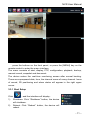
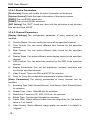
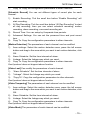
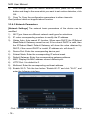
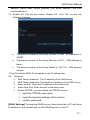
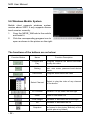
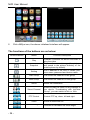
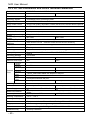
The functions of the buttons are as below:
Function
Button
Name
Play
Full Screen
Snapshot
Setting
Next Group
About
Select Channel
PTZ Control
Zoom
Focal Length
Iris
Function Description
Program connects the device and start to play
the video
Full screen play
Capture the current image (the pictures are
saved in the picture directory of the mobile
phone by default)
Set IP address of the DVR or DDNS, port, user
name, password and device name.
Can select the channel of next group
About the information
Select to play the video of any channel of the
device
Control PTZ up, down, left and right
Zoom in and zoom out
Increase or decrease the focal length
Increase or decrease the iris
5.5 Symbian Mobile System
Mobile client supports symbian system
version above 9.1 (namely symbian 3rd and
5th version mobile), including all the 3rd
version like Nokia 6120c, e71,5800 with
240*320, 320*240 resolution, the 5th version
with 360*640, 640*360 resolution.
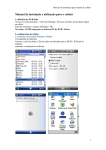
☆ Installation and Operation Instruction
1.
2.
Download and Install the package file(sisx)
in the phone and then you will find the
program icon and find the vmeye in the
specified directory.
Click the vmeye program icon. After
- 30 -