1
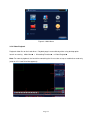
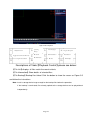
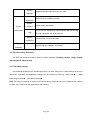
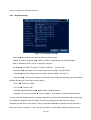
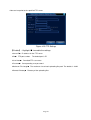
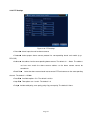
【Step length】Determine the rotating range of the PTZ. The larger the setting, the longer the step
length. Setting range:1 ~ 8 ;
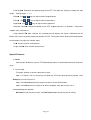
【Zoom】Use
/
keys to adjust camera magnification;
【Focus】Use
/
keys to adjust camera zoom focus;
【Aperture】Use
/
keys to adjust camera aperture;
【Direction Control】Control the rotation of the PTZ. Support controls in 8 directions(front panel
supports only 4 directions)
;
【High Speed PTZ】After selection, the selected channel displays full-screen. Hold down the left
button of the mouse to quickly rotate and position the PTZ. Turning the mouse wheel while holding down
the left button can adjust the camera zoom;
【Set】Access function setting menu;
【Page Switch】Enter function control menu.
Special Features:
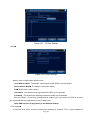
1. Preset
Select certain direction as preset. PTZ automatically rotates in the direction based on the preset
value.
1)Preset setup
To setup a direction as preset, follow these steps:
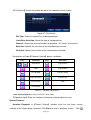
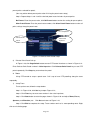
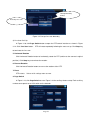
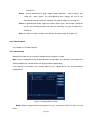
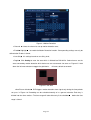
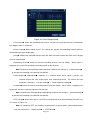
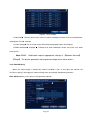
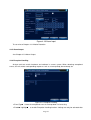
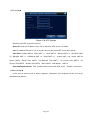
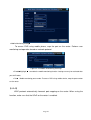
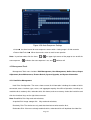
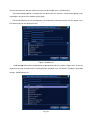
Step 1: In Figure 3.10, use arrow keys to rotate the PTZ to the desired preset position. Click
Setting key to enter Figure 3.11;
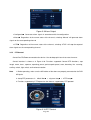
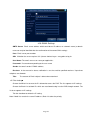
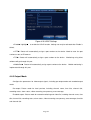
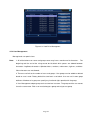
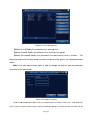
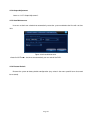
Step 2: Click Preset button and input preset value in Preset Position box;
Step 3: Click Set to return to Figure 3.10. When complete, each preset value has a
corresponding preset position.
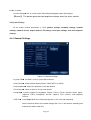
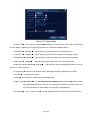
Del Preset: Enter the preset value, click Del Preset button to clear the preset setting.
Page 21