1
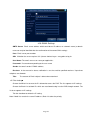
4.4.6 PTZ Settings
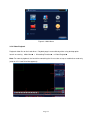
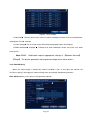
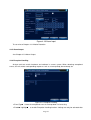
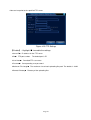
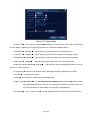
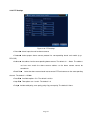
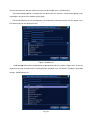
Figure 4.28 PTZ Settings
【Channel】Select input channel for dome camera;
【 Protocol 】 Select proper dome camera protocol for corresponding brand and model (e.g. :
PELCOD)
【Address】Set address for the corresponding dome camera. The default is 1(Note:The address
set here must match the dome camera address or the dome camera cannot be
controlled)
;
【Baud Rate】 Select the dome camera baud rate to control PTZ and camera on the corresponding
channel. The default is 115200;
【Data Bits】Available options: 5-8. The default is 8 bits;
【Stop Bits】Two options are 1 and 2. The default is 1;
【Parity】Includes odd parity, even parity, parity flag, none parity. The default is None.
Page 51