1
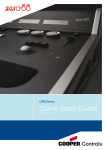
Lighting Controls – FLX lighting console Fixtures Every device controlled by a FLX lighting console is known as a “Fixture”, and is assigned a “Channel Number”. Fixtures can be a simple generic dimmer channel, or a more complex DMX device such as a colour scroller, LED fixture, moving head, strobe light, smoke machine or media server. Any item controllable via a DMX signal can be assigned as a fixture on the console. Fixtures can be “patched” to any channel (1- 512) on any universes (1- 4). The below examples show how a fixture’s parameters would be split up into the four attributes. ETC Source 4 LED Lustr+ Fixture Patch Info DMX Address 100, Channel Number 50 Beam Attributes Colour Strobe Fan Fixture Patch Info DMX Address 106, Channel Number 51 Pan / Tilt Speed Tilt Position Pan Shutter Colour 1 Beam CTC White Blue Green Red Dimmer Colour Function Fixtures that are used together regularly (such as a colour wash, or all the moving lights on a specific truss) can be stored together into a “group”. The desk provides 240 groups. FLX can automatically create groups if required. Dimmer channels are simple fixtures with one parameter the “intensity”. More complex DMX devices (such as moving lights, LEDs etc) are fixtures with multiple parameters (for example “pan”, “tilt”, “red”, “green”, “blue”, “strobe” or “focus”). Parameters Robe Robin 100 LEDBeam Groups Parameters Blue Green Red The DMX Patch (or “patching”) is a required process where the FLX lighting console is told which fixtures are being used, which DMX channels each fixture uses (referred to as the “DMX address”) and what Channel Number each fixture should be assigned. Dimmer DMX patch Attributes Parameters Clay Paky Alpha Spot 300 DMX Address 118, Channel Number 52 The “Shape” attribute is coming soon in a free software update. Until then, “Shape” and “Beam” will be combined together under “Beam”. Macros Macros are used for fixture settings such as “Lamp On” or “Reset”. Which Macros are available depend on the fixtures patched. Tilt Pan Reset Position Lamp Shutter Focus Prism Rotation Beam Prism Gobo Rotation Shape Gobo Wheel 2 Colour Wheel 2 Colour Wheel 1 Dimmer Parameters are grouped together into four attributes for easy access and control. These attributes are called “Colour”, “Beam”, “Shape” and “Position”. A fifth attribute, called “Effect”, manipulates parameters to create effects such as “Circle”, “Ballyhoo” and “Rainbow”. These five attribute buttons can be found along the right hand side of the internal touchscreen. Colour Gobo Wheel 1 Attributes Palettes Palettes can quickly recall parameter settings that are used regularly, such as a range of colours for LED fixtures, or a range of positions for moving lights. 240 palettes are available for each of the five attributes (Colour, Beam, Shape, Position and Effects). FLX can automatically create palettes if required. Zero 88 Series Usk House, Lakeside, Llantarnam Park, Cwmbran, NP44 3HD. UK Tel: +44 (0)1633 838088 Fax: +44 (0)1633 867880 Email: [email protected] Web: www.zero88.com Zero 88 FLX Quick Start Guide v1.3 – Stock Code: 9850-000492-00 – Page 5 of 20