1
Gemini 4:4:4 User Manual v1.4
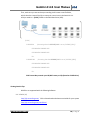
7. Click on the firmware version that you wish to download.
Note: You may reinstall an earlier version of the firmware, if desired.
For Windows 7:
(Other Windows Computers will be similar)
See below for Mac instructions
8. Click on Save As.
9. Navigate to the folder you just created.
10. Click on Save. The file you saved will be Gemini 1.0.105.zip
(but with the current firmware version number)
11. Navigate to this folder and file. (You may just click on “Open Folder”)
12. Double Click on this file. It will be something like “Gemini 1.0.105.zip” but with
the current firmware number.
13. Click on Extract All Files.
14. Click on Extract.
15. Double Click on Gemini 1.0.105 (or current firmware version number).
16. Drag and Drop the }GEM_UPDATE{ folder to your SSD Drive
(Listed under Computer) on the left hand side of your screen.
Note: The SSD may be “No Name”, and it can be any Drive Letter”, but it will
have a }CLIPS{ folder on the drive.
Do not copy the firmware update into the }CLIPS{ folder.
Answer Yes to: “Do you want to copy this folder without Encryption?”
And Answer Yes to: “Do you want to copy this file without Encryption?”
Skip over “For Mac” instructions to finish the update.
www.Gemini444.com
23 | P a g e