1
Program Icons
Some items available in your phone’s Programs group are listed below. To access them, select Programs
from the Start menu. To start one of these programs, highlight it and then press the Action button.
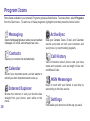
Messaging
Opens the Messaging feature, where you can read text
messages or E-mails, and compose new ones.
Contacts
Opens your contacts list alphabetically.
Calendar
Record your important events, and set alarms to
remind you when important events come up.
Internet Explorer
Browse the Internet or visit your favorite sites
straight from your phone, even while on the
move.
10
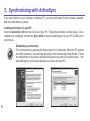
ActiveSync
Keep your Contacts, Tasks, E-mail, and Calendar
events up-to-date on both your computer and
your phone, by synchronizing regularly.
Call History
View information about phone calls you have
made and received, such as length of last call
and Missed Calls.
MSN Messenger
Keep in touch with your friends in real time by
subscribing to this free service.
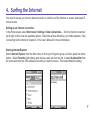
Settings
Personalize your phone to suit the way you use it.