1
Introduction
Overview of Smedge
Welcome to Smedge!
Smedge is a system that allows you to queue and distribute tasks across multiple computers. It is designed to be able to control
anything that you could possibly imagine. If your task can be broken into parts, the rest can be done with Smedge. Currently, Smedge
is geared around the queuing and distribution of image processing and rendering tools, but there is no limit to the possibilities.
Smedge runs on Windows, Linux, and OS-X, and can seamlessly interconnect between all supported platforms. Any component can
be run on any platform.
Smedge hides most of the complexity of configuring and managing the distribution, making it easy to get up and running without
needing a lot of technical knowledge. At the same time, the underlying architecture allows nearly infinite customization in how the
system operates, how it interacts with the processes that it controls, and how it interacts with your network and your user and file
systems.
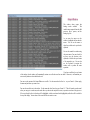
By default, when you start Smedge, you are actually starting 3 different components of the system that all interact with each other and
with other Smedge components on your network. The SmedgeMaster is the process that manages the system. The SmedgeEngine is
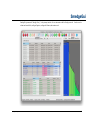
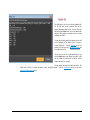
the process that actually performs the work. The SmedgeGui is the graphical interface that allows you to monitor and manage the
system and the work that it executes. These components automatically find each other and integrate on every machine on your
network.
As you run, Smedge will tune itself to your needs dynamically, using the Automatic Engine Mode. If you don't use the GUI for a
while, it will disconnect itself, and shut itself down as a backup master, preferring to run as an engine, which uses much less of the
CPU, memory and networking on the machine for Smedge overhead. Of course, you can manually configure the components directly,
including integrating with your system's automatic process control, usually called “Services” or “daemons”, allowing a machine to be
available for doing work from the moment it boots up, even without any user logged into the machine's local console.
Smedge 2015 Update 2 User Manual
© 2004 - 2015 Überware™
4