1
SEWWHATSEWWHAT-PRO USER
MANUAL
v3.6.8
FEBRUARY 20, 2014
S & S COMPUTING
Oak Ridge, TN 37380
Table of Contents
Introduction ...................................................................................................................................... 1
Getting Started ............................................................................................................................ 1
Contact Us ................................................................................................................................... 2
FAQ (Frequently Asked Questions) ............................................................................................ 2
Menus .............................................................................................................................................. 4
File menu commands .................................................................................................................. 4
Edit menu .................................................................................................................................... 4
View menu ................................................................................................................................... 4
Tools menu .................................................................................................................................. 5
Options menu .............................................................................................................................. 5
Window menu.............................................................................................................................. 6
Help menu ................................................................................................................................... 6
File Commands................................................................................................................................ 7
New ............................................................................................................................................. 7
Open ............................................................................................................................................ 7
Merge .......................................................................................................................................... 7
Close ........................................................................................................................................... 8
Save ............................................................................................................................................ 8
Save As ....................................................................................................................................... 8
EMail............................................................................................................................................ 9
Print ............................................................................................................................................. 9
Print Preview ............................................................................................................................... 9
Page Setup ................................................................................................................................ 10
Exit............................................................................................................................................. 10
Edit Commands ............................................................................................................................. 12
Undo .......................................................................................................................................... 12
Order Threads ........................................................................................................................... 12
Delete Threads .......................................................................................................................... 13
Join Threads .............................................................................................................................. 13
Filter Stitches ............................................................................................................................. 13
Split Pattern ............................................................................................................................... 13
Cut ............................................................................................................................................. 14
Copy .......................................................................................................................................... 14
Paste ......................................................................................................................................... 14
All Objects ................................................................................................................................. 15
Next Object ................................................................................................................................ 15
Previous Object ......................................................................................................................... 15
View Commands............................................................................................................................ 16
Jumps Stitches .......................................................................................................................... 16
Grid Lines .................................................................................................................................. 16
Grid Labels ................................................................................................................................ 16
Snap to Grid .............................................................................................................................. 16
Stitch Points .............................................................................................................................. 16
Texture ...................................................................................................................................... 16
Album Icons ............................................................................................................................... 17
Stitch Histogram ........................................................................................................................ 18
Main Toolbar ............................................................................................................................. 18
Sew and Show Bar .................................................................................................................... 19
Rotation Bar .............................................................................................................................. 19
Status Bar .................................................................................................................................. 19
Tools Command ............................................................................................................................ 20
Add Border ................................................................................................................................ 20
Adjust Density ........................................................................................................................... 20
Arch Text ................................................................................................................................... 22
Basting Stitch ............................................................................................................................ 23
Batch Conversion ...................................................................................................................... 24
Resize Pattern ........................................................................................................................... 26
Write D1 Floppy......................................................................................................................... 26
Media Writer .............................................................................................................................. 28
Lettering/Monogramming .......................................................................................................... 29
Sew-and-Show .......................................................................................................................... 32
Fabric Color ............................................................................................................................... 33
Center Pattern ........................................................................................................................... 33
Magnify Pattern ......................................................................................................................... 33
Zoom In ..................................................................................................................................... 33
Zoom Out .................................................................................................................................. 34
Zoom Normal............................................................................................................................. 34
Options Commands ....................................................................................................................... 35
File Options ............................................................................................................................... 35
File Associations ....................................................................................................................... 36
Grid Options .............................................................................................................................. 37
Hoops Options ........................................................................................................................... 37
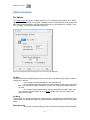
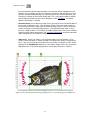
Image Options ........................................................................................................................... 40
Resize Toolbar Icons................................................................................................................. 40
Units Options ............................................................................................................................. 40
Windows Commands ..................................................................................................................... 41
All Windows ............................................................................................................................... 41
New ........................................................................................................................................... 41
Cascade .................................................................................................................................... 41
Size............................................................................................................................................ 41
Tile ............................................................................................................................................. 41
Help Commands ............................................................................................................................ 42
Tip of the day............................................................................................................................. 42
Help Topics ............................................................................................................................... 42
Auto-Update .............................................................................................................................. 42
Update Now ............................................................................................................................... 42
Restore Defaults ........................................................................................................................ 42
About SewWhat-Pro .................................................................................................................. 42
Change (History) Log ................................................................................................................ 42
Sewing Topics ............................................................................................................................... 43
Project Options .......................................................................................................................... 43
Reflect Pattern ........................................................................................................................... 43
Rotate Pattern ........................................................................................................................... 43
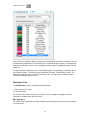
Thread Palette Editor ................................................................................................................ 43
Workspace View........................................................................................................................ 44
Toolbars ......................................................................................................................................... 47
Main ........................................................................................................................................... 47
Print Preview ............................................................................................................................. 49
Rotation ..................................................................................................................................... 49
Scroll Bars ................................................................................................................................. 49
Sew and Show .......................................................................................................................... 49
Separation Mode (Cutting) ........................................................................................................ 50
Split at Stitch ............................................................................................................................. 57
Status Bar .................................................................................................................................. 61
Utilities ........................................................................................................................................... 62
Add Font .................................................................................................................................... 62
File Open Dialog........................................................................................................................ 62
File Save As Dialog ................................................................................................................... 63
File Open (Option) ..................................................................................................................... 65
File Merge (Option) ................................................................................................................... 65
File Save As (Option) ................................................................................................................ 65
Hoop Position (Option) .............................................................................................................. 65
Hoop Size (Option) .................................................................................................................... 65
Print Setup ................................................................................................................................. 65
Print Setup Dialog ..................................................................................................................... 65
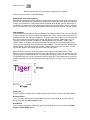
Purchase SewWhat-Pro ................................................................................................................ 66
SewWhat-Pro Manual
Introduction
Getting Started
Welcome to the SewWhat-Pro embroidery file editor and conversion tool. You may use it to merge,
rotate, and resize (at constant stitch density) existing embroidery patterns, as well as convert from
one embroidery format to another. Batch conversion of large numbers of embroidery files between
different formats is also available. There is also a cutting tool for separating a pattern into individual
parts. Additional information about using SewWhat-Pro is available by accessing the Tip of the
Day feature at any time.
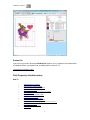
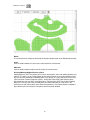
The SewWhat-Pro workspace screen is shown below. The title bar displays information about the
file that is currently open. Below the title bar is the menu bar containing drop-down menu
commands for various features that control your interaction with the application. (Links to
descriptions of the menu commands may be found in FAQ.) Below the menu is the main
SewWhat-Pro toolbar, which contains iconic buttons that can be clicked to implement many of the
menu commands. At the very bottom of the screen is the status bar used to display additional
information about the pattern and operations being performed.
Also shown is the rotation toolbar used for reflecting and rotating the selected pattern (a pattern is
"selected" by left-clicking on it in the workspace). Below the main toolbar is the Sew and Show
toolbar. This is used to emulate an actual stitch-out of the pattern on your screen.
The remaining work area of the SewWhat-Pro screen is divided into two panels consisting of the
main panel (or view) and an information panel (for more info, click here). In the figure below, the
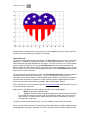
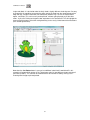
embroidery file "Bearina.art" has been opened and is displayed in the main workspace. The hoop
associated with the pattern is shown together with optional grid lines. You may also start the
lettering editor, even without importing an existing embroidery file.
The various tools available for editing embroidery files are described in the Edit and Tools menus.
You can save your work to a new or existing file, using the File Save command. Frequent saving
during the course of editing prevents loss of data.
The information panel is located to the right of the workspace (where embroidery files are displayed
and edited). It may be toggled from the View menu to display either the information shown below or
an album icon view of the files in the present working folder.
The information panel contains detailed information about the file, including the number of stitches
for each thread and the total thread length. In addition, graphical information about the length
distribution of threads may also be shown. The stitch graph, or histogram, can be shown or hidden
from the View menu. Note that the user can move or resize this graph anywhere within the info
panel. The information in this panel is updated whenever the file is edited in the work pane or when
a new file is opened. To view information about a single thread, click either the next or previous
object buttons to scroll through the list of threads in the pattern.
The relative sizes of the panels can be changed by dragging the vertical separator bar with the
mouse.
1
SewWhat-Pro Manual
Contact Us
If you have any questions about the SewWhat-Pro program, or any suggestions for improvements
or additional features you would like to see added, please contact us at
[email protected]
FAQ (Frequently Asked Questions)
How To . . .
•
•
•
•
•
•
•
•
•
•
•
•
•
•
Add lettering to a pattern
Add a font to lettering dialog
Add basting stitches to a pattern
Adjust stitch density
Calibrate display size or position of hoops
Center a pattern
Change on-screen fabric color
Change thread colors
Change thread manufacturer
Choose or change the hoop size
Cut (split or separate) a pattern at specific stitches
Display album icons
Display (or hide) grid lines
Email a file
2
SewWhat-Pro Manual
•
•
•
•
•
•
•
•
•
•
•
•
•
Join threads
Magnify a pattern on-screen
Merge a pattern
Purchase SewWhat-Pro
Reflect a pattern (up-down/left-right)
Reorder threads
Resize or reposition a pattern
Rotate a pattern
Set project default options
Stitch-out a design on-screen
Undo certain editing operations
View a pattern as textured
Zoom In (magnify) or out (shrink) a pattern on the screen
•
•
•
•
•
•
•
File menu
Edit menu
View menu
Tools menu
Options menu
Window menu
Help menu
Menus
3
SewWhat-Pro Manual
Menus
File menu commands
The File menu offers the following commands:
New
Open
Merge
Close
Save
Save As
Email
Creates a new blank sewing pattern file.
Opens an existing sewing pattern file.
Merge a pattern file from disk with the presently active (opened) file.
Closes the presently active pattern file.
Saves an opened pattern file, using the same file name.
Saves an opened pattern file to a specified file name.
Send an embroidery file as an attachment via email
Print
Print Preview
Page Setup
Exit
Prints the pattern and design information.
Displays the pattern on the screen as it would appear printed.
Selects printing options.
Exits the SewWhat-Pro application.
Edit menu
The Edit menu offers the following commands:
Undo
Reverse (undo) previous editing operation.
Order Threads
Delete Threads
Join Threads
Filter Stitches
Split Pattern
Reorders, joins and/or deletes threads from one list.
Deletes threads based on length or number of stitches.
Joins threads of a given color.
Eliminate stitches based on length criterion.
Splits pattern (or thread) according to user-drawn region.
Cut
Copy
Paste
Deletes presently selected pattern from the document and moves it to the
clipboard.
Copies presently selected pattern from the document to the clipboard.
Pastes a pattern from the clipboard into the document.
All Objects
Next Object
Previous Object
Selects all objects (threads) and makes them available for editing.
Makes next (thread) object available for editing.
Makes previous (thread) object available for editing.
View menu
The View menu offers the following commands:
Jumps
Grid Lines
Grid Labels
Displays Jump-stitch Dialog for adjusting appearance of jump stitches on
screen.
Shows or hides grid lines useful for positioning pattern.
Shows or hides grid labels for the grid lines (only visible when grid lines
are displayed).
4
SewWhat-Pro Manual
Snap to Grid
Stitch Points
Texture
Displays grid to which pattern will be snapped when moved.
Shows or hides stitch end points.
Displays the pattern on screen (and in print) in a textured, 3D appearance.
Album Icons
Toggles between the album icon view (checked) and the info-pane view
(unchecked, the default).
Shows or hides the graph of stitch length distribution in the thread pane
Shows or hides the main toolbar.
Shows or hides Sew and Show toolbar.
Shows or hides the status bar.
Shows or hides the pattern rotation toolbar.
Stitch Histogram
Main Toolbar
S & S Toolbar
Status bar
Rotation bar
Tools menu
The Tools menu offers the following commands:
Add Border
Adjust Density
Arch Text
Basting Stitch
Batch Conversion
Resize Pattern
Write D1 Floppy
Media Writer
Sew Lettering
Sew and Show
Add a border to an existing pattern.
Choose factor for adjusting stitch density.
Arrange individual letters on an arch
Adds basting stitches around pattern and/or around hoop.
Begin batch conversion dialog.
Enter exact new sizes for a pattern.
Write or modify a Designer 1 floppy diskette or create a D1 Zip file archive.
Write files to external media (SM/CF/USB) for Brother, Elna, various
Janome and Singer machines.
Insert lettering/monograms into an embroidery pattern.
Simulates stitches sewn in real time.
Fabric Color
Center Pattern
Magnify
Zoom In
Zoom Out
Zoom Normal
Select fabric color.
Center pattern in hoop.
Magnify a selected part of the pattern.
Magnifies pattern on screen.
Reduces size of pattern on screen.
Resets magnification to 1 (original value)
Options menu
The Options menu offers the following commands:
D1 Options
Files
File Associations
Grid
Hoops
Images
Resize Toolbar
Icons
Units
Select the default floppy drive for writing D1 files and the directory for storing
zipped D1 files.
Select options to be in effect when opening, merging, or saving embroidery
files.
Select embroidery file extensions to be associated with SewWhat-Pro
Select the thickness and color of the grid lines displayed on the screen.
Select hoop size and position it on the screen.
Set quality settings for JPEG images saved from SewWhat-Pro.
Enlarges (or reduces) the size of the icons on the main toolbar
Set measurement units (metric or American) for displaying lengths in
SewWhat-Pro
5
SewWhat-Pro Manual
Window menu
The Window menu offers the following commands, which enable you to arrange multiple views of
multiple documents in the application window:
New
Cascade
Tile
All Windows
Creates a new window that views the same document.
Arranges windows in an overlapped fashion.
Arranges windows in non-overlapped tiles.
Goes to specified window.
Help menu
The Help menu offers the following commands, which provide assistance for using SewWhat-Pro:
Tip of the Day
Help topics
Displays a useful suggestion for using SewWhat-Pro.
Offers you an index to topics on which you can get help.
Restore Defaults
Auto-Update
Update Now
About
SewWhat-Pro
Change (History)
Log
Reset the default (installation) setting in the registry.
Toggles on/off the auto-update feature in SewWhat-Pro.
Checks website for available update of SewWhat-Pro.
Displays the version number of this application, as well as helpful Web
addresses related to the development of this software.
Displays the history of changes to SewWhat-Pro.
6
SewWhat-Pro Manual
File Commands
New
Use this command to create a new document (which will be saved as a sewing pattern file) in
SewWhat-Pro. You can open an existing document with the Open command.
Shortcuts
Toolbar:
Keys:
CTRL+N
Open
Use this command to open an existing pattern file in a new window. You can open multiple
documents at once. Use the Window menu to switch among the multiple open documents.
When you use this command, SewWhat-Pro displays the File Open Dialog so you can select the
pattern file(s) to open.
Alternatively, you can open an existing document by selecting it from the most recently used (MRU)
file list in the File menu, if it was recently opened.
You can create new blank pattern files with the File New command.
Shortcuts
Toolbar:
Keys:
CTRL+O
Merge
Merges a pattern from an existing (but unopened) embroidery file with the presently active pattern.
This is accomplished by appending the new pattern to the end of the design in the active window.
You can also use Paste from a file currently open in another SewWhat-Pro window to merge into
the present pattern.
To merge a pattern from another embroidery file into the current pattern that is opened in the
workspace, click on the File menu, Merge item, and select the design you want to merge. Select
(left-click) the new pattern and click the Open button (or just double-click the design icon). The new
pattern will appear in the hoop along with the original design. You can repeat these steps until all of
the designs merged.
If you have numerous designs to merge, such as letters from an alphabet, you can select the View
menu Album View item, and click your designs (from the list of design icons that will be displayed in
the right pane of the workspace) to merge them into the SewWhat-Pro workspace.
After merging each design, you will probably need to reposition them in the hoop by clicking on the
new design and dragging it to the desired location.
Shortcuts
7
SewWhat-Pro Manual
Keys:
CTRL+M
Close
Use this command to close all windows containing the active document. SewWhat-Pro suggests
that you save changes to your document before you close it. If you close a document without
saving, you lose all changes made since the last time you saved it. Before closing an untitled
document, SewWhat-Pro displays the File Save As Dialog and suggests that you name and save
the document.
Shortcuts
Mouse: Close a document by clicking the Close icon on the document's window
Keys:
CTRL+F4 closes a SewWhat-Pro document window
Save
Use this command to save the active document to its current name and directory. When you save a
document for the first time, SewWhat-Pro displays the File Save As Dialog so you can name your
document. If you want to change the name and directory of an existing document before you save
it, choose the File Save As command.
Shortcuts
Toolbar:
Keys:
CTRL+S
Save As
Use this command to save and rename the active document. SewWhat-Pro displays the File Save
As Dialog box so you can name your pattern file and change its file type (extension).
To save a pattern file with its existing name, folder and extension, use the Save command.
Shortcuts
Toolbar:
8
SewWhat-Pro Manual
EMail
Use this File menu item to email a copy of the pattern file in the SewWhat-Pro workspace. The file
must be saved before it can be sent.
Shortcuts
Toolbar:
Print
Use this command to print a SewWhat-Pro document. This command presents a print dialog (see
below), where you may specify the range of pages to be printed, the number of copies, the
destination printer, and other printer setup properties.
When the Info Pane is activated in the View menu, then the pattern displayed in the workspace,
together with other information chosen in the Page Setup dialog, will be printed. In this mode, there
is an option to print a template only. When the Album (or Icon) view is selected (by checking Album
Icons), then an album of all the embroidery files in the present directory will be printed.
Shortcuts
Toolbar:
Keys:
CTRL+P
Print Preview
Use this command to display the active document as it would appear when printed. When you
choose this command, the main window will be replaced with a print preview window in which one
9
SewWhat-Pro Manual
or two pages will be displayed in their printed format. The Print Preview toolbar offers you options to
view either one or two pages at a time; move back and forth through the document; zoom in and out
of pages; and initiate a print job.
Page Setup
The following options allow you to select the page properties that will affect how the SewWhat-Pro
screen will be printed.
Edit View
Album
Click this button to edit the Album Layout items. Here, you can enter the number of
columns and rows for displaying the album icons. The page preview shows how the margin
and column/row selections will affect the printed document. Also, check the box beside
"Include Zip Files" if you wish to view embroidery files in the present directory that are in Zip
archive files. This option will slow down the printing (and display) of the icon view if there
are many archived files.
Design
Click this button to edit the Design Layout items. You can choose to combine the design
and thread information on a single page, or to print them separately. If a pattern is too large
to fit onto a single page, then choosing the "separate" option will allow the design to be
automatically split over several pages.
Paper Size
Select the size of paper that the document is to be printed on.
Paper Source
Some printers offer multiple trays for different paper sources. Specify the tray here.
Orientation
Choose Portrait or Landscape.
Margins
Enter the page margins here.
Printer
Displays a dialog box for selecting the printer you want to use. Choose the Default Printer, or
choose the Name option and select one of the currently installed printers shown in the box. You
install printers and configure ports using the Windows Control Panel. Choose the Properties option
to further refine the printer properties.
Exit
Use this command to end your SewWhat-Pro session. You can also use the Close command on
the application Control menu. SewWhat-Pro prompts you to save documents with unsaved
changes.
Shortcuts
Mouse: Click the application's Close menu button.
10
SewWhat-Pro Manual
Keys:
ALT+F4
11
SewWhat-Pro Manual
Edit Commands
Undo
Use this command to reverse the last editing action, if possible. The Undo command is dimmed on
the menu if there are no actions to reverse. In SewWhat-Pro, the following operations may be
undone:
Undo Operation
Merge
Delete pattern or object
Color change
Move, scaled rotate
Density adjustment
Cut (split) pattern
Effect of Undo
Merged pattern deleted
Deleted pattern or object restored
Original thread color restored
Original position, size, orientation
of pattern or object restored
Restores stitch density
Restores original (uncut) pattern.
In cut mode, restores previous cut
state
Shortcuts
Toolbar:
Keys:
CTRL+Z
Order Threads
Choose this option from the Edit menu to display a dialog with a list for ordering, joining and/or
deleting threads from your active design.
To reorder the threads comprising your patterns, enter in the New Order column of the list box the
order number that the original thread (whose number is given in the Old Order column) should have
in the newly ordered pattern. For example, if you want the old stitch #5 to be the new stitch #1, then
enter a 1 in the New Order column of row 5.
To delete a thread from the new pattern, simply enter either a blank or a zero (0) in the New Order
column corresponding to the row number of the old stitch to delete. For example, to delete old stitch
#2, enter a blank (or 0) in the New Order column of row 2.
To join two or more threads, simply enter in the New Order column the same new stitch number for
each of the rows of the corresponding old threads. Thus, to join old stitches #2 and #4, for example,
and stitch them out as the third stitch, enter a 3 in the New Order column of rows 2 and 4.
Shortcuts
You can reorder a single thread in the Thread Info pane by holding down the Shift+Left
Mouse button and dragging the color to the stop where you want it to be placed. Release
the mouse button to drop the color onto the new stop position. If you drag a color up, it will
be placed at the stop position just above the stop where you drop it; dragging down will
place the color below the drop stop.
12
SewWhat-Pro Manual
Delete Threads
Choose this option from the Edit menu to display a dialog for deleting threads from your design.
Threads may be deleted either based on the number of stitches and/or the length of thread in a
particular color.
An alternative way to eliminate a specific thread is to right-click on the thread color button in the
Thread Palette. Then select the Delete Thread menu item. Another way to delete an entire from a
pattern thread is to scroll through the individual thread objects using the Next or Previous buttons,
and then press the Delete keyboard button when the desired thread is highlighted.
Join Threads
Choose this option from the Edit menu to display a dialog for joining threads of the same color in
your design. Threads may be joined either based on being adjacent or by specifying their number
on the thread tool bar.
Filter Stitches
Choose this option from the Edit menu to display a dialog for eliminating stitches that are shorter
than a user-selectable length. The stitches are joined with the previous one(s) until the new
combined stitch length is larger than the length you have entered.
Important Note:
This operation cannot be "undone" with the Edit-Undo feature. Therefore, it is recommended to
save a copy of the file before applying any filtering, in case you want to restore the pattern to the
unfiltered state.
Split Pattern
This toolbar button or Edit menu item allows you to split a pattern (or thread object) into separate
colors which are subsequently grouped into a single pattern. This may be used to cut a pattern that
is too large to fit into an available hoop, or to split a single thread into two or more threads which can
be separately colored.
After clicking the Split Pattern button (or menu item), SewWhat-Pro enters Separation Mode. In
this mode, you must click out a set of points around the part of the pattern to be split. This will define
13
SewWhat-Pro Manual
a polygon which will separate (cut) the pattern into two separate regions: the region inside the
polygon, which will be treated as a new color; and the rest of the pattern, which will remain
unchanged. See the description of the Separation Mode Toolbar for detailed cutting instructions.
Shortcuts
Toolbar:
Cut
Use this command to remove (cut) the currently selected pattern from the document and put it on
the clipboard. This command is unavailable if there is no pattern currently selected.
Cutting data to the clipboard replaces the contents previously stored there. Cut data can be
subsequently pasted into another pattern.
See also Split Pattern, Delete Threads.
Shortcuts
Toolbar:
Keys:
CTRL+X
Copy
Use this command to copy the selected pattern onto the clipboard. This command is unavailable if
there is no pattern selected.
Copying data to the clipboard replaces the contents previously stored there.
Shortcuts
Toolbar:
Keys:
CTRL+C
Paste
Use this command to insert a copy of the pattern in the clipboard at the insertion point. This
command is unavailable if the clipboard is empty. A bitmap of the pattern is also stored in the
clipboard, allowing you to paste the clipboard contents into other standard applications, such as a
word processor.
Shortcuts
Toolbar:
Keys:
CTRL+V, SHIFT+INS
14
SewWhat-Pro Manual
All Objects
This state behavior is activated by default. After a design is saved, the individual threads (objects)
are grouped into patterns. By left-clicking with the mouse anywhere within a pattern, the entire
pattern can be edited (deleted, resized, moved, reflected, and scaled). In contrast, by selecting the
Next Object (or Previous Object ) button or menu item, individual thread objects can be edited.
Shortcuts
Toolbar:
Keys:
CTRL+A
Next Object
When this button is activated, the user can select an individual thread object for customized editing.
This is useful, for example, if only certain (but not all) thread colors require removal or resizing.
Pressing this button scrolls through all the thread colors in increasing order of appearance on the
thread selection bar.
Shortcuts
Toolbar:
Keys:
CTRL+N
Previous Object
See the description of the Next Object button. In contrast to the next object button, pressing this
button scrolls through the thread colors backwards.
Shortcuts
Toolbar:
Keys:
CTRL+R
15
SewWhat-Pro Manual
View Commands
Jumps Stitches
This menu launches a dialog box which allows the user to choose the manner in which jump
stitches (needle-up) are viewed on screen. The default is for these stitches to be hidden, but the
user can override this behavior and show the jumps as dashes or thick lines to distinguish them
from the ordinary (needle-down) stitches.
Grid Lines
Use this View Menu item to display (or hide) grid lines on the screen. Grid lines may be helpful for
accurately placing a pattern within the hoop.
Grid Labels
This View menu item is used to display (checked) or hide (unchecked) labels for the Grid Lines.
Snap to Grid
This View menu item is used to turn on/off the snap-to-grid feature. When this is on, grid lines will
appear in the hoop. These are used for accurately aligning the pattern. When the pattern is moved
- either by pressing the arrow keys or with the mouse - the pattern will be automatically aligned
(snapped) to the nearest grid line.
You may choose from a variety of grid separations in the Options/Grid menu item.
Shortcuts
Toolbar:
Stitch Points
This item displays (checked) or hides (unchecked) the end points for each stitch. This is useful for
locating a particular stitch in the pattern. You may have to magnify the pattern on the screen to see
the stitch points.
Texture
This View menu item can be selected to display the stitched pattern on screen (and in print mode)
in a textured (sometimes called "3D") appearance.
16
SewWhat-Pro Manual
Album Icons
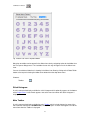
This View menu item toggles between the Information Pane (Fig. 1), which shows pattern
information for the presently active pattern, and the icon (or album) view (Fig. 2), which displays
thumbnails of the embroidery files in the current work folder (directory) and previously opened ones
as well. (The work folder is the one containing the last file that was opened by SewWhat-Pro.)
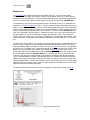
The Information pane consists of the Project Pane, the Thread Pane, and (if it is selected on the
View Menu), the Stitch Histogram (see Fig. 1). The project pane contains information of the present
project, such as pattern dimensions, stitches, author and copyright information. All the information
from the project and thread pane is written out to a "color information" text file (which has the same
name as the embroidery pattern but with a "txt" extension). This file is used by SewWhat-Pro to
read in this information when the pattern is reopened at a later time. It can also be distributed as
part of the pattern as an aid to sewing out the pattern with the proper colors. The thread pane
includes columns for color stops, color names, thread brands, the associated color number, stitch
count for that color, and a place to enter comments about the associated color (like "this is the ear",
etc.).
The album icon view provides a visual display of the embroidery files in the selected directory, and
permits a graphical (point and click) method to merge existing embroidery files with the present
workspace pattern. Before activating the album icon view, first open the first letter in the alphabet
you want to use. The album icons can then be displayed by clicking the Album view “ICON” on the
toolbar (see shortcut below) or the Album Icons item on the View menu. Click on the icon(s)
displayed to load the associated pattern(s) into the SewWhat-Pro workspace, thus merging it with
the existing pattern. When the Alphabet Mode box is checked (see Fig. 2), then the icons are
reduced in size so that an entire alphabet can be viewed in the Album pane without needing to
scroll. In alphabet mode, the pattern corresponding to the icon clicked in the Album pane will be
added to the workspace to the right of the previous letter, thus making it easy to form words from
individual digitized letters. The last letter clicked is "active", which means you can use the keyboard
arrow keys to "kern" that letter (that is, adjust the spacing between it and the previous letter) and/or
adjust its baseline for horizontal alignment.
The choice of Info Pane or Album (Icon) view also determines what will be printed (see Print).
Fig. 1 Information Pane consisting of the Project (top) and Thread Pane
17
SewWhat-Pro Manual
Fig. 2 Album Icon view in Alphabet Mode
More than one folder can be opened in the Album Icon view by navigating to the desired folder from
the File Open or Merge menu. The last folder chosen this way will appear first in the Album Icon
view.
You can also delete a folder that is showing in the Album Icon View by clicking on the Delete Folder
button at the top and selecting the folder to be deleted from the drop down menu.
Shortcuts
Toolbar:
Stitch Histogram
Use this command to display and hide the stitch histogram which optionally appears at the bottom
of the Project Pane. A check mark appears next to the menu item when the Stitch histogram is
displayed.
Main Toolbar
Use this command to display and hide the main Toolbar, which includes buttons for some of the
most common commands in SewWhat-Pro, such as File Open. A check mark appears next to the
menu item when the Toolbar is displayed.
18
SewWhat-Pro Manual
Sew and Show Bar
Use this command to display and hide the Sew and show toolbar, which describes the action to be
executed by the selected menu item or depressed toolbar button. A check mark appears next to the
menu item when the Status Bar is displayed.
Rotation Bar
Use this command to display and hide the Rotation Toolbar. A check mark appears next to the
menu item when the Status Bar is displayed.
Status Bar
Use this command to display and hide the Status bar. A check mark appears next to the menu item
when the Status Bar is displayed.
19
SewWhat-Pro Manual
Tools Command
Add Border
Use this toolbar button to open the dialog (Fig. 1) for selecting a satin border to add to an existing
pattern in the SewWhat-Pro workspace. The shape of the border can be chosen by clicking on one
of the border silhouettes in the scrollable list. Properties of the satin stitch used for the border - such
as the thickness and stride (separation of stitches along the border curve) - can be set by clicking
the up-down vertical controls. The width and height of the border can be set as well.
It is advisable to set the border properties here, rather than resizing after the border has been
entered into the SewWhat-Pro workspace. At least be sure to select the correct aspect ratio (ratio
of border height to border width) here, otherwise resizing later will not preserve a uniform border
thickness.
Fig. 1
Shortcuts
Toolbar:
Keys:
Adjust Density
Use this Tools menu command to open a dialog (see Fig. 1) for adjusting the stitch density of the
currently-selected colors (or the entire pattern) or adding pull compensation. If no colors or pattern
parts are selected, then the density and/or pull compensation adjustment will be applied to the
entire pattern.
20
SewWhat-Pro Manual
Fig 1 Dialog for adjusting the stitch density and adding pull compensation
Stitch Density
Stitch density is inversely related to the mean separation between adjacent lines of fill stitches:
smaller separations correspond to higher densities, and vice versa. Choosing an adjustment factor
greater than 1.0 will increase the stitch density, and a factor less than 1.0 will decrease the density.
For example, a factor of 1.50 will increase the stitch density by 1½ (or 150%).
Note that you do not have to resize a pattern first to change its density. Moreover, you may adjust
the density before or after resizing the pattern (although if the "Auto-adjust stitch density" box is
selected in the resize dialog, no further density adjust is required).
The usual situation for applying density adjustment arises when the pattern has been manually
resized by using the mouse to drag the selection rectangle corners. As an example, suppose you
first resize a pattern to make it smaller by 25%, so it is reduced to 75% of its original size. (Hint:
when resizing and using the mouse, it is advisable to hold down the Ctrl key to keep the pattern's
aspect ratio constant.) The stitches are now likely to be too dense by that same amount (25%). In
the density adjustment dialog, choosing a density factor of 0.75 will reduce the pattern density by
25%.
The average stitch lengths (stitch point-to-stitch point separation) are not affected by the density
adjustment. Only the separation between adjacent lines of fill stitching is affected. Therefore, the
total stitch length for each thread will be changed (approximately) by the value of the density
adjustment factor and the total number of stitches will change too by about the same factor. Usually
the stitch number change will not be quite as large (or small) as the stipulated factor change in the
density, depending on the fraction of overall stitches that are run stitches compared to fill stitches.
Pull Compensation
It may be desirable to add "pull-compensation" to parts (or all) of a pattern to (1) increase the width
of satin stitches; (2) to counteract "pulling" of the underlying fabric; or (3) for visual effect, such as
making lettering appear bolder. The amount of compensation added to the start and end of each
21
SewWhat-Pro Manual
satin row is given in embroidery points (0.1 mm units). So the value of "8" entered in Fig. 1 indicates
a total of 1.6 mm (2 X 0.8) will be added to each row of satin stitches for the selected color stops.
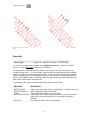
Fig. 2 shows this widening effect on a satin stitch of adding pull-compensation of 0.5 mm.
Fig 2. Pull-compensation of 0.5mm (on the right) added to a satin stitch (original on left).
You may cancel a stitch or pull-compensation adjustment by pressing the Undo (Ctrl-Z) key
combination.
Shortcuts
Toolbar:
Keys:
ALT+A
Arch Text
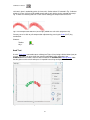
Use this Tools menu command to open a dialog (see Figure 1) for placing individual letters (text) on
an arch. The letters can arise either from merging embroidery letters (alphabets) into
SewWhat-Pro or from letters that have been created in the SewWhat-Pro lettering dialog. Note
that the grid used in the main workspace is imported into arching workspace.
Figure 1 The "Arch Text" dialog.
22
SewWhat-Pro Manual
Follow these steps to perform text arching:
1.
2.
3.
4.
5.
Draw a selection rectangle around the letters in the main SewWhat-Pro workspace by holding
down the left mouse button and dragging to enclose the letters that are to be arched. Note the
letters must be stored in separate color blocks (NOT joined into one color block) for this to work
and you must select at least 2 letters. If the letters are joined into a single stop, you can
separate them with the cutting tool. The letters should be horizontally (baseline) aligned and
spaced according to your preference before opening the arching tool.
Click the Arch toolbar button (or the associated menu item). The arching dialog in Fig. 1 will
open with the selected text displayed.
There are two controls for adjusting the arched lettering. They are interactive – the changes
you make will appear as you click the controls:
1. You can adjust the curvature of the arch by clicking the spin-control next to the rotation
icon (the two-headed arrow in Fig. 1 displaying the value 150 degrees). Clicking on the
up-arrow will increase this value and lead to a more circular arch; clicking the down-arrow
will decrease this value leading to a "flatter" arch.
2. You can position the lettering on the arch by clicking the lower spin-control next to the "text
rotation" icon (with the red "T" in Fig. 1, displaying 0 degrees). A value of "0" in this case
means that the lettering is arranged symmetrically around the vertical axis. Increasing (or
decreasing) this value will move all the letters along the arch by the indicated number of
degrees.
Choose the letter arrangement - either vertical or along (parallel to) the arch (as shown in Fig.
1).
The lettering can be arranged to be "up" on the arch (as shown in Fig.1) or down.
Click "OK" when you have adjusted the text arch to your specifications.
If you want to edit the arch after clicking the “OK” button, click the undo (Ctrl-Z) key combination,
and repeat steps 1-5.
Shortcuts
Toolbar:
Keys:
Basting Stitch
Use this Tools menu command to open a dialog for adding basting stitches to the present pattern.
These may be used, for example, to tack down a fabric to backing material prior to stitching, without
using sticky spray that may gum up your needle.
The dialog allows you to select where the basting stitches should be sewn. You may choose to
baste around the pattern and/or around the hoop perimeter by checking the appropriate check-box.
The check status is retained from the previous time this dialog was opened, so you may want to
reset a check (by clicking the box) if you have previously added basting to the design. The length of
the basting running stitches may also be selected in 2 mm increments up to 12 mm. The basting
stitches are automatically inserted at the top of the stitch list so they will be sewn first.
Note that it is a good practice to add the basting stitches to the pattern after all other changes have
been made. This will prevent adding multiple basting stitches in the same place and is especially
true if you baste around the pattern, since the pattern size and position determine where the
basting stitches are placed. After inserting these stitches into the pattern, they may be deleted at
any time from the stitch list in the Thread Pane if they are no longer desired (by right-clicking on the
23
SewWhat-Pro Manual
top-most color stop and choosing Delete).
Batch Conversion
The batch conversion utility on the Tools menu allows the user to convert multiple embroidery files
of possibly different types to other embroidery file types. Launching the batch utility initiates a
sequence of dialogs that collect the various files to be converted, determine where the converted
files should be stored, and choose what the converted file type should be. Options include
•
•
•
automatically centering converted patterns
overwriting existing files of the same name
preserving (in the batch directory) the directory tree structure of the original files.
There is a batch pane in the Status bar which displays a progress bar showing the completion
status of the submitted job. The batch conversion runs as a background job, so you may continue
editing or viewing patterns even while conversion is in progress.
Detailed instructions for using this utility follow. The first page of this utility opens a Windows
Explorer© dialog to select files - or directories of files – that you want to convert. Hold down the Shift
(or Control) key to select multiple files. Drag the files – by holding down the left mouse button while
you move the mouse cursor over the list box - into the File Conversion list box and drop them there
(by releasing the mouse button). You may select Zip file archives containing embroidery files, as
well.
When you are finished selecting the embroidery files for conversion, press the Next button to reveal
the actual batch conversion dialog (shown below).
24
SewWhat-Pro Manual
On the first line, you may enter the path of the directory where the converted files will be placed. If
you want to choose an existing directory, click the Browse button to see a directory tree to choose
from. When choosing a conversion directory, you may also check the button Preserve directory
tree, which will store the converted files in the conversion folder with a tree structure similar to the
source tree. Alternatively, you may choose the option Store files in source directory. With this
option selected, the converted files will be stored in the same directory (or directories) as the
original files.
Next, select the file filter types (that is, the type of embroidery file) that the files should be converted
to by clicking on the file types in the Embroidery Extensions list box. Hold down the Ctrl (or Shift)
key to select multiple types. Finally, choose the remaining conversion options by checking the
appropriate boxes, and press the Convert button to start the batch conversion process. Since the
batch conversion runs in the background, so you can continue using SewWhat-Pro in the
meantime (all functions are available except for batch conversion).
During the batch conversion process, the status bar will display a progress bar showing the
completion state. When the conversion of the selected files is finished the status bar will display the
message "Batch Finished". If you checked the "Save Log File" option, a log file will be saved in the
top folder where the converted files were written. This file contains some details about the files that
were converted.
Shortcuts
Toolbar:
Keys:
CTRL+B
25
SewWhat-Pro Manual
Resize Pattern
Use this Tools menu item to accurately resize the active (selected) pattern. You may enter the new
pattern dimensions in either mm or in units, depending on the units settings in the Options menu.
To avoid distorting the image, check the Lock Aspect Ratio box. If, after resizing, you want the stitch
density to be automatically adjusted, check the Auto-adjust stitch density box.
You can also graphically resize (and reposition) the selected pattern with the mouse. Turning on
grid lines can be helpful during such operations. The first step is to select the pattern by clicking
anywhere in the pattern with the left mouse button. A resizing rectangle will appear around the
pattern, and the cursor will change to a four-headed arrow. Resize handles (solid squares) will
appear at the corners and midpoints of the resize rectangle.
To resize the pattern:
1.
Position the mouse at one of the resize handles of the selection rectangle. The
cursor changes to a diagonal two-headed resizing arrow.
2.
Move one of the corners (or sides) with the mouse, dragging the pattern in or out to
its final desired size. Use the corners to preserve the pattern aspect ratio (relative height to
width ratio). Use the side buttons to stretch or shrink the pattern either horizontally or
vertically.
3.
To accurately preserve the aspect ratio (relative width-to-height) during resizing,
hold down the Ctrl key while dragging the resize handle.
To move the pattern within the hoop:
Hold down the left mouse button and drag it to a new position or use the keypad arrow
keys.
Observations:
Both these operations affect the size and position of the pattern as it is stitched out. This is
in contrast to zooming , which simply changes the apparent size of the pattern on the
screen without affecting the actual stitch-out size.
Resizing a design with the mouse does not automatically preserve the stitch density of the
design.
Hint: holding down the Ctrl-key when resizing with the mouse will preserve the aspect ratio of the
design. For size changes of more than 10%, it is therefore advisable to either resize from this
toolbar button or to select the adjust density toolbar item after graphically resizing.
Shortcuts
Toolbar:
Write D1 Floppy
This item allows you to create a Designer 1 (D1) compatible floppy diskette, for use with the
Husqvarna-Viking Designer 1© embroidery machine. The files can also be saved in a compressed
26
SewWhat-Pro Manual
Zip archive file (*.zip format) for subsequent redistribution (by email, for example) or
decompression to a floppy diskette.
The first time this utility is used, you should choose the default D1 floppy drive and the Zip-archive
directory (where optional zipped D1 files will be stored). You may change these settings at any
time.
If you insert a floppy diskette that already contains D1 files and menus, SewWhat-Pro will
automatically read the existing D1files into their menu lists in the D1 creation dialog. Any files which
are not D1-compatible files will be automatically erased from the diskette prior to writing the new
D1-floppy information. It is therefore not necessary to use a clean diskette. Note that any files on
the diskette that are NOT D1 (*.shv) files will be erased.
Before beginning to fill the menus on the D1 dialog, you should enter an informative name in the
"Disk Project Title" edit box for the set of files you intend to save. This name will be used to label the
D1-floppy diskette (or the Zip file). Existing D1 floppy disks can be modified by adding (or deleting)
files to the various menu lists, as described below. Also, you can choose to either view icons of the
files in the menu lists or to hide them, by clicking the "Show Icons"/"Hide Icons" button.
The first step in the creation of the D1-floppy disk (or Zip archive) is to copy embroidery files from
your hard drive (or a CD) to the menu folders in this dialog. Click the "Browse" button on the top
right of this dialog to open an Explorer-style window for locating the embroidery files to be included
in this project. (Here, a project refers to the set of files that will eventually be written to either a
D1-floppy disk or Zip archive file.) Alternatively, Windows Explorer can be opened for file
selection. (However, the advantage of using the Browse-button Explorer is that only embroidery
files will be displayed.) Use the left button of your mouse, or arrow keys, to select files in the
Explorer window. Hold down the Shift or Ctrl keys to select multiple files. The selected files can be
dragged and dropped into one (or several) of the four menu folders in the dialog. To delete files
from a menu, select them with the mouse and press the Delete key, or press the Clear Menu
button to clear all files from the currently selected menu. It is important to realize that the process of
copying files to the menu folders does not move or delete the original files on your hard drive or
CD. Also note that the embroidery files do not have to be in D1 (.shv) file format prior to using this
utility. They will be automatically converted when they are written to the floppy disk or zip file.
After filling the menu(s) with embroidery files, click the Finish button on the Explorer dialog to close
it. Then click one of the buttons Write Floppy or Write Zip. This will write the files in the proper
D1-compatible format, together with all the required D1 menu files, to either a floppy disk or a Zip
archive file, respectively. At this point, if the floppy disk is not empty and it is not already an existing
D1-compatible disk, a message will appear to inform you that all files on the floppy will be deleted if
you decide to continue.
If you choose to write a zip archive file, the name of the zip file will be based on the Project Title, and
it will be stored in the default Zip directory you chose earlier. Note: you must extract the D1-Zip
archive file to a fresh floppy disk, in order to use that disk in the D1 embroidery machine. Simply
copying the zip archive file to a floppy disk will not work!
The D1-compatible disks or Zip files created by SewWhat-Pro may be freely distributed, subject to
any license restrictions associated with the original pattern files. This explicit license accompanies
all D1 disks or Zip files created with the SewWhat-Pro utility.
Shortcuts
Toolbar :
27
SewWhat-Pro Manual
Media Writer
This utility allows you to write embroidery files to any removable media such as Smart Media® (SM)
or Compact Flash® or USB stickes for use with Elna®, Singer®, Janome® and Brother®
embroidery machines which are capable of reading these media. Also, it may be used with Brother
machines that read floppy disks.
Before using this utility, certain setup functions need to be performed initially. Next to the Selected
Embroidery Machine text at the top of the media writing dialog is a drop-down combo box. Click the
down scroll arrow to open a scrollable list of available embroidery machine types (Brother, Elna,
Janome types, or Singer). Use the scroll arrows to bring your machine type into view, and select it
from the list by clicking on it. This selection will be saved for future use and can be changed at any
time if you have multiple machines. (Note that any files you have chosen to write will be
automatically cleared from the selection lists when the embroidery type is changed.)
From the list of available removable drives, click the appropriate checkbox with your mouse to
select the letter of the drive where your card is inserted. (The removable drive will only appear in
this list if a card is inserted.) You may insert a card, and check the corresponding drive letter, at any
time before the files are written to the card. Any embroidery files already on the card and in the
appropriate folders will be added to the list of files to be written.
The next step in writing files to your removable media is to copy existing embroidery files to the file
list in this dialog. If you inserted a card that already has files on it in the appropriate folders, they will
appear automatically as icons in the file list when this dialog is opened. You may add to those files,
or first press the Clear Files button to remove the existing files or remove individual files by clicking
on their icons and pressing the delete key. (The actual files will be deleted from the card only after
any new files are written.) Click the Browse button to open an Explorer-style window for locating the
embroidery files to be written. Alternatively, Windows Explorer can be opened for file selection.
(However, the advantage of using the Browse-button Explorer is that only embroidery files will be
displayed.) Use the left button of your mouse, or arrow keys, to select files in the Explorer window.
Hold down the Shift key to select multiple files. The selected files can be dragged and dropped into
the file list. It is important to realize that the process of copying files to the list does not move or
delete the original files on your hard drive or CD. Note that it is not necessary to convert
embroidery files to Singer (*.xxx) or Janome (*.jef) format before dragging them into the file list.
They will be automatically converted to the correct format when written out to the media card.
After filling the list with the embroidery file(s) you want written to the card, click the Finish button on
the Explorer dialog to close it. Then click the Write Files button, which will have become activated
after closing the Explorer dialog. This will write the files in the proper format for the chosen
embroidery machine. At this point you must have already inserted a card into the selected drive to
continue.
Cards, USB sticks or floppies created by the SewWhat-Pro Media Writer utility may be freely
distributed, subject to any license restrictions associated with the original pattern files.
Shortcuts
Toolbar:
28
SewWhat-Pro Manual
Lettering/Monogramming
This Tools menu item opens the monogramming dialog (below) which allows you to add lettering
(or more generally, any alphabetical or dingbat font) to an embroidery pattern.
This dialog allows you to
Enter lines of text from your keyboard and view them in a preview panel at a
reduced size to see how they will appear when stitched out
•
Adjust properties of the lettering, including
•
font family
•
font size
•
font attributes (italic, bold, etc)
•
line spacing for multiple lines of text
•
Set the stitch type (outline, appliqué, fill - either satin or column)
•
Set the stitch properties (density, length, angle of fill)
•
Select monogram styles and specialty layout styles
•
Save lettering settings from this dialog or retrieve settings from a previous
lettering session
•
29
SewWhat-Pro Manual
•
Add True-Type© fonts (TTF) to the font list appearing in this dialog
Each one of these features is described below.
Entering text in the lettering dialog
Place the selection point in the text edit box in the top of this dialog (by clicking there) and enter and
edit text from the keyboard. As you type text into the edit box at the top of this dialog, it will appear
(usually in a reduced size) in the preview box at the bottom of the dialog. You may edit the text in
the edit box. For example, press the Backspace or Delete keys to delete letters, and press Enter to
start a new line of text. The size of the text pattern that will eventually be stitched is also displayed.
Font properties
Click the Font and Size button to display a Windows Font Selection dialog. Font sizes are indicated
in points. One point is 1/72 inch (3 points are approximately 1 mm). You can select the font size by
clicking on the font size selection (combo) box, or by typing the size (in points) in the font-size edit
box. The font family (face name) can be chosen from the font selection (combo) box. Any True
Type© font can be used. Note in addition to standard alphabetical characters, various iconic
symbols (boxes or dingbats) can also be displayed. For example, the font Holidays MT in lower
case has many interesting icons representing various holidays. The color of the font will determine
the thread color used and may also be selected. Choose OK to accept your selections. The font
and size will appear in the text box next to the Font and Size button.
Note that the text size refers to the font height (in mm) and text-string width (in mm). These
dimensions are indicated below for the text string "Tiger" written in a 72-pt (~24 mm) font size. The
light gray grid has a spacing of 10 mm. The horizontal extent of the string is 47 mm. The indicated
string height of 25 mm is not just the distance from the top of the T to the bottom of the g, but also
includes some blank space (so-called internal leading) above the T, which can be used for accent
marks.
Stitch Type
There are options to choose either (or both) outline and fill stitches. These are described below:
Running Outline
This is a straight stitch for outlining the lettering. You may set the length of a running stitch (in
0.1mm units) with the Stitch Length control.
Satin Outline
This is a zigzag (satin) stitch. Both the length and height of the stitch may be set from the Satin
Height and Satin Width controls.
30
SewWhat-Pro Manual
The number of repetitions of the outline stitches may be adjusted with the Passes control (a setting
of 1 means a single pass).
Satin/Blanket Applique
The appliqué stitch is a combination of a running stitch to outline the fabric and a satin (or blanket)
stitch to tack-down and trim the border.
To apply the appliqué, follow these steps:
1. Position the appliqué fabric on the (hooped) base fabric.
2. Baste the appliqué fabric to the base fabric.
3. Stitch color 1, the outline of the letter, to hold the fabric in place along its border.
4. Remove hoop from machine without moving the embroidery arm.
5. Cut out the appliqué around the stitching line. Cut just outside of, and as close as possible to, the
stitching line.
6. Reinsert the hoop onto machine (without moving the embroidery arm) and stitch color 2, the satin
stitch outline.
Fill (Area-Filling) or Satin (column)
The Fill or Satin (column) stitch options will produce a solid filled pattern (rather than an outline).
The density (for fill and satin stitches) and stitch angle (for fill stitches) are set in the Stitch
Properties boxes (see below).
Satin or Running Border
You can check one of the border option boxes to outline a filled pattern with either satin or running
(straight) stitches.
Stitch properties
You can select the following stitch properties:
Underlay
Underlay consists of sparse running stitches which are added to the pattern underneath the final fill
stitches, to ensure good registration (alignment) of the final stitches by preventing bunching or
pulling of the fabric. It is recommended – especially for wider letters and large fonts.
Density
This setting adjusts the fill or satin stitch density. Three values (Low/Normal/High) are available.
For most projects, Normal is the recommended setting.
Angle
The angle spin control allows you to choose the angle – with respect to the vertical – at which the fill
stitches will be sewn. (This does not apply to the Satin stitches which are sewn along the centerline
of the font letters.)
Monogram styles
The monogramming options are applied to any of stitch types. They determine the layout of a
monogram (or lettering) and can be chosen by opening the combo box and clicking the desired
style (the Diamond Shape style has been chosen above). For some of the monogram features,
additional adjustment of the letter height and/or the letter position can be done with the two
scroll-controls located at the Edit Features pane just below the styles pane. For example, to
increase (decrease) the size of the one enlarged letter, click the scale factor spin-control button up
(down). To adjust the vertical position of the enlarged letter, click the Adjust-position button.
To enter a monogram consisting of variable letter heights that is not one of the available styles, you
31
SewWhat-Pro Manual
must enter each letter as a separate "string".
Specialty styles
There are two specialty styles for creating lettering layouts (this combo box is hidden by the
drop-down styles in the example box). A special curve editor opens when you click one of the
specialty styles. It allows you to modify the curve properties for laying out your lettering. There are
also two possible orientations for the lettering on the curve (or polygon): either vertical or normal (at
right angles to the curve). You can select the orientation by clicking the appropriate button (Vertical
or Normal Text) at the top of the editor. When you have finished editing, click the OK button to exit
the curve editor.
Bézier curve
A Bézier curve is defined by the four control points that appear in the editor. The two end points can
be used to stretch or contract the curve, and the two other control points adjust the slope of the
curve at the two ends. With the left mouse button, click on one of the control points and the cursor
will change to a four-headed arrow. Hold down the mouse button and drag the control point to
reshape the curve into the desired shape.
Polygon
The default "polygon" is just a line between the two endpoints. You can change the slope or length
of this line by left-clicking one or the other point and dragging it. You can add points to the curve by
clicking at the desired location, or Ctrl-click an existing point to at a point between it and the
previous point on the curve. To delete a point, Shift-click on it.
When all text editing is completed, click the "OK" button to sew the text into the pattern file and
return to the SewWhat-Pro workspace (if no pattern is presently open, a new file will be opened).
While the workspace is open, you may double-click on the lettering to reopen the lettering dialog for
further editing.
Settings: Retrieve and Save
You can retrieve existing settings (or save your current ones) by clicking one (or the other) of these
buttons. SewWhat-Pro ships with a number of font settings that have been tested to produce good
stitch-outs. You may import one of these and use the settings as a guide for your own monogram
work.
Add User Fonts
Click this button to import additional fonts into the Monogram Fonts dialog. The fonts read in this
way will only be available in the SewWhat-Pro monogram editor. You can delete fonts that you no
longer want to use by clicking the Del User Fonts button.
Shortcuts
Toolbar:
Sew-and-Show
The Sew-and-Show feature allows the pattern to be viewed on screen as it would appear to be
"stitched" in time. This simulates on screen the activity of a real embroidery machine. It is
activated either from the main toolbar by pressing the "Sew-and-Show" button, or by selecting the
Sew-and-Show item on the Tools menu, or by pressing the "Sew" button on the sew and show
toolbar.
Shortcuts
32
SewWhat-Pro Manual
Toolbar:
Keys:
CTRL+W
Fabric Color
Displays a color selection dialog for choosing the fabric color, which is the background color for the
pattern displayed on the screen. This is helpful for visualizing how a pattern will appear on a given
fabric and for selecting appropriate thread colors. You can also press the “Set Default" button to set
the fabric color in this dialog as the default color that will be used for all future patterns. You can
also select a textured fabric for the background by pressing the "Select Fabric" button.
User-defined textures can be added as .bmp, .jpg, .png, or .gif files to the "Fabrics" folder.
The Fabric Color Palette provides 48 standard colors and permits the addition of another 16 custom
colors. Click on the "Define Custom Colors" button to reveal the color picker. Existing custom colors
can be changed as required.
Shortcuts
Toolbar:
Keys:
CTRL+F
Center Pattern
This toolbar button or Tools menu item can be used to center a pattern in the on-screen hoop.
Shortcuts
Toolbar:
Magnify Pattern
This tools menu toolbar button toggles between a magnifier glass cursor and the normal arrow
cursor. When the magnifier glass is visible (after clicking this button), then wherever you left-click
on the pattern will be enlarged ("zoom-in") and will remain visible during the magnification process.
Wherever you right-click on the pattern will be reduced ("zoom-out").
To resume the normal mode cursor, click on this toolbar button again.
Shortcuts
Toolbar:
Zoom In
Magnifies the on screen size of the pattern. This might be useful for viewing individual stitches.
Note that zooming has no effect on the pattern size (unlike resizing); rather, it only affects the size
of the viewed image on screen.
33
SewWhat-Pro Manual
When a pattern is selected, it can also be zoomed by turning the mouse wheel.
Zooming a particular region
To zoom a specific region of the pattern, align (by dragging them with your left mouse button) the
centers of the vertical and horizontal scroll bar buttons with a point near the center of the desired
region. Then when you magnify (or reduce) the pattern, that region should stay in view. Note that
you may have to first enlarge the pattern a little to be able to align the scroll button centers. An
alternative convenient way to zoom and keep a specific part of the pattern in view is to use the
magnify glass.
Shortcuts
Toolbar:
Zoom Out
Reduces the on screen size of the pattern. This is useful for viewing at once a larger portion of the
design. Note that zooming has no effect on the pattern size (unlike resizing); rather, it only affects
the size of the viewed image on screen.
When a pattern is selected, it can be zoomed by turning the mouse wheel.
Shortcuts
Toolbar:
Zoom Normal
Restores the magnification level to 1.0 (that is, the original, unmagnified value). This is useful when
you've zoomed-in to a large magnification, and want to return to the original unmagnified view
without having to zoom-out repeatedly.
34
SewWhat-Pro Manual
Options Commands
File Options
This Options menu item opens a tabbed dialog (Fig. 1) for choosing various options which will be
applied when embroidery files are opened, merged or saved. Click on one of the three top tabs and
then select the desired options, described below. When you are finished with the selections, click
"OK" (or "Apply" if you want to make more selections).
Figure 1. File options tabbed dialog with the "File Save" tab selected
File Open
You may select one of the following mutually-exclusive options for determining a hoop size when a
new pattern is opened:
•
Use the hoop specified (embedded) in the embroidery file
•
Use the default hoop chosen when you select the hoop size for each individual file
type. If you have not set hoop size defaults, click the Set Hoop Options button to do so at
any time
•
Use a single machine-specific hoop size for all embroidery file types. Again, you
must select this machine hoop size in the Hoops Options menu or by pressing the Set
Hoop Options button
File Merge
There are two sets of options that determine how a pattern is merged into an existing hoop. These
include options for adjusting the hoop size and for determining the placement of the new (merged)
pattern.
Hoop adjustment
•
Auto-resize the primary hoop (the one into which the new pattern will be merged) if
35
SewWhat-Pro Manual
the new pattern is larger than the primary hoop
•
Keep the primary hoop size even if the new pattern does not fit into it
Merged file placement
•
When the new file is merged, keep the same distance from the center of the
primary hoop that the new pattern had in its own hoop
•
Place the new (merged) pattern in the upper left corner of the primary hoop
•
Center the new pattern in the primary hoop (even if it was not centered in its own
hoop)
File Save
Default file–type extension. This is the file extension that will appear when the
File/Save As menu item is clicked and if the use default ext(ension) radio button is
checked. If the use existing ext(ension ) radio button is checked, the default is used only if
there is no initial file extension available (such as when a lettering pattern is being
generated in SewWhat-Pro).
•
Various options for splitting files based on maximum allowable colors or stitches.
•
Maximum hoop size. Patterns exceeding this will be automatically resized to fit into
the maximum hoop.
•
File Associations
This Options menu item opens a dialog (Fig. 1) used to select embroidery file extensions to be
associated with SewWhat-Pro. Files with the associated extension will be automatically opened in
SewWhat-Pro when they are double-clicked in Windows Explorer.
Fig. 1. File Association selection dialog.
36
SewWhat-Pro Manual
Grid Options
This Options menu item is used to set various properties of the grid lines that are displayed on the
screen:
•
•
The grid separation can be selected from the combo-box drop-down list
The thickness and darkness of the grid lines can be chosen
Hoops Options
Use this Options menu item or toolbar button to display the tabbed dialog for selecting the hoop
size or for positioning and sizing the hoop on the screen. The available tabs are described below
(note that the hoop position tab is only available when a file has been selected into the workspace
so that a hoop is displayed.
Figure 1 Dialog displayed by clicking the "Hoop Size" tab
Hoop Size
•
The tabs (see Fig. 1) allow you to select the hoop size associated with the embroidery file
type. Use the horizontal scroll buttons to find the desired hoop type if it is not displayed.
Click on the hoop type tab to open the list of available hoops for that hoop type. In Fig.1,
VIP is the selected hoop type. You can use the vertical scrollbar (to the right of the hoop
list) to display the complete list of hoop sizes. Select the desired hoop size by clicking on
37
SewWhat-Pro Manual
the round button beside the hoop description. Your selection will be highlighted and can
altered at any time before you close this dialog by clicking on a different hoop size. Once
you have selected the desired hoop size, you may also set this to be the default for your
machine by checking the Set Default Hoop button. This is the hoop that patterns without
internal hoop information will open into, or all patterns if the File Options Use Default
Machine Hoop button is checked.
•
Positional Hoops are included in the hoop size list (you may have to scroll to the bottom of
the list) and are labeled as such. They will appear on the screen with arrow-markers to
indicate the position of the hoop stops for the overlap hoop sections. You can click those
markers to display the individual hoop positions. In the positional hoop shown in Fig. 2,
there are 3 hoop positions P1-P3. Below, the middle hoop position P2 has been clicked to
show the (green) hoop at that position. See separation mode toolbar for further information
about cutting patterns to fit positional hoops.
•
Hoop Insert Displays (or hides) a user-selectable hoop insert (for example, a "Fast
Frame"). When this button is clicked, the hoop insert dimensions dialog is displayed (see
Fig. 3). You can set the width and height for the insert hoop, and whether or not it will be
displayed in the SewWhat-Pro workspace. If the width or height of the insert exceeds the
hoop dimensions, it will not be displayed even if the display check box is checked.
Figure 2 A three-position positional hoop, with positions P1, P2, P3 displayed in SewWhat-Pro.
38
SewWhat-Pro Manual
Fig 3 Dialog for displaying and setting the Hoop Insert dimensions
Figure 4 Hoop Position dialog to calibrate the displayed hoop size and position.
Hoop Position
•
Use the vertical (horizontal) spin control to change the vertical (horizontal) position and/or
size of the hoop on the screen (see Fig. 4). Click the Position Hoop button to move the
hoop to a suitable position on your screen. Click the Calibrate Hoop Size to adjust the size
of the hoop on your screen. Generally, you only need to adjust the size of one hoop, and
that will be sufficient to guarantee that all other hoops will be properly sized.
Shortcuts
Toolbar:
Keys: CTRL+H
39
SewWhat-Pro Manual
Image Options
This Options menu, Image item displays a dialog for setting the quality (from low quality, smaller file
size to hi quality, larger file size) for saving embroidery file images as JPEG files. You may check
(uncheck) the "Display Grid Lines" check box to display (hide) grid lines when the JPEG file is
saved. Note that this will not affect the display of grid lines on the screen or in Print/Print Preview,
which is controlled by the Grid Lines view menu item.
Resize Toolbar Icons
Click this Options menu item to toggle between the small and large main toolbar icons.
Units Options
From the Options menu, units menu item you may choose either American (inches and yards) or
metric (millimeter or meter) units for displaying lengths in SewWhat-Pro.
40
SewWhat-Pro Manual
Windows Commands
All Windows
SewWhat-Pro displays a list of currently open document windows at the bottom of the Window
menu. A check mark appears in front of the document name of the active window. Choose a
document from this list to make its window active.
New
Use this command to open a new window with the same contents as the active window. You can
open multiple document windows to display different parts or views of a document at the same
time. If you change the contents in one window, all other windows containing the same document
reflect those changes. When you open a new window, it becomes the active window and is
displayed on top of all other open windows.
Cascade
Use this command to arrange multiple opened windows in an overlapped fashion.
Size
Use this command to display a four-headed arrow so you can size the active window with the arrow
keys.
After the pointer changes to the four-headed arrow:
1.
Press one of the DIRECTION keys (left, right, up, or down arrow key) to move the pointer to
the border you want to move.
2.
Press a DIRECTION key to move the border.
3.
Press ENTER when the window is the size you want.
Note: This command is unavailable if you maximize the window.
Shortcut
Mouse: Drag the size bars at the corners or edges of the window.
Tile
Use this command to arrange multiple opened windows in a non-overlapped fashion.
41
SewWhat-Pro Manual
Help Commands
Tip of the day
When SewWhat-Pro initially runs, a brief message appears with a helpful suggestion for using this
application more efficiently. By clicking this Help menu item, you can view and scroll through the "tip
of the day" messages whenever the application is open.
Help Topics
Use this command to display the opening screen of Help. From the opening screen, you can jump
to step-by-step instructions for using SewWhat-Pro and various types of reference information.
Once you open Help, you can click the Contents button whenever you want to return to the opening
screen.
Auto-Update
Use this toggle command to allow (prevent) automatic updating of SewWhat-Pro software. When
this menu item is checked (unchecked), auto-updating is allowed (prevented). With auto-updating
allowed, the S & S website will be checked whenever the application is opened (but not more than
once daily) for available updates. If there is an update available, the user will be given the
opportunity to install it. The installation will automatically close the SewWhat-Pro workspace,
remove the older version, install the update, and restart the application.
Update Now
Use this command to search the S & S website immediately for the availability of an update for
SewWhat-Pro. If an update is found, the user is given a choice to install it.
Restore Defaults
Use this command to reset the installation default settings for your copy of SewWhat-Pro.
About SewWhat-Pro
Use this command to display the copyright notice and version number of your copy of
SewWhat-Pro.
Change (History) Log
Use this command to display the history of changes made to SewWhat-Pro.
42
SewWhat-Pro Manual
Sewing Topics
Project Options
Use this menu item to choose various options for the project-pane display, including:
default thread brand (manufacturer)
source for thread colors if no color (txt) file is found, which can either be from the
default thread brand or the colors stored in the embroidery file.
•
default for column #4 in the project pane (which toggles between showing stitches
or length for each thread color)
•
•
Reflect Pattern
On the Rotation Toolbar, press the reflect radio button to reflect the pattern left to right. To reflect
the pattern up-down, first rotate the pattern by 90 degrees.
Rotate Pattern
You can use the freehand rotation knob to rotate the selected pattern. Alternatively, use the
Rotation Toolbar to rotate (counter-clockwise) the selected pattern by 90, 10, or 1 degree
increments.
Thread Palette Editor
The Select Thread Color dialog (shown below) is displayed whenever a color button in the Thread
Information panel is clicked.
43
SewWhat-Pro Manual
Click on one of the "palette" colors to change the corresponding thread color in the pattern. This will
be automatically updated in the Thread Info panel. The palette of colors shown is associated with
particular manufacturers, which can be changed by choosing from the drop-down combo Thread
Palette list.
The order of threads appearing in the Thread Color dialog can be changed by clicking one of the
three column headers. The threads may be ordered by Thread #, Thread Name, or Color. This
editor will remain open until you click the Close box ("X") in the right corner, allowing multiple
threads to be edited during a session.
Workspace View
The SewWhat-Pro screen is divided into two workspaces:
1. main workspace (or view)
2. information panel
The relative sizes of these two spaces, or panels, can be changed by dragging the vertical
separator bar between them with the mouse.
Main Workspace
This contains the current pattern that you are editing. It also displays the hoop enclosing the pattern
as shown below:
44
SewWhat-Pro Manual
Grid dimensions (in either metric or American units) can be toggled on or off, as well as grid lines
useful for accurate positioning of the pattern in the hoop.
Information Panel
This panel is divided into three parts (see below). The Project Pane (top part) contains information
about the file, including the total number of stitches and the pattern dimensions. Here you may
enter Author and Copyright information for this pattern. The Color File name in the second column
may be clicked to change the file from which SewWhat-Pro reads the thread information. By
default, it looks for a color text file with the same name as the current embroidery file. Also, click on
the first column Color File (read or write) to toggle between the file that SewWhat-Pro will read or
write to store its color information.
The next lower part of the information panel is the Thread Information Pane. It contains detailed
information about each thread in the design. There is a heading bar which identifies the
information in each column below it. Click the Brand column header to simultaneously change the
thread brand for all threads in the pattern. Click the Stitches column to toggle between the total
stitches for each color and the total thread lengths (not including bobbin thread).
Click a color button in the first column to open the Thread Palette editor to edit individual color and
thread manufacturer information.
Right-click on a color button to invoke a popup menu with several editing options:
1.
Delete the presently-selected thread
2.
Toggle a selection criterion to apply color editing to a single thread (the default) or
to all threads that match the chosen color. By enabling this option, you can preserve the
color scheme in a large design by editing all matching colors simultaneously, while just
having to edit a single color.
To choose several threads to edit at once, use Ctrl+Left Mouse click to select the threads.
You can reorder the threads in the Thread Info panel by holding down the Shift+Left Mouse button
and dragging the color to the stop where you want it. Release the mouse button to drop the color
45
SewWhat-Pro Manual
onto the new stop position.
The bottom of the information panel is used to display a Stitch Histogram giving a graphical
display of the length distribution of threads in the pattern. This chart can be moved and resized
anywhere within the info panel. It can be hidden by unchecking the Stitch Histogram item in the
View menu.
The information panel is updated whenever a new file appears in the working panel. Also, the
thread information is limited to a single thread when either the Next Object or Previous Object
button is selected.
46
SewWhat-Pro Manual
Toolbars
Main
The main toolbar is displayed across the top of the application window, below the menu bar. The
toolbar provides quick mouse access to many tools used in SewWhat-Pro.
The main toolbar is displayed across the top of the application window, below the menu bar. The
toolbar provides quick mouse access to many tools used in SewWhat-Pro.
To hide or display the main toolbar, choose Toolbar from the View menu (or press ALT+V, T).
Click
To
Open a new document.
Open an existing document. SewWhat-Pro displays the Open dialog box, in which you
can locate and open the desired file.
Save the active document or template with its current name. If you have not named the
document, SewWhat-Pro displays the Save As dialog box.
Save the active document or template with a new name and file type. SewWhat-Pro
displays the Save As dialog box.
Print the active document.
Email an embroidery file.
Cut (delete) selected pattern from the document and stores it on the clipboard.
Copy the selected pattern to the clipboard.
Insert the pattern stored in the clipboard into the active window.
Undo last action (if possible).
Snap to grid.
Toggles Album View (to view icons for all embroidery files in present directory) with
project view.
47
SewWhat-Pro Manual
Adds a border to the pattern.
Enter lettering (monogramming) into pattern.
Arches selected text.
Perform batch conversion of multiple embroidery files.
Create Designer 1 floppy disk.
Create or edit Smart Media card for Singer/EMD embroidery machine.
Renders the stitches as they would be sewn (in time) to simulate embroidering on a
machine.
Select hoop size to fit pattern.
Select fabric color.
Resize a pattern.
Adjust stitch density.
Enter cutting mode to split designs.
Reselects All objects after Next or Previous object selection.
Select Next object in pattern for individual editing.
Select Previous object in pattern for individual editing.
Center pattern in hoop.
Magnifies a region of the pattern and keeps it visible on the screen.
Enlarges view on screen (zoom-in) without changing pattern dimensions.
Decreases screen size (zoom-out) without changing pattern dimensions.
Information about using SewWhat-Pro.
Context sensitive help.
48
SewWhat-Pro Manual
Print Preview
The print preview toolbar offers you the following options:
Print
Bring up the print dialog box, to start a print job.
Next Page
Preview the next printed page.
Prev Page
Preview the previous printed page.
One Page / Two Page
Preview one or two printed pages at a time.
Zoom In
Take a closer look at the printed page.
Zoom Out
Take a larger look at the printed page.
Close
Return from print preview to the editing window.
Rotation
This toolbar allows the user to select the angle increments by which the selected pattern will be
rotated in a counter-clockwise direction, or to rotate (or reflect) the pattern about the vertical axis.
Scroll Bars
These bars are displayed at the right and bottom edges of the document window. The scroll boxes
inside the scroll bars indicate your vertical and horizontal location in the document. You can use the
mouse to scroll to other parts of the pattern.
Sew and Show
The Sew and Show floating toolbar allows the user to control certain properties of the real-time
pattern stitching feature. The buttons on this bar are described below:
1.
Click the Sew button (the right-pointing green arrow) to begin the simulated sew
49
SewWhat-Pro Manual
(and show) rendering of the pattern.
2.
Select the Stitch rate (Speed, in stitches per second) for the simulated sewing.
This may be adjusted to speed-up or slow-down the on-screen rendering of the pattern.
Note that this can be changed, even while the pattern is stitching, by clicking the up (speed
up) or down (slow down) arrows to the right of the displayed stitching speed.
3.
Click the Stop button (it is a red circle when stitching is in progress) to terminate
the sewing.
4.
Click the Pause button (it has two vertical yellow lines when stitching is in
progress) to temporarily suspend the stitching until either the Sew button or the Rewind
button (left pointing green arrow) is pressed. The rewind feature allows you to reverse the
stitching and go back to a particular stitch, at which time you can press the Pause button
again.
5.
Click pattern Options to select certain features of the stitching process, such as
auto-pausing (or continuous rendering) after each thread color change and enabling
(disabling) a simulated sewing-machine sound.
On the right of this toolbar is a color-box to indicate the thread color being stitched.
Separation Mode (Cutting)
This toolbar appears when you enter Separation Mode by pressing the Split Pattern toolbar button
or Edit menu item. In preparation for cutting a pattern, it may be helpful to use the magnifier to zoom
in on the area you want to cut. Note that If you decide not to split the design at any time before
clicking the Cut Pattern button, press the Close button to return to the normal editing mode of
SewWhat-Pro.
NOTE:
Every cutting step - including splitting at a stitch (but not adding or deleting individual stitches) can
be separately undone using the Ctrl-Z mechanism only while you are in cutting mode (that is,
before you click the "Close" toolbar button). After closing the cutting toolbar, Undo will restore the
state prior to when the cutting mode was first started. For example, if you made 10 cuts and/or
stitch splits, you can undo them one at a time only while in cutting mode. If you undo after closing
the cutting toolbar, all 10 cuts/splits will be undone at once.
There are two (mutually exclusive) radio buttons - Select Points and Select Colors - which control
what operations will be performed by a left mouse click. You can check one or the other to define
the mode of operation. When the Select Points button is checked, then left mouse clicks will create
vertex points (where the mouse cursor is) which define the contour used to cut the pattern (see the
discussion below). When the Select Colors button is checked, left mouse clicks will select the
thread color block associated with the clicked region and highlights the selected color in the Thread
Pane. After choosing the colors, click on the Select Points button to return to cutting mode and the
selected threads will be highlighted in the workspace image. You may display the whole pattern at
any time by clicking on the All Objects main toolbar button.
The following table gives a summary of the mouse clicks and control keys that can be used when
the cutting mode toolbar is active:
50
SewWhat-Pro Manual
CLICK
Left Mouse
Left Mouse
Right Mouse
Left Mouse
Right Mouse
Left Mouse
HOLD DOWN
MODE
SELECT POINTS
SELECT COLOR
SHIFT
SHIFT/CTRL
CTRL
ACTION
Enter a vertex for the cutting contour
Select a specific color block in the pattern
Delete last vertex point
Move the hoop guide clicked in
Delete last hoop guide
Duplicate and move an existing hoop guide
How to cut a pattern
Follow the steps below to cut an existing pattern into two (or more) separate patterns. It is assumed
the Select Points button is checked.
1. Left-click with the mouse at points around the area of the pattern to be cut. Each click will
create a cutting point, or vertex, which will be joined to the preceding point to form a cutting
polygonal contour. Continue left-clicking a series of vertices (points) – which will be
connected by dashed lines defining the edges of a polygon – to surround the region
(object) to be cut. You can go around the region in either a clockwise or counter-clockwise
direction, but be sure that the dashed contour lines do not intersect. To remove any
previous point(s), right-click the mouse anywhere in the workspace.
2. Once you have created the "cookie-cutter" polygonal boundary around the object to be
cut, press the Cut Pattern button and the selected region will be cut (separated) from the
rest of the pattern. A menu will pop-up with options for handling the cut threads (important
exception: no menu pop-up occurs if you are splitting a pattern to fit a positional hoop
since it is assumed that the entire pattern is to be retained - see the discussion for splitting
in a positional hoop, below):
Remove Interior
Cut and remove the part inside the polygon boundary
Remove Exterior
Cut and remove the part outside the polygon boundary
Cut and Save All
Retain both parts of the pattern. New thread colors will be automatically added to
the end of the thread list in the Thread Pane. These represent the threads for the
separated pattern, which may be edited now or later when you return to normal
editing mode. For this option, the addition of these threads are the only indication
that the pattern has been cut.
Cut/Save Interior
Cut and remove the part inside the polygon boundary. You will be given the
opportunity to save the cut part of the pattern to a new file.
3. You can make multiple cuts while in this mode. When all cuts are finished, press the
Close button to return to the normal editing mode of SewWhat-Pro.
Helpful Hint:
To cut through a single color block - even if it is on top of another - follow the steps above, but first
select the block to cut either by Ctrl-clicking the associated thread color button in the Thread
(Project) Pane or by checking the Select Color button on this toolbar and clicking the color directly
in the pattern. This will highlight the desired color block and all subsequent cutting will be limited to
that block (or blocks) once you have checked the Select Points button. You can switch to a
different block by clicking a different thread color button, without leaving Separation mode.
For example, consider the pattern shown below. The light green (second color stop) is sewn as a
51
SewWhat-Pro Manual
single color block. It is desired to make the frog's head a slightly different shade of green. One way
to accomplish this would be to separate the green part of the head from the remaining part of the
body and legs, and then recolor the new color block. (Another way is to use the Split at Stitch
option, see below.) This can be easily accomplished - without cutting through any of the other
colors - by first Ctrl-clicking on the green color stop button in the Thread Pane. This will highlight the
green part of the pattern so that the cutting boundary can be easily clicked around the head alone
(see second figure below).
Now when the Cut Pattern button is pressed, an additional color block (it would be #5 in this
example) will automatically appear in the Thread pane color list (provided you choose to keep all
parts of the pattern). This can then be colored with the desired new shade by clicking it and
choosing from the pop-up thread palette.
52
SewWhat-Pro Manual
Eraser Tool
The eraser tool can be used to graphically erase stitches. Clicking this button will change the cursor
to an eraser rectangle when it inside the hoop. Hold down the left mouse button and drag the eraser
over the part of the pattern where you wish to remove stitches. The stitches will be "whited-out".
When finished, click this button again to remove the erased stitches. This tool is convenient for
removing stitches in small areas. (For deleting larger areas of the pattern, the cutting-points method
described previously may be faster.) You can use the Zoom-In feature to accurately access smaller
areas of the pattern with the eraser.
Select Colors
After checking (by clicking) the Select Colors button, you may then click on any color(s) in the
pattern to highlight the associated color block in the thread pane. This is useful if several threads
with the same color occur in the pattern and you wish to select a particular block. After the color
blocks are selected, click on the Select Points button to restore the usual click behavior. The
colors you selected will be highlighted in the thread pane and the other colors in the pattern will be
hidden in the pattern during Separation (cutting) mode (see the figure above).
Anchor Points
Check (by clicking) the Anchor Points button to add anchor alignment points to the pattern. Click
once on the pattern to add a pair of anchor points - one on top of the other (they will appear as
separate color stops in the thread list) - which can be saved with each part of the separated pattern.
Usually, the anchor points should be added to the pattern in the region where two separated parts
of the pattern will overlap. When the pattern is rejoined during stitch-out, the basting stitch anchor
points can be used to properly align the various parts of the pattern. For example, if you are splitting
a design into 3 sections, anchor points would be added at the end of the first section, at the
53
SewWhat-Pro Manual
beginning and end of the second section, and at the beginning of the 3rd section?
Hoop Guide
Press the Hoop Guide button to choose either a smaller hoop (or hoops) to guide your cutting
efforts or a Positional Hoop for separating larger patterns into several adjacent subsections.
Once you have selected the appropriate hoop guide (this should be the size of the hoop you wish to
cut the design to fit into), you may move it by holding down the Shift key and left-clicking inside the
template area, dragging the hoop to the position required to guide your cut. Dragging the hoop with
the Ctrl key-left mouse combination generates duplicate hoops of the same size. To remove an
extraneous hoop before exiting Separation mode, Ctrl key-right mouse click anywhere in the work
area and the last hoop will be deleted.
After you leave the Separation (cutting) mode (by pressing the "Close" button), the hoop positions
will be stored. When you return to Separation Mode, the previous hoop guides will be restored
provided the active pattern file has not changed.
Cutting Patterns to Fit Positional Hoops
Large patterns meant to fit into positional hoops (used to embroider patterns without re-hooping)
must usually be cut into several pieces that will fit into the various hoop sections. (It should be
noted that the Positional Hoop is not the same as the Continuous or Endless Hoop.) For some
Husqvarna (HUS-VIP) and Pfaff (VP3) machines, patterns for the positional hoops do not have to
be cut so the user will be given the opportunity decide whether to cut the pattern (or not).
Here, we describe how to take a large design that has not been digitized for the positional hoop and
split it into different smaller portions that will fit into one or another of the positional hoop sections.
This is done by using a combination of the cutting toolbar functions and the Split at Stitch option
(see below).
Here are the steps for cutting a design in SewWhat-Pro for use with a positional hoop:
1. Open a design in one of the available positional hoops for your machine (see the Hoop options
for a description of positional hoops). You will see the positional hoop arrows on the left (or top) of
the hoop, depending on its orientation. Most positional hoops need to have the pattern arranged in
a particular orientation, so that after you save the split pattern, it may be rotated by 90-degrees.
2. Clicking a positional hoop arrow button will highlight the associated hoop position in a unique
color, i.e. red, blue, or green. In general, the pattern will be too big to fit into just one of the hoop
sections, which therefore requires splitting the pattern. (Indeed, if the pattern fits just one of the
positional hoop sections, you should save it in that smaller hoop size!) See the figure below which
shows a pattern in the Janome GigaHoop.
54
SewWhat-Pro Manual
3. Now that you have determined that the full design will not fit into a single hoop section, you
should next find out if it requires cutting or if individual color stops can be arranged so that they will
fit completely into one or another of the hoop sections. (In the latter case, SewWhat-Pro will
automatically rearrange the stops to fit the appropriate hoop sections.) The easiest way to make
this determination it to attempt to save (Save As) the pattern. If splitting is not necessary, the
pattern will be saved. If splitting is required, a list of the color stops that must be cut will be
presented and you should proceed to step 4. In this example, it is necessary to cut all four colors as
indicated by the following dialog:
55
SewWhat-Pro Manual
4. Before proceeding with cutting, make sure the positional hoops are highlighted as described in
step 2. This will provide guides for the cutting process. Next, highlight the color stops - by
Ctrl-clicking the associated stops in the thread list. (You can also click the colors directly in the
pattern after first selecting the "Select Colors" option on the cutting toolbar.) You may want to
highlight one (or a few) colors at a time. In this example, we found that clicking the first two colors
(the red and the yellow) in the list produced the figure shown below (the figure on the left is before
cutting, the figure on the right is after cutting). Note that in the overlap region of the two hoops
(below the top of the P2 hoop and above the bottom of the P1 hoop), there is a region where both
the red and yellow patterns are connected by jump stitches (not visible - the "void" between the two
halves of the pattern). Proceed to draw the cutting outline (the dots connected by the dashed
cutting contour in the figure on the left below) through this central region and around the bottom half
of the pattern, being careful not to intersect the pattern except through the portion in the overlap
region. Note that when the "Cut Pattern" button is finally clicked, this will separate the original two
colors blocks into four, consisting of the two on top and the two on the bottom. The bottom two new
color blocks consist of the region encircled by the cutting bottom and are shown highlighted in the
figure below on the right.
In general, try to cut through a part of the pattern that is "thin" and/or possibly hidden beneath
another color. If at all possible try to cut through as many colors as possible at once, but at the very
least, try to preserve the order of the colors (after cutting) by selecting the colors to cut from the top
to the bottom of the thread list. Use the cookie-cutter clicking method described above to encircle
the region of the pattern that needs to be cut, taking care that at least one of the sections of the cut
pattern will fit into one of the positional hoop sections. Multiple cuts may be required if the pattern is
very elongated. The Split at Stitch function can be used when a single thread connects disparate
regions of the pattern (by a jump stitch, for example).
In the example shown here, the third color block must be cut through the middle of the bow - there
was no other choice. The fourth block was easily separated and the resulting split pattern fit into the
Gigahoop.
It is often useful to magnify around the region of the pattern being split, so you can avoid having the
cutting boundary intersect parts of the pattern that do not need to be split. By highlighting only the
56
SewWhat-Pro Manual
parts of the pattern that need splitting, you will guarantee that no other parts of the pattern will be
inadvertently cut.
5. When you have created your cutting boundary, click the "Cut Pattern" button. The colors in the
part of the pattern you enclosed with the cutting boundary will appear as additional color stops at
the bottom of the thread list, corresponding to the split part of the pattern. For this reason, it is a
good idea to always enclose the bottom part of the pattern with your cutting boundary, so that part
of the split will appear at the bottom of the thread list.
Repeat steps 4-5 until all the colors in your pattern that require splitting have been cut and fit
entirely within one or another of the hoop sections. Now Save the pattern again. If your cutting
succeeded in splitting the pattern into individual hoops, your file will be saved. If not, the remaining
color stops to be split will again be identified and you can repeat the steps above.
Important note for Brother, Husqvarna and Janome users
If you used any of the Husqvarna or Brother positional hoops, or the Janome Giga-Hoop, additional
files will be saved to use with the positional hoops. The suffix "_1" or "_2" (or “_3” for
Husqvarna/Brother hoops) will be appended to the file name, indicating the positional hoop
corresponding to the pattern stored in that file. These files are optional to use for Brother machines,
since the single (combined) file can be used instead.
Split at Stitch
You may click the Split at Stitch toolbar button to open the advanced toolbar for splitting the pattern
at a specific stitch (or stitches).
Cutting Example
The figure below shows a pattern opened in SewWhat-Pro where the top half of the flame was cut
as a separate pattern from the bottom half. A set of points was clicked out in a clockwise manner in
the order indicated by the numbers (the last point – point 5 – is optional (since the last and first
points are automatically joined).
Once you have returned to normal editing mode, the separated thread color(s) may be edited just
like any other distinct thread(s) in your pattern. For example, you can click on one or the other
pattern formed by the threads cut during the editing session and move, rotate, delete, copy, etc.
those threads as desired. In the example above, the top of the flame was to be used as a
pocket-topper so the bottom part of the pattern would be deleted. Note that sometimes the
selection box may cover the entire (uncut) pattern if a stray thread or jump stitch occurred. In that
case, just move the pattern in a direction away from the cut to determine which pattern is actually
selected. Then perform any further editing on the selected pattern.
57
SewWhat-Pro Manual
Saving a cut pattern
If your original pattern was cut to fit it into a smaller available hoop (rather than reducing the pattern
size), then you will need to save the various cut portions into separate files (be sure to use the
available hoop size when saving). You can do that by selecting, copying and then pasting the
various portions of the cut pattern into New pattern files (see the instructions for Copying and
Pasting). Use the Grid Line and Grid Labels View Menu items to help with aligning your cut
patterns.
For the example considered here, select the top half of the flame and Copy it (Edit/Copy menu) to
the clipboard. Then from the File menu, choose the New option to open a new SewWhat-Pro
workspace and Paste the top half of the flame into that blank workspace. Save the file with an
appropriate name – like Flame_top – after positioning it relative to the Grid lines and labels of the
on-screen hoop.
Split at Stitch
This toolbar allows you to split a single thread into separate color blocks so these can be
subsequently removed, reordered or recolored. Also, the selected stitch (or multiple stitches
selected by holding down the SHIFT key while left-clicking the stitch points) can be moved (by
holding down the CTRL key and dragging the point(s) to the desired new location) or deleted (by
clicking the DELETE button on the toolbar). This is useful for repositioning a small number of errant
stitches that may exist in the pattern or changing the local density. Additional stitches may be
58
SewWhat-Pro Manual
inserted (by clicking the Insert button) after the selected stitch. This is useful for increasing the
local density in an under-dense region of the pattern.
For all the operations described below, the Select Point button should be checked. If the Select
Colors button is checked instead, then clicking on a color in the pattern will display the associated
color stop in the thread pane. This is useful for identifying the color stops for sections of the pattern.
Split
For example, in the pattern of a frog (Fig.1), the head and feet may be sewn with a single thread,
but you would would like them to be different shades of green. The Split button splits the design
thread block at a designated stitch (that you have clicked) within a single thread.
Follow these steps to split a pattern at a designated stitch:
1.
2.
3.
4.
5.
Select a thread (or threads) by either clicking on the associated color stop(s) in the Thread
Pane (hold down the Ctrl key to select multiple threads) or press the Select Colors button
and then click on the colors in the pattern. If you want to display the whole pattern, skip this
step.
It is helpful to magnify the pattern so it is large enough to view individual stitch points. If you
skip this step, then clicking on the pattern may appear to do nothing, because you have
missed clicking on a stitch point.
Click on (or near) any point to select it as the split point. You may reclick to choose another
point before performing the actual split. Or, if the point is hidden under (or obscured by)
others, use the up (right) or down (left) arrow keys to scroll up or down in the stitch point
order until you get to the point for splitting. The point will be highlighted and its stitch
number will be automatically displayed on the screen. If this does not happen, it is likely you
did not click close enough to an actual stitch point in the pattern.
You may want to run the Sew & Show simulator at a slow stitch speed to help isolate the
point at which splitting is desired.
Once the stitch number has been selected, press the Split button to perform the actual
splitting.
You may perform multiple splitting while in this mode by repeating the steps above. When you are
finished, click the Close button to return to the separation mode (cutting) toolbar.
Figure 1 shows the green color stop of the frog image (magnified 3.8 times so stitch points were
visible) used in the Separation Mode Toolbar example. The Sew & Show simulator was run to
identify the point (#10368) as the one appropriate for splitting the frog's head from the rest of light
green part of the pattern. Clicking on that point in the magnified pattern displays the stitch number
in the pattern. Pressing the Split button will split the thread at that point and two light-green color
stops will automatically appear in the Thread pane.
59
SewWhat-Pro Manual
Fig 1
Delete
The selected stitches maybe be deleted by clicking this toolbar button or the Delete keyboard key.
Insert
Click this toolbar button to insert an extra stitch before the selected one.
Add Lock
Click this toolbar button to add a lock stitch after the selected stitch.
Selecting/Moving Multiple Stitches at Once
Holding down the SHIFT key allows you to select several points at once for editing (deleting and
moving). The points can be selected either by left-clicking them or by using the keyboard arrow
keys to select the preceding or following points in the design. In Fig. 2a, four points on the satin
stitch have been selected (solid red squares), ending with stitch #2325. Note that they were
left-clicked since they are NOT consecutive points. Releasing the SHIFT key and then holding
down the CTRL key, one of the selected points was moved to widen the satin stitch in this
particular area and all four points were shifted simultaneously. If the Delete button or keyboard
key had been pressed instead, all four points would have been deleted.
60
SewWhat-Pro Manual
Fig 2a Four stitches selected
once
Fig 2b Four selected stitches moved at
Status Bar
The status bar is displayed at the bottom of the SewWhat-Pro window. To display or hide the
status bar, use the Status Bar command in the View menu.
The left area of the status bar describes actions of menu items as you use the arrow keys to
navigate through menus. This area similarly shows messages that describe the actions of toolbar
buttons as you depress them, before releasing them. If after viewing the description of the toolbar
button command you wish not to execute the command, then release the mouse button while the
pointer is off the toolbar button. Furthermore, when moving the mouse over the thread toolbar, the
color number of the thread is displayed here.
The right part of the status bar indicates information about the pattern status:
INDICATOR
DESCRIPTION
BATCH STATUS
BATCH PROGRESS
ZOOM
PATTERN LOCATION
Shows status of batch job running in background. ("Finished" in this case)
Shows completion progress of batch job
Shows zoom factor of pattern (1.0 is no zoom)
X (horizontal) and Y (vertical) displacement of the center of the pattern,
relative to the center of the hoop ( X=0, Y=0 indicates the pattern is
centered)
The number of stitches in the selected pattern.
STITCHES
61
SewWhat-Pro Manual
Utilities
Add Font
You may add fonts to the font list in the SewWhat-Pro Lettering Dialog in several ways:
1.
Click the Add User Fonts button on the lettering dialog. The added fonts will be
loaded into the font list and will be available in all future SewWhat-Pro work sessions.
However, they will not be available to other programs unless the SewWhat-Pro program is
also open. To use the new font(s), you must click the Font and Size button and select the
font to use it from the drop-down list.
To temporarily add fonts (to any program), double-click the font files (*.TTF) to
open them, and then minimize them to the taskbar, keeping them open. Then open
SewWhat-Pro and the font(s) should appear in the font list of the lettering dialog while the
TTF files remain open.
2.
To permanently add new fonts, go to Control Panel/Fonts and use the Windows Font Installer (c)
to install the new fonts there.
File Open Dialog
This dialog (see Fig. 1) allows you to navigate to a folder (or drive) to find a file to open (or merge)
into the current SewWhat-Pro workspace. When you click on a file in the Explorer window, it will
display in the preview pane on the right.
Fig 1. File open dialog in SewWhat-Pro.
62
SewWhat-Pro Manual
The following options allow you to specify which file to open:
File name
Type or select the name of the embroidery file you want to open. This box lists files with the
extension you select in the "Files of type" box. Embroidery files that have been “zipped” into an
archive (*.zip or *.rar files) will appear in their uncompressed format. Click the "Open" button to
import the file into the workspace.
Files of type (combo box)
Select the type of file you want to open, depending on the file extension, as described below:
Extension
.10o
.csd
.dst
.emd
.exp
.hus
.jef
.ksm
.pcd
.pcq
.pcs
.pcm
.pes, .pec
.sew
.shv
.tap
.u??
.vip
.xxx
.zsk
.zip
Manufacturer
Toyota
Poem, Singer
Tajima
Elna
Melco (DOS-Expanded)
Husqvarna
Janome, New Home, Memory Craft
Pfaff Professional
Pfaff 9mm stitches (Prodigy)
Pfaff 6mm MAXI stitches
Pfaff Home
Pfaff on Macintosh
Brother, Baby Lock, Bernina Deco
Kenmore, Elna, Janome
Husqvarna (new format)
Happy
Barudan (?? is a number)
Husqvarna/New Pfaff
Singer, Compucon
ZSK
Zip Archive
Choosing a zip archive file that contains one of the preceding sewing pattern files will
automatically extract that file to your hard disk when you click the "open" button. Once a file is
selected, a preview of its contents is shown in the dialog box.
Look in
Select the directory (or drive) which SewWhat-Pro searches for the file that you want to
open.
File Save As Dialog
This dialog (see Fig. 1) allows you to choose the name and extension (type) of the file to be saved,
as well as the folder to save the file in.
63
SewWhat-Pro Manual
Fig 1. SewWhat-Pro File Save As dialog.
The following options allow you to specify the name and location of the file you're about to save:
File name
Type a new filename to save an embroidery file with a different name. SewWhat-Pro adds the
extension you specify in the "Save as type" box.
Save in
Select the folder in which you want to store the embroidery file.
Save as type
Select a new file extension (type) for the saved file.
Save as Single Pattern
For PES and VP3 file types, you can choose between storing multiple pattern files as one (single)
pattern (check this box) or retain multiple patterns in the saved file. For all other file types, a single
pattern will be stored automatically. For positional hoops, this option is ignored.
64
SewWhat-Pro Manual
File Open (Option)
This tab on the Files option property sheet allows you to control various properties when files are
opened in the File Open dialog.
File Merge (Option)
This tab on the Files option property sheet allows you to control various properties when files are
merged.
File Save As (Option)
This tab on the Files option property sheet allows you to control various properties when files are
saved in the File Save As dialog.
Hoop Position (Option)
This tab on the Hoops option property sheet allows you to interactively set the display position of
the hoop on screen.
Hoop Size (Option)
This tab on the Hoops option property sheet allows you to set the hoop size for a specific pattern.
Print Setup
Use this command to select a printer and a printer connection. This command presents a Print
Setup dialog box, where you specify the printer and its connection.
Print Setup Dialog
The following options allow you to select the destination printer and its connection.
Printer
Select the printer you want to use. Choose the Default Printer; or choose the Specific Printer
option and select one of the current installed printers shown in the box. You install printers and
configure ports using the Windows Control Panel.
Orientation
Choose Portrait or Landscape.
Paper Size
Select the size of paper that the document is to be printed on.
Paper Source
65
SewWhat-Pro Manual
Some printers offer multiple trays for different paper sources. Specify the tray here.
Options
Displays a dialog box where you can make additional choices about printing, specific to the type of
printer you have selected.
Network
Choose this button to connect to a network location, assigning it a new drive letter.
Purchase SewWhatSewWhat-Pro
You may run the installer for SewWhat-Pro from the S & S website:
http://sandscomputing.com
Just click the SewWhat-Pro link at the top of the main page, and then scroll down to the "Download
Links" table. On the left are links for the 32 and 64-bit installers. Run the one appropriate for the
Operating System on your computer.
There is a 30 day DEMO period during which you may run the software (with only a restriction on
the number of file saves during that time). After that, you can either uninstall the software or
purchase from the "Add-to-Cart" button to the right of the download links on the SewWhat-Pro
webpage. After you purchase the license, the registration information will be emailed to you and
you can register the DEMO to make it a licensed copy. Note: you DO NOT have to uninstall the
DEMO if you want to keep the software, but only register it after purchasing the license.
66