Download user manual
Transcript
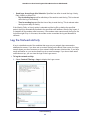
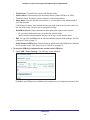
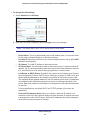
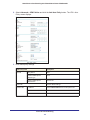
N600 Wireless Dual Band Gigabit VDSL2 Modem Router DGND3800B To change the LAN settings: 1. Select Advanced > LAN Setup. 2. Enter the LAN Setup configuration and click Apply to save your changes. Note: The default DHCP and TCP/IP values work for most users. • Device Name. This is an abbreviated name of the modem router. You see this name for the router in Network Explorer on Windows systems. • Use Auto IP. Select this check box if you want the modem router to set up the LAN IP addresses automatically. • IP Address. The LAN IP address of the modem router. • IP Subnet Mask. The LAN subnet mask of the modem router. Combined with the IP address, the IP subnet mask allows a device to know which other addresses are local to it, and which have to be reached through a gateway or modem router. • Use Router as DHCP Server. By default, the modem router functions as a Dynamic Host Configuration Protocol (DHCP) server, allowing it to assign IP, DNS server, and default gateway addresses to all computers connected to the modem router’s LAN. The assigned default gateway address is the LAN address of the router. IP addresses are assigned to the attached computers from a pool of addresses specified in this screen. Each pool address is tested before it is assigned to avoid duplicate addresses on the LAN. For most applications, the default DHCP and TCP/IP settings of the router are satisfactory. • Reserved IP Addresses Setup. When you specify a reserved IP address for a computer on the LAN, that computer always receives the same IP address each time it accesses the router’s DHCP server. Reserved IP addresses should be assigned to servers that require permanent IP settings. Advanced Settings 83