1
•
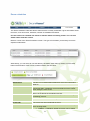
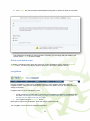
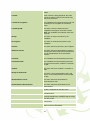
Invigilated
Locked – Exam cannot be edited since a candidate may
have started taking the exam. You can still view the
details of a locked exam.
This status will show that the exam is to be invigilated, as all Key
and Functional Skills exams require an invigilator to be present.
Create new exam/schedule a test
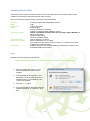
Scheduled exams are defined in terms of:
• The centre at which the exam will take place
• The qualification to which the exam leads
• The name of the exam being taken
• The associated exam dates
• The candidates assigned to that exam
You can schedule a new exam by entering the above information in the ‘Scheduling Wizard’. Details
of this are shown below.
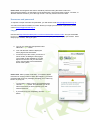
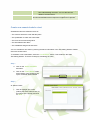
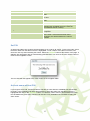
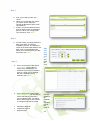
To schedule a new examination, select the ‘Create Exam’ button. This will launch the exam
‘Scheduling Wizard’. There are six steps to scheduling an exam:
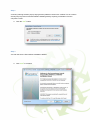
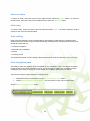
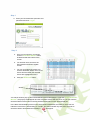
Step 1
a. Click on the ‘Exam Schedules’
tab button.
b. Click on the ‘Create Exam’ button
at the bottom of this screen to pop
up the ‘Schedule Exam Wizard’.
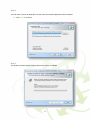
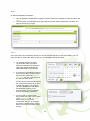
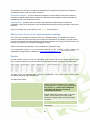
Step 2
At ‘Select Centre’:
a.
Click to highlight your centre
(making the ‘Next’ button active, at
the bottom of the popup) and click
on ‘Next’.
12