1
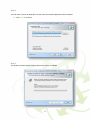
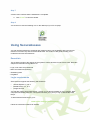
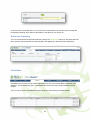
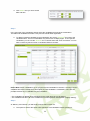
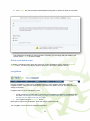
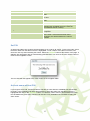
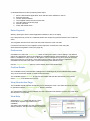
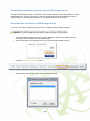
In order to download exams to a local computer, they will need to have a PIN number set on them
(see page 18 of this guide). If no PIN number is set on any exams you are trying to download, a popup will be displayed, asking you to set a PIN number.
If this pop-up is displayed, you can either enter a PIN number, which will be applied to all exams
you’re downloading, or you can click ‘Cancel’ and manually assign PIN numbers to exams in the
‘Invigilate’ screen.
Trouble with downloading tests
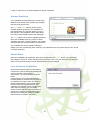
When downloading tests using a wi-fi internet connection or dongle, you may find that the tests do not
download. This problem can be addressed by changing some of the Secure Assess settings. To do
this you need to:
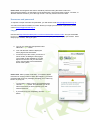
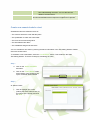
Right-click on the Secure Client shortcut on your desktop
- Open file location
- Find Surpass Secure Client.exe.config and open it with Notepad
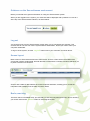
- Scroll down just past half-way until you find a section that looks like:
<!--START connection checks settings-->
<add key="TIME_TO_WAIT_FOR_CONNECTION_CHECK_IN_MILLISECONDS" value="15000"
/>
<add key="CONNECTION_CHECK_NUMBER_OF_RETRIES" value="1" />
<add key="CONNECTION_CHECK_DEFAULT_TIMEOUT" value="1000" />
<!--END connection checks settings-->
Change the highlighted values to 9 and 9000, respectively and save the file.
This change means that Secure Assess will allow 9 retries before it fails to download and gives it 9
seconds before it times out.
Some versions of Windows may have different menu options. If you have problems viewing or
changing these settings please contact Skillsfirst 0121 270 5100.
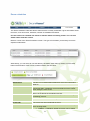
Uploading Results after Exams
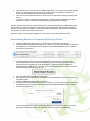
If exams have been taken remotely (offline), they will need to be uploaded into SecureAssess once an
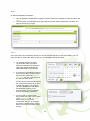
internet connection has been re-established. To do this, open SecureClient, select the ‘show admin’
button, highlight the exams you need to upload and select ‘upload results’. These results should
appear within Secure Assess within a minute or so.
Please note: Results which have been taken offline need to be uploaded during the exam window set
during the scheduling process.
Testing with an internet connection (or when tests have been
downloaded)
This section of the guide describes the system from the invigilator and candidate’s perspective.
25