1
58
CHAPTER 2. DEVELOPING A WEB-APPLICATION
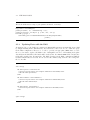
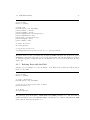
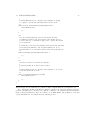
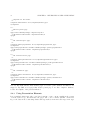
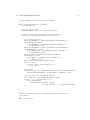
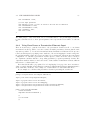
- Component for the header.
-->
<component name="header" src="/components/header.jsp">
</component>
<!-- Abstract parent page.
-->
<page name="commonLayoutPage" template="layout">
<componentref name="header" component="header"/>
</page>
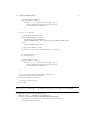
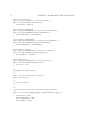
<!-- The "Search People" page.
-->
<component name="peopleSearch" src="/components/peopleSearch.jsp">
</component>
<page name="peopleSearch" extends="commonLayoutPage" path="/peopleSearch">
<componentref name="content" component="peopleSearch"/>
</page>
<!-- The "Person Details" page.
-->
<component name="personDetails" src="/components/personDetails.jsp">
</component>
<page name="personDetails" extends="commonLayoutPage" path="/personDetails">
<componentref name="content" component="personDetails"/>
</page>
<!-- The confirmation page.
-->
<component name="confirmation" src="/components/confirmation.jsp">
</component>
<page name="confirmation" extends="commonLayoutPage" path="/confirmation">
<componentref name="content" component="confirmation"/>
</page>
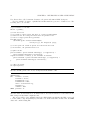
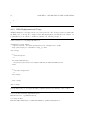
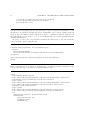
Note two important features: first, abstract pages do not have ‘path’ attribute and thus are not
mapped to any URL, second, pages that extend a parent page do not have ‘template’ attribute,
because the template of the parent is inherited.
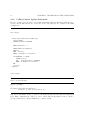
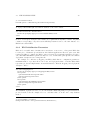
2.4.3
Using Presentation Elements
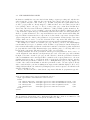
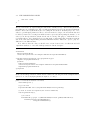
It is a standard Struts approach to put Java beans into a page context, usually in the request
or in the session scope, and then have the page’s JSP code to form its dynamic content basing on the data in the beans using Struts JSP tags such as <bean:xxx > and <logic:xxx > tags.