1
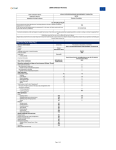
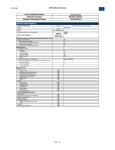
1. Double-click MFI Progress from lefthand folder repository.
2. For Office, I selected office-2.
3. Select two months for comparison. For Month 1, I chose Mar
2011. For Month 2, I chose April 2011.
4. Choose HTML for Output Type.
5. Click Run Report.
Report will be generated in the same tab. You can right click to open it
in a new tab or frame and then can click right click to save the page as
an HT ML file.
261