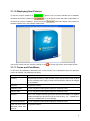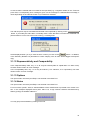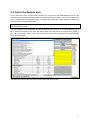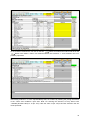
1
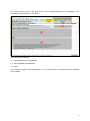
CM (Cameroon) KE (Kenya) ZA (South Africa) AR (Argentina) BZ (Brazil) CO (Colombia) AU (Australia) CN (China) IN (India) XX (other countries) For this user manual, CM (Cameroon) is used. In case your country is not included in the list, please select XX (other countries). Next, the standard for the technical specifications has to be selected (either “Imperial” or “Metric”). To do this, please just click on “Imperial” or “Metric”. In case you want to protect items against deletion, you may specify an item deletion password. If this is left empty, you will just be asked if you really want to delete an item when you select “Delete item” in the main input area; otherwise, you will be prompted for the password. We propose to leave the item deletion password empty. In the top right part of the dialog, you find seven checkboxes (one for each basic heading (BH)). By default, all these checkboxes are “checked”, indicating that you can save data for all BH. In case you want to divide the input work among several persons, you can just copy the (still empty) Data Tool Excel file several times (under different names) and then activate each BH in exactly one of the files. Please note: Merging the files can not be done by the data tool user; it will be done later during the analysis of the Data Tool files. In the input fields “Text for the YES button” and “Text for the NO button”, please enter the text appearing on those buttons in the operating system installed on your PC. If you are not sure about the texts, 2