1
Performance Sentry User Manual
Runtime Parameters Reference
Wait for Perflib DLLs to Initialize (default 60 seconds)
When monitoring Windows, the Collection Service waits for Perflib DLLs to initialize prior to
writing the first data records to the collection file. This parameter determines the maximum
duration of this initial delay. Performance data associated with any Perflib DLLs that do not
respond during this initialization period will not be collected for the duration of the Collection
Cycle. Normally, this parameter does not need to be adjusted upwards or downwards from its
default value. During development and testing of your Cycle End command scripts, however,
you might consider eliminating this delay so that the collections completes initialization quicker
and you get quicker turnaround in testing.
Following a reboot, the Performance Sentry Collection Service often initializes prior to some of
the Perflib DLLs that are resident on the system. Perflib DLLs are the third party modules that
are responsible for gathering specific performance data. The Collection Service opens these
modules during its initial Discovery phase at the start of each Collection Cycle. Some Perflib
modules respond only after a short delay. During Collection Service initialization, the service
automatically retries periodically any Perflib DLLs that fail to respond to a call to its Open
routine. This parameter governs the maximum amount of time (in seconds) that the Collection
Service will wait while it retries any Perflib DLLs that fail to initialize.
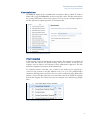
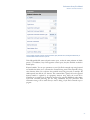
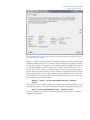
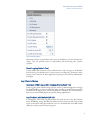
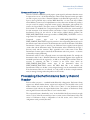
After the retry interval expires, the Collection Service will begin writing the collection file for the
performance objects that it has located successfully. Performance objects associated with Perflib
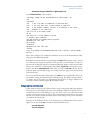
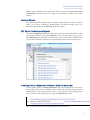
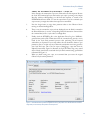
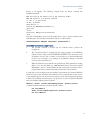
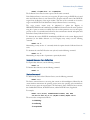
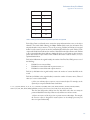
DLL modules that could not be opened are identified in an Event ID 2200 Information
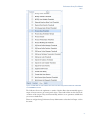
message, as illustrated below:
Figure 4.4 Application Event Log entry showing the Information message that a Perflib module could not be opened to
return data for the requested object.
61