1
Common Sample Sheet Fixes
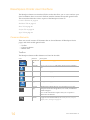
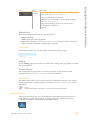
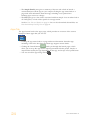
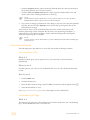
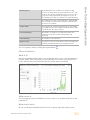
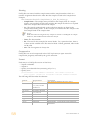
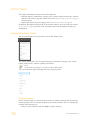
If a sample sheet is invalid, it could be because the genome path is not set up correctly.
This situation is indicated through the Genome Path Unknown Genome warning (as in the
example). The paths of the standard BaseSpace Onsite genomes have to conform to the
following relative paths:
Arabidopsis_thaliana\NCBI\build9.1\Sequence\WholeGenomeFASTA
Bos_taurus\Ensembl\UMD3.1\Sequence\WholeGenomeFASTA
Escherichia_coli_K_12_DH10B\NCBI\2008-0317\Sequence\WholeGenomeFASTA
Homo_sapiens\UCSC\hg19\Sequence\WholeGenomeFASTA
Mus_musculus\UCSC\mm9\Sequence\WholeGenomeFASTA
PhiX\Illumina\RTA\Sequence\WholeGenomeFASTA
Rattus_norvegicus\UCSC\rn4\Sequence\WholeGenomeFASTA
Saccharomyces_cerevisiae\UCSC\sacCer2\Sequence\WholeGenomeFASTA
Staphylococcus_aureus_NCTC_8325\NCBI\2006-0213\Sequence\WholeGenomeFASTA
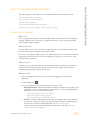
Fix indexes In the Prep Tab
What is it
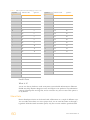
You can correct errors in your indexes through the Prep tab and regenerate the FASTQ
files.
When to use it
} To change indexes and regenerate FASTQ files for samples that have already been
sequenced.
When not to use it
} For runs that are not set up with the Prep tab.
} For runs where the wrong library prep kit was selected in the Prep tab.
How to use it
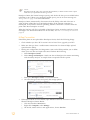
1
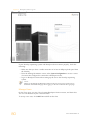
Go to the run with the wrong indexes.
2
Click the Run Settings button
3
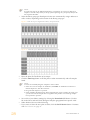
Go to the bottom of the page, and click the pool.
4
Click the Plate ID of the plate.
5
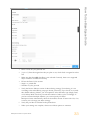
Click Edit.
6
Correct the index in the dropdown menu.
7
Go to the affected run.
8
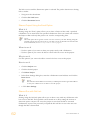
In the More dropdown menu, select Generate FASTQ Files.
in the navigation task pane.
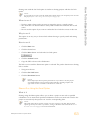
BaseSpace Onsite now starts regenerating the FASTQ files with the corrected indexes. The
new FASTQ files get added to the sample list and you can identify the new files by date.
74
Part # 15049148 Rev. E