1
Local License Manager
2. Introduction
The EskoArtwork Local License Manager lets you activate and deactivate licenses for your
EskoArtwork software.
Licenses managed this way no longer rely on physical dongles connected to the computer. Instead,
they license your software using a combination of unique identification numbers, based on your
hardware and the product keys of your software.
For easiest configuration, the machine on which you are using the EskoArtwork Local License Manager
should be on-line with full Internet access.
However, if the machine you are using does not have full Internet access, you can perform an off-line
activation if you:
• have access to Internet e-mail and use of a Web browser on another machine,
• can copy a file received in an Internet e-mail message to the machine you are using (using a USB
flash memory drive, a diskette, an internal network...).
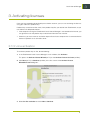
Before you can activate or deactivate licenses, you need to set up an activation account using the
EskoArtwork Web site. The URL to the site is shown on the main screen of the EskoArtwork Local
License Manager.
2.1 Launching the application
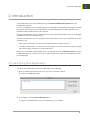
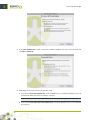
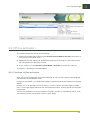
To launch the EskoArtwork Local License Manager, do the following:
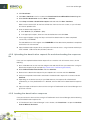
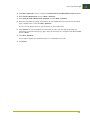
1. Start the EskoArtwork software for which you want to activate a license.
This opens the Licenses dialog.
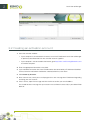
2. In this dialog, click the License Manager button.
This opens the EskoArtwork Local License Manager’s main window.
5
2