1
Table of Contents
CHANNEL...................................................................................................................... 15
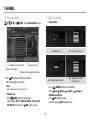
CHANNEL configuration................................................................................................ 15
Using sort menu................................................................................................................ 15
Advanced Channel List configuration..................................................................... 16
Using channel sort menu.............................................................................................. 16
Channel editor.................................................................................................................... 17
Favorite group.................................................................................................................... 18
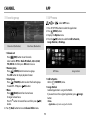
APP................................................................................................................................. 19
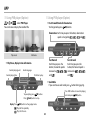
Add menu............................................................................................................................ 19
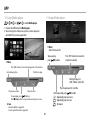
Using screen capture....................................................................................................... 20
Using iMedia player......................................................................................................... 21
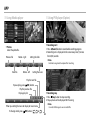
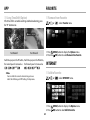
Using PVR player (Option)............................................................................................ 22
Using TimeShift (Option)............................................................................................... 24
FAVORITE...................................................................................................................... 24
Remove from Favorite.................................................................................................... 24
INTERNET...................................................................................................................... 24
Add to Favorite................................................................................................................... 24
EPG................................................................................................................................. 25
EPG configuration............................................................................................................ 25
Viewing program information.................................................................................... 25
Using sort menu................................................................................................................ 25
Reservation Recording Add (Option)...................................................................... 26
Reservation List (Option)............................................................................................... 26
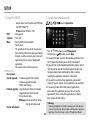
SETUP............................................................................................................................ 27
Using the SETUP................................................................................................................ 27
Application management............................................................................................ 28
Troubleshooting......................................................................................................... 29
Specifications.............................................................................................................. 30
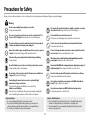
Precautions for Safety..................................................................................................2
Table of Contents...........................................................................................................3
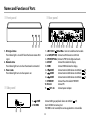
Names and Functions of Parts...................................................................................4
Front Panel..............................................................................................................................4
Side Panel................................................................................................................................4
Rear Panel................................................................................................................................4
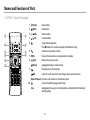
RF RCU - Optical Trackpad...............................................................................................5
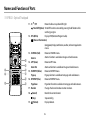
RF RCU - Qwerty...................................................................................................................7
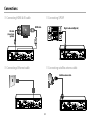
Connections....................................................................................................................8
Connectings HDMI & AV cable......................................................................................8
Connectings ETHERNET cable.......................................................................................8
Connectings S/PDIF............................................................................................................8
Connectings satellite antenna cable...........................................................................8
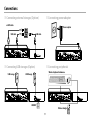
Connecting external storages (Option).....................................................................9
Connecting USB storages (Option)..............................................................................9
Connectings power adaptor..........................................................................................9
Connecting peripherals....................................................................................................9
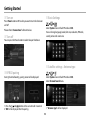
Getting Started........................................................................................................... 10
Turn on................................................................................................................................... 10
Turn off.................................................................................................................................. 10
RF RCU pairing................................................................................................................... 10
Basic Settings...................................................................................................................... 10
Settings satellite - Antenna type................................................................................ 10
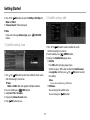
Satellite setting - Scan..................................................................................................... 11
Satellite setting - edit...................................................................................................... 12
TP setting - scan................................................................................................................. 12
TP setting - edit.................................................................................................................. 12
Delete channel................................................................................................................... 12
Home screen configuration......................................................................................... 13
Viewing program information.................................................................................... 13
Using status information menu................................................................................. 13
Using multi mode............................................................................................................. 14
Main menu configuration............................................................................................. 14
3