1
SETTING REMINDERS FOR A PAY-PER-VIEW PROGRAM
VIA THE PROGRAM BANNER
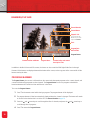
Pay-Per-View Programs that start in the future can also be booked via the Program Banner.
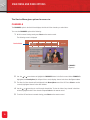
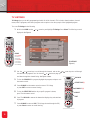
To set a reminder via the Program Banner:
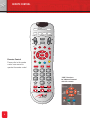
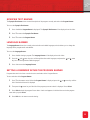
1 Press ? on the remote control. When the Program Banner is displayed, press the
or
arrow key until the
title of the desired channel/Pay-Per-View movie/event is displayed.
2 Then press the
or
arrow key until the title of the Pay-Per-View program you want to set up a reminder for
is displayed.
3 Press Select.
4 Press Select to set a Reminder for the Pay-Per-View program.
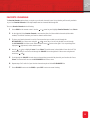
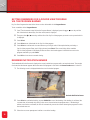
5 Press Select to confirm order. In some instances your 4-digit code will be required when purchasing a
Pay-Per-View program. Enter your 4-Digit code and press Select. The screen listing all the reminder
Pay-Per-View programs will be displayed. Ensure that a check mark appears in the black box next to the
program name after you push Select.
6 Press Exit twice to return to normal viewing.
REMINDER NOTIFICATION BANNER
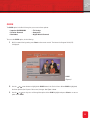
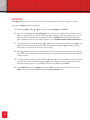
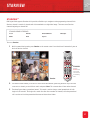
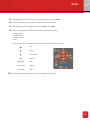
The Reminder Notification Banner is displayed on screen just before a program with a set reminder starts. The number
of minutes that the banner appears before the start of the program is selected in the Banner Duration menu in the IPG.
1 The following screen is displayed before the start of a booked program.
Reminder Notification Banner
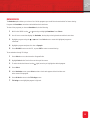
2 Press Select to confirm the booking, or press GO BACK to cancel the booking. If the booking is confirmed, the
converter box will automatically switch to the correct channel when the program starts. If the booking is
neither cancelled nor confirmed, the IPG will automatically tune to the channel showing the program for which
the reminder was set.
3 Follow the on-screen prompts and confirm or cancel the booking.
26