1
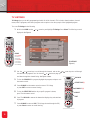
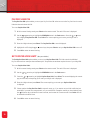
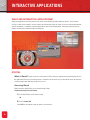
BANNERS/FLIP BAR
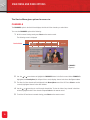
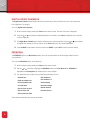
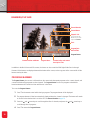
Channel Number
Channel Name
Synopsis Link
You can also press the
+ button on your remote
to get to the SYNOPSIS.
Clock
Program Start
and End Time
Program Banner
Channel Number and Name
Program Name
Parental rating and content
description icons
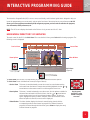
In addition to the Main Menu and IPG screens, the viewer can also control the RCN Digital Cable Service through
Banners. All the banners are displayed towards the bottom of the screen, and occupy most of the screen width. All the
banners overlay the video.
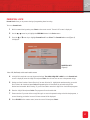
PROGRAM BANNER
The Program Banner gives access to information on the current and subsequent programs on the current channel, and
current and forthcoming programs on other channels. The Program Banner can access programs scheduled for
broadcast between the current local time and 24 hours in the future.
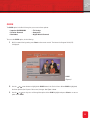
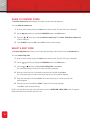
To access the Program Banner:
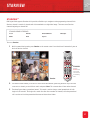
1 Press ? on the remote control while viewing a program. The program banner will be displayed.
2 The program banner will also be automatically displayed when the channel is changed. The banner will remain
on screen for the duration that is set in the IPG. See Banner Duration on page 33.
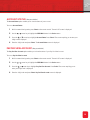
3 Press the
and
arrow keys to scroll through the titles of channels, and press the
scroll through titles of programs.
4 Press ? to remove the Program Banner.
24
and
arrow keys to