1
Meijer.com
Using face detection
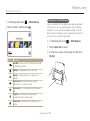
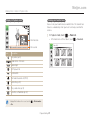
If you use Face Detection options, your camera can automatically detect a human face. When you focus on a human face, the camera
adjusts the exposure automatically. Use Blink Detection to detect closed eyes or Smile Shot to capture a smiling face. You can also use
Smart Face Recognition to register faces and prioritize the focus on them.
• The camera automatically tracks the registered face.
• Face Detection may not be effective when:
Detecting faces
-- the subject is far from the camera (The focus frame will appear
orange for Smile Shot and Blink Detection.)
-- it is too bright or too dark
-- the subject is not facing the camera
-- the subject is wearing sunglasses or a mask
-- the subject’s facial expression changes drastically
-- the subject is backlit or the lighting conditions are unstable
• Face Detection is not available when you set Smart Filter effects,
Image Adjustment options, or Smart Touch AF.
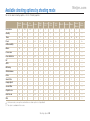
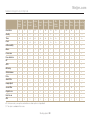
• Depending on the shooting options, available Face Detection options
may differ.
• Depending on the Face Detection options you selected, the timer
function may not be available or available timer options may differ.
• When you set Face Detection options, some Burst options are not
available.
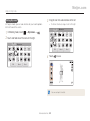
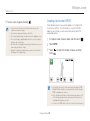
• When you capture photos of detected faces, they will be registered
in the face list.
• You can view registered faces in order of priority in Playback mode.
(p. 87) Even though faces are registered successfully, they may not
be classified in Playback mode.
• A face detected in Shooting mode may not appear in the face list or
Smart Album.
• If the Face Detection is selected, the AF area changes to Multi AF.
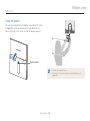
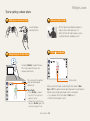
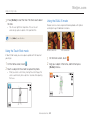
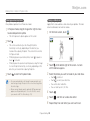
Your camera automatically detects up to 10 human faces in one
scene.
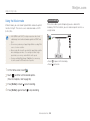
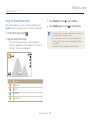
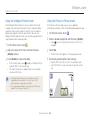
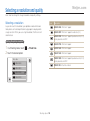
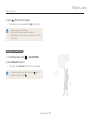
1 In a Shooting mode, touch
2 Touch Normal to select it.
→ Face Detection.
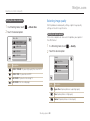
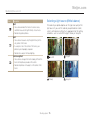
The focus frame appears in white for the nearest face
or a face in the center and in gray for other faces
• The closer you are to the subjects, the quicker your camera will
detect faces.
• To focus on a subject in a gray focus frame, touch the face in the
frame.
• The detected faces may not be registered if you set Burst options
such as Continuous, Motion Capture, or AEB.
Shooting options 68