1
Installing the Scanner Wedge Software
Scanner Wedge is a software program that runs on your Windows PC, communicates with your
scanner, and forwards scanned bar codes into other programs on your PC. Scanner Wedge
makes other programs accept scanned bar codes as if the numbers had been entered from the
keyboard.
Once you have downloaded the Scanner Wedge installation software onto your PC, you are
ready to install.
NOTE: You must have administrator privileges to install the Scanner Wedge software on your
computer.
1. Launch setup.exe.
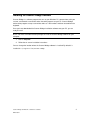
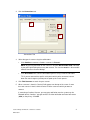
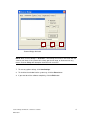
2. Follow the on-screen installation instructions.
You can change the location where the Scanner Wedge software is installed. By default it is
installed in C:\Program Files\Scanner Wedge.
Scanner Wedge for Windows - Software User Guide
DA0118527
2