1
??
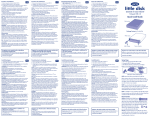
Setting up the LaCie d2 Blu-ray Drive
1. Install the included software. (See User Manual for software description.)
NOTE :
Manuals for the LaCie d2 Blu-ray Drive and each of the included software are separated.
Always retain your original LaCie Utilities DVD-ROM.
2. Connect the power supply and turn on the drive.
3. Connect one of the interface cables; either:
• Connect the USB 2.0 cable to the drive and to the computer.
• Connect the FireWire 400 cable to the drive and to the computer.
• Connect the FireWire 400 end of the adapter cable to the drive and the FireWire 800
end to the corresponding port on the computer.
Protect your investment – register for free technical support: www.lacie.com/register
Precautions
Do not stack more than 3 LaCie Blu-ray Drives together. Do not expose the drive to temperatures over 35° C (95° F) or
30° C (86° F) when stacked. Do not expose the device to liquids. Use only the power supply shipped with the device.
Warranty Information
LaCie warrants your product against any defect in material and workmanship, under normal use, for the designated
warranty period. The warranty becomes effective from the date of shipment. In the event this product is found to be
defective within the warranty period, LaCie will, at its discretion, repair or replace the defective product.
This warranty is void if:
• The product was operated/stored in abnormal use or maintenance conditions;
• The product is repaired, modified or altered, unless LaCie expressly authorizes such repair, modification or
alteration in writing;
• The product was subjected to abuse, neglect, electrical fault, improper packaging, accident or acts of nature;
• The product was installed improperly;
• The serial number of the product is defaced or missing;
• The broken part is a replacement part such as a pickup tray, etc.
• The tamper seal on the casing is broken.
See the User Manual (located on the Utilities DVD-ROM) for more information.
For the latest documentation and software updates, please visit:
http://www.lacie.com/us/support/drivers/index.htm?id=10008