1
Section 2 – Installation and Configuration
Disk Space Requirements
A minimum of 60MB of free disk space on the C:\ drive is required to install the
Graphics Designer and Graphics Runtime Software.
INSTALLATION ACTIONS
NOTE: The installation procedures for the IXP200 and the IXP300/400 are slightly
different. In the case of the IXP200 the Designer and Runtime are
included in the Installation Sequence. In the case of the IXP300/400 the
Designer and Runtime programs, as with the other utilities, are installed
separately on the PC that will be used for the Graphics Display task.
[1] As with all Windows installation procedures it is advisable that other programs
should be closed while installing the Graphics software. If the Database is on
another PC (in the case of IXP300/400), then the IP address or Name of that
PC must be available so that the program can access the Database. This
address will determine the contents of the Database from which Graphics will
derive the list of units.
[2] For IXP300/400, place the ImproNet Software CD into the CD Reader.
(a) Select from the CD x:/impronet/graphics/designer/setup.exe where ‘x’ is
the CD drive or the location where the CD can be found.
(b) Press ‘Enter’.
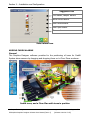
[3] The installation program will transfer the software onto the hard disk in
C:\Impronet drive and directory.
[4] It is necessary after installation is complete to reboot (restart) the Computer to
allow the system to configure itself.
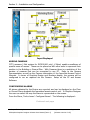
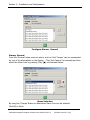
CONFIGURING THE GRAPHICS DESIGNER - INITIAL OPERATIONS
Access Software
CAUTION :
The IXP300/400 Access Software (ImproNet) or IXP200
must be started and configuration completed before
starting Graphics Designer. This is to ensure that the
ImproNet Database is updated.
It is not necessary for Access to be running while Graphics Designer is being
installed.
NOTE : When upgrading your system, please ensure that the Database has been
updated using the Database Upgrade facility provided. The use of this
facility is described in the IXP200 and IXP300/400 Software User Manuals.
© Impro Technologies
Data subject to change without notice
IXP300/400 Graphics Designer Software User Manual [Issue 4]
Page
[Software Version V3.22]
24