1
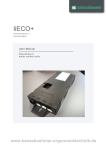
User Manual HSE Rev 1 – 08/2007 Availability and specifications are subject to change without prior notice. LOGICDATA assumes no liability for maloperation or improper use of products. LOGICDATA will at point of delivery replace/repair defective products covered by the warranty. No liability is assumed beyond such replacement/repair. Please contact LOGICDATA directly on inquiries or custom requirements. 2007 LOGICDATA Table of Contents Table of Contents ....................................................................................................... 2 1 Preface ................................................................................................................ 3 1.1 Appropriate Operation .................................................................................. 3 1.2 Performance Characteristics HSE................................................................ 3 1.3 Available Versions........................................................................................ 3 1.4 Mounting HSE .............................................................................................. 4 1.5 Using the HSE.............................................................................................. 5 1.6 Additional Features – Change Displayed Height .......................................... 5 1.7 Technical Data ............................................................................................. 6 2 Continuative Information...................................................................................... 6 2.1 Final Disposal............................................................................................... 6 3 Manufacturer information..................................................................................... 6 Seite 2 von 6 1 Preface Dear customer, thank you for choosing a desktop-integrated handset HSE by LOGICDATA GmbH. You have purchased a state-of-the-art product which complies with all safety requirements. 1.1 Appropriate Operation The desktop-integrated handset HSE by LOGICDATA is designed for operating LOGICDATA motor controls for height-adjustable desks (CBX, CBS, CBB, LogicS, LogicB). The HSE handset allows you to operate your height-adjustable desk from its surface. The handset HSE is sunk into the tabletop, which gives you complete freedom in its placement and allows for easy access. Note: As not to restrict our customers in their choice of handset, none is bundled with our CBX, CBS, CBB, LogicS and LogicB control boxes. Handsets and optional accessories must be purchased separately! 1.2 Performance Characteristics HSE The desktop-integrated handset HSE has the following performance characteristics: • • • • • Ergonomic design. No protruding parts. Durable Foil-Buttons. Compatible with all LOGICDATA control boxes. Fast and easy mounting. 1.3 Available Versions The desktop-integrated handset HSE is available in the following variants: HSE-OD-2-LD HSE-MDF-2-LD With Up and Down keys (without display). With Up and Down keys and display. Seite 3 von 6 1.4 Mounting HSE For mounting the desktop-integrated handset HSE, proceed as follows: 1. Unpack the HSE. Note: Dispose of the packaging material (plastic foil) ecologically sound! 2. 3. Mill a mounting hole with 50mm diameter. Insert the desktop-integrated handset HSE into the mounting hole from the top. Fig. 1 – Mounting the HSE 4. 5. Fix the HSE with the 2 screws on the underside (see fig. 1). Connect the handset cable to your LOGICDATA motor control. Warning: Make sure to unplug the control box before connecting the HSE desktop-integrated handset! Fig. 2 – Connecting the HSE Components in this example: (1) (2) (3) LOGICDATA motor control (e.g. CBX) Interface to handset on the motor control (port HS) Desktop-integrated handset HSE Seite 4 von 6 1.5 Using the HSE The desktop-integrated handset HSE offers the following 2 functions: Move desk Up. The desk moves upwards while the button is pressed or until the upper end position is reached. Move desk Down. The desk moves downwards while the button is pressed or until the lower end position is reached. If you have the version with integrated display (HSE-MDF-2-LD), the current height of the desk will be displayed on your handset. 1.6 Additional Features – Change Displayed Height This function allows you to change the displayed height. This procedure changes only the displayed height – the desk will not move. 1. Press the Up and Down keys simultaneously and hold them until them until the display reads S -. The display reads S -. 2. Release the Up key. Press and hold the Down key. After approximately 5 seconds, the display will change to the current height and start to blink. 3. You may now adjust the displayed height using the Up and Down buttons. 4. If you do not press any button for at least 5 seconds, the display stops flashing and the selected height will be the new displayed height. Seite 5 von 6 1.7 Technical Data Operating Voltage................................................................................................ 5VDC Current Consumption .......................................................................................... 60mA Reliability ...............................................................................................100,000 cycles Operating Temperature ...................................................................................0 – 50°C Cable Length ........................................................................................................... 2m Dimensions (Diameter x Height x Rise above Table Surface)................ 54.4x42x7mm Weight (including Cable) ....................................................................................0.06kg 2 Continuative Information 2.1 Final Disposal Heed the following disposal instructions when disposing of the HSE desktopintegrated handset: Note: Dispose of all components ecologically sound (separate plastic from electronics parts)! 3 Manufacturer information LOGICDATA Tel.: +43 (0)3462 5198 0 Electronic & Software Entwicklungs GmbH Fax: +43 (0)3462 5198 530 Wirtschaftspark 18 Email: [email protected] A-8530 Deutschlandsberg www.logicdata.at Seite 6 von 6