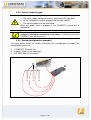
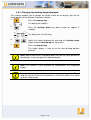
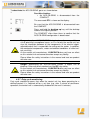
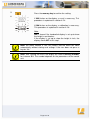
1
User manual Control Unit for an Electric Height-Adjustable Desk COMPACT For firmware version 1.7.6 or higher Rev 3 Subject to change without notice. Errors and omissions excepted. LOGICDATA cannot accept responsibility for incorrect operation or use of the products other than for the intended purpose. Under the warranty terms, LOGICDATA shall replace or repair any products that prove defective at the time of delivery. LOGICDATA shall not assume any further liability. If you have any questions or special requests, please contact LOGICDATA direct. 2011 LOGICDATA Contents 1. Preface ................................................................................................................ 4 1.1 Intended use ................................................................................................ 4 1.2 COMPACT control unit functionality ............................................................. 4 1.3 Target group and previous knowledge ......................................................... 5 1.4 Symbols used in safety instructions ............................................................. 5 1.5 ISP (Intelligent System Protection)............................................................... 6 1.6 Package contents......................................................................................... 7 1.7 Unpacking .................................................................................................... 7 1.8 Safety instructions ........................................................................................ 7 1.8.1 General safety instructions.................................................................... 8 1.8.2 Important notes for OEMs ................................................................... 10 1.9 Important note for service........................................................................... 10 2. COMPACT installation instructions ................................................................... 11 2.1 TCO 04 conform mounting ......................................................................... 12 3. Commissioning.................................................................................................. 13 3.1 COMPACT sockets .................................................................................... 13 3.2 Commissioning procedure.......................................................................... 14 3.2.1 Connect drives .................................................................................... 14 3.2.2 Connect handswitch............................................................................ 14 3.2.3 Connect optional components............................................................. 14 3.2.4 Connect mains supply......................................................................... 15 3.2.5 System configuration (example).......................................................... 15 4. Operating the COMPACT control unit ............................................................... 16 4.1 Basic functions ........................................................................................... 16 4.1.1 Upward desktop movement................................................................. 16 4.1.2 Downward desktop movement ............................................................ 17 4.2 Advanced functions .................................................................................... 17 4.2.1 Saving a desktop position ................................................................... 17 4.2.2 Adjusting the desktop to a saved position ........................................... 18 4.2.3 Changing the desktop height displayed .............................................. 19 4.2.4 Manual reset ....................................................................................... 20 4.2.5 Enabling limit position calibration ........................................................ 21 4.2.6 Limit position calibration...................................................................... 22 4.3 Software-dependent functions.................................................................... 23 4.3.1 Slow speed ranges.............................................................................. 23 4.3.2 Safety area.......................................................................................... 23 4.3.3 Container- and Shelf-Stop positions.................................................... 24 4.3.4 Plug detection ..................................................................................... 25 4.3.5 Drive Back........................................................................................... 26 4.3.6 Anti-Pinch configuration ...................................................................... 26 4.3.7 Duty cycle monitoring.......................................................................... 27 4.3.8 Change number of drives .................................................................... 28 Page 2 / 43 5. 6. Technical data ................................................................................................... 30 Appendix ........................................................................................................... 32 6.1 Possible faults and remedies ..................................................................... 32 6.2 Error messages on the handswitch display ................................................ 33 6.3 Error indication with LEDs .......................................................................... 35 6.4 Click codes................................................................................................. 37 6.5 Optional products ....................................................................................... 38 6.5.1 Handswitches...................................................................................... 38 6.6 Drill template .............................................................................................. 40 7. Further information ............................................................................................ 42 7.1 End of life disposal ..................................................................................... 42 7.2 Standards................................................................................................... 42 7.3 Manufacturer .............................................................................................. 43 Page 3 / 43 1. Preface Dear Customer, Thank you for choosing a COMPACT control unit for electric height-adjustable desks from LOGICDATA Electronic & Software Entwicklungs GmbH. You are now in possession of a state-of-the-art product that complies with all the relevant safety requirements. 1.1 Intended use COMPACT control units may only be used for the intended purpose, i.e. to control electric height-adjustable desks. Only motors that meet LOGICDATA specifications may be used to drive the lifting devices. The control units must be installed, put into operation and their function checked by qualified personnel. Using them to control other motors or installing them in products other than electric height-adjustable desks is only permissible with the prior written consent of LOGICDATA. Their basic function is upward and downward adjustment of the desktop, which can be controlled with all the handswitches available. 1.2 COMPACT control unit functionality The COMPACT control units incorporate the following features (the availability of some of the features depends on the handswitch used): • • • • • • • • • • • • • High efficient switch mode power supply (SMPS) Low standby power consumption, low field emission Control units with US and EU input voltage available Up to 2 motor groups ISP (Intelligent System Protection) Enhanced Drive Comfort Safety area Container- and Shelf-Stop Low speed area InBox Diagnosis LogicConnector DATA for sensors and cascading Additional functions are available, depending on the handswitch model used (e.g. saving desktop positions, adjusting the desktop to saved positions, etc.) A wide selection of LOGICDATA handswitches is available for the control units Page 4 / 43 1.3 Target group and previous knowledge This user manual addresses the following people: • • Technicians who assemble and put electric height-adjustable desks into operation (by installing motors and control units, configuring control units, etc.) Furniture assembly, service and maintenance personnel who put electric heightadjustable desks into operation in showrooms or at the customer’s The following is required for installing, operating and configuring electric heightadjustable desks with COMPACT control units: • • Basic mechanical and electrical skills (with suitable qualifications) Reading the user manual 1.4 Symbols used in safety instructions This user manual contains safety instructions with symbols drawing your attention to possible dangers and residual risks. They indicate the following: Danger: this warning symbol advises you of imminent danger to people’s lives and health. Failure to observe this warning may result in health problems, serious injuries and damage to property. Caution: this warning advises you of possible dangers from electric current. Failure to observe this warning may cause injuries and damage to property. Note: this symbol advises you of important information that must be noted for operating the COMPACT control unit safely. Danger: this warning advises you of a possible risk of body parts being trapped or pinched in exceptional cases. Failure to observe this warning may result in health problems, serious injuries and damage to property. Note: you must read the user manual. Page 5 / 43 1.5 ISP (Intelligent System Protection) ISP is an electronic state-of-the-art protection system developed by LOGICDATA. It also substantially reduces the risk of fingers being trapped or pinched. Danger: in spite of ISP being in place, there may still be a risk of pinching in exceptional cases, as it is not only the control unit, but also the interaction between the mechanical and electronic systems that is responsible for cutting out the motor. In addition, the mechanical components, motor and ambient conditions all affect cut-out sensitivity. As the control unit manufacturer, LOGICDATA cannot therefore eliminate this residual risk completely or accept any liability. Note: the ISP-sensitivity and the ISP-cutoff value depend on the whole system (mechanical and electrical components). To evaluate the ISPcapability of a height adjustable table, please contact LOGICDATA! Please note the following for maximizing ISP functionality: To ensure the best possible pinch protection, a mechanical brake must be fitted that is applied when the electric height-adjustable desk moves down. Note: without a mechanical brake, cut-out sensitivity may be reduced under load. However, if there is no load on the desktop, ISP will function properly even without a brake. Note: as soon as ISP has stopped the electric height-adjustable desk from moving, you can then only adjust the desktop in the opposite direction (the safety feature initially prevents you from adjusting the desk in the same direction as triggered it). Page 6 / 43 1.6 Package contents The COMPACT control unit is supplied together with the following components as standard: Figure 1: Package contents COMPACT control unit Note: power cords can be ordered separately. For detailed information on optional control unit components and accessories, see page 38. 1.7 Unpacking The COMPACT control unit comes packed in a cardboard box. Some components are also sealed in plastic film. To unpack, proceed as follows: 1. 2. 3. 4. Remove the cardboard and plastic film from the control unit components. Check the package contents. Dispose of the packaging materials. Keep the user manual at hand for the operators. Note: ensure eco-friendly disposal of the packaging materials (separate the plastic parts and cardboard for collection). 1.8 Safety instructions This user manual contains safety instructions that draw your attention to any possible risks, thus enabling safe operation of the COMPACT control unit. Please observe these warnings and instructions at all times. In this section you will find general safety instructions that do not refer to any particular steps or procedures. You will find the work-specific safety instructions in the relevant section of the manual. Additional warnings are given on the COMPACT control unit itself. Page 7 / 43 1.8.1 General safety instructions Note: you must read the user manual carefully before installing or operating the COMPACT control unit. Caution: do not open the COMPACT control unit under any circumstances. There is a danger of electric shock. Caution: the COMPACT control unit is not designed for continuous operation. Changing the desktop position without interruption must not exceed the duty cycle indicated on the nameplate. Caution: the COMPACT control unit may only be operated with mains voltage as specified on the type plate. COMPACT control units are also available for the mains voltages used in other countries. Caution: only use the power cord supplied with the control unit. Check that it is not damaged. Do not ever operate the COMPACT control unit if the power cord is damaged. Danger: it is not allowed to connect self constructed products to LOGICDATA motor controls. To prevent damage of the unit, use only components suitable for LOGICDATA motor controls. Caution: before connecting and disconnecting handswitches, you must unplug the power cord. Caution: in the event of a malfunction (e.g. if the control unit keeps adjusting the desk because a movement key has jammed), please unplug the unit immediately. Danger: do not expose the COMPACT control unit to moisture, drips or splashes. Danger: when changing the desktop position (especially without using pinch protection), there is a risk of pinching. You must therefore ensure that no people or objects are located in the hazardous area or can reach into it. Page 8 / 43 Danger: when changing the desktop position, there may in exceptional cases be a risk of pinching in spite of the safety features. You must therefore always ensure that no people or objects are located in the hazardous area or reach into it. Danger: do not modify or make any changes to the control unit, the controls themselves or handswitches. Danger: do not operate the COMPACT control unit in a potentially explosive atmosphere. Danger: in the event of a fault (motor or component), whenever the desktop attempts to adjust the height it may move slightly before the safety cut-out is triggered. Please note that there is a potential risk of pinching in this case. Danger: intelligent system protection (ISP) is not enabled during all resets (see 4.2.4) and limit position calibration (see 4.2.6). Please note that there is a potential risk of pinching in this case. Danger: this device is not intended for use by individuals (including children) with limited physical, sensory or mental abilities or with a lack of experience and/or lack of expertise, unless they are supervised by a person responsible for their safety or have received instructions from that person on how to use the control unit. Danger: children must be supervised at all times to ensure that they do not play with the control unit. Danger: if the control unit’s power cord is damaged, it must be replaced by the manufacturer or customer service or similarly qualified person in order to prevent any risks. Note: only clean the COMPACT control unit with a dry or slightly moist cloth. Before cleaning, you must always unplug the power cord. Note: in case of a mains power breakdown or if the power cord is plugged off during the movement of the drives, a manual reset of the COMPACT may be necessary! Page 9 / 43 1.8.2 Important notes for OEMs What we mean by OEMs are companies that purchase COMPACT control units from LOGICDATA and install them in their own products (e.g. electric height-adjustable desks). Note: for reasons of EU conformity and product safety, we advise you to provide users of your products with a manual in the relevant EU language. Note: when you ship your finished products, enclose a user manual containing all the safety instructions that consumers need to handle your product safely. Note: the user manual for your finished product must contain the following note: you must read the user manual before you operate the product (electric height-adjustable desk). Advise your customers that the user manual must be kept at hand in close proximity to the product (electric height-adjustable desk). Danger: conduct a risk analysis of your product (electric heightadjustable desk) so that you can respond to any potential residual risks (e.g. by changing design features or adding notes to the user manual and/or placing warnings on your product). Note: ensure that no unauthorized individuals (e.g. small children, people under the influence of drugs, etc.) can tamper with your product or the control unit. 1.9 Important note for service Danger: only use original spare parts. Parts may only be replaced by qualified service technicians, otherwise the warranty/guarantee shall be null and void. Danger: in the event of a fault, please contact customer service immediately. Only original spare parts may be used for repairing the control units. Parts may only be replaced by qualified service technicians, otherwise the warranty/guarantee shall be null and void. Page 10 / 43 2. COMPACT installation instructions Mount the COMPACT control unit on the underside of the desktop. You will need the following tools for mounting: • • • Cross-tip screwdriver Pencil Drill (for drilling holes) Caution: the power cord must be unplugged while the COMPACT control unit is being mounted. To mount the COMPACT control unit, proceed as follows: Note: we recommend using the drill template to help with mounting. You will find the template in section 6.6. If you do not wish to use it, please follow the mounting instructions carefully. 1. Position the control unit where you want it under the desktop. 2. Mark the drill holes with a pencil. Figure 2: Step 2 3. Pre-drill these two holes. 4. Attach the control unit with 2 screws by using these two holes. 5. Tighten the two screws properly. Note: LOGICDATA recommends lens head screws DIN7981C 4,8xL with a lens head diameter of 9,5mm. The length L of the screw should fit to the used desktop. The tightening torque depends on the wood, but 2Nm shall not be exceeded. Page 11 / 43 2.1 TCO 04 conform mounting To guarantee the TCO 04 conformity of the system, the control unit has to be mounted at the position shown in the picture below. Figure 3: TCO 04 conform mounting position of the COMPACT, Top-view of the table Page 12 / 43 3. Commissioning Commissioning involves the procedures required to ensure that the height of an electric height-adjustable desk can be adjusted with the COMPACT control unit. Requirements for commissioning: • • The COMPACT control unit must be mounted (as described in section 2) The table legs for adjusting the desktop must be mounted Danger: only qualified technicians may commission the control unit. Qualified technicians have the necessary electrical engineering training and are familiar with this user manual. 3.1 COMPACT sockets The COMPACT control unit (COMPACT-3 can drive three motors) has the following sockets: D 1 2 P 3 F S Figure 4: Sockets S P F D Motor socket 1 (M1) Motor socket 2 (M2) Motor socket 3 (M3) Handswitch socket (HS) Mains socket Functional earth, cable lug for earthing the desk frame (6,3x0,8mm lug) Logic Connector DATA for sensors and cascading Danger: it is not allowed to connect self constructed products to LOGICDATA motor controls. To prevent damage of the unit, use only components suitable for LOGICDATA motor controls. Page 13 / 43 Note: the clamp next to the mains socket is used as a connector for a functional earth. This clamp is used for example to deflect electrostatic charge from the electric height-adjustable desk. The connector cannot carry out the function of a protective conductor! This clamp is also marked with the symbol on top of the housing. 3.2 Commissioning procedure Caution: the power cord must be unplugged while the COMPACT control unit is being commissioned. To commission a COMPACT control unit, proceed as follows. 3.2.1 Connect drives Plug the motor cables into the relevant 8-pin motor sockets (M1, M2, and M3). Note: when connecting the motor cables, you must strictly adhere to the sequence M1, M2, M3. 3.2.2 Connect handswitch Plug the handswitch into the 7-pin socket (HS). Note: you can choose from a wide range of LOGICDATA handswitches for the COMPACT control unit. For technical data on the handswitches, see page 38. 3.2.3 Connect optional components If your control unit has an earthing cable lug, attach a cable to a metal part of the desk. If your control unit has a LogicConnector DATA, you can connect accessories like sensors. Danger: when components like sensors shall be disconnected from the LogicConnector DATA, be sure to unlock the 8pin connector on the cable properly! There is a fixing hook on this connector which must be pressed. Page 14 / 43 3.2.4 Connect mains supply Caution: before you plug in the power cord, check the following again: • The mains supply voltage must be as specified on the type plate • All the components must be plugged into the right sockets • The earthing cable must be connected When the power cord is plugged in, the COMPACT control unit is operational. Note: in case of a mains power breakdown or if the power cord is plugged off during the movement of the drives, a manual reset of the COMPACT may be necessary! 3.2.5 System configuration (example) The figure below shows the socket assignment for a configuration example. This configuration consists of: 1 COMPACT-3 control unit 3 motors (hidden in the table legs) HSF-MDF-4M4-LD handswitch 3 2 1 Figure 5: Configuration example Page 15 / 43 4. Operating the COMPACT control unit To ensure safe operation of the COMPACT control unit, please observe the following safety instructions: Note: in case of a mains power breakdown or if the power cord is plugged off during the movement of the drives, a manual reset of the COMPACT may be necessary! Caution: keep children away from electric height-adjustable desks, control units and handswitches. There is risk of injury and electric shock. Caution: unplug the power cord during a thunderstorm or if you do not intend to use the desk for a longer period. The control unit might otherwise be damaged by power surges. 4.1 Basic functions Note: the COMPACT control unit offers an extensive range of functions. The availability of some functions depends however on the handswitch used. This section describes the basic functions available with every handswitch designed for use with COMPACT control units. Note: the 2 basic functions upward and downward movement are available for both motorgroups separately. Please read the manual of the used handswitch to see which buttons are linked to which motor group! 4.1.1 Upward desktop movement This function enables you to adjust the desktop upwards. To change its position, proceed as follows: Press the desktop up key. Keep pressing the key until the required desktop height is reached. Note: the desktop will continue moving upwards until you release the key or the maximum height is reached. Page 16 / 43 4.1.2 Downward desktop movement This function enables you to adjust the desktop downwards. To change its position, proceed as follows: Press the desktop down key. Keep pressing the key until the required desktop height is reached. Note: the desktop will continue moving downwards until you release the key or the minimum height is reached. 4.2 Advanced functions Note: you can only use the following functions of the COMPACT control unit if you have a handswitch with memory position keys and a memory key. 4.2.1 Saving a desktop position This function allows you to save a defined desktop height .One desktop height can be saved per memory position key. To save a position, proceed as follows: Note: if you are switching on the COMPACT control unit for the first time, all the saved positions are set to the lowest desktop height (minimum desktop position). 1. Adjust the desktop to the position you want to save. The display will show the desktop height (e.g. 73cm). 2. Press the memory key. The display will read S –. 3. Press the required memory position key (e.g. 2). The display will read S 2. 4. The set desktop position will now be saved to the selected memory position key. You will hear an audible double click and after about 2 seconds the saved desktop position will be displayed. Note: using saved desktop positions is only available for handswitches with memory keys. The design of the memory position keys varies, depending on the handswitch model used. Page 17 / 43 Note: it is software parameter dependent which motor group can save/recall memory positions. If both motor groups are capable of saving memory positions, the current position of both groups will be stored (even if they are different). When recalling a stored position in this case, both groups start their movement at the same time, even if their movement direction is different. 4.2.2 Adjusting the desktop to a saved position You can use this function to adjust the desktop to a saved height. To change to a saved position, proceed as follows: Note: availability of the double click function depends on the software configuration of the control unit. Option A (without double click function) 1. Press the required memory position key (e.g. 2) and hold it down. The desktop will move until it reaches the saved position. If you release the key before the saved position is reached, the desktop will stop and the saved desktop position will not be reached. 2. The desktop has reached the saved position. Now release the memory position key. The display will read the current (saved) desktop position. Option B (with double click function) 1. Double click the required memory position key (e.g. 2). 2. After the double click, the desktop will automatically adjust to the saved position. The display will show the current (saved) desktop position. Danger: when you change the desktop position automatically (especially without using pinch protection), there is a higher risk of pinching. You must therefore ensure that no people or objects are located in the hazardous area or reach into it. Note: if you press another key while the desktop is changing automatically to a saved position, it will stop immediately. You then have to reactivate automatic desktop adjustment to a preset position. Page 18 / 43 4.2.3 Changing the desktop height displayed This function enables you to change the height shown on the display, but not the actual position of the desktop. Proceed as follows: 1. Press the memory key. The display will read S –. 2. Press the desktop down key (down arrow) for approx. 5 seconds. The display will start flashing. 3. 4. Adjust the height displayed by pressing the desktop down (down arrow) or desktop up key (up arrow). Press the memory key. The height display is now set to the new desktop position entered. Note: please note that this procedure does not alter the actual position of the desktop. It only changes the height displayed. Note: this function is only available for handswitches with integrated display. Note: this function is available for both motorgroups separately. Please read the manual of the used handswitch to see which buttons are linked to which motor group! Page 19 / 43 4.2.4 Manual reset When the actual desktop position no longer corresponds to the height displayed or you wish to use a configured control unit on another identical electric heightadjustable desk, you have to reset the lowest desktop position to the minimum height. 1. Press the desktop down key. Keep pressing it until the desktop has reached the lowest position (programmed desktop position). 2. Press the desktop down key again and keep pressing it. After about 5 seconds, the desktop will slowly move further down until it reaches the absolutely lowest desktop position possible. 3. Release the desktop down key. The electric height-adjustable desk can now be used again normally. Danger: intelligent system protection (ISP) is not enabled during all resets and limit position calibration. Please note that there is a potential risk of pinching in this case. Note: this function is available for both motorgroups separately. Please read the manual of the used handswitch to see which buttons are linked to which motor group! Page 20 / 43 4.2.5 Enabling limit position calibration The service technician enables limit position calibration during the commissioning procedure. Note: availability of the S 7 function depends on the parameters set for the control unit. A handswitch with display and memory keys is necessary. Note: this function is only available for motor group 1! 1. Press the keys memory position 1, 2 and desktop up at the same time. Keep the key combination pressed for about 10 seconds. Then release the keys. The display will read S and any number, for instance S 0. 2. Press the desktop up key until the display reads S 7. The display will show S 7. 3. Press the memory key. Note: after starting the menu, the display will read S and any number, for instance S 0. The number depends on the parameters of the control unit. Page 21 / 43 4.2.6 Limit position calibration The limit positions must be calibrated during commissioning after the control unit has been installed. Note: there is the option of having all the settings required for commissioning carried out at the factory. Note: a handswitch with display and memory keys is necessary. To calibrate the limit positions, proceed as follows: 1. 068 flashes on the display. Note: 068 is shown if the handswitch display is set up to show the height in centimetres. If the display is set up to show the height in inch, the display shows 027 in this step! 2. Press the desktop down key until the desktop reaches the lowest position. 3. Set the current desktop height on the display. Press memory position key 1 to increase the desktop position displayed (movement locked in every direction). Press memory position key 2 to decrease the desktop position displayed (movement locked in every direction). 4. Press the memory key. 088 will flash on the display. Note: 088 is shown if the handswitch display is set up to show the height in centimetres. If the display is set up to show the height in inch, the display shows 035 in this step! 5. Press the desktop up key until the desktop reaches the highest position. Page 22 / 43 6. Set the current desktop height on the display. Press memory position key 1 to increase the desktop position displayed. Press memory position key 2 to decrease the desktop position displayed. 7. Press the memory key. The display will show the current desktop position (display no longer flashing). Danger: intelligent system protection (ISP) is not enabled during all resets and limit position calibration. Please note that there is a potential risk of pinching in this case. 4.3 Software-dependent functions Note: prior to shipping, the COMPACT control unit is parameterized with the software. The following functions are only available if the control unit has been configured accordingly. 4.3.1 Slow speed ranges This function (low speed) automatically slows down the desktop during adjustment before it reaches the following positions: • • Highest and lowest desktop positions All saved positions 4.3.2 Safety area This function triggers a safety stop at a defined desktop position (configured with the software). The safety stop functions as follows: 1. Press the desktop down key (and hold it down). The desktop will move to the start of the safety area. 2. The desktop movement will stop just before the safety area. 3. Press the desktop down key again. The desktop will then move to the lowest position. Note: you cannot save desktop positions in safety areas. Note: this function is available for both motorgroups separately. Please read the manual of the used handswitch to see which buttons are linked to which motor group! Page 23 / 43 4.3.3 Container- and Shelf-Stop positions These 2 features can be used to limit the movement area of the desktop (e.g. if a container is placed underneath the desktop). A container stop position can be defined in the lower half of the movement area, a shelf stop position in the upper half. If a container stop position is set, this position will be the lower limit position. If a shelf stop position is set, this position will be the new upper limit position. To store a container stop / shelf stop position, go on as shown below: 1. Move the desktop to the position where the container stop/ shelf or stop position shall be stored. Do so by pressing the desktop down or desktop up key until you reach the desired position. Note: A container stop position can only be stored in the lower half of the movement area and a shelf stop in the upper half. 2. Press S for 10 seconds. The COMPACT will click twice when the container stop position is stored. Note: These steps have to be done for a container stop and a shelf stop position separately! To deactivate the container stop/ shelf stop position go on as shown below: 1. Move the desktop to any position in the lower half to deactivate the or container stop. / Move the desktop to any position in the upper half to deactivate the shelf stop. Do so by pressing the desktop down or desktop up key until you reach the desired position. 2. Press S for 10 seconds. The COMPACT will click once when the container stop position is deactivated. Note: These steps have to be done for a container stop and a shelf stop position separately! Note: this function is only available for motor group 1! Page 24 / 43 4.3.4 Plug detection The COMPACT control unit can detect whether a motor is plugged into the relevant socket. In addition, the control unit detects whether a motor has been replaced (this function depends on the motor used). If a motor is missing or if it is replaced, the COMPACT will click three times. Additionally the corresponding error code will be displayed if the handswitch is equipped with a display (For the error code list, see page 33). To rectify the plug detection error, a manual reset is necessary (see page 20). In addition to the plug detection, the COMPACT is able to auto-detect the number of drives. This feature will be activated every time a motor is connected to or disconnected from the COMPACT, also at the first use of the control unit. To operate the COMPACT after such an event again, go on as shown below: 1. 2. Possible situations: • A motor is connected to the COMPACT • A motor is disconnected from the COMPACT • First use of the COMPACT The error code E70 is shown on the display. 3. Disconnect the mains supply of the COMPACT and wait at least 5 seconds. 4. Connect the mains supply of the COMPACT again. 5. Make a manual reset (see page 20) Note: the functionality of the auto-detection is depending on the motor group settings in the software parameters of the COMPACT. Please contact LOGICDATA for further information! Note: a handswitch with display is necessary to show the error code. Page 25 / 43 4.3.5 Drive Back Note: the function Drive Back is only active, if a pinch protection system (ISP, switches or pinch protection strips) is available and activated in software! After a safety function is triggered by ISP, the desktop automatically moves a defined distance in the opposite direction. This immediately prevents any possible risk of pinching. Danger: in spite of ISP being in place, there may still be a risk of pinching in exceptional cases, as it is not only the control unit, but also the interaction between all the components in the electric heightadjustable desk that is responsible for cutting out the motor. In addition, the mechanical components, motor and ambient conditions all affect cutout sensitivity. As the control unit manufacturer, LOGICDATA does not have an effect on this residual risk and cannot therefore accept any liability. Please follow the safety instructions in the manual and treat our product with due care. 4.3.6 Anti-Pinch configuration If the pinch protection device ACS-CB-SENS is attached to the COMPACT, the risk of pinches is decreased. To activate the ACS-CB-SENS, go on as shown below: 1. 2. Possible situations: • An ACS-CB-SENS is attached to the COMPACT • An ACS-CB-SENS is attached to the COMPACT again after an error. • First use of the COMPACT in combination with ACS-CB-SENS The error code E71 is shown on the display. 3. Be sure that the ACS-CB-SENS is attached to the COMPACT properly. 4. Disconnect the mains supply of the COMPACT and wait at least 5 seconds. 5. Connect the mains supply of the COMPACT again. Page 26 / 43 To deactivate the ACS-CB-SENS, go on as shown below: 1. Possible situation: • 2. An ACS-CB-SENS is disconnected from the COMPACT The error code E71 is shown on the display. 3. Be sure that the ACS-CB-SENS is disconnected from the COMPACT. 4. Press and hold the desktop up key until the desktop reaches the highest position. 5. The COMPACT clicks three times to confirm that the ACS-CB-SENS configuration is deactivated. Danger: in spite of ACS-CB-SENS being in place, there may still be a risk of pinching in exceptional cases, as it is not only the control unit, but also the interaction between all the components in the electric heightadjustable desk that is responsible for cutting out the motor. In addition, the mechanical components, motor and ambient conditions all affect cutout sensitivity. As the control unit manufacturer, LOGICDATA does not have an effect on this residual risk and cannot therefore accept any liability. Please follow the safety instructions in the manual and treat our product with due care. Danger: deactivating the ACS-CB-SENS causes a higher risk of pinching. Other anti-pinch mechanisms like ISP stay active. As the control unit manufacturer, LOGICDATA does not have an effect on this residual risk and cannot therefore accept any liability. Please follow the safety instructions in the manual and treat our product with due care. 4.3.7 Duty cycle monitoring Duty cycle monitoring means that when the control unit has been operating for a defined period, it is switched off for a set time (e.g. after 2 minute of continuous operation, the control unit is automatically disabled for the next 18 minutes). Page 27 / 43 4.3.8 Change number of drives It is possible to adjust the number of drives which can be controlled by a COMPACT. A COMPACT-3 can control one, two or three, a COMPACT-2 one or two motors according to the chosen settings. Note: factory provided settings are 3 drives for COMPACT-3 and 2 drives for COMPACT-2 Danger: only qualified technicians may use this function! An incorrect number of drives can cause damages of the table! Note: a handswitch with display and memory keys is necessary. To change the settings, proceed as follows: 1. Press the keys memory position 1, 2 and desktop up at the same time. Keep the key combination pressed for about 3 seconds. Then release the keys. The display will read S and any number, for instance S 0. 2. Press the desktop up key until the display reads S 8. The display will show S 8. 3. Press the memory key. The display will show the current number of drives (1, 2 or 3) 4. or Press the desktop down key to decrease the number of drives. The minimum number is 1 drive. Press the desktop up key to increase the number of drives. The maximum number is according to the control unit: 2 drives for COMPACT-2 or 3 drives for COMPACT-3 The display will show the chosen number of drives. Page 28 / 43 5. Press the memory key to confirm the setting. 6. If 000 flashes on the display, a reset is necessary. This procedure is explained in section 4.2.4. If 068 flashes on the display, a calibration is necessary. This procedure is explained in section 4.2.6. Note: 068 is shown if the handswitch display is set up to show the height in centimetres. If the display is set up to show the height in inch, the display shows 027 in this step! Note: the menu timeout is 10s, this means that the menu will close automatically without storing new settings if the user does not press a key for 10s Note: after starting the menu, the display will read S and any number, for instance S 0. The number depends on the parameters of the control unit. Page 29 / 43 5. Technical data General Supply voltage EU: 207-254,4V / 50Hz US: 90-127V / 50-60Hz Standby power, primary (typical) <0.6W Efficiency factor (typical) 83% @ 300W input power Operating voltage for internal and external 5VDC ±10% 250mA electronics and Hall sensors Precision of Motor current measurement @ 100% Output Voltage and 4-8A per Motor ±20% Other cases Contact LOGICDATA Ambient temperature 0-30°C Relative humidity (for operation) 5-85% (non condensing) Storage and transport temperature -40-85°C Relative humidity (for storage) 5-90% (non condensing) Protection class (with earth terminal) I Power cord (length) 3m ± 50mm Dimensions (L x B x H) [mm] 264 x 103 x 37 Tolerances according to DIN ISO 2768-1 c COMPACT-3 Output Power and sum currents for all motor Hi Power cycle: channels 20s UP: 17,5A@20V 20s DOWN: 6,5A@33V Pause: 9min Normal cycle 1/9: 30s UP: 14A@24V 30s DOWN: 6,5A@33V Pause: 9min 350W 214,5W 336W 214,5W Normal cycle 2/18: 2min move: 6,5A@33V 214,5W Pause: 18min 8A per motor channel Maximum sum current restricted, values shown above 598g Max. current per motor channel Weight (typical) Page 30 / 43 COMPACT-2 Output Power and sum currents for all motor Hi Power cycle: channels 20s UP: 14A@20V 20s DOWN: 3,5A@33V Pause: 9min Normal cycle 1/9: 30s UP: 11A@24V 30s DOWN: 3,5A@33V Pause: 9min 280W 115,5W 264W 115,5W Normal cycle 2/18: 2min move: 3,5A@33V 115,5W Pause: 18min 8A per motor channel Maximum sum current restricted, values shown above 490g Max. current per motor channel Weight (typical) Nameplate The figure below shows the nameplate and its location on the control unit. Note: the details on the nameplate depend on the COMPACT control unit model (see technical data). Figure 6: Nameplate Page 31 / 43 6. Appendix In this section you will find detailed information on the following topics: • • • • • • Possible faults and remedies Error messages on the handswitch display Error indication with LEDs Click codes Optional products Drill template 6.1 Possible faults and remedies Drives not working Possible cause Power cord is not connected Drives are not connected Poor plug contact Control unit is defective Handswitch is defective Remedy Plug the power cord into the control unit Plug the motor cables into the control unit Plug the motor cables, power cord and handswitch in properly Contact customer service Replace the handswitch Drives only operating in one direction Possible cause Remedy Mains power breakdown or mains Manual Reset*) power is plugged off during movement Control unit is defective Contact customer service Handswitch is defective Replace the handswitch Drive is defective Contact customer service *) If movement is only possible downwards Control unit or handswitch not working Possible cause Remedy Power cord is not connected Plug the power cord into the control unit Handswitch is not connected Plug in the handswitch Control unit is defective Contact customer service Power cord is defective Contact customer service Handswitch is defective Replace the handswitch Poor plug contact Connect the plugs properly Page 32 / 43 6.2 Error messages on the handswitch display The display reads HOT. Cause The COMPACT control unit is fitted with overheating protection. Overheating has caused it to stop the control unit. Remedy Wait until the control unit has cooled down and HOT is no longer displayed. The COMPACT control unit is then operational again. The display reads E + an error code. Cause Remedy There is an internal fault in the Proceed as indicated in the following error COMPACT control unit. list. Code 00 01 02 12 Description Internal Error Channel 1 Internal Error Channel 2 Internal Error Channel 3 Defect Channel 1 13 Defect Channel 2 14 Defect Channel 3 24 25 26 48 49 60 62 Remedy Unplug power cord and contact the customer service. Unplug the control unit. Fix the external short circuit. Or Plug in the correct motor to the motor socket that shows the error. Overcurrent motor M1 Overcurrent motor M2 Overcurrent motor M3 Overcurrent motor group 1 Overcurrent motor group 2 Collision protection Overcurrent control unit Start the control unit again. Remove jammed objects from the driving area. remove load Desk might be overloaded from desktop. Contact customer service. Note: the COMPACT can be parameterized so that a manual reset (see page 20) must be carried out after an overcurrent error (E24, E25, E26, E48, E49 and E62). Page 33 / 43 Code 36 37 38 61 55 56 67 70 71 81 Description Plug detection in M1 socket Plug detection in M2 socket Plug detection in M3 socket Actuator changed Synchronization lost group 1 Synchronization lost group 2 High voltage Remedy motor Plug in the correct motor to the motor socket that shows the error. motor Reset all motors. motor motor Remove load from desktop. Reset all motors; motor If error occurs after reset again, contact customer service Unplug power cord and contact the customer service. Motor configuration changed See chapter 4.3.3 Anti-Pinch configuration See chapter 4.3.6 to activate or deactivate changed the anti-pinch configuration Internal error Make a manual reset. Unplug power cord and plug it in again after a few seconds. If this error occurs frequently, unplug the power cord and contact the customer service. Danger: the PowerFail detection identifies mains power breakdowns and saves all relevant data before the voltage falls below a critical threshold. In some exceptional cases this storage is not possible and the error E81 is shown on the handswitch display (if available) and the COMPACT clicks three times. To rectify this error, a manual reset is necessary (see page 20). Page 34 / 43 6.3 Error indication with LEDs Depending on the version, the COMPACT is equipped with LEDs to indicate errors even if a handswitch without display is used. These LEDs are placed on the housing top over the handswitch socket and each motor socket. Figure 7: LEDs on COMPACT If a LED is permanently on or blinking, please check the following table for error descriptions and remedies. Error Code: Control box LED is blinking Description: Internal Error Remedy: Make a manual reset. Unplug power cord and plug it in again after a few seconds. Unplug power cord and contact the customer service. Page 35 / 43 Error Code: Control box LED is on Description: Reset necessary Remedy: Make a manual reset. Note: The LED is still on while the reset movement or if reset is not completed. It is deactivated when the reset is finished. Error Code: A Motor channel LED is blinking Description: Remedy: Short circuit motor channel Unplug the control unit. (the LED over the affected channel is blinking) Fix the external short circuit. Start the control unit again. Page 36 / 43 Error Code: A Motor channel LED is on Description: Remedy: Motor is missing Plug in the correct motor to the motor (the LED over the affected channel is socket that shows the error. blinking) Reset all motors. 6.4 Click codes When the control unit is switched on the COMPACT uses its relays to inform the user acoustically about the system state and the reason why the control unit was switched off before. The table below shows which number of clicks corresponds to certain information. Number of clicks State information 2x 1x Normal operation: No problems detected Emergency operation: The system is in Safe-State, movement is not possible. Check LED indication and/or error numbers on the display of the handswitch. Last shutdown incomplete / Forced reset: Check LED indication and/or error numbers on the display of the handswitch. 3x – 6x Page 37 / 43 6.5 Optional products The following optional products are available for COMPACT control units. Note: you can only use some of the COMPACT control unit functions if the optional product is installed. 6.5.1 Handswitches LOGICDATA supplies various handswitch models with different features. The following handswitches are compatible with the COMPACT control unit family. Note: you will find detailed information handswitches in a separate product catalogue. on the LOGICDATA HSX-OD-2-LD Simple handswitch with movement function • Rugged • Cost effective • Compact size HSE-MDF-2-LD Inlay handswitch with movement function • Easy to install • Display • Mounted on the desktop IRR-DSK-SET-LIGHT Standard infrared remote control • No cables • Ergonomic housing • 16 channels • 2 motor groups • 6 memory positions Page 38 / 43 HSU-OD-2-LD Simple handswitch with movement function • 2 keys • Silver • Soft touch keys HSU-MDF-2-LD Handswitch with display function • 2 movement keys • Display • Silver • Soft touch keys without memory HSU-MDF-4M2-LD Handswitch with display and memory functions • 5 memory keys • 2 movement keys • Display • Silver • Soft touch keys HSM-OD-2-LD • • • Competitive price Compact size Ergonomic design • • • • Flat design Display with status indicated Soft touch keys Mechanism slides the handswitch completely under the desktop Precision display to 1/10 inch or cm HSF-MDF-4M4-LD • Page 39 / 43 6.6 Drill template Cut out the drill template and mark the drill holes on the desktop. Note: place this drill template with the depicted side up on the position where the COMPACT shall be mounted! Page 40 / 43 7. Further information 7.1 End of life disposal When you no longer require the COMPACT control unit, please note the following for disposal: Note: the COMPACT motor control box is electrical or electronic equipment according to directive 2002/96/EC and is therefore marked with the symbol depicted on the left. Note: ensure eco-friendly disposal of all the control unit components (separate the plastic and electronic parts for collection). Also ensure eco-friendly disposal of all the other components (drives, cables, etc.). 7.2 Standards Europe • • • • • • • TCO ‚04 Office Furniture Norm DIN EN 60335-1:2002 + A11:2004 + A1:2004 + A12:2006 + A2:2006 + A13:2008 DIN EN 61000-6-3*VDE 0839-6-3: 2007 09 DIN EN 61000-6-2*VDE 0839-6-2: 2006 03 DIN EN 61000-3-2:2006 DIN EN 61000-3-3:2007 SELV according to EN60335-1 United States of America and Canada • • cULus 60950 CSA C22.2 60950-1-03 Australia • • • IEC 60335-1:2006 DIN EN 61000-6-3*VDE 0839-6-3: 2007 09 DIN EN 61000-6-2*VDE 0839-6-2: 2006 03 Page 42 / 43 Note: this product is RoHS compliant according to directive 2002/95/EC! Note: this product is REACH compliant according to directive 2006/121/EC (Edict 1907/2006) 7.3 Manufacturer LOGICDATA Electronic & Software Entwicklungs GmbH Wirtschaftspark 18 8530 Deutschlandsberg - Austria Tel: +43 (0)3462 5198 0 Fax: +43 (0)3462 5198 530 E-mail: [email protected] http://www.logicdata.at Page 43 / 43