1
SWIMMING SYSTEM
Page 3
1. ALGE SWIMMING SYSTEM
1.1. TIMER S4:
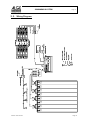
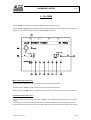
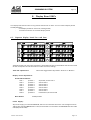
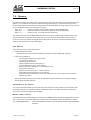
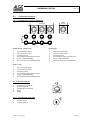
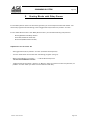
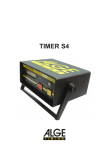
The Timer S4 is a high precise timing device with sockets to plug other devices:
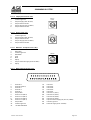
- Multi Channel Outlet to plug the S4-SWIM
- Socket to plug the Printer P4
- Socket to connect display boards GAZc
- RS 232c interface to connect a computer
- Socket to connect a headset (speech connection to the start)
The Timer S4 has built in rechargeable batteries and is able to supply the complete system for
about four hours. Normally is the Timer S4 connected to a 12 Volt car battery or with the net charging set NLG4.
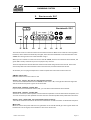
1.2. S4-SWIM:
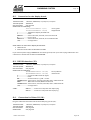
The S4-SWIM is connected with a 25 pin plug at the Timer S4. The S4-SWIM has eight outlets to
connect the cable to the Finish-Adapter (touch pad and handswitch). Built into the S4-SWIM are all
switches to turn the touch pads on or off, as well as the socket for the Start Acoustic SA1.
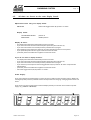
1.3. FINISH-ADAPTER FIN1:
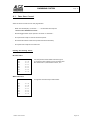
One finish adapter is needed for two lanes. From the S4-SWIM to the Finish-Adapter is a 5-core
cable necessary. At each Finish Adapter you connect two touch pads and handswitch.
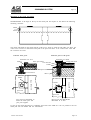
1.4. TOUCH PAD TP24:
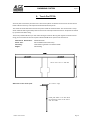
It is a reliable mechanical system. Tape switches are inside the touch pad to make an impulse for
each touch of a swimmer. This construction makes an error free use possible. Waves or splashing
water will not effect the system and do not cause false impulses.
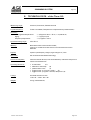
mechanical dimensions:2450 x 945 mm
active area: 2406 x 921
Version : E-97-03-24
Page 3