1
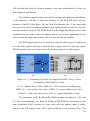
allows the user to turn on or turn off the power supply for the LVPS module with the
help of command transferred to RS-232/TCP-IP converter module. The “POWER”
LED button also indicates if the power is on or not and just to be on the safe side it is
possible to make the POWER LED button invisible during the software operation to
avoid accidental power supply disconnection.
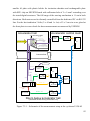
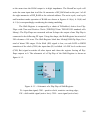
To start the operation of LVPS hardware module user should choose the
desired connection interface and its settings then carry out the connection by
“Connect” button situated in the left bottom part of GUI and the popup window
should confirm that connection is established. After that in case of TCP/IP connection
with additional power control the user should turn on the 220V power supply for
LVPS module by “POWER” LED button and the message confirming that power is
on will appear. At the next step the user sets required power supply voltages values
and turns on corresponding channels and channel groups. After that the user can press
the “Start” button situated in the left bottom part of GUI that processes measurement
of all the numerical parameters values and checks if any error occurred. For
processing the measurement continuously in cyclic mode the user can check the
“CYCLE” checkbox situated nearby.
In the previous paragraph the regular connection and measurement processes
have been described. In addition to it, LVPS software provides possibilities of online
module status check and automatic testing of the module. The “TestON” button
provides possibility of the single automatic connection and measurement test of the
module – in this case all the voltages levels are set automatically based on the values
defined in the GUI, all the channels are turned on automatically, single measurement
of all the numerical parameters and status check is done, then all the channels are
turned off and the test is finished.
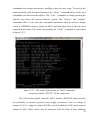
The “TestModule” button allows processing the single test of LVPS module
state. During this test the necessary information about any errors, LVPS module
firmware version and module serial number is collected and represented at the GUI.
77