1
1261B-Linear User Manual
Publication No. 980844 Rev. B
Connect an RS-232 terminal to the RS-232 port of the EMS.
Cycle power to the EMS by removing and reconnecting the AC
power cord. Observe the error messages displayed on the
terminal to determine which of the self-tests have failed.
Connect an RS-232 terminal and keyboard to the RS-232 port of
the EMS. Type the command:
SYST:ERR?
on the keyboard. Observe the reply to determine the cause of
the self-test failure. The meaning of the replies to this query are
discussed later in this section.
Turn VXI mainframe power on. After the resource manager
program has executed (MXI/VXI and embedded computer
interfaces), or after a five second delay (GPIB/VXI slot 0
interface), send the following command to the EMS over the
VXIbus:
SYST:ERR?
Read the reply to determine the cause of the self-test failure.
The meaning of the replies to this query are discussed later in
this section.
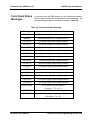
The “Self Test Failed!” message will continually be displayed
until it is cleared. This message may be cleared using the
following command:
DISP:TEXT:CLEAR
The self-tests may also be initiated with an ASCII command over
either the RS-232 or the VXIbus interface. The command:
*TST?
initiates the self-test.
The self-test will complete after
approximately 3 seconds. Upon completion of the self-test, the
result may be read via the VXIbus (the result will automatically
be sent over the RS-232 interface if the command was received
on the RS-232 interface).
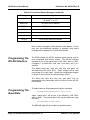
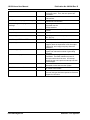
The result of the self-test will be one of the following:
0
The self-test has passed
-1
The checksum of the ROM which contains the firmware
does not match the checksum stored in the ROM itself.
-2
The EEPROM checksum does not match the
checksum stored in the EEPROM itself; the EEPROM
Using The Enhanced Monitoring System 4-42
Astronics Test Systems