1
H.264MP-MegaPixels RTSP Streaming User’s Manual
6.2 Live View Page
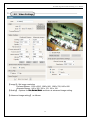
In the Live view webpage, administrator can do operations :
Taking Snapshots, Recording, Playback, Talk-Back, Speaker, Alarm on/ off and Image
Parameters Settings.
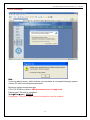
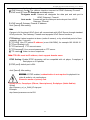
【Snap】 click “Snap”, take the current image snapshot, which can be stored in your
computer hard drive in JPG format.
【Record】Manual video recording, the current video can be stored in your computer
in .MP6 format. The working status as:
【Replay】click “Replay”, it will bring up a new Playback window, user can playback the
recorded video or pictures captured.
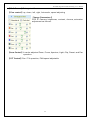
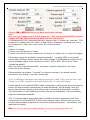
【Call】Mic. on/ off,If user connects Microphone and Speaker with IP camera, it can
turn on the two way Audio function. The working status as:
【Speaker】Speaker on/ off,The working status as :
【Alarm】While there is an alarm, click on【Alarm】to stop the alarm manually .
【Log】Evens log
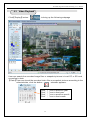
【Zoom in】Click on “Zoom in” change to red color, Select area to zoom in (live view)
28