1
General
•
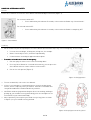
In general, avoid touching me when I am moving my arms or going about.
•
Do not insert foreign object:
1. in or under my casing (including the loudspeakers)
2. in the USB or Ethernet port.
•
In general, take care not to make me fall.
•
Do not exert strong forces on me. Pushing against my motors may damage them.
•
Do not block my sensors. See User Manual for their location.
•
Some of my sensors are tactile. Do not apply force on them.
•
Do not pull me by the head, the arms, or the legs; otherwise you might damage my joints.
•
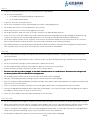
Never cover the air vent at the back of my head, in particular do not put anything on my head, including any kind of hat, cap,
or wig as they may increase my operating temperature that can lead to an unexpected shutdown or damage me.
•
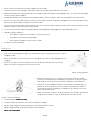
Do not put any glasses (fake or not), eye patch, on my head, or any kind of clothing accessory whatsoever on me. I am not a
doll so I must not be dressed up, otherwise my sensors and articulations may not operate properly.
•
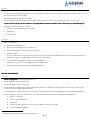
My head may become very warm during normal operation. Before touching it, especially when changing the USB flash disk
after using me, make sure you wait 15 to 20 minutes so that the head has cooled down.
Powering
•
Please read the Battery Charger User Manual that came with the Battery Charger. It contains important installation and
safety instructions.
•
The Battery Charger may become hot. This is normal, so take care when handling it during or immediately after operating
me.
•
Do not use the Battery Charger if room temperature is above 45°C (113°F).
•
For the maximum Battery lifespan, fully charge the Battery at least once every 3 months.
•
Protect the Battery Charger terminals from dirt or other foreign objects.
•
Do not use me with any cables plugged,
plugged, as the cable could disconnect or I could fall over. Disconnect the charger from
the battery and the Ethernet cable before turning me ON.
ON.
•
Do not plug my power cables into an electrical outlet if the power cable is damaged.
•
During a storm unplug the Battery Charger from the Socket to protect it from damage.
•
Only use the power cable provided with the Battery Charger. Other power cables may damage me or my Battery Charger and
may cause fire or electric shocks.
•
There is no switch on the Battery Charger, use the main plug to disconnect it. The plug must be easily accessible.
•
Use only the Aldebaran provided AC power cable with the AC adapter. Use of any other power cable may damage the robot or
AC adapter or may present risk of fire or electric shock.
•
Never use an AC adapter that shows signs of damage or excessive wear.
Extension cables
•
Do not use multiple socket adapters or power extension cables that bypass the ground wire or disable grounding in any way.
•
When using a power extension cable or a multiple socket adapter, make sure it is grounded and has sufficient current rating.
You may use either one or the other to extend from the wall socket, but no more than one extension device at a time.
•
If you use a multiple socket adapter, take care when plugging the power cable, as some types allow incorrect plugging which
could result in permanent damage to me, as well as provoke electric shock and/or fire.
•
Do not plug the robot power cables into an electrical outlet if the power cable is damaged.
3 of 8