1
SS 5124
SS 5124
TEMPERATURE CURVE
1
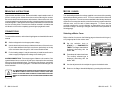
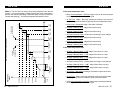
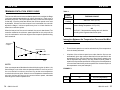
The user can define a temperature curve to adjust the set point automatically
over a given time period.
n
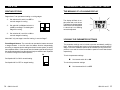
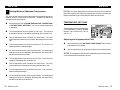
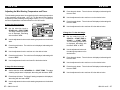
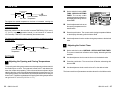
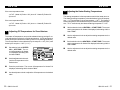
Set the selection knob to SET
POINT / TEMP. CURVE. The
current temperature set point
flashes on the display.
n
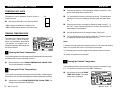
Press the push-button. The word OFF is displayed indicating that the
termperature curve is deactivated. If this is not the case, see below to
deactivate the curve.
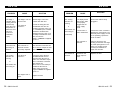
○
○
d4
d25
d35
d50
○
○
○
○
d70
○
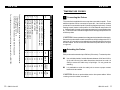
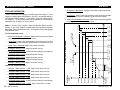
Repeat the following steps for each of the six points:
○
○
○
○
○
○
○
○
○
○
○
○
○
○
○
○
○
○
○
○
○
○
○
○
○
○
○
○
○
○
○
○
○
○
○
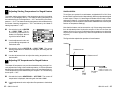
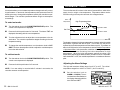
Temperature
T o1
T o2
T o3
T o4
T o5
T o6
Specifying the Curve
d80 Days
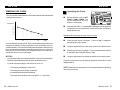
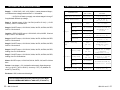
A curve is defined using six points. Each point specifies a day number and
a set point for that day. Once the points of the curve are defined, the curve
must be activated. The controller will change the temperature set point every
hour in a linear fashion between consecutive points of the curve. When the
last point of the curve is reached, the temperature set point for that day is
maintained until the curve is reactivated.
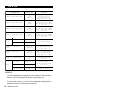
NOTES :
i) All six points of the curve must be specified. If six points are not needed,
repeat the last temperature value for each unnecessary point.
ii) Certain restrictions apply to reduce the risk of errors:
- The highest possible day number is 99.
- Decreasing day numbers are not allowed.
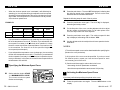
n
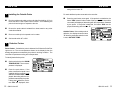
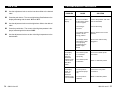
Press the push-button once again. The word "day" is displayed,
alternating with a day number.
n
Using the adjustment knob, set the day number to the desired value.
n
Press the push-button once again. The current temperature set point
is displayed, alternating with the word "set".
n
Using the adjustment knob, adjust the set point to the desired value.
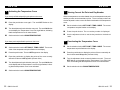
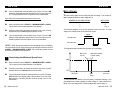
Once the six points of the curve have been specified, activate the curve as
explained below.
NOTE: Make sure the temperature curve is deactivated before specifying
new points (see below).
- Increasing temperatures are not allowed.
- The temperature variation cannot exceed 3°F (1.6°C) per day.
20 QM 1312.rev.05
QM 1312.rev.05
21