1
EvSuite – Basic Software Installation Manual
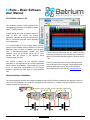
Multiple PCs (ServiceCentre) connected by Ethernet or WiFi.
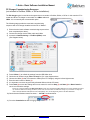
The EvSuite software allows multiple ServiceCentre applications to be run at once. Each additional ServiceCentre
application running is able to monitor and display the bargraph for the battery system that is connected via the PC with
the UMon host application running on it. This means that you can use a second computer to remotely monitor the status
of your system.
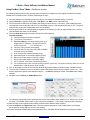
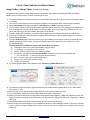
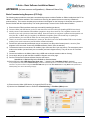
1) Install the EvSuite software on a second PC that is connected via Wi-Fi or Ethernet.
2) Run the ServiceCentre software.
3) If prompted, do not start the second host on the remote computer. The host must be running on the computer
that is connected to the batteries.
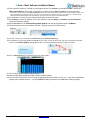
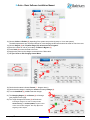
4) Observe the window bar at the top of the screen. It should indicate that the appropriate channels are “OK”.
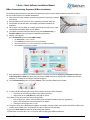
5) Navigate to the node chart and observe the same screen that is visible on the remote computer.
It is important to understand some of the background methods to achieve this, as it is possible to create a situation that
will no longer allow your batteries to be monitored. The computer that is connected to the batteries has the USB UMon
host running. This application transmits (broadcasts) all the information about your system over the Ethernet (Wi-Fi)
network. The ServiceCentre actually just listens to these messages. Thus it is possible to have multiple ServiceCentres
running anywhere on your network.
The problem occurs when multiple USB UMon hosts are running on the same network. Each USB UMon host will
transmit resulting in conflicting data. In this situation the data will be corrupted. In order to proceed, the second USB
Host must be closed (stopped).
The use of a remote ServiceCentre is a powerful option once it is mastered by the operator. It opens many new options
for operators. Batrium will soon be releasing further significant enhancements to the “Wi-Fi” linked electric vehicle
application.
BatteryAngelTM is an international trade mark
www.batrium.com © 2010-20134
Ver 1.4
Jan 2014,
Page 16 of 16