1
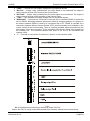
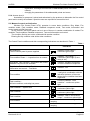
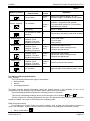
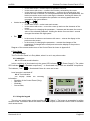
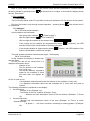
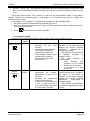
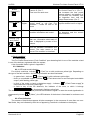
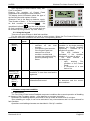
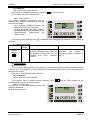
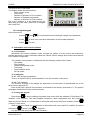
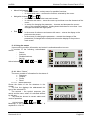
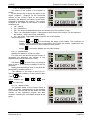
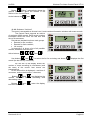
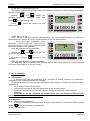
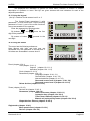
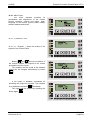
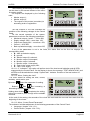
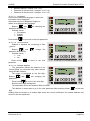
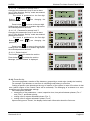
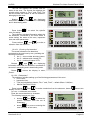
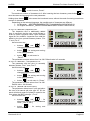
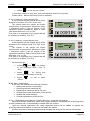
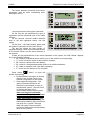
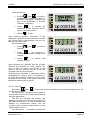
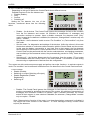
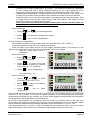
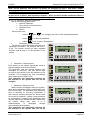
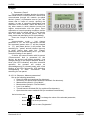
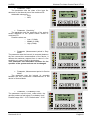
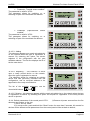
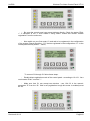
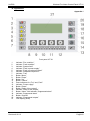
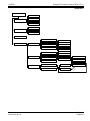
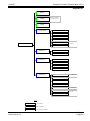
UniPOS Wireless Fire Alarm Control Panel VIT 01 Menu/Confirmation : o In the main screen – selects menu for possible functions; o In screen with menu – confirms the function, selected by the cursor. Navigation buttons and : o In the main screen – select next main screen; o In a screen with menu – move the cursor up and down over the elements of the menu; o In screen for changing the parameter – increase and decrease the current value of the selected parameter. Holding down the button for more than 1 sec changes the values with high speed. End : o In the screen of submenu and screen with menu – returns the dispay to the previous main screen; In the screen for changing the parameter – records the changes of the parameters (if changes were made) and returns the display to the previous main screen. o 11.4. Using the menus Upon entering condition Information and control is realized transition to menu. It consists of the following subordinated menus: - Status; - Archives; - Disabled devices; - Set Up. Active buttons: , , and . 11.4.1. Menu “Status” The menu consists of information for the status of: Detectors; Outputs; Zones; Panel. 11.4.1.1. „Status/Detectors” Shows the status of the fire detectors in the system. The first line displays the addressand the type of the selected FD. The second – the symbol sequence (the name) and the zone, where it is situated defined by the user. The third line shows its current status and mode of operation. Active buttons: , and . Meanings of the positions in field ‘’Status’’ is explained in 12.4.3.2. Instruction manual Revision 8/10.13 Page 21 Pages 50
![[ENG] CE16-2 Manuale v2-8](http://vs1.manualzilla.com/store/data/005660444_1-7046d8e9760149eb635bc594076a0e4d-150x150.png)